Zebra Barcode Scanner Programming Sheet James Dyson Haj t r s Azonos Symbol Scanner Configuration r k s How To Activate The SYMBOL LS2208 Carriage Return Enter Function Programming Zebra Scanners For Communication To The Verifone Ruby Programming Guide Symbol Motorola Zebra LI4278 Scanners RetailOps Inventory Management System With Barcode Scanner In PHP A Definitive The target of this document is to include codes for programming the Zebra scanner expansion back ZBACK behavior Examples are SE4710 and SE4750 connected to an ET50 or ET55 Windows tablet Refer to Zback scanner setup to find detailed documentation
Getting Started To begin Scan the default barcode If you use USB scan USB barcode If you use RS 232 scan RS 232 barcode If you use the keyboard scan the keyboard barcode If you use an IBM host scan the IBM host barcode Read LS2208 Universal Barcode Scanner Complete Setup Guide here No license is granted either expressly or by implicat ion estoppel or otherwise under any Zebra Technologies Corporation intellectua l property rights An implied license only ex ists for equipment circuits and subsystems contained in Zebra products Zebra and the Zebra head graphic are registered tradem arks of ZIH Corp
Inventory Management System With Barcode Scanner In PHP A Definitive Zebra Technologies DS6878 Barcode Scanner With Integrated Bluetooth Motorola Zebra Symbol Bluetooth Scanner Setup Bluetooth Wireless Zebra DS22 Cordless Barcode Scanner 2D Area Imager Motorola Symbol LS2208 Bar Code Reader LS2208 SR20377R B H NCR Motorola Zebra Symbol LS2208 Barcode Scanner 1D Serieller Anschluss Printable Symbol Barcode Scanner Programming Sheet Zebra Technologies LI4278 Barcode Scanners YouTube Gu a Para Escanear Una Boleta QR Y Obtener Informaci n Adicional
Zebra Barcode Scanner Programming Sheet
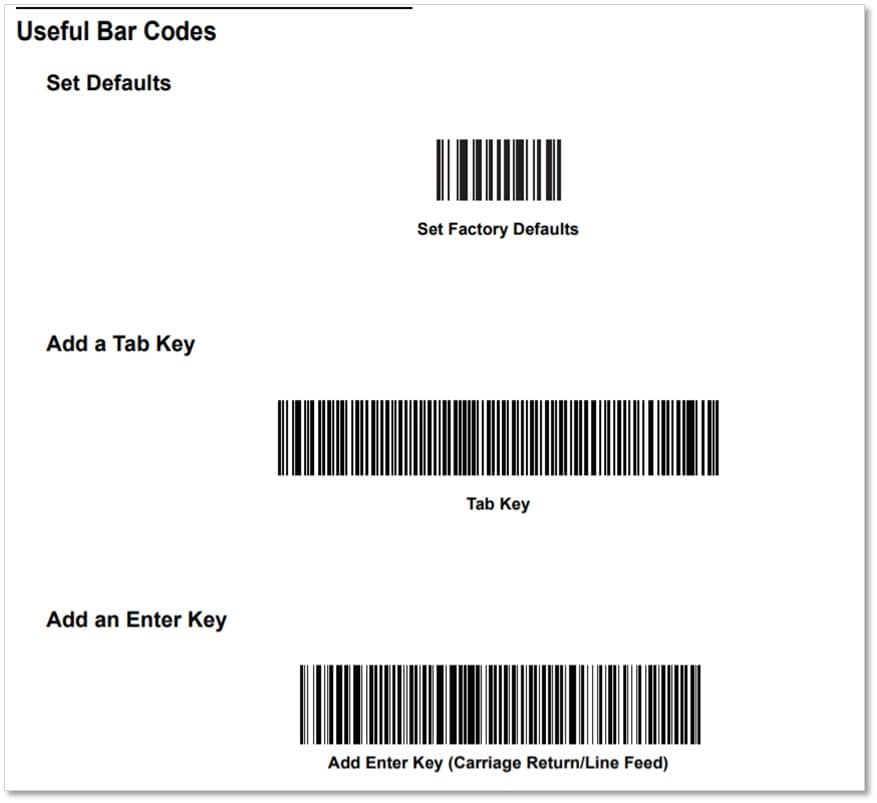 Zebra Barcode Scanner Programming Sheet
https://digitalasset.intuit.com/IMAGE/A4V1146D4/Barcode_POS_US_EXT_083120.jpg
RetailOps 2 0 includes new features requiring special configuration for barcode scanners This simply alerts RetailOps that when scanning a barcode will be sent to RetailOps Read the instructions below to program your scanner Please note Your instance must be on RetailOps Version 2 1 and above for the scanners to function properly
Pre-crafted templates offer a time-saving option for creating a varied series of files and files. These pre-designed formats and layouts can be used for different personal and expert tasks, including resumes, invites, leaflets, newsletters, reports, presentations, and more, enhancing the content production process.
Zebra Barcode Scanner Programming Sheet
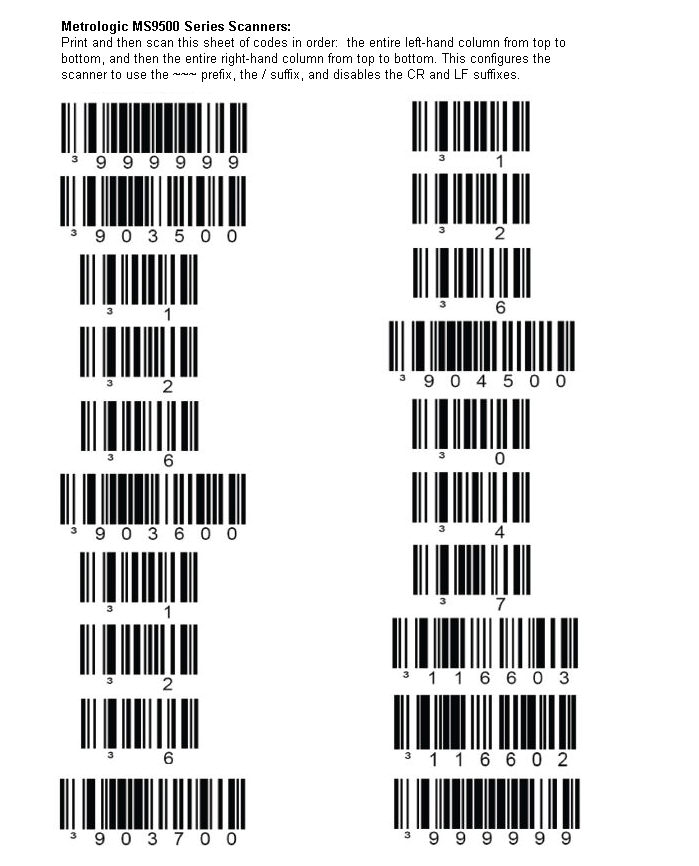
Printable Symbol Barcode Scanner Programming Sheet
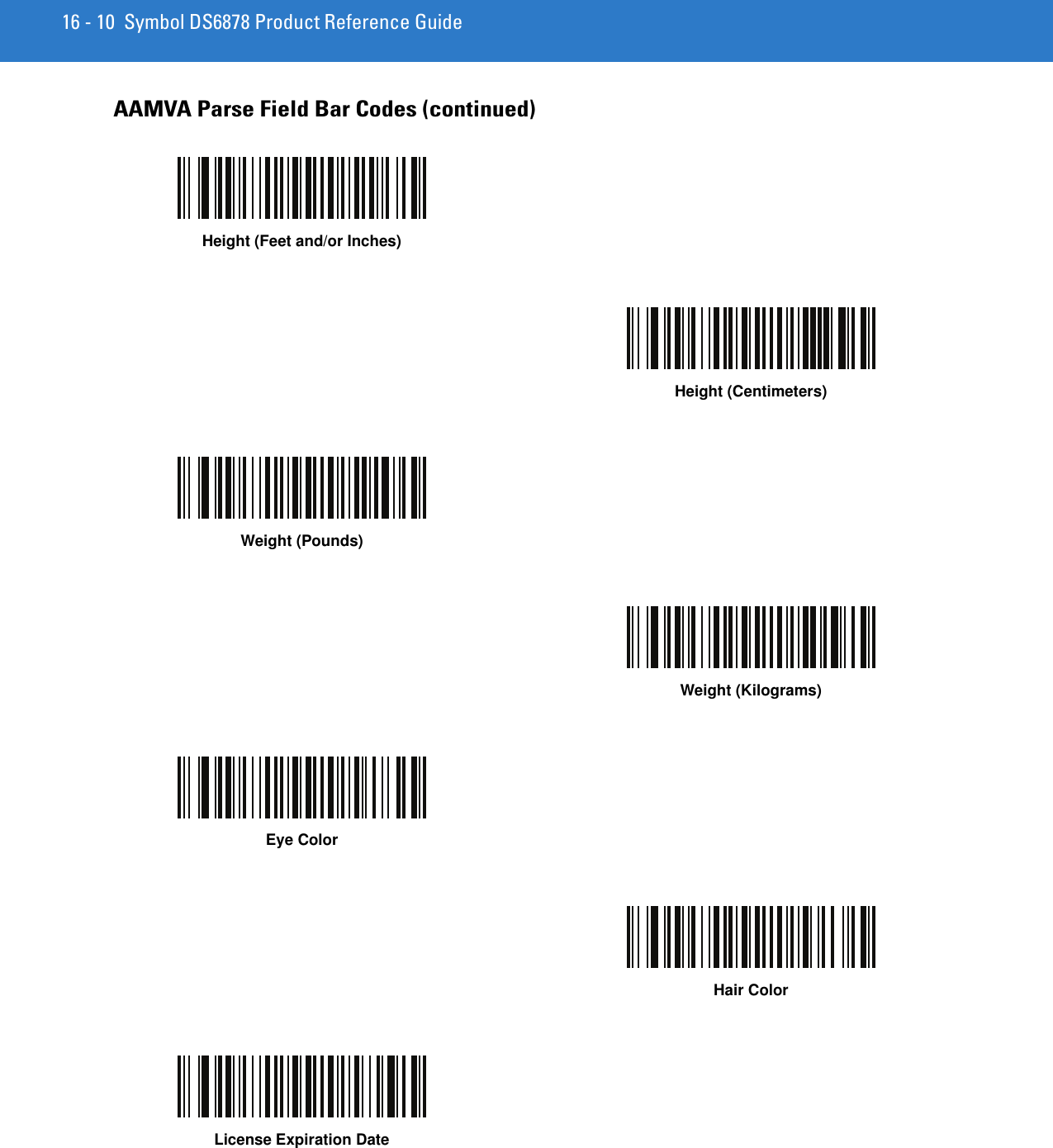
Zebra Technologies DS6878 Barcode Scanner With Integrated Bluetooth

Motorola Zebra Symbol Bluetooth Scanner Setup

Bluetooth Wireless Zebra DS22 Cordless Barcode Scanner 2D Area Imager

NCR Motorola Zebra Symbol LS2208 Barcode Scanner 1D Serieller Anschluss
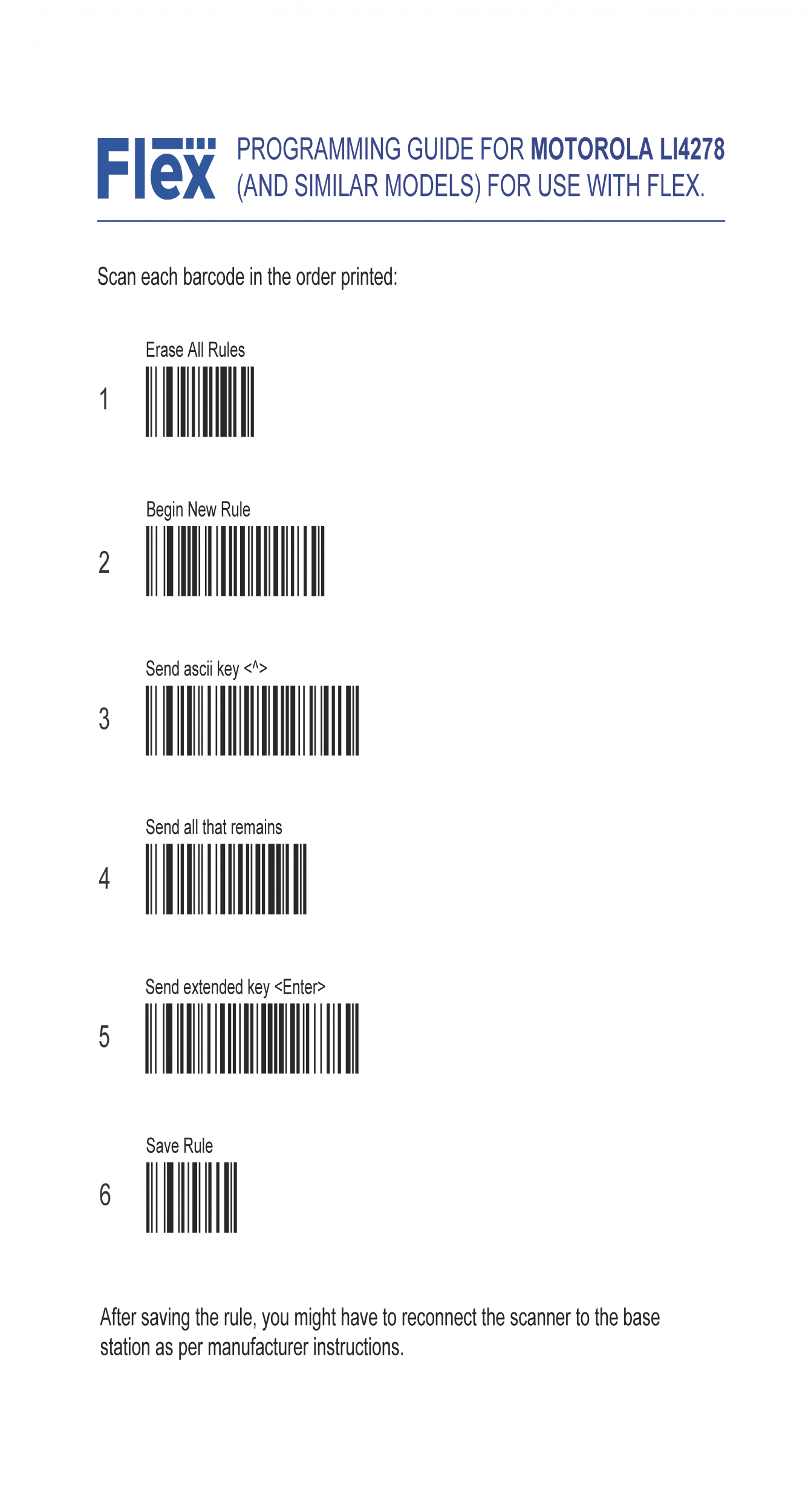
Printable Symbol Barcode Scanner Programming Sheet
First Time Connection steps 1 Connect the RJ41 end of the USB cable to the handle of the LS2208 scanner 2 Connect the USB end of the cable to your computer s USB port 3 The LS2208 will power up with a low medium high beep sequence 4 Pull the LS2208 trigger and confirm the illumination is present 5

Scanner not programmed for bar code type Enable that bar code type Bar code is unreadable Ensure the bar code is not defaced scan a test bar code of the same bar code type Distance between scanner and bar code is incorrect Move the scanner closer to or further from the bar code
Pairing bar code format with STC info Defaults for ISBT Concatenation Values under bar codes for SSI baud rates 230 400 460 800 921 600 CR8178 PC illustration and measurement callouts Changed RSS Expanded to GS1 DataBar Expanded Digimarc chapter First row of table under Hands free Decode Session Timeout

Programming barcodes for Plural Stage barcode decoding Download 626 KB Toshiba TEC Programmer s Guide en Programming barcodes for Toshiba TEC host Download 1 MB Zebra Scanner SDK for Android Developer Guide en
Scanner via a bar code or USB cable For more information visit http www zebra 123Scan2 Utility Functionality Device configuration Electronic programming USB cable Programming bar code s Data view Scan log display scanned bar code data Access asset tracking information Upgrade firmware and
[desc-11] [desc-12]
[desc-13]