Zebra Barcode Scanner Factory Reset Programming Guide Symbol Motorola Zebra LS1203 Scanners RetailOps Reset Barcode Scanner Aptito Zebra Barcode Scanners Taylor Data Systems Inc Zebra 140Xi4 Resetting Factory Defaults YouTube Zebra MC3300x Android El Terminali Ak ll Bilgisayar Ve Dokunmatik Wipe a Device To create a Wipe a Device profile Select Create New Profile Select the MX version from the drop down menu Select the Wipe a Device Wizard and select
Turn off device Press and hold scan button bottom button on left side of device Turn the device on and continue to hold scan button until recovery screen appears Menu Navigation Each Scanner via a bar code or USB cable For more information visit http www zebra 123Scan2 UtilityFunctionality Device configuration Electronic
Zebra MC3300x Android El Terminali Ak ll Bilgisayar Ve Dokunmatik Grinch Games For Parties Eaglesonic ScanAvenger How To Completely Reset Your Barcode Scanner To Factory Ls300 Barcode Scanner Manual Seoozseods Bluetooth Wireless Zebra DS22 Cordless Barcode Scanner 2D Area Imager Programming Guide Honeywell 4800i Scanners RetailOps K y lm Geli Perth Ge ersiz k lar Ast Zebra Barcode Scanner Not Able To Pair My Cordless Scanner To Win10 Machine Over BT Using HID Polar Na ionalism Rural Honeywell Scanner Manual Tu Esti Contribuabil
Zebra Barcode Scanner Factory Reset
 Zebra Barcode Scanner Factory Reset
https://s3.amazonaws.com/screensteps_live/images/quangudtech/615582/3/rendered/80b33b3c-bf83-454c-ae13-e496f0e96d2e.png
Keyboard Wedge Scan ONE of the bar codes below The digital scanner automatically detects the host interface type and uses the default setting If the default does not
Templates are pre-designed files or files that can be utilized for numerous functions. They can save effort and time by supplying a ready-made format and design for producing various kinds of content. Templates can be utilized for personal or professional jobs, such as resumes, invitations, leaflets, newsletters, reports, presentations, and more.
Zebra Barcode Scanner Factory Reset

Troubleshooting Zebra DS2278 CS60 Sitoo Support
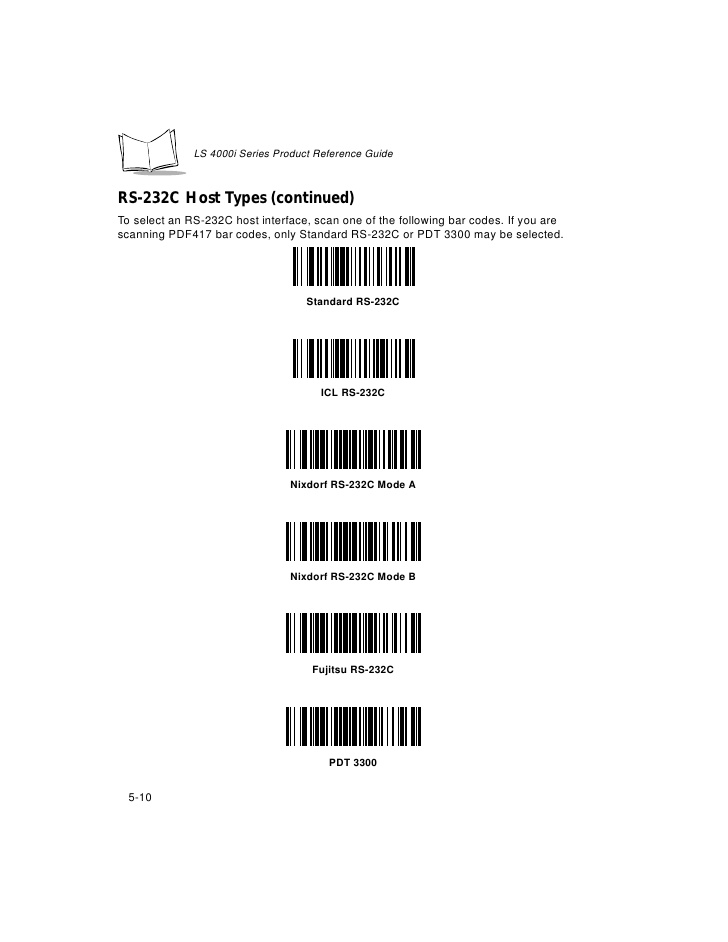
Grinch Games For Parties Eaglesonic

ScanAvenger How To Completely Reset Your Barcode Scanner To Factory
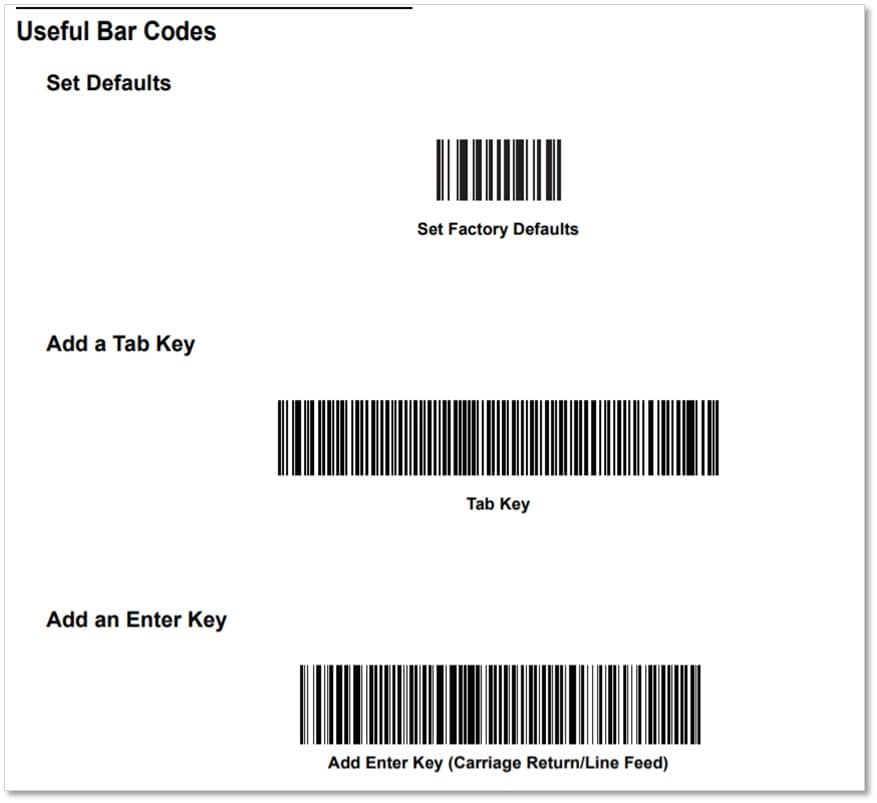
Ls300 Barcode Scanner Manual Seoozseods

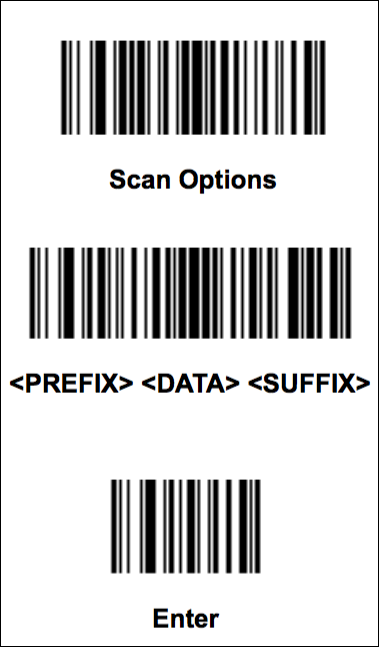
Programming Guide Honeywell 4800i Scanners RetailOps
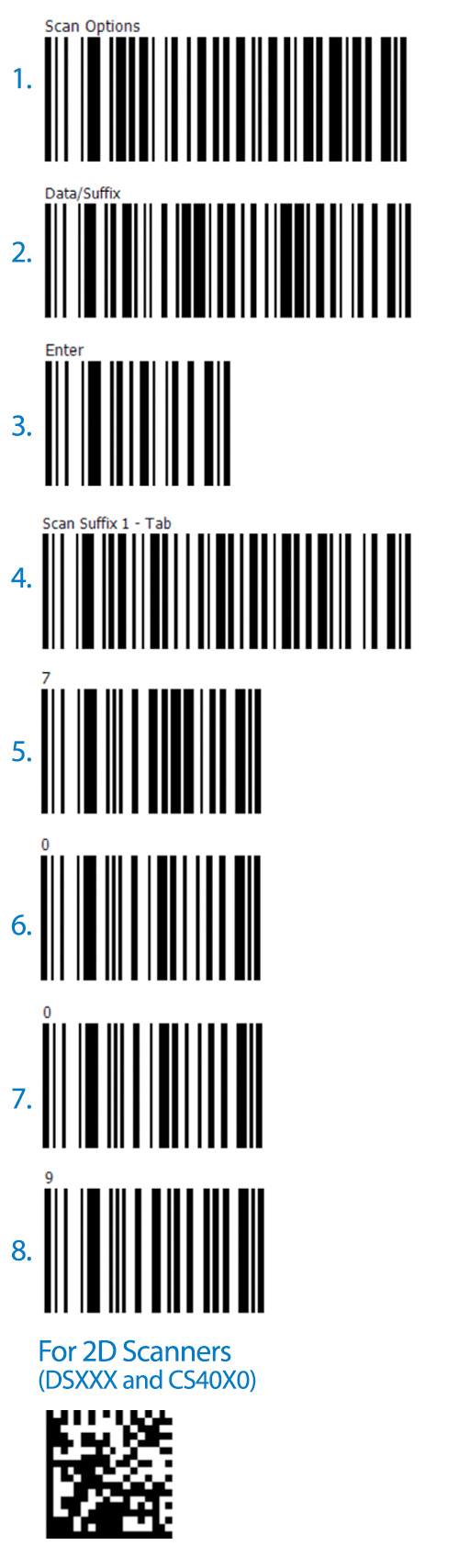
K y lm Geli Perth Ge ersiz k lar Ast Zebra Barcode Scanner
Option 1 Using StageNow XML based 2D barcode Scan the below 2D Factory Reset barcode using the StageNow client pre installed Option 2 Using StageNow JavaScript based 2D barcode

Scan a bar code below The Auto Host Detect Cable feature automatically detects the host interface type and uses the default setting If the default does not meet your

Procedure Within Zebra Aurora Focus Software select View Devices Identify the device model in question We are using an FS40 model as an example in the

1 Release Date November 2015 Device Compatibility This software has been approved for use with the following devices Documentation TC75 KK L Full Reset Minus External

CS6080 HC Healthcare NOTE This guide applies to all scanner configurations including cordless corded standard range and healthcare unless specifically indicated Features
Zebra distributes the Factory Reset packages on the Zebra Support Downloads website Application Deployment Performing a Factory Reset Using microSD Card Performing a First Time Connection steps 1 Connect the RJ41 end of the USB cable to the handle of the DS3608 SR scanner 2 Connect the USB end of the cable to your computer USB port
1 Reset your barcode scanner to factory defaults On your iPad tap Settings Bluetooth Under MY DEVICES tap the information icon to the right of your barcode scanner Tap