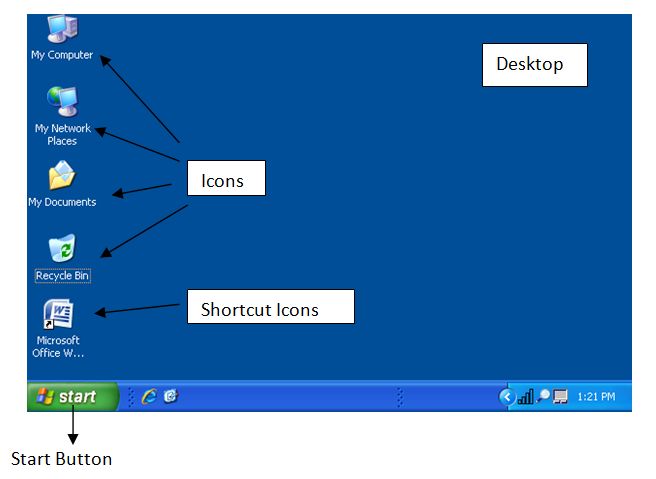
Write A Short Note On Taskbar And Its Settings Write Short Notes On The Following Concepts Icons Desktop Taskbar The Taskbar In Windows 7 Windows 7 Taskbar Reviewed 4sysops Change Taskbar Location On Screen In Windows 10 Tutorials Write A Short Note On Indian Desert Write A Short Note On Indian Web Nov 11 2016 nbsp 0183 32 c Taskbar A Taskbar is a visual device on the desktop that typically shows the user which applications task s are currently active and running Also includes icons for commonly used utilities such as the
Web Aug 27 2015 nbsp 0183 32 Step 1 Right click on the newly created Settings app shortcut and click the Properties option to open its properties Step 2 Here under the Web Document tab you Web Click an option below and it ll open to display a table of related shortcuts Copy paste and other general keyboard shortcuts Windows logo key keyboard shortcuts Command
Write A Short Note On Indian Desert Write A Short Note On Indian Write Short Notes On The Following Concepts Icons Desktop Taskbar How To Put Short Notes In The Windows Taskbar How To Write Short Note On Taskbar In Computer Computer Tips And Taskbar Settings In Windows 10 YouTube Get Windows XP Look In Windows 10 Without Themes Or Patches Windows 7 Svchost Win7 2020 L How To Move The Taskbar On Windows 10 How To Move The Taskbar To The Top In Windows 11 Tom s Hardware
Write A Short Note On Taskbar And Its Settings
 Write A Short Note On Taskbar And Its Settings
https://1.bp.blogspot.com/-2mnrZEZuzCQ/WCYcwucHg1I/AAAAAAAACJg/cPqSIu7P90oCzqyVm2K507GEpQSYTN9WwCLcB/s1600/esenior_desktop.JPG
Web Download myCBSEguide App Write a short note on taskbar and its settings Ask questions doubts problems and we will help you
Templates are pre-designed files or files that can be used for numerous functions. They can save time and effort by supplying a ready-made format and layout for creating different type of content. Templates can be used for individual or professional projects, such as resumes, invites, flyers, newsletters, reports, presentations, and more.
Write A Short Note On Taskbar And Its Settings

Write A Short Note On Cotton Study95
Write Short Notes On The Following Concepts Icons Desktop Taskbar

How To Put Short Notes In The Windows Taskbar

How To Write Short Note On Taskbar In Computer Computer Tips And
Get Windows XP Look In Windows 10 Without Themes Or Patches

Windows 7 Svchost Win7 2020 L

Web Aug 30 2021 nbsp 0183 32 Write a short note on taskbar and its settings Answer 3 people found it helpful itzbrainlycommando13 report flag outlined A taskbar is an element of a

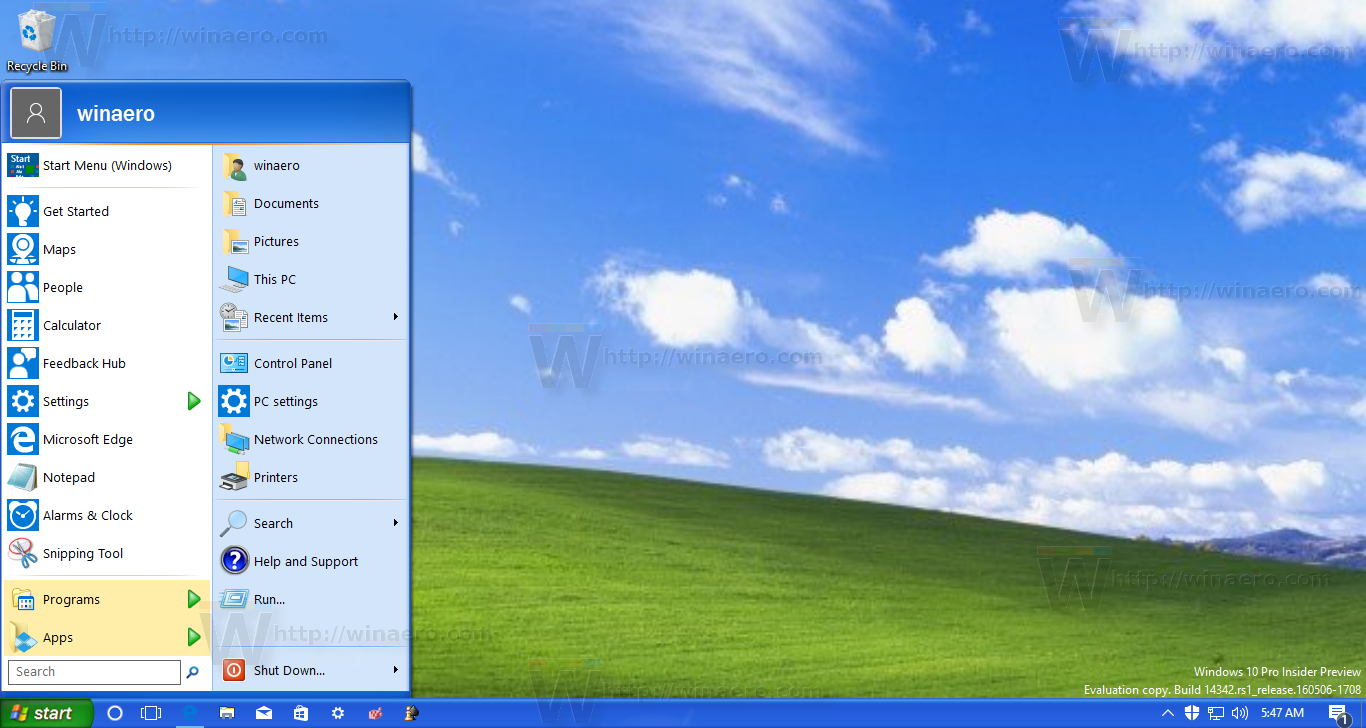
Web May 3 2022 nbsp 0183 32 Updated 05 01 2023 by Computer Hope The taskbar is an element of an operating system located at the bottom of the screen It lets you locate and launch programs through Start and the Start menu or

Web Taskbar Overview 1 Location By default the taskbar is located at the bottom of the screen but users can move it to other edges if desired 2 Start Button It typically

Web Sep 23 2018 nbsp 0183 32 Method 1 you can open the task manger using shortcut keys they are ctrl shift esc The task manger opens by clicking that Method 2 you can also go to the

Web Jan 31 2023 nbsp 0183 32 The toolbar also called bar or standard toolbar is a row of buttons often near the top of an application window that controls software functions The boxes are below the menu bar and often contain images
Web In this tutorial I will show you how to write short note on taskbar in computer After this tutorial you can learn how to write short note on taskbar in c Web Use aforementioned keyboard shortcut Windows important 1 through Windows key 0 to open the first to tenth icon on the Windows docking Should I use quot taskbar quot or quot task
Web Use the keyboard shortcut Lens key 1 through Screen key 0 to open the first to tenth icon to the Windows taskbar Should I benefit quot taskbar quot or quot task bar quot in my writing