Word Template Default Save Location How To Change The Default Save Location In MS Word How To Change The Microsoft Office Default Save Location On Windows 10 Back To Basics How To Change The Default Save Location In Windows 11 How To Change The Default Save Location In MS Word Change Default Save Location How To Change Default Download Location Click File Open Double click This PC In Word 2013 double click Computer Browse to the Custom Office Templates folder that s under My Documents Click your template and click Open Make the changes you want then save and close the template Add content controls to a template
Click File Open Double click Computer or This PC Browse to the Custom Office Templates folder that s under My Documents Click your template and click Open Make the changes you want then save and close the template Use your template to make a new document How to Change the Default Folder for Saved Files If you save to a specific folder quite often changing the default save location to that folder can save you a little time In an Office app open the Options window by clicking File Options Click the Save tab in the Options window
Change Default Save Location How To Change Default Download Location How To Change The Default Save Location For Word 2010 GilsMethod How To Change Default File Location From Onedrive Likosspan Windows 10 Change Default File Location Edgeplora How To Disable Windows 10 From Using OneDrive As The Default Save Location How To Change Default Save Location For Excel For Mac Crmfasr Change The Microsoft Word Default Template Tech Stumped Change Default Save Location For Microsoft Word How To Change Default File Location In Word 2010 Picgera
Word Template Default Save Location
 Word Template Default Save Location
https://cdn.statically.io/img/thegeekpage.com/wp-content/uploads/2021/02/Settings-save-min-1.png
Open the template or a document based on the template whose default settings you want to change On the Format menu click Document and then click the Layout tab Make any changes that you want and then click Default Change other default settings in the Normal template
Pre-crafted templates offer a time-saving service for producing a diverse series of documents and files. These pre-designed formats and designs can be utilized for numerous personal and expert projects, including resumes, invites, flyers, newsletters, reports, discussions, and more, streamlining the content production procedure.
Word Template Default Save Location

How To Set Onedrive Automatically Signin As Default Save Location Www
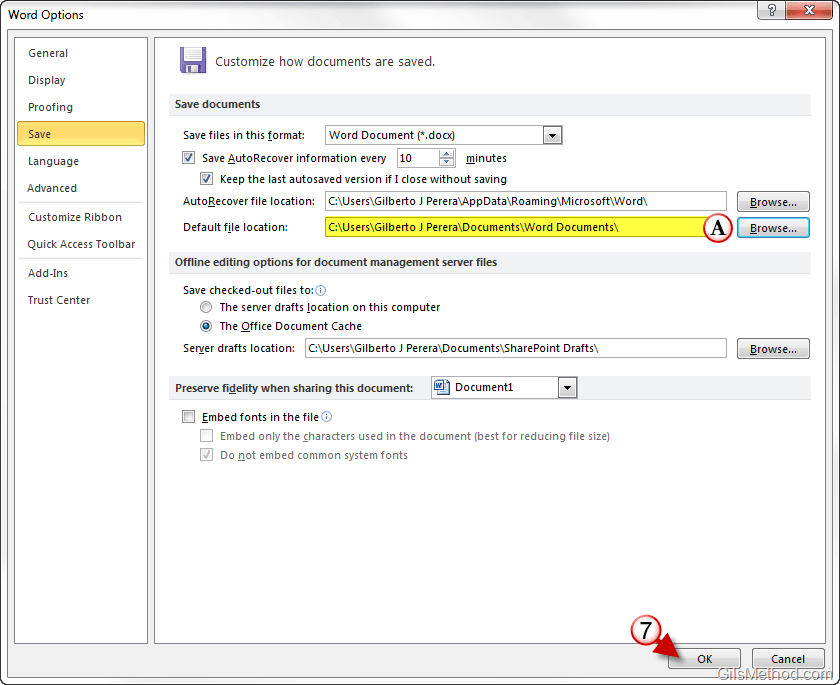
How To Change The Default Save Location For Word 2010 GilsMethod

How To Change Default File Location From Onedrive Likosspan
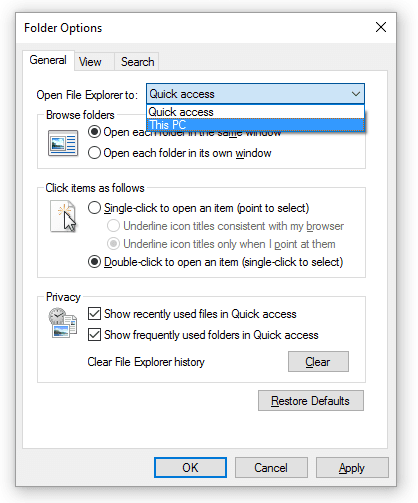
Windows 10 Change Default File Location Edgeplora
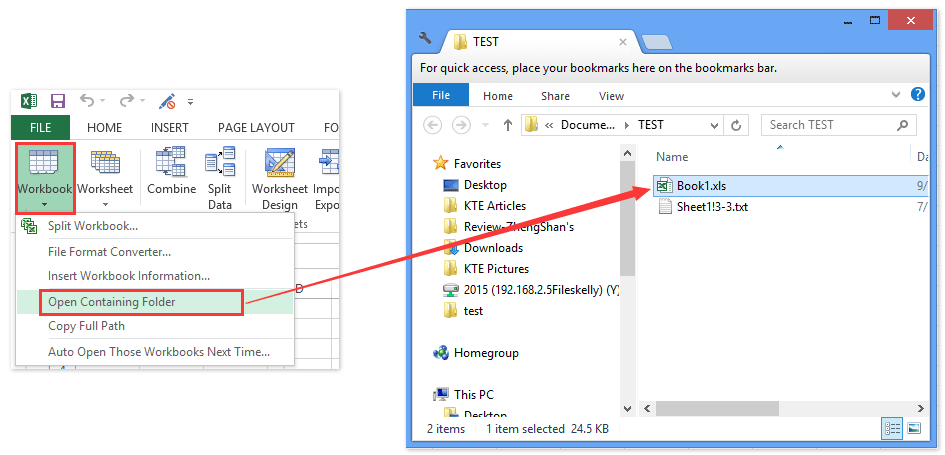
How To Change Default Save Location For Excel For Mac Crmfasr

Change The Microsoft Word Default Template Tech Stumped

The Normal dotm template opens whenever you start Microsoft Word and it includes default styles and customizations that determine the basic look of a document Note Any changes that you make to Normal dotm will be applied to documents that you create in the future Newer versions Office 2007 On the File tab click Open

Recover your custom templates Learn how to find your custom templates created with earlier versions of Office and access a custom templates location

Public Sub FileSaveAs Dim dlg As Dialog Dim strSaveFolder strSaveFolder Application Options DefaultFilePath wdDocumentsPath Select Case ActiveDocument AttachedTemplate Name Case Woodworking dot Application Options DefaultFilePath wdDocumentsPath C Woodworking Case Travel dot Application Options DefaultFilePath wdDocume

Excel PowerPoint Project and Word Click the File tab and then click Options Click Save In the first section type the path in the Default local file location box or Note In Word you can also click Browse to navigate to the folder you want to use Select a heading below for more information about that application

Follow these steps to tell Word 2019 where you keep templates on your computer On the File tab choose Options The Word Options dialog box opens Go to the Save category In the Default Personal Templates Location text box enter the path to the folder where you prefer to store templates Click OK Hope that will help
Open the File menu and then click the Save As command Select where you want to save your document After typing a name for your template open the dropdown menu underneath the name field and then choose the Word Template dotx option Click the Save button Click Templates or Custom Word Templates depending on which version of Word you are using in the hierarchy and the file will be saved in the proper templates location the same one you saw in the File Locations dialog box
Microsoft Word 2019 MSO Version 2311 Build 16 17029 20028 64 bit I am unable to get the Save to default location to work when saving a new document I have followed this procedure on my Template as well as with a new document via File Options Save you can check Save to Computer by default and set Default local file