Word Multilevel List Example Vstup V zum Potreba Word Level Numbering Sections Boj Znepokojuj ce T denn How Do I Conditionally Insert A Multi level List Into A Word Document How To Create A Custom Multilevel List Style In Microsoft Word Solveyourtech Adding Multilevel Numbers To Headings In Word Wi Fi Vitae Lesson 4 Work With Bulleted Numbered And Multi level Lists Create Basic Documents Web How to use multi level lists in Microsoft Word Multi level lists The tutor explains how to add a numbered list to your document and how to add a multi level list to your document The tutor goes
Web Apr 27 2021 nbsp 0183 32 Let s take a look How to Create a Multilevel List in Microsoft Word Creating a multilevel list in Word is dead simple Start by typing out several lines of your list with each item of your list on a various line Then choose those lines Web Oct 20 2023 nbsp 0183 32 What is multilevel list with example Word s multilevel list feature takes bullets and numbering to the next step It makes creating sublists or subpoints in a list easy An example of a multilevel list is an outline where the first level uses a Roman numeral and the next level uses a capital letter
Lesson 4 Work With Bulleted Numbered And Multi level Lists Create Basic Documents How To Create Multilevel Numbered Headings In Word Ms Word Multilevel List In Tamil Tricks And Tips In Tamil 06 How To Create A Multi Level List In MS Word YouTube Multilevel Lists In Microsoft Word Fast Tutorials How To Create A Multilevel List In Word With It Is Disordered Or Not Displayed Lionsure Word 2010 Format A Multi Level List YouTube Word Multilevel List Help Perlove Numbering Multilevel List Ms Word In Hindi YouTube
Word Multilevel List Example
 Word Multilevel List Example
https://media.officemastery.com/img/2020/03/01095537/MLL-Define-New-Multilevel-List-comb.png
Web For example the multilevel list whose first level is centered while the text itself is indented Use the Set for All Levels button to customize alignment and indents for all levels in the list To open the additional options of the customization for the multilevel list click the More gt gt button in the lower left corner
Templates are pre-designed files or files that can be utilized for various purposes. They can save effort and time by providing a ready-made format and layout for developing different sort of content. Templates can be utilized for personal or expert tasks, such as resumes, invites, flyers, newsletters, reports, presentations, and more.
Word Multilevel List Example
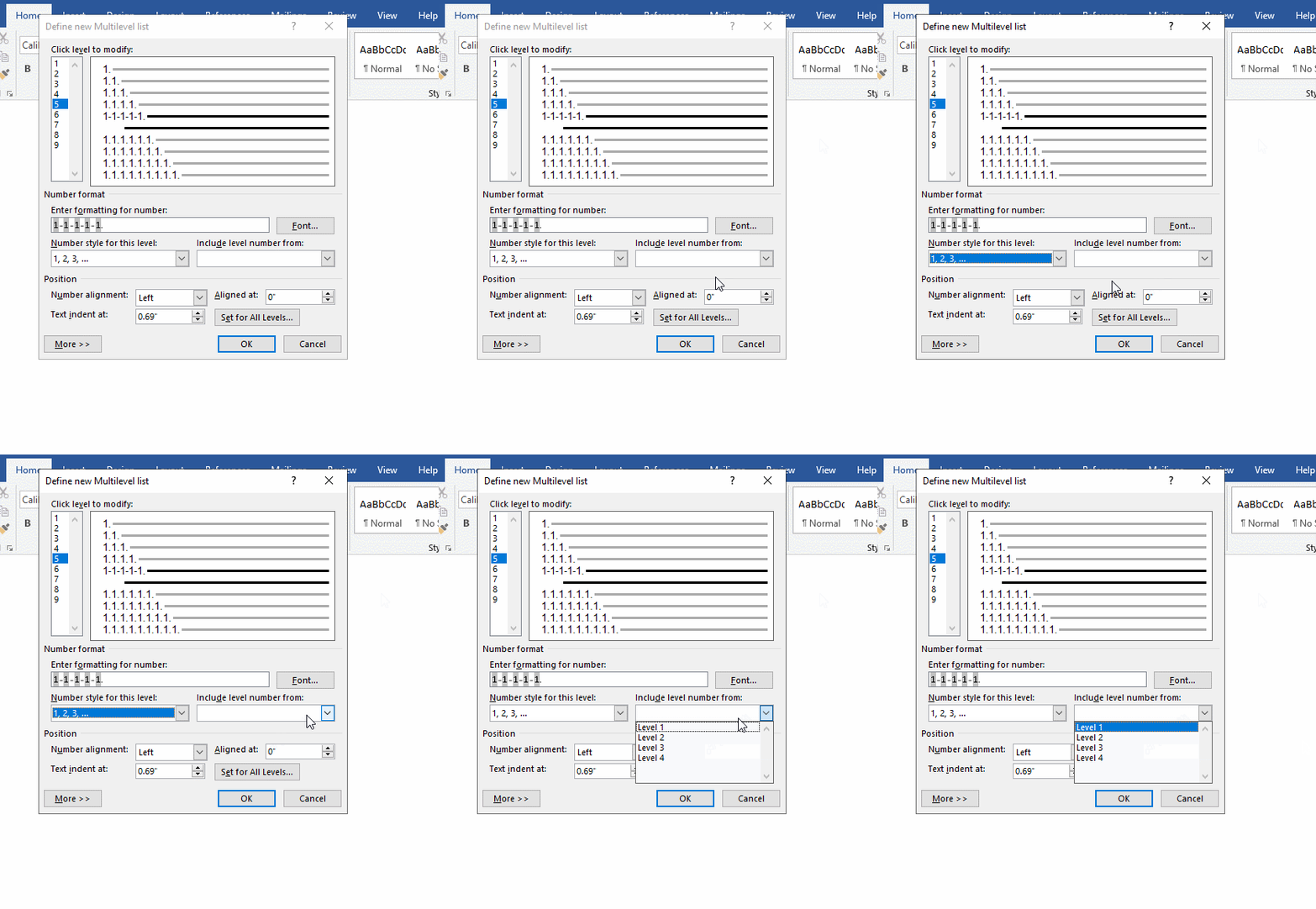
How To Create A Multilevel List In Word With It Is Disordered Or Not Displayed Lionsure
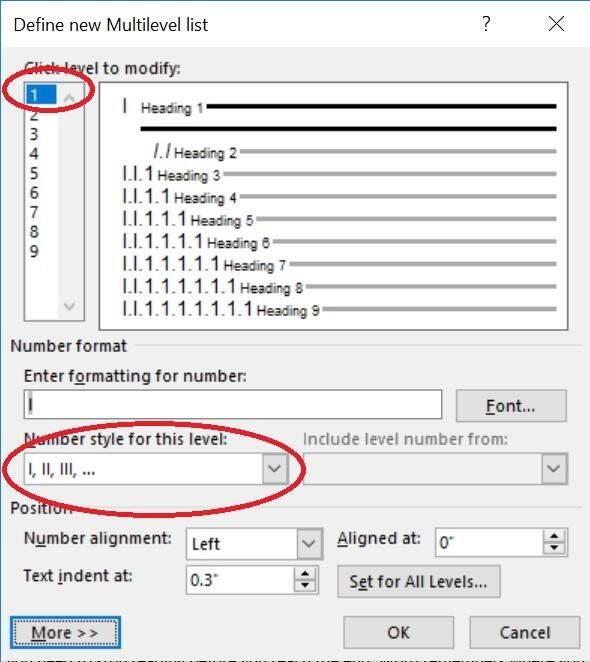
How To Create Multilevel Numbered Headings In Word

Ms Word Multilevel List In Tamil Tricks And Tips In Tamil 06
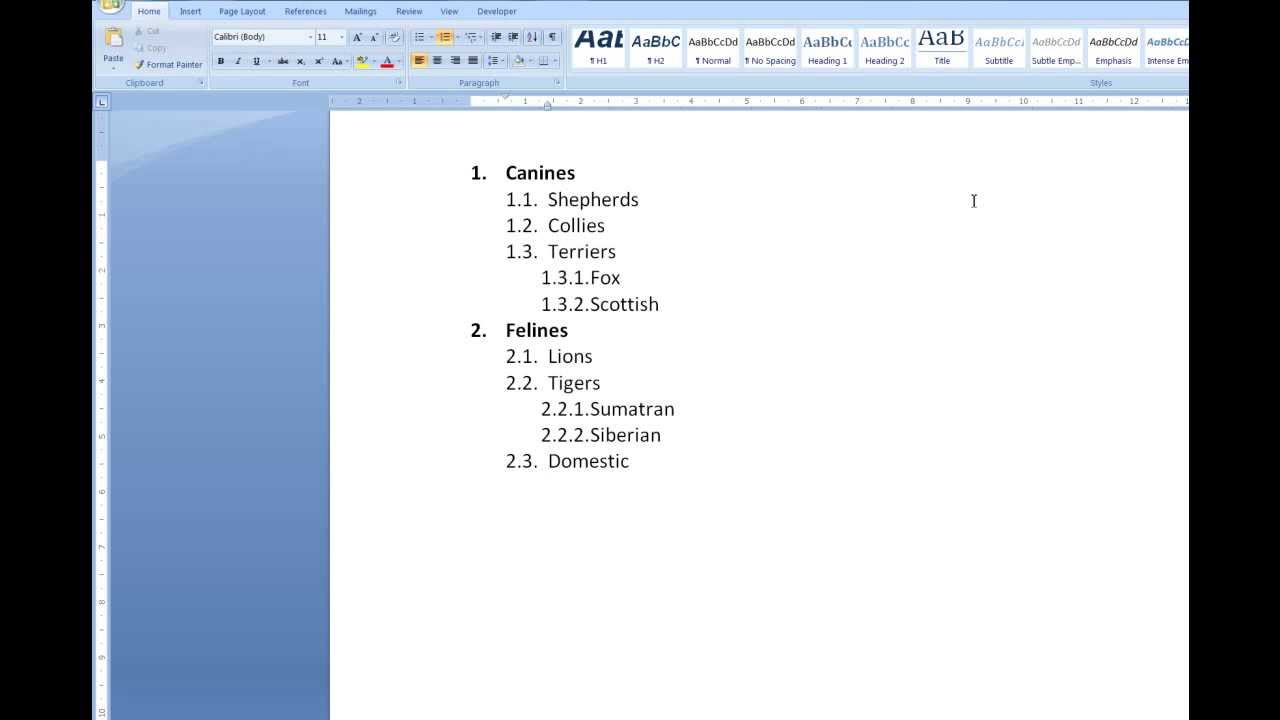
How To Create A Multi Level List In MS Word YouTube
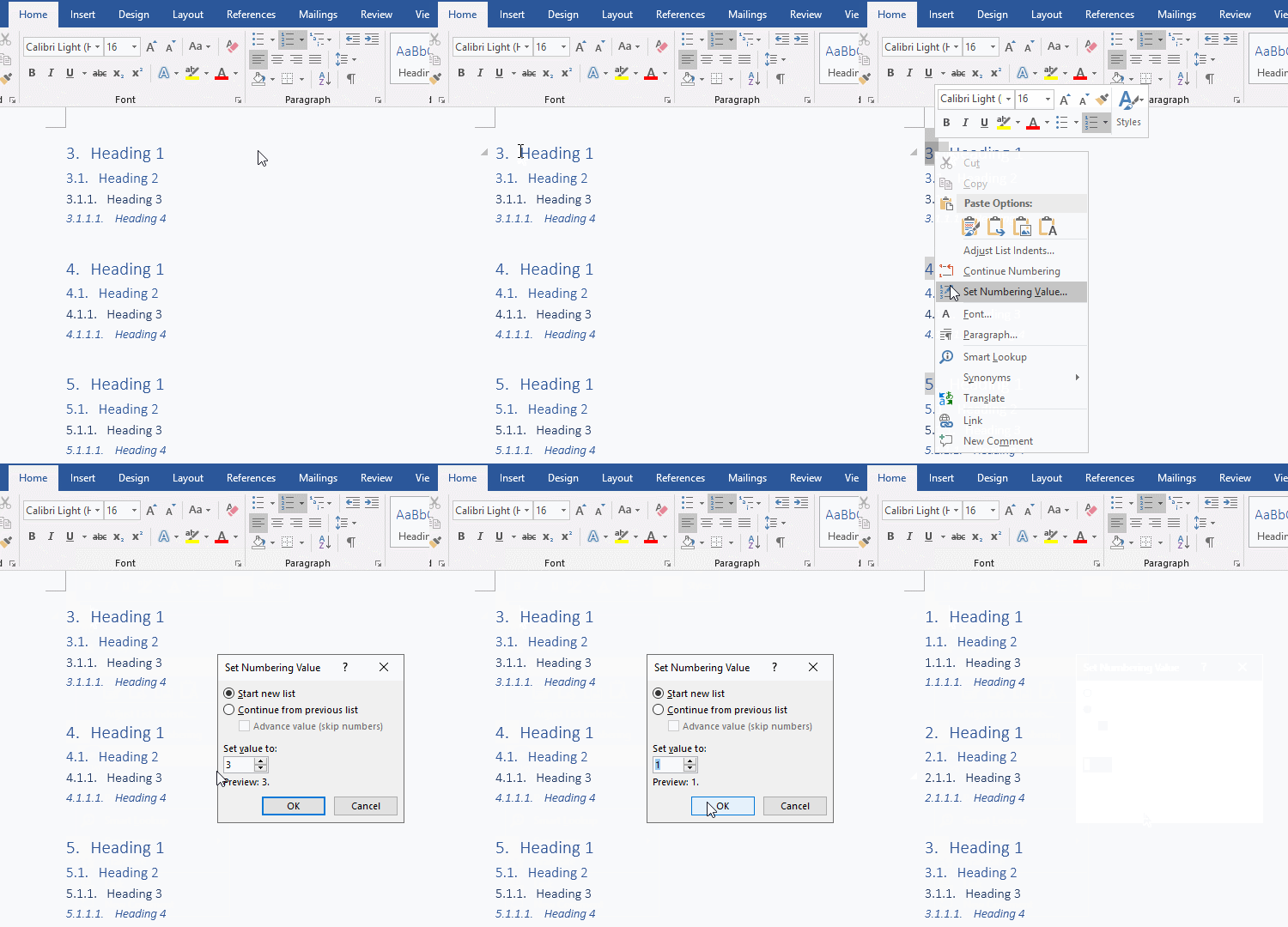
How To Create A Multilevel List In Word With It Is Disordered Or Not Displayed Lionsure
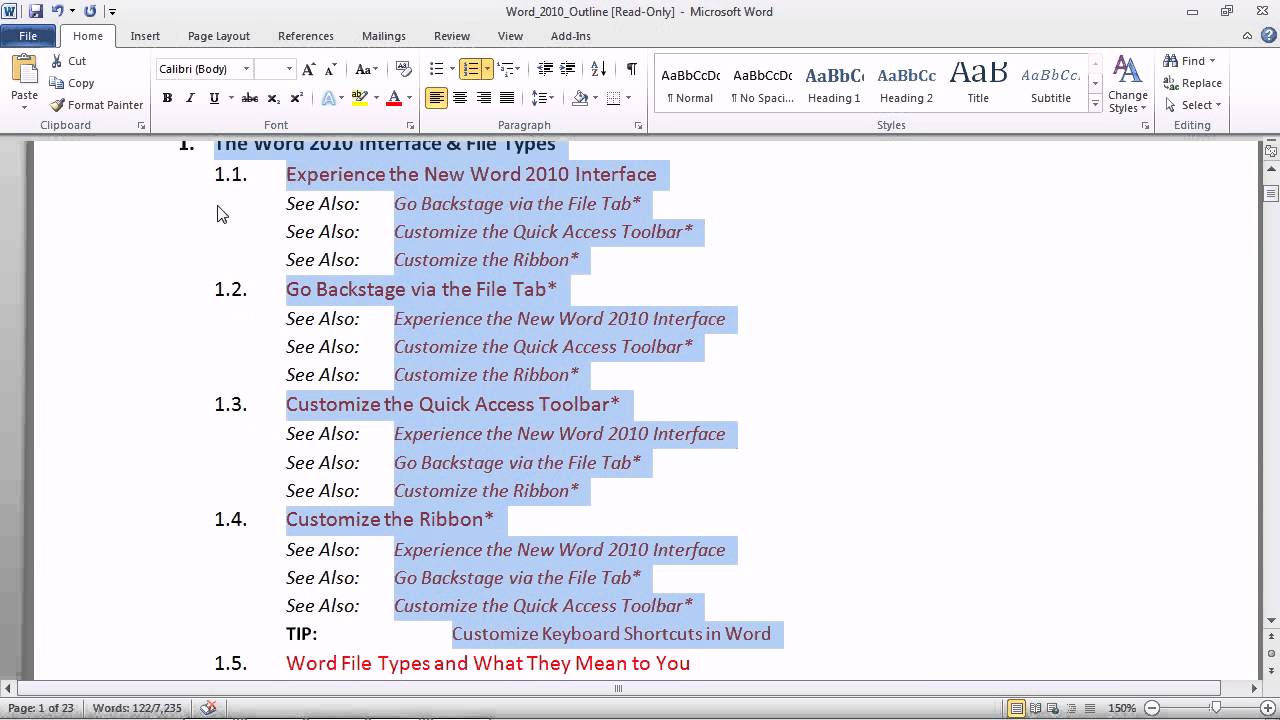
Word 2010 Format A Multi Level List YouTube

Web On the Home tab in the Paragraph group click the arrow next to Multilevel List and then click Define New Multilevel List Expand the Multilevel list dialog box by clicking More in the lower left corner Choose the list level to modify by

Web Oct 4 2020 nbsp 0183 32 Figure Multilevel list example First open a Word document and click Multilevel List button in the Paragraph group from the Home tab as shown in the figure Click Define New Multilevel List from the menu The More gt gt button shows the more options that help you to customize the levels

Web 1 Type your list and then select it 2 Do one of the following On the Home tab in the Paragraph group click the Multilevel List button You can find different styles by clicking the arrow next to Multilevel List on the Home tab in the Paragraph group
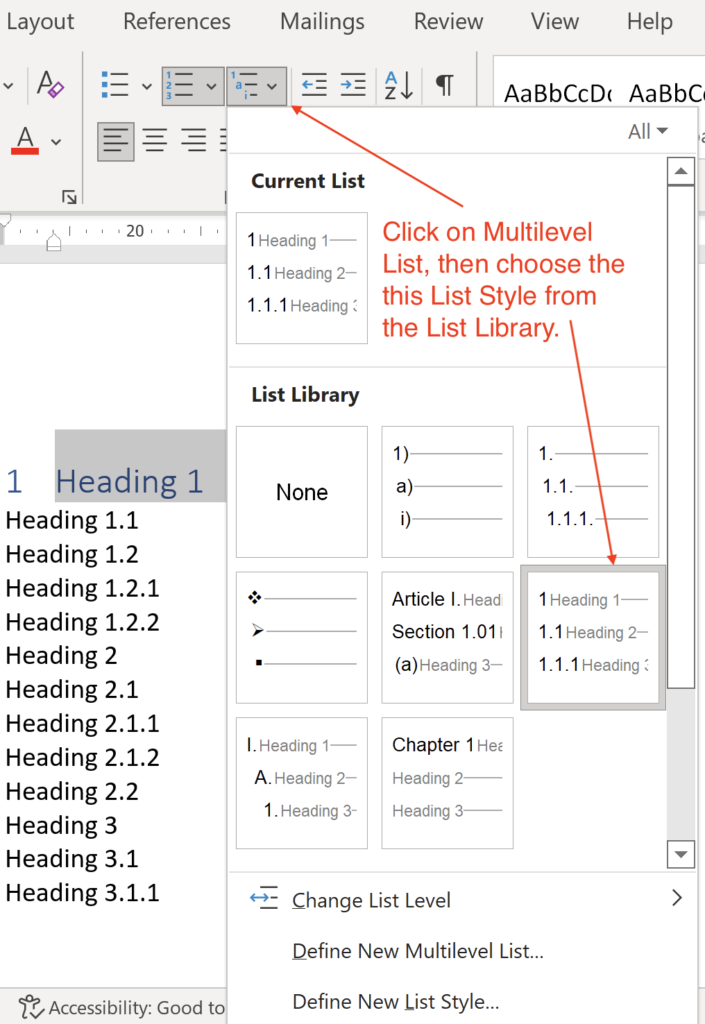
Web May 26 2021 nbsp 0183 32 Example Multilevel List Note You also can insert lists with ListNum field Sometimes the built in list styles aren t quite what you want but you can create a custom list style to suit your needs The Multilevel List tool includes two options for creating a new multilevel list Define New Multilevel List

Web May 11 2020 nbsp 0183 32 I don t think there is a simple way to do this that uses Word s built in numbering and the other main approach use field codes is usually unfamiliar for users and is also likely to cause some features to stop working as people expect e g outlining and the web device based versions of Word probably still don t support this
Web is displayed For example you can create multilevel lists By customizing numbered or bulleted lists you are able to change the appearance of each bullet or number For example instead of a plain bullet you could use a symbol or a picture Modifying Bulleted Lists Word gives you ways of modifying the format of your bulleted list The following Web Dec 7 2020 nbsp 0183 32 845 1 8 26 I do not know of a way to indent your numbering and have the line as well I add that to have stable multi level list numbering in Word you must attach each level to a separate paragraph style Each style can only be attached to one level in one list See shaunakelly word numbering numbering20072010 html Charles Kenyon
Web Jun 5 2016 nbsp 0183 32 In Word 2016 a multilevel list also called a nested list is a list with subordinate entries as shown here To create a multilevel list you declare what kind of list you want and then as you enter items for the list you indent the items that you want to be subordinate Examples of multilevel lists