Windows Usb Keyboard Not Working Usb Keyboard Not Working Correctly Win7 64 bit Windows 7 Forums Casio Keyboard Keys Not Working USB Keyboard Stopped Working On My Macbook Pro Retina Derya Sezen Fix USB Keyboard Not Working Or Recognized On Windows 10 Dell Laptop Keyboard Not Working Windows 10 Eblimfa Reseat the wireless USB receiver into the computer Save any data close any open programs and restart the computer When the mouse and keyboard do not respond at all you may have to press and hold the power button down for at least 15 seconds to turn the computer off and you lose any data that is not saved
If you re using a USB keyboard try unplugging it and plugging it back in If that doesn t work try plugging it into a different USB port or into a different computer to see if that works You can also check to see if a different USB cable works if your keyboard uses a detachable USB cable Make sure you have the correct text field selected If your keyboard driver has developed a fault your keyboard may stop working To fix it 1 Right click the Start button then click Device Manager 2 Expand Keyboards then right click Standard PS 2 Keyboard and click Uninstall 3 When prompted to confirm click OK 4 Restart your computer after the uninstall
Dell Laptop Keyboard Not Working Windows 10 Eblimfa Windows 10 Virtualbox Keyboard Not Working Ersea USB KEYBOARD NOT WORKING NOT WORKING USB KEYBOARD NOT WORKING USB Keyboard Not Working In Windows 11 10 Why How You Can Fix It USB Keyboard Not Working In Windows Boot 2020 solved Solution Domain USB Keyboard Not Working Here Are 5 Possible Solutions Fix USB Keyboard Not Working In Windows 10 How To Fix USB Mouse Or Keyboard That Keeps Disconnecting Windows 7 10 Find Out 46 Truths Of Driver Keyboard Asus X454Y Windows 10 Your
Windows Usb Keyboard Not Working
 Windows Usb Keyboard Not Working
https://www.sevenforums.com/attachments/hardware-devices/287347d1486606075t-usb-keyboard-not-working-correctly-win7-64-bit-pc.jpg
Symptoms When you restart your computer or when you resume a hibernated session on your computer you may experience the following symptoms Your Universal Serial Bus USB keyboard or mouse may not work until you shut down the computer and then restart it When you open Device Manager your USB devices appear under the Unknown Devices branch
Pre-crafted templates provide a time-saving option for creating a varied series of files and files. These pre-designed formats and designs can be made use of for various individual and professional projects, including resumes, invites, flyers, newsletters, reports, discussions, and more, streamlining the content creation process.
Windows Usb Keyboard Not Working
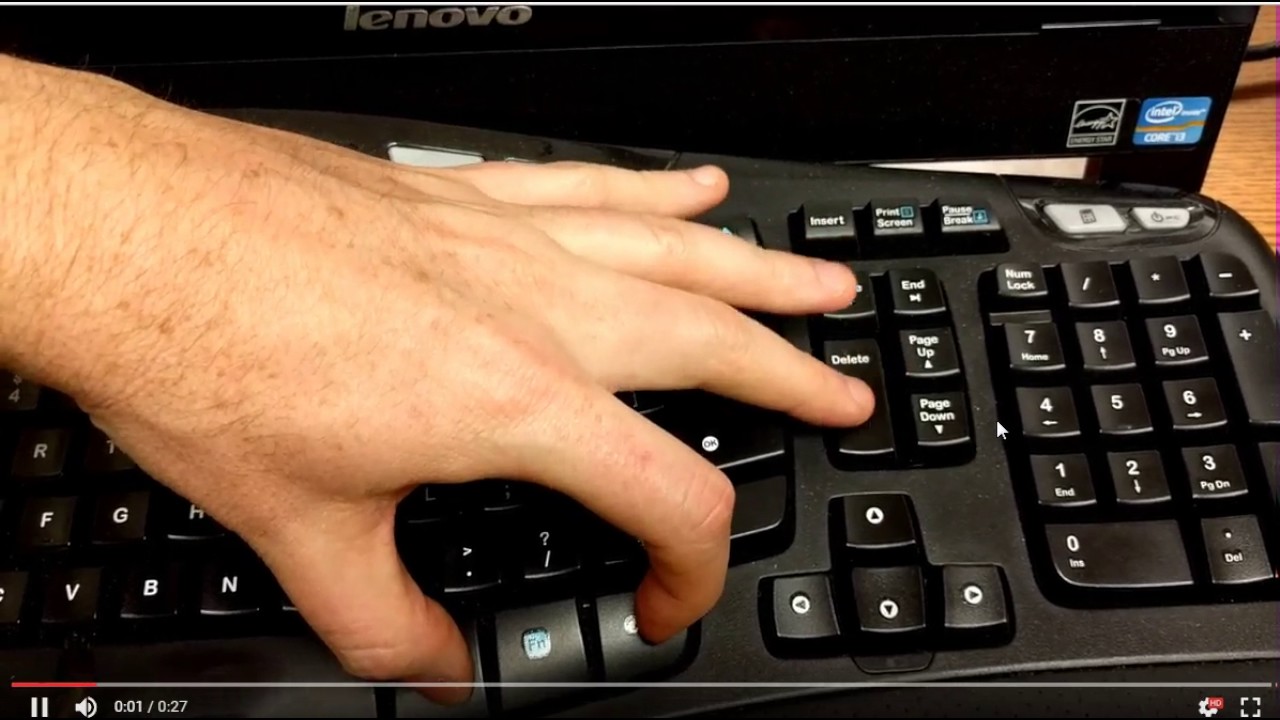
USB Keyboard Failure Fix YouTube
Windows 10 Virtualbox Keyboard Not Working Ersea
USB KEYBOARD NOT WORKING NOT WORKING USB KEYBOARD NOT WORKING
USB Keyboard Not Working In Windows 11 10 Why How You Can Fix It
USB Keyboard Not Working Here Are 5 Possible Solutions

Fix USB Keyboard Not Working In Windows 10

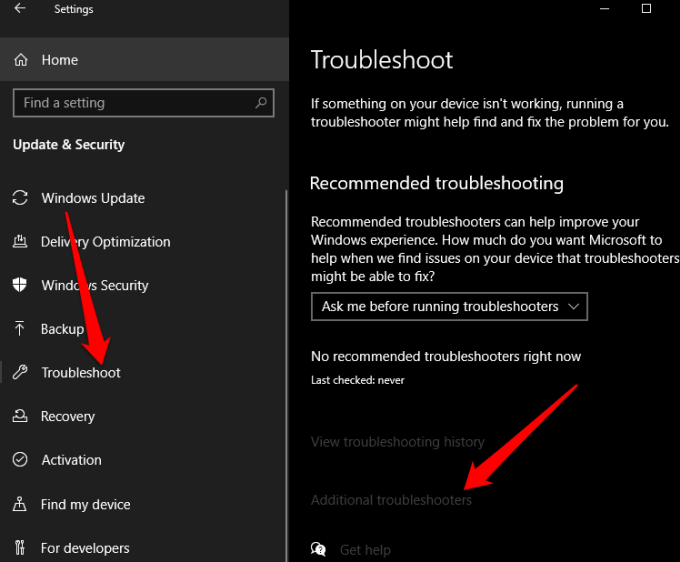
Let us work together to sort this out Here s the steps you can try Press Windows key X Go to Settings Click Update and Security Click Troubleshooter then Additional troubleshooter Look for Keyboard and run the troubleshooter Once done proceed with these steps Press Windows key X Go to Device Manager Expand the Keyboard

Click Power Options Choose what the power button does Change settings that are currently available Finally restart your PC and hopefully it will recognize your Keyboard Troubleshoot page
Troubleshoot problems you might be having with your mouse or keyboard or other wireless device in Windows

Step 1 Click Start and search for control panel then hit ENTER to open up the first search result which is always Control Panel Step 2 Make sure you re viewing by Category and not small icons or large icons then choose Ease of Access Step 3 Click the Change how your keyboard works link

On your Windows PC you might experience a problem with a USB device like a printer a camera a keyboard or a flash drive To troubleshoot common USB related issues see the following resources Import and manage all your photos Fix USB C problems Error USB Device not recognized when you try to access a USB external hard drive
Fixing your keyboard in Windows 10 Prerequisite Turn on the on screen keyboard Method 1 Use the Windows Space bar keyboard shortcut Method 2 Turn off the Filter Keys feature Method 3 Uncheck the Allow the computer to turn off this device to save power option Method 4 Use the Windows 10 Keyboard troubleshooter A USB mouse keyboard connected to Windows 10 might fail to work primarily because of either hardware problems or other software conflicts within the system itself In most cases only one of the HCI devices mouse or keyboard might fail to work The solutions in this article are for both of them
Restart your computer While this may sound like a silly solution it fixes most keyboard issues A restart automatically resets any setting or stops any applications that may be causing conflicts with your Windows key It is also a quick way to make sure that your Windows key is locked and not your computer itself Troubleshoot your Start menu