Windows Pptp Vpn Not Working Ubuntu PPTP VPN Not Working On Ubuntu 15 04 But Works On Ubuntu 14 04 Windows Pptp Vpn Client do Not Use Default Gateway On Remote Fix Windows 10 PPTP VPN Not Working How To Set Up A PPTP VPN On Windows 10 In 2023 TechNadu Windows Not Connecting To PPTP VPN Quick Fix Duo jin 1 Jun 2 2022 10 03 PM Hi I got a problem that my windows 11 could not work properly when connected to my hardware VPN router Windows 11 could not access internal network s service via PPTP or L2TP I tried sth as followed
After Microsoft released the latest round of updates for Patch Tuesday IPSEC IKE and L2TP VPN connections were failing for many users This was particularly problematic for businesses that relied on these connections for remote employees to access private systems Microsoft s documentation broke down the problem After installing KB5009566 To disable a proxy server in Windows 11 Open the Start menu In the search box type proxy and press Proxy Settings Scroll to the Manual Proxy Setup section If Use a Proxy Server is set to on
Windows Not Connecting To PPTP VPN Quick Fix Master VPN The Most Secure VPN Providers In 2024 TechRadar Easily Fix The McAfee VPN Not Working Issue Complete Guide Pin On Lotus Images Solved Windows Pptp Vpn Client do Not Use Default 9to5Answer VyprVPN PPTP VPN Setup For Windows 8 VyprVPN Support Po czenie Si Z Serwerem VPN PPTP Windows Notes Informatyka Setup PPTP VPN Client On Windows YouTube
Windows Pptp Vpn Not Working
 Windows Pptp Vpn Not Working
https://i.ytimg.com/vi/Le464qa4BDo/maxresdefault.jpg
1 Check your internet connection To begin examine your internet connection You ll be able to tell if you have an active internet connection if you do this For example your broadband data plan may have run out causing the issue As a result you can experiment with different types of internet connections to discover if they function
Templates are pre-designed files or files that can be utilized for numerous functions. They can save time and effort by providing a ready-made format and layout for developing various sort of content. Templates can be used for individual or expert tasks, such as resumes, invitations, flyers, newsletters, reports, presentations, and more.
Windows Pptp Vpn Not Working

VPN Protocol Comparison PPTP Vs L2TP Vs OpenVPN Vs SSTP Vs IKEv2

Master VPN

The Most Secure VPN Providers In 2024 TechRadar

Easily Fix The McAfee VPN Not Working Issue Complete Guide

Solved Windows Pptp Vpn Client do Not Use Default 9to5Answer

VyprVPN PPTP VPN Setup For Windows 8 VyprVPN Support

1 Check your internet connection Firstly to check your internet connection This will enable you to determine if you have an active internet connection

1 Connect your system via an ethernet cable This is the easiest fix If you use your computer near your router and are connected wirelessly we suggest you connect your computer to the router via

1 Answer Sorted by 1 Forwarding port 1724 isn t enough for PPTP you also need a router that can and has been setup to forward GRE protocol 47 inward to the VPN server Note This is NOT PPTP Pass through as that s for allowing multiple people behind the router to access outside PPTP VPNs

Jan 24 2022 06 57 AM Microsoft released Windows 10 patches for the VPN issues The VPN issue affected Windows 11 through to Windows 10 Enterprise 2015 LTSB and stemmed from IP Security IPSEC connections which contain a Vendor ID failing
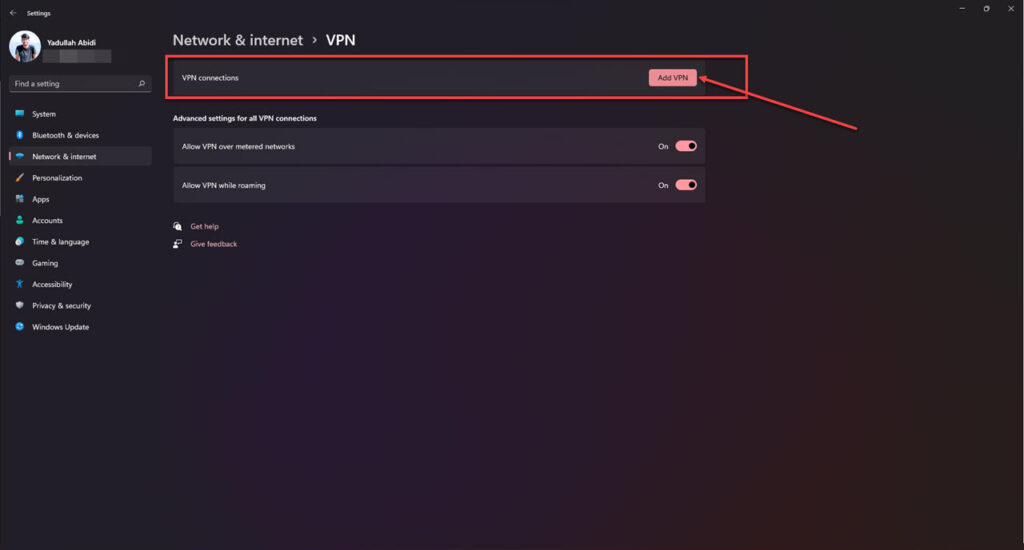
We have a connection point with PPTP On my old laptop I have set up a PPTP VPN a long time ago and all works fine Windows 10 latest patches still all good But on every system that is already on
Ask Question Asked 6 years 9 months ago Modified 4 years 4 months ago Viewed 234k times 38 I have a desktop computer and a laptop computer on the same WiFi network The desktop can connect to the VPN but the laptop cannot VPN Connection specs Type PPTP Sign in User name and password 1 I am trying to setup a built in Windows VPN PPTP for a client on their laptop and when it tries to connect to their VPN server it fails with VPN error 806 I ve enabled GRE protocol and opened TCP port 1723 but the error still persists Is there a small detail that I could be missing
1 Change VPN Protocol Open your VPN Settings and change the VPN Protocol Setting it to OpenVPN has helped many get over this issue 2 Reinstall VPN Software If you are using a VPN