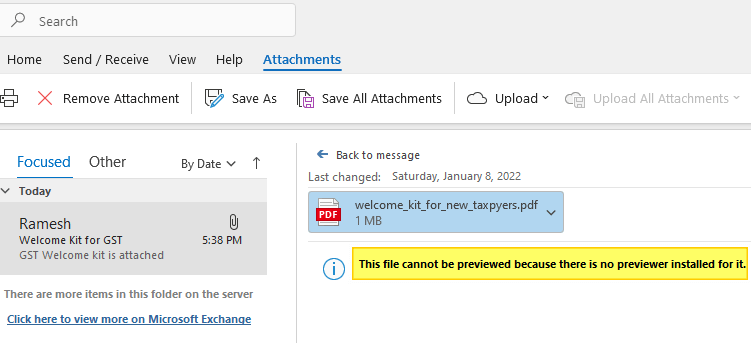
Windows File Explorer Pdf Preview Not Working Windows 10 File Explorer Pdf Preview Not Working Cleaningmokasin Windows 10 File Explorer Pdf Preview Not Working Ulsdvp Outlook PDF Preview Not Working When PDF Preview Is Enabled Githubmemory Pdf Preview Handler Not Working In Windows Explorer M i Nh t K To n Fix Microsoft Outlook Cannot Preview PDF Attachments Winhelponline Why the Windows Explorer PDF preview stops working Help Center 4 years ago Updated Follow Make sure the following things 1 The Shell Extension component in Foxit Reader was installed Navigate to C Program Files x86 Foxit Software Foxit Reader Shell Extensions see if there are two dll files and one exe files
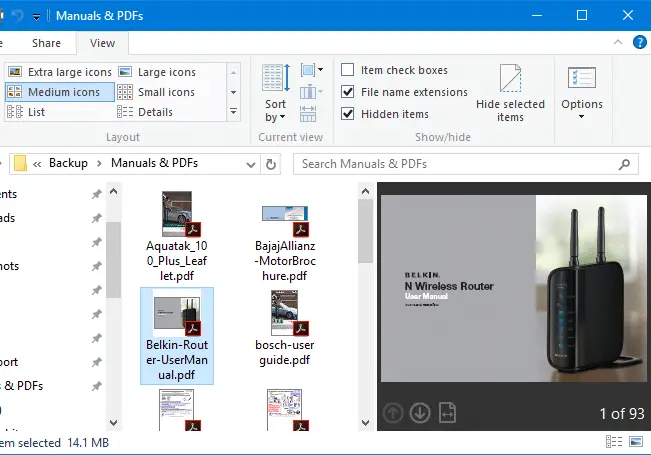
1 When the preview suddenly stops working but has worked in the past Use Ctrl Alt Delete to start the Task Manager Click on the Processes tab End the AcroRd32 processes close Acrobat processes Click on a new pdf in Windows explorer and it should now show up in the preview Share Improve this answer OS Windows 11 Pro 23H2 Dec 18 2023 3 It needs to be enabled in Adobe software If your default application to open PDF files is web browser then it won t preview since web browsers don t have this function
Fix Microsoft Outlook Cannot Preview PDF Attachments Winhelponline Pdf Preview Not Working Windows 10 Depotbilla PDF Preview Not Working Correctly In Outlook Microsoft Community Pdf Preview Handler Not Working In Windows Explorer M i Nh t K To n File Explorer PDF Preview Shows Index File Directory Technipages Pdf Preview Not Working Windows 10 Depotbilla Fix Microsoft Outlook Cannot Preview PDF Attachments Winhelponline Adobe Photodeluxe Free Cleaningmokasin Windows 7 Explorer Preview Pane For Zip Files Super User
Windows File Explorer Pdf Preview Not Working
 Windows File Explorer Pdf Preview Not Working
https://www.windows11pdf.com/PreviewHandler.gif
Go to its menu Choose from the list of options displayed When the Preferences window opens scroll down to the entry under the Then under the section on the right locate the Enable PDF
Pre-crafted templates provide a time-saving option for producing a diverse variety of files and files. These pre-designed formats and layouts can be made use of for various individual and professional jobs, consisting of resumes, invitations, flyers, newsletters, reports, discussions, and more, simplifying the material production procedure.
Windows File Explorer Pdf Preview Not Working
Fix Microsoft Outlook Cannot Preview PDF Attachments Winhelponline

Pdf Preview Not Working Windows 10 Depotbilla

PDF Preview Not Working Correctly In Outlook Microsoft Community
Pdf Preview Handler Not Working In Windows Explorer M i Nh t K To n
Pdf Preview Not Working Windows 10 Depotbilla
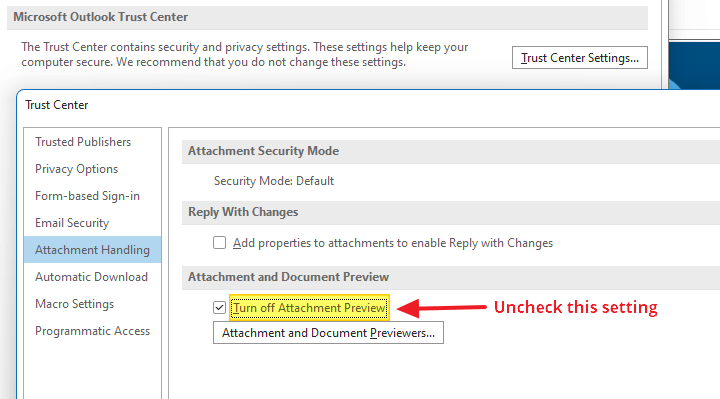
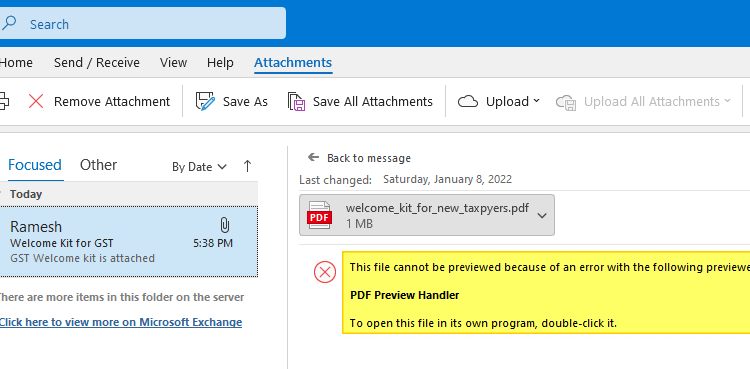
Fix Microsoft Outlook Cannot Preview PDF Attachments Winhelponline

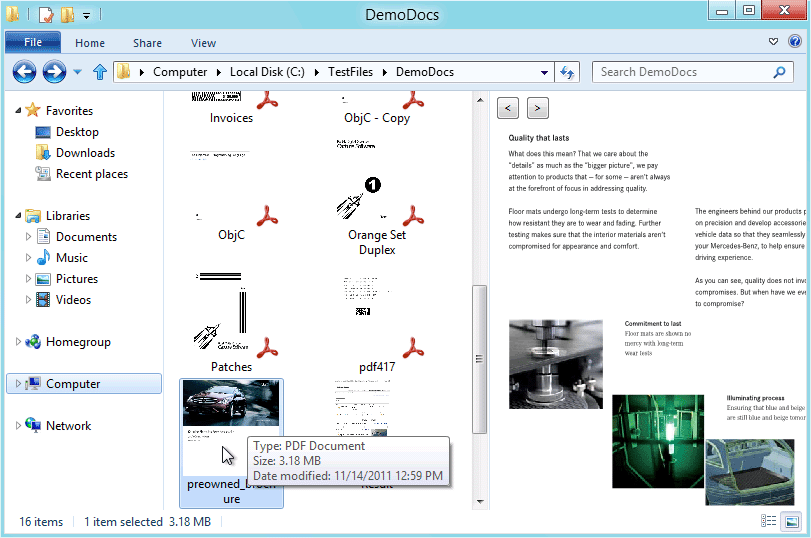
PDF Previews Not Showing In Windows 10 File Explorer solved For a few months the file previews of pdf files in Windows 10 file explorer have been displayed as the parent directory folder tree instead of the actual document I had saved as pdf and it has been driving me absolutely mad

I have tried the following troubleshooting steps they have not worked 1 Preview pane in Explorer turned on off 2 Adobe reader Enable PDF thumbnails previews unchecked re checked 3 uninstall re install Adobe reader 4 went to Adobe program file setting selected run in compatibility mode forWindow 8 5 prayed

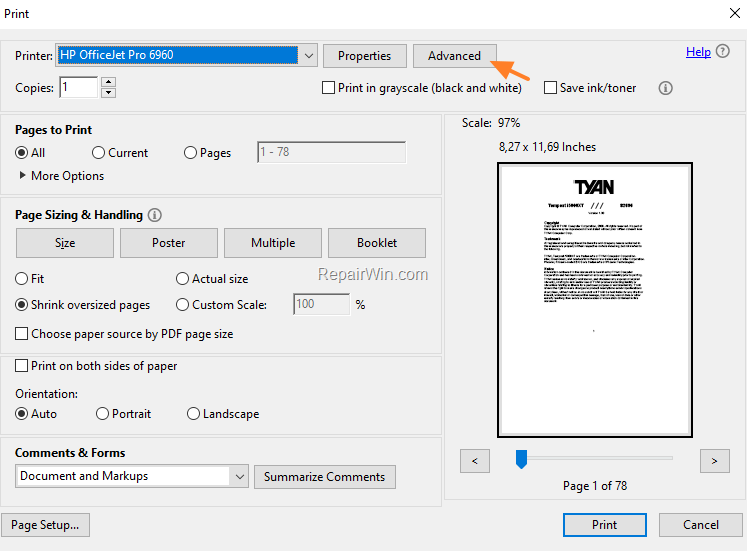
Select the hamburger menu Preferences In the Preferences dialog box choose General in the Categories list and then select the Enable PDF thumbnail previews in Windows Explorer check box Note If you don t see the Enable PDF thumbnail previews in Windows Explorer checkbox update your Acrobat or Acrobat Reader to the latest version

Solution 1 Check the Thumbnail and Preview Pane Options If you have not enabled or disabled the required options on your computer you may encounter the PDF preview not working in Windows 11 File Explorer issue easily In this case you need to check if the thumbnail and preview pane options are enabled in File Explorer
Launch Microsoft PowerToys as administrator Run as administrator In PowerToys Settings select File Explorer add ons in the left pane Turn on the Enable PDF pdf preview setting Turn on the Enable PDF pdf thumbnails setting
If the Preview pane isn t working in the Explorer on your Windows PC try out the solutions below Let s start 1 Enable Preview Pane You might have accidentally turned off the Preview Go to File Explorer click on the three dots at the top menu and select Options In the Folder Options dialog box go to the View tab and make sure that Show preview handlers in preview pane is enabled Relaunch File Explorer The Preview pane should show you a preview of the relevant files
1 Use Windows E to launch File Explorer in Windows 11 2 Click the View option on the top navigation bar and move the cursor over the Show option 3 On the follow up menu uncheck the Preview Pane option if already enabled 4 Next click the cross icon at the top right to close File Explorer and re launch it using Windows E 5