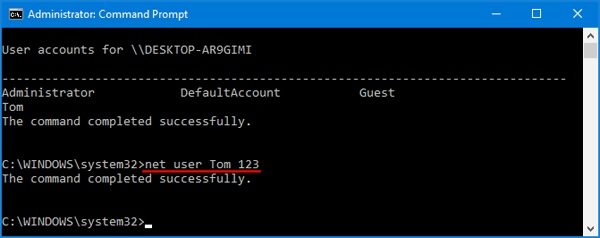
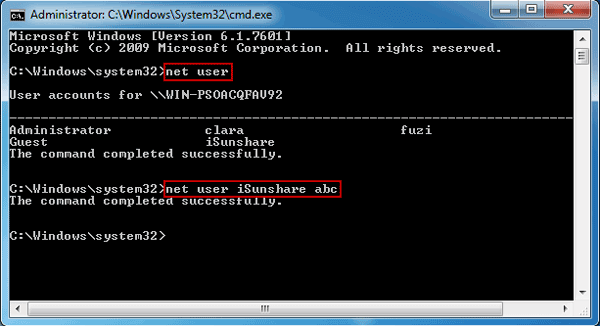
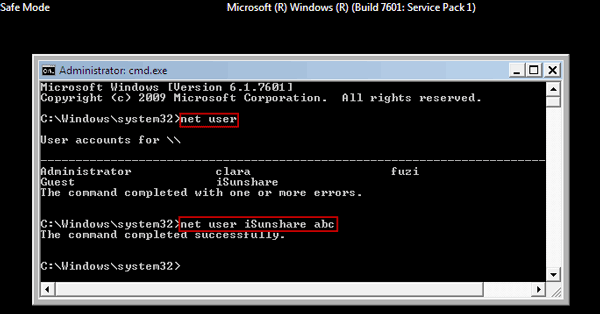
Windows Change Password Command Line Different User 2021 Reset Windows 10 Password Without Software Using Only Command Line Change User Password From The Command Line Windows Change MySQL User Password Using Command Line Using Ubuntu How To Change Password Using Command Prompt YouTube How To Set Or Change User Password In Linux NixCraft Web Apr 1 2023 nbsp 0183 32 To change a password type the net user command shown below replacing USERNAME and NEWPASS with the actual username and new password for the account If the username is more than one word you ll need to place it inside quotes as shown net user USERNAME NEWPASS net user quot USER NAME quot NEWPASS
Web Jun 28 2023 nbsp 0183 32 If you really want to go the logged in route from cmd net user lt username gt lt password gt or net user lt username gt the one will then prompt you to enter a new password Neither option require you to know the old password Web Jun 17 2016 nbsp 0183 32 3 Answers Sorted by 1 control userpasswords2 The above command will open a window with users and you can select Reset Password User Accounts window Share Improve this answer Follow answered Feb 9 2022 at 18 55 Leul 11 1 Your answer could be improved with additional supporting information
How To Set Or Change User Password In Linux NixCraft 3 Ways To Reset Windows 7 Password With Command Prompt The Most Effective Method To Change The Windows Password Through Como Alterar A Senha De Um Usu rio Local Do Windows Via Prompt De Active directory api to change password Recommended By Laygimwigif Kit Bash MySQL Change Password Command Run In MySQL On Ubuntu Server 3 Ways To Reset Windows 7 Password With Command Prompt Tip Trick Here How To Change The Windows User Password Via Command Line How To Reset Windows 7 Login Password Using Command Prompt
Windows Change Password Command Line Different User
 Windows Change Password Command Line Different User
https://i.ytimg.com/vi/U_3vrmS5Bxc/maxresdefault.jpg
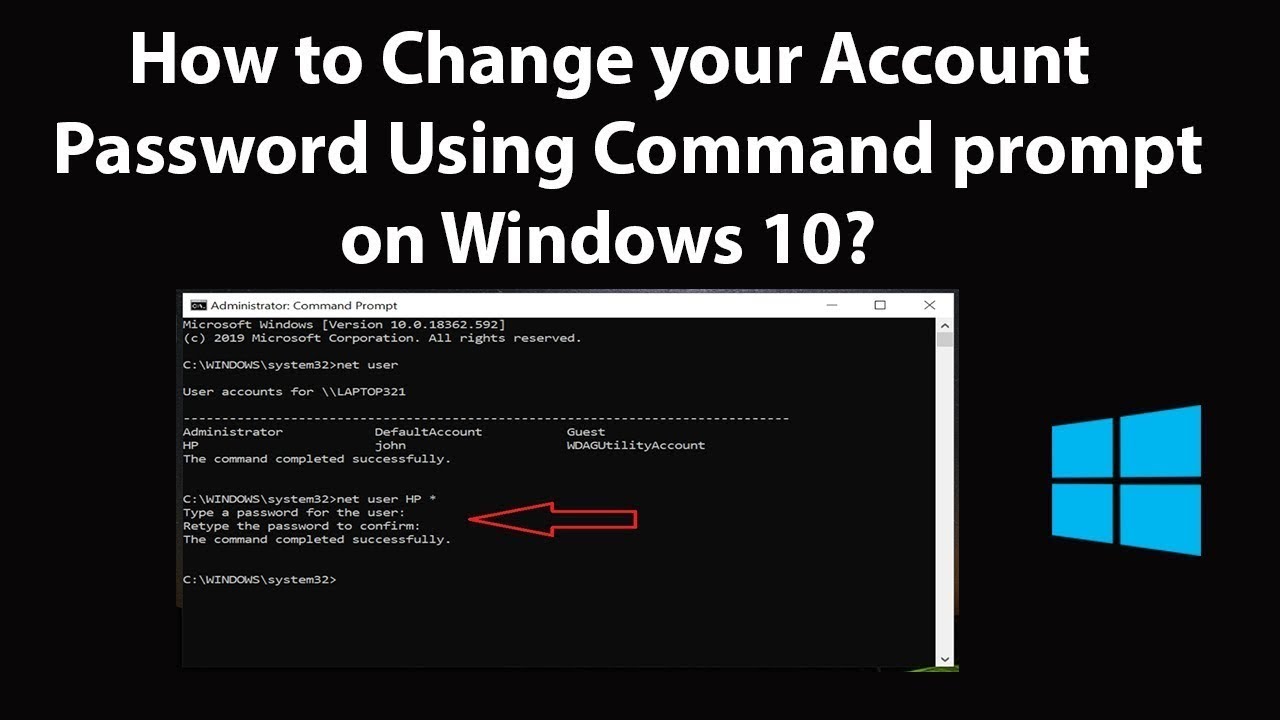
Web Jan 11 2022 nbsp 0183 32 Type the following command to change the account password and press Enter net user USERNAME In the command make sure to change USERNAME with the account name you want to update Command Prompt change account password Type a new password and press Enter Type the new password again to confirm and press Enter
Pre-crafted templates use a time-saving solution for creating a varied series of files and files. These pre-designed formats and layouts can be utilized for numerous individual and expert tasks, consisting of resumes, invitations, leaflets, newsletters, reports, discussions, and more, improving the material production procedure.
Windows Change Password Command Line Different User
6 Easy Ways To Change Password In Windows 10
3 Ways To Reset Windows 7 Password With Command Prompt
The Most Effective Method To Change The Windows Password Through

Como Alterar A Senha De Um Usu rio Local Do Windows Via Prompt De

Bash MySQL Change Password Command Run In MySQL On Ubuntu Server
3 Ways To Reset Windows 7 Password With Command Prompt
Web Oct 10 2021 nbsp 0183 32 Local Users and Groups gt in the left pane Right click on the user for which you want to change the password and then select You will receive a warning screen that the current

Web May 26 2016 nbsp 0183 32 oldpass XXXXXXX newpass XXXXXXX user ADSI quot LDAP CN myuser OU MyOU DC example DC com quot user ChangePassword oldpass newpass I should note that this method works even if the password has already expired which is a nice bonus

Web Apr 26 2023 nbsp 0183 32 Type net user username into Command Prompt and press Enter You ll need to replace quot username quot with the name of the account for which you wish to change the password Type the account name exactly as it appears in the account name section of the Command Prompt

Web Jul 31 2018 nbsp 0183 32 Note I am using a netcat remote shell connection so I am not able to insert password when requested by command quot runas quot Note2 quot sudo quot and quot su quot commands are different commands quot sudo quot executes commands as another user quot su quot

Web Sep 11 2011 nbsp 0183 32 We can change a user password from Windows command line using net user command The command is explained below with examples How to change local user password net user loginid newpassword For example if you want to reset the password for the user John on the local computer you can run the below command
Web Choose the Terminal Admin option Click the dropdown icon on the title bar Choose the Command Prompt option Run the below command Replace Username and NewPassword with actual details net user Username NewPassword Close the terminal window With that the user account password is changed Steps with more details Web Dec 20 2018 nbsp 0183 32 Use the Set ADAccountPassword cmdlet to change the user s password Set ADAccountPassword Identity user Reset NewPassword ConvertTo SecureString AsPlainText quot newPass quot Force Replace user and newPass with the actual username and a new password Hit Enter Did you find this article helpful
Web Jan 25 2023 nbsp 0183 32 Type the following command to view all the available accounts and press Enter net user Type the following command to change the Windows 11 account password and press Enter net user USERNAME In the command make sure to change USERNAME with the account name that you want to update