Windows 10 Shutdown Command Not Working How To Auto Shutdown Or Cancel Auto Shutdown Command Windows 10 With How To Force Shutdown Windows 10 11 Program Keystrokes Windows Perriver Keyboard Shortcut For Shutting Down Windows 10 YouTube Shutdown Commands How To Shut Down Windows Via CMD IONOS For shutdown use shutdown s f t 0 The t 0 flag will cause an immediate restart f forces all open application to close without waiting for a proper exit so any unsaved data will be lost p is similar to using the shutdown s t 0 command p can not be used with t or m but you can combine it with f
Type the following command to shut down the computer without waiting or warning and press Enter shutdown p Type the following command to shut down forcing all apps to close without To shut down your Windows 10 PC using Command Prompt open a Command Prompt Window then type shutdown s into the window and hit enter Your PC will shut down in less than one minute To restart your PC run shutdown r instead
Shutdown Commands How To Shut Down Windows Via CMD IONOS How To Shut Down Your Windows 10 PC Using Command Prompt How To Find Out Why Your PC Shut Down For No Reason On Windows 10 How To Remotely Shut Down Windows 10 With CMD Command Line Windows How To Shutdown Windows 10 With Command Prompt Timer YouTube How To Shutdown Remote Computer Using Cmd Shutdown Or Restart Windows How To Restart Shutdown Using CMD Shutdown Command In Windows 10 Microsoft Community How To Shut Down Your Windows Computer From The Command Line
Windows 10 Shutdown Command Not Working
 Windows 10 Shutdown Command Not Working
https://i.ytimg.com/vi/z_6wcniPaW8/maxresdefault.jpg
As the title says the typical shutdown s t xx command doesn t work when I run it from a script Instead of shutting down after x seconds it only runs the shutdown part and ignores the arguments However if I type it manually in a Command Prompt window it executes correctly
Templates are pre-designed documents or files that can be used for numerous purposes. They can conserve effort and time by providing a ready-made format and layout for producing various kinds of content. Templates can be used for personal or professional tasks, such as resumes, invites, flyers, newsletters, reports, presentations, and more.
Windows 10 Shutdown Command Not Working
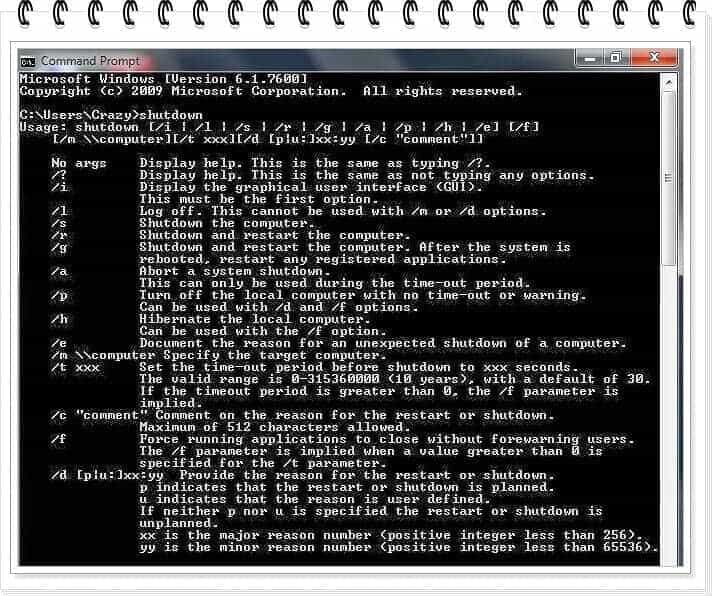
How To Shutdown Power Off Windows 10 PC Using CMD

How To Shut Down Your Windows 10 PC Using Command Prompt

How To Find Out Why Your PC Shut Down For No Reason On Windows 10

How To Remotely Shut Down Windows 10 With CMD Command Line Windows

How To Shutdown Remote Computer Using Cmd Shutdown Or Restart Windows
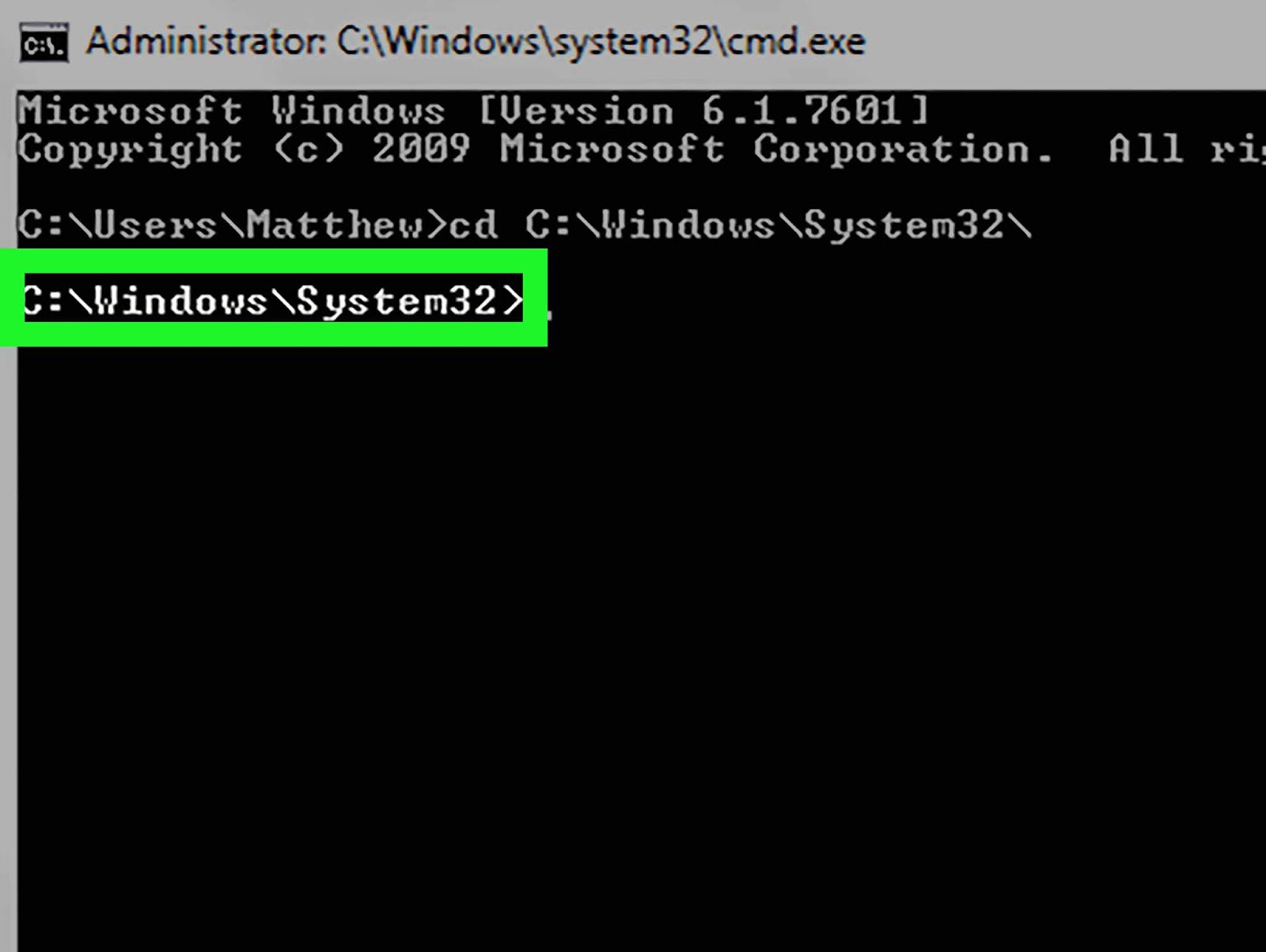
How To Restart Shutdown Using CMD

1 Use Microsoft SysInternals Autoruns to disable startup items loaded in Normal mode then add them back a few at a time until you find the one s preventing your machine from shutting down properly I say Reinstate Monica May 14 2017 at 1 36 1 Try it with the forceful f switch so shutdown f s t 0 Let me know if it works

On the keyboard press and hold Shift while pressing Power Shut down on the Start menu or the lock screen This approach bypasses the Fast Startup feature and brings the system to a powered off status Use the shutdown command On most operating systems the command line is a more direct way of interacting with the underlying functionality
Share Problems with the Fast Startup feature can cause the shutdown button not working issue You can fix this issue quickly by replacing the Intel Management Engine Interface driver Another quick and effective way to get past this issue is to update your PC to the latest version

1 To execute the command we need to run it as an administrator First search for cmd in the start menu right click on the Command Prompt result and select the Run as administrator option 2 In the Command Prompt window execute the below command shutdown s f t 0
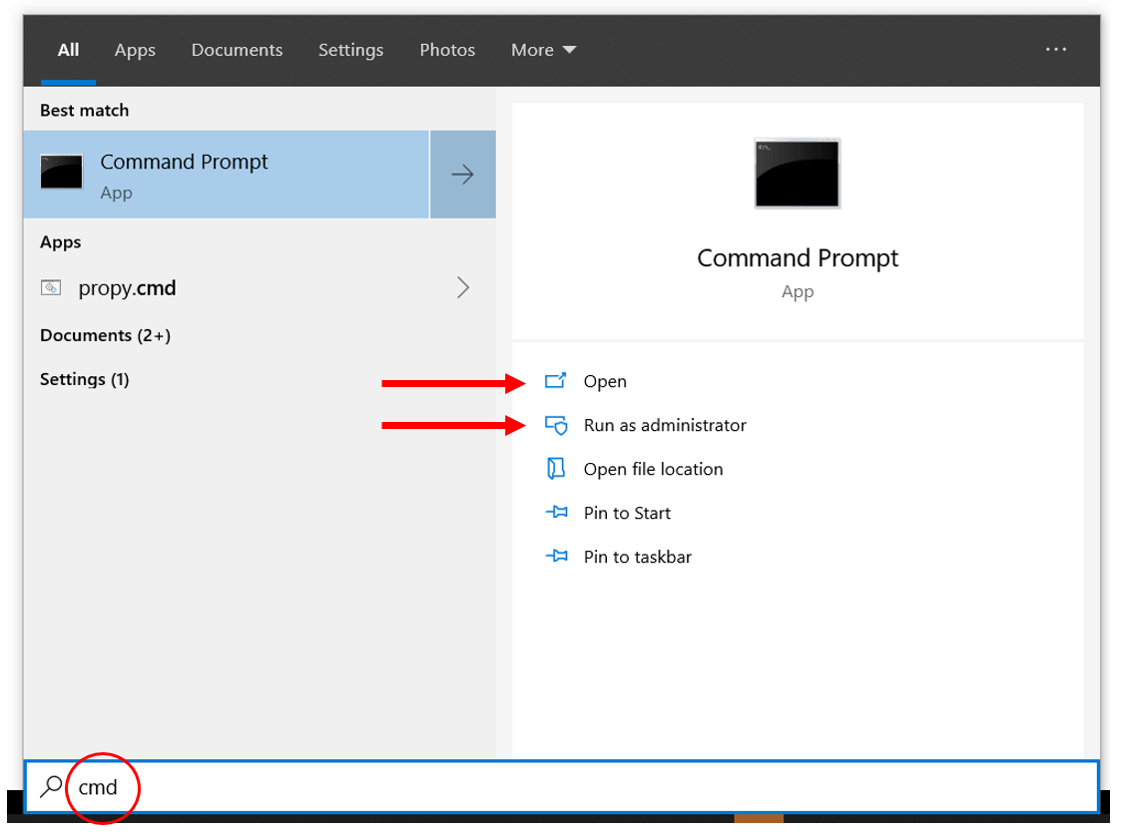
To do so open a Command Prompt or PowerShell window for example by searching for Command Prompt in the Start menu and clicking its shortcut or right clicking the Start button and selecting Windows PowerShell Type the following command and then press Enter shutdown s f t 0
Press the combination key Ctrl Alt Delete to enter a window where you are able to Sign out or Switch user Unless you have recovered the shutting down from not working or you must go ahead with in depth methods Solution 1 Build a Shutdown exe Quick Guide Force to Shut Down Windows 10 The direct way to resolve Windows 10 not shutting down issue is to force your computer to shut down Step 1 Press and hold the power button on your computer until the PC turns off Step 2 Unplug all power cables battery power cord wires for 5 to 10 minutes
Windows 10 Remote Shutdown via CMD does not work Super User Remote Shutdown via CMD does not work Ask Question Asked 4 years 5 months ago Modified 21 days ago Viewed 7k times 0 If I try to shutdown a computer in my LAN via the shutdown m 192 168 55 57 s command the following message appears 192 168 55 141 Access denied 5