Windows 10 Reduce Taskbar Icon Size Change Taskbar Size In Windows 10 Yellowhoney How To Cancel Windows 11 Download Whitealerts Tip How To Unlock And Resize The Taskbar In Windows 11 AskVG How To Change Windows 11 Taskbar And Icon Size Zohal Images And How To Reduce Taskbar Size In Windows 11 Web Jan 18 2022 nbsp 0183 32 How to resize taskbar icons in Windows 10 Similar to desktop icons you can resize taskbar icons to minimize clutter or achieve a more personalized Windows 10 experience Note that this method of resizing taskbar icons allows you to only reduce the size of the icons not enlarge them
Web May 20 2020 nbsp 0183 32 It s easy to make your taskbar taller in Windows 10 by resizing it as long as your taskbar is unlocked First position your mouse cursor on the edge of the taskbar The pointer cursor will change into the resize cursor which looks like a short vertical line with an arrow head on each end Web Sep 21 2021 nbsp 0183 32 Resize Tool The first and the quickest method to increase the size of the taskbar is through the Resize tool Here s how it works Step 1 Right click on the taskbar and uncheck the Lock
How To Reduce Taskbar Size In Windows 11 How To Reduce Taskbar Size In Windows 11 How To Reduce Taskbar Size In Windows 11 Icon Size Windows 10 Taskbar Vrogue Reduce Height Of Windows 7 Taskbar Show Smaller Icons YouTube How To Change The Size Of Taskbar Icons In Windows 11 And 10 2023 How To Customize Taskbar In Windows 11 Wintips Windows Tips Reduce Size Of Taskbar Buttons App Windows XP YouTube How To Resize Taskbar On Windows 11 Small Medium And Large
Windows 10 Reduce Taskbar Icon Size
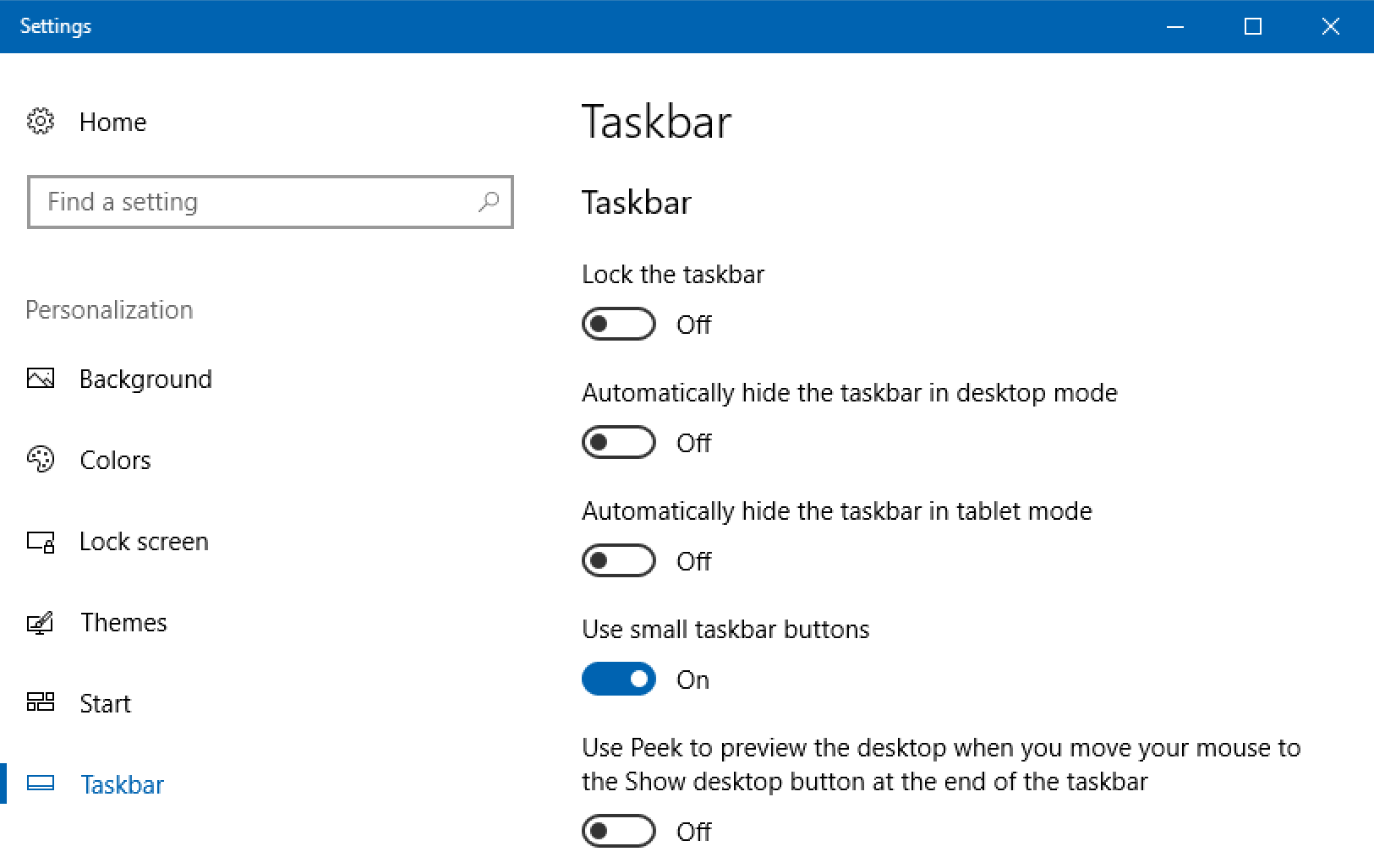 Windows 10 Reduce Taskbar Icon Size
http://yellowhoney738.weebly.com/uploads/1/2/4/8/124899637/341208482.png
Web May 2 2017 nbsp 0183 32 Right click any open area on the taskbar and then click quot Taskbar Settings quot On the taskbar settings page scroll down a bit to the quot Notification Area quot section and click the quot Turn system icons on or off quot link You ll see a list of system icons Run through them and toggle each one on or off to suit your needs
Templates are pre-designed files or files that can be utilized for various purposes. They can conserve time and effort by offering a ready-made format and layout for developing different type of content. Templates can be used for personal or expert projects, such as resumes, invites, flyers, newsletters, reports, discussions, and more.
Windows 10 Reduce Taskbar Icon Size

Adjust Taskbar Size In Windows 11 Resize Taskbar Hindi Tutorial Youtube
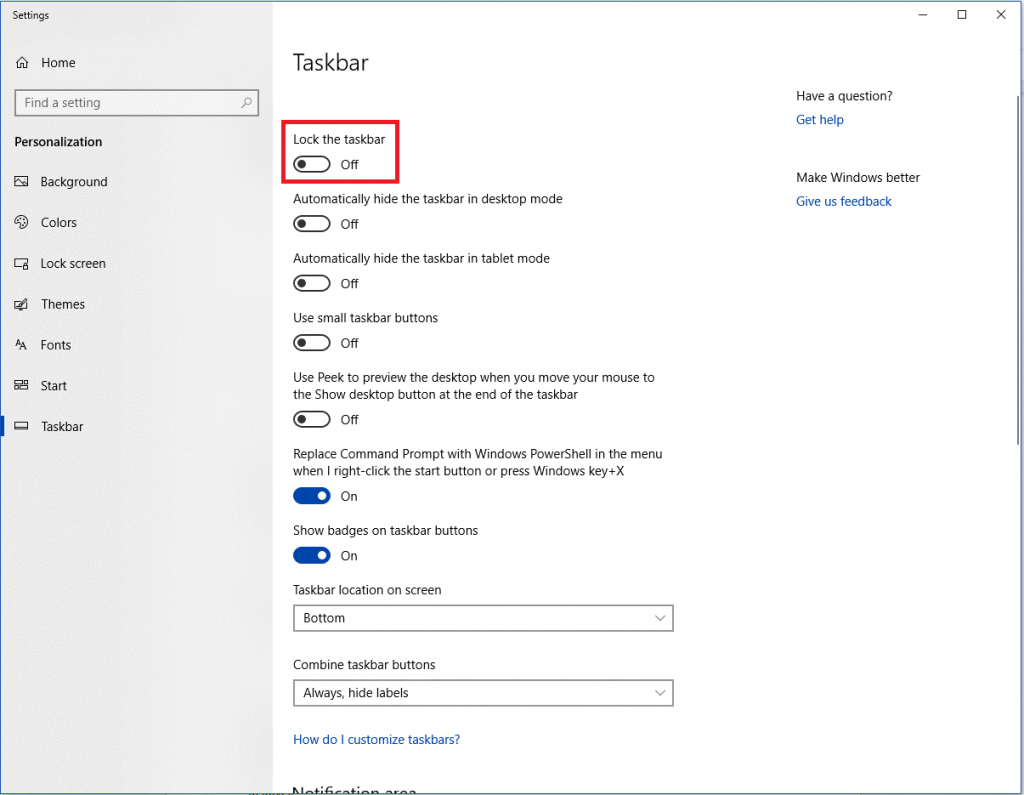
How To Reduce Taskbar Size In Windows 11
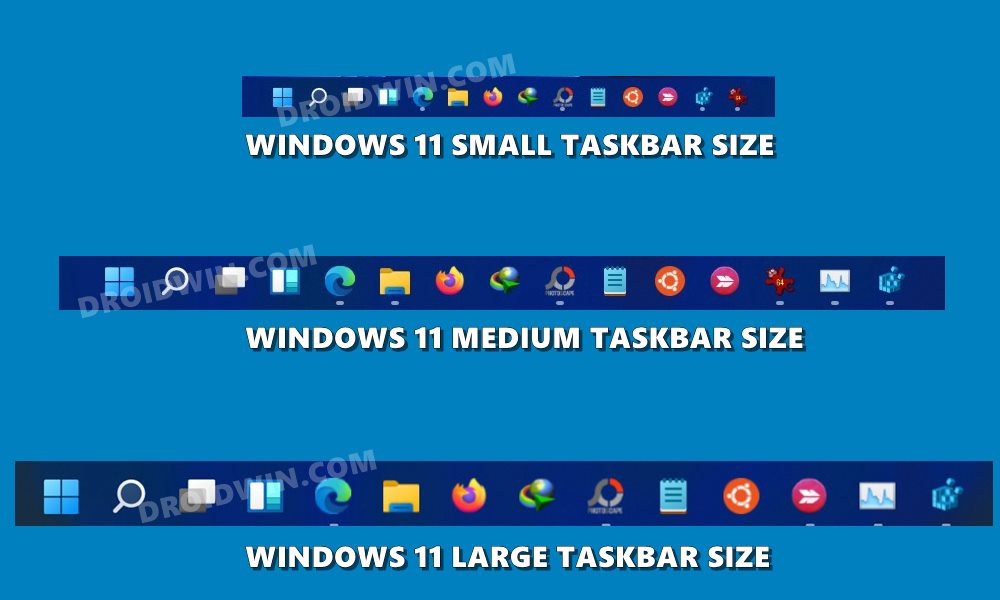
How To Reduce Taskbar Size In Windows 11
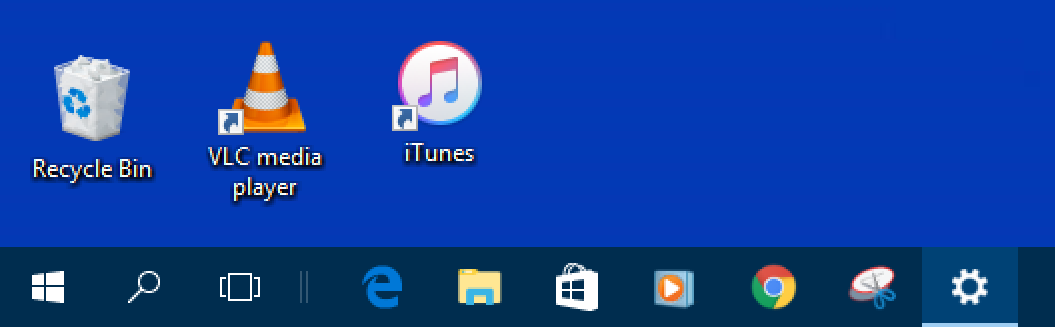
Icon Size Windows 10 Taskbar Vrogue
How To Change The Size Of Taskbar Icons In Windows 11 And 10 2023
How To Customize Taskbar In Windows 11 Wintips Windows Tips

Web Sep 19 2021 nbsp 0183 32 Standard size Right click taskbar gt uncheck Lock the taskbar gt drag taskbar Really small Right click taskbar gt Taskbar settings gt Use small taskbar buttons Disappear Open taskbar settings gt Automatically hide the taskbar in desktop mode

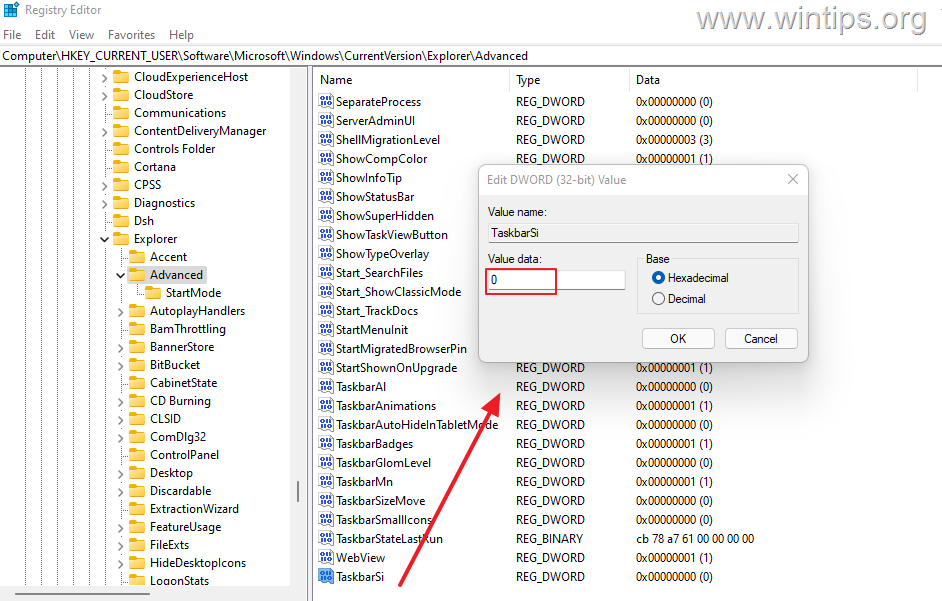
Web Aug 17 2022 nbsp 0183 32 Once you re inside the correct location and you re certain that the Advanced key is selected move over to the right hand side menu right click on an empty space and choose New gt Dword 32 bit Value Creating a new DWORD value Once the resulting Dword key is created right click on it and rename it to TaskbarSI Renaming the

Web May 8 2023 nbsp 0183 32 Warnings Is your Windows taskbar too big or too small In Windows 10 you can easily increase or decrease the taskbar size with a simple drag You can also change its position to the top or sides of the screen While there was a registry hack that made it possible to change the size of the Windows 11 taskbar that option is no longer

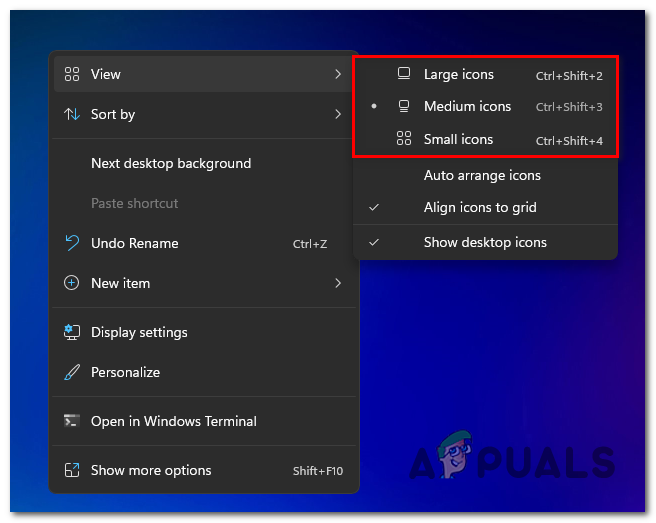
Web Apr 25 2022 nbsp 0183 32 1 Right click on an empty space on the desktop 2 Select View from the contextual menu 3 Select either Large icons Medium icons or Small icons The default is medium icons

Web Oct 19 2021 nbsp 0183 32 If you re more mouse oriented you can choose between the preset small medium and large desktop icon sizes through the use of the context menu Here s how Right click your desktop and press
Web Change the size of your desktop icons in Windows Windows 10 To resize desktop icons right click or press and hold the desktop point to View then select Large icons Medium icons or Small icons Web Jan 29 2018 nbsp 0183 32 Hi As of now the capability to resize the icons on the Taskbar to the desired size is not available yet For now we can only turn On or Off Use small taskbar buttons We suggest that you send us a your ideas on how to modify the icons on the taskbar by using Feedback Hub application
Web May 23 2016 nbsp 0183 32 Press and hold down the Ctrl key on your keyboard and then using your mouse wheel roll it upward to make the icons size larger or downward to set the icon size smaller Part 2 Change Taskbar Icon Size The taskbar icons are really small How can I make them appear larger