Windows 10 Proxy Settings Not Showing Windows Could Not Automatically Detect This Network s Proxy Settings In How To Solve The Windows Could Not Automatically Detect Network Proxy Windows 10 Proxy Settings Explained Proxy Settings Windows 10 Free Download Manager Free How To Find Windows 10 Proxy Settings Web Oct 4 2022 4 08 AM Hi everyone couple of my laptops do not have proxy settings under Network amp Internet settings tab When I use search to find proxy settings i cannot enter them I have other laptops with the same group policies applied that do have proxy settings Any suggestions Windows 10 Network Sign in to follow 0 comments
Web May 22 2021 nbsp 0183 32 Show system wide proxy settings using the netsh winhttp command C gt netsh winhttp show proxy Get user specific proxy settings from PowerShell PS C gt Get ItemProperty Path quot Registry HKCU Software Microsoft Windows CurrentVersion Internet Settings quot Show user specific proxy settings from CMD Web Apr 27 2021 nbsp 0183 32 If you want to change the Windows 10 proxy settings by manually specifying the proxy server to use turn off the Use setup script switch from the Automatic proxy setup section Then in the Manual proxy
How To Find Windows 10 Proxy Settings Where To Find Proxy Settings Windows 10 3proxy Docker Compose No Proxy Settings Windows 10 How To Manage Proxy Settings In Windows 10 How To Change Proxy Settings On Window 7 10 YouTube Fix Windows Could Not Automatically Detect Network s Proxy Settings How To Configure Windows 10 Proxy Settings Windows 10 Can t Detect Network Proxy Settings Here 5 Working
Windows 10 Proxy Settings Not Showing
 Windows 10 Proxy Settings Not Showing
https://i.ytimg.com/vi/lgfQqAXoG58/maxresdefault.jpg
Web Nov 27 2018 nbsp 0183 32 1 Answer Sorted by 2 Here Get ItemProperty Path Registry HKCU Software Microsoft Windows CurrentVersion Internet Settings It s Powershell code and returns everything about Proxy Settings Plus If You Want any one property of numerous displayed in output just do this
Pre-crafted templates use a time-saving service for creating a varied series of files and files. These pre-designed formats and designs can be made use of for numerous personal and expert projects, consisting of resumes, invitations, leaflets, newsletters, reports, presentations, and more, simplifying the content creation procedure.
Windows 10 Proxy Settings Not Showing

How To Change Proxy Settings In Windows 10 Tutorial YouTube
Where To Find Proxy Settings Windows 10

3proxy Docker Compose

No Proxy Settings Windows 10

How To Change Proxy Settings On Window 7 10 YouTube
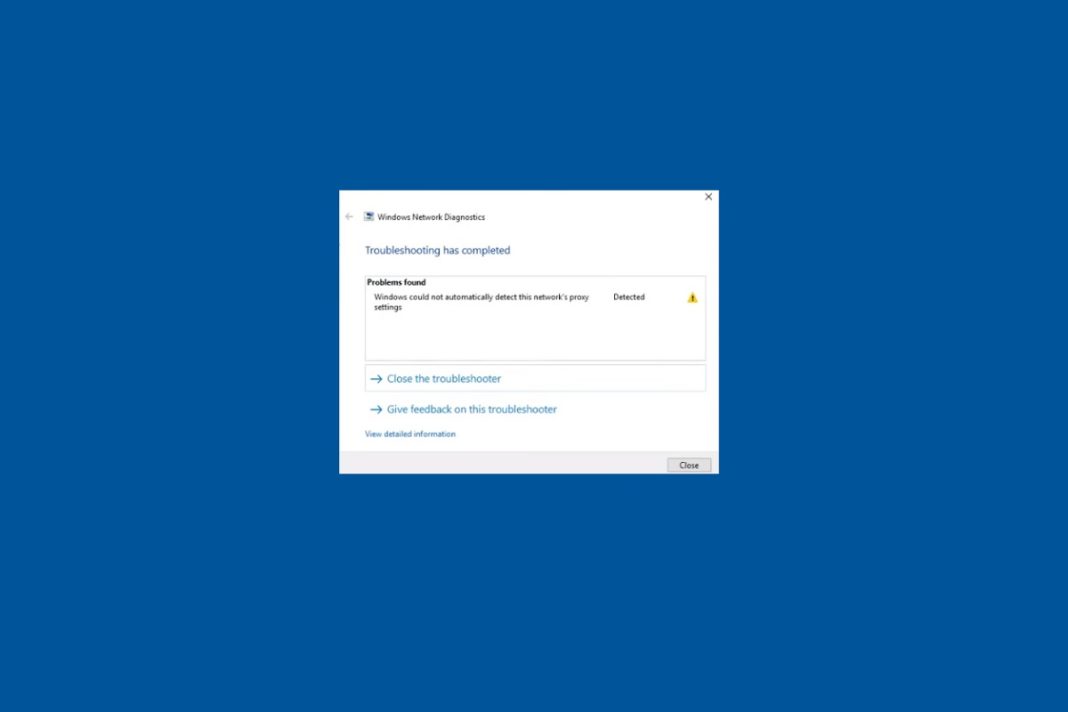
Fix Windows Could Not Automatically Detect Network s Proxy Settings

Web Apr 30 2017 nbsp 0183 32 Proxy setting screen reflects no values and does not allow values to be set I can go and add values to the various input box i e Script address Proxy server address the hit Save and as soon as I navigate away from the page and then come back the input boxes are blank

Web Aug 21 2023 nbsp 0183 32 1 Click quot Search quot in Windows bar and type quot cmd quot 2 Right click and select quot Run as administrator quot and quot Yes quot 3 Type the following commands one at a time and press Enter
Web Dec 28 2019 nbsp 0183 32 Here is the problem I m facing 1 Automatic proxy setup window no changes 2 Turn on Use Setup Script and paste the proxy address then click Save button and close the window 3 Re open the Proxy window the changes are not saved

Web Under VPN proxy settings select the type of proxy setup you want to use then enter the proxy server information for that VPN connection If you don t know the proxy server settings for your VPN connection you might need to contact your IT department

Web Jan 31 2018 nbsp 0183 32 Go to Settings on Microsoft Edge Click on View advanced settings Hit on Open proxy settings Turned Off Automatically detect settings Turned Off Use a proxy server Save the changes Close Microsoft Edge Restart your PC Other things you can try Open Start gt Settings gt Update amp security gt Troubleshoot Scroll down Click Network
[desc-11] [desc-12]
[desc-13]