Windows 10 Proxy Automatically Detect Settings Registry How To Solve The Windows Could Not Automatically Detect Network Proxy How To Prevent Users From Changing Proxy Settings In Windows 11 Or 10 Use Proxy As Server How To Fix Windows Could Not Automatically Detect Network s Proxy Fix Windows Couldn t Automatically Detect This Network s Proxy Web Click the settings icon on the top right corner Click Internet Options From there go to Connections Tab and then LAN Settings Uncheck Use a proxy server for your LAN Click OK and you re done After boot into safemode
Web Dec 18 2023 nbsp 0183 32 Method 1 Using Registry Editor Step 1 Press the Windows key R to open the Run command Now type regedit in the search box and hit Enter Step 2 In the Registry Editor window navigate to the below path HKEY LOCAL MACHINE Software Policies Microsoft Windows CurrentVersion Internet Web Nov 27 2018 nbsp 0183 32 Get ItemProperty Path Registry HKCU Software Microsoft Windows CurrentVersion Internet Settings It s Powershell code and returns everything about Proxy Settings Plus If You Want any one property of numerous displayed in output just do this
Fix Windows Couldn t Automatically Detect This Network s Proxy Windows Could Not Automatically Detect This Network s Proxy Settings In Fix Windows Could Not Automatically Detect Network s Proxy Settings Proxy Chrome Windows 10 Https Anonymous Proxy Server List Fix Windows Could Not Automatically Detect Network s Proxy Settings How To Fix Windows Could Not Automatically Detect This Network s Proxy Windows Could Not Automatically Detect This Network s Proxy Settings Windows 10 Can t Detect Network Proxy Settings Here 5 Working
Windows 10 Proxy Automatically Detect Settings Registry
 Windows 10 Proxy Automatically Detect Settings Registry
https://static1.makeuseofimages.com/wp-content/uploads/2019/05/fix-network-proxy-issues.jpg
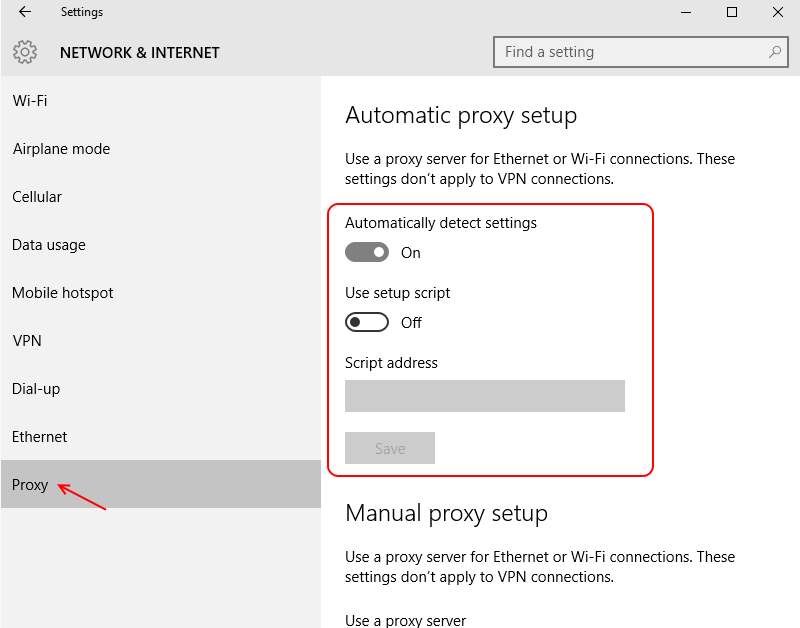
Web Apr 27 2021 nbsp 0183 32 Here check if the automatic detection of proxy settings is enabled and then turn the Use setup script switch On Finally type the URL of the proxy in the Script address field and press Save Your settings are saved and used by Windows 10 your web browsers and apps
Templates are pre-designed documents or files that can be utilized for numerous functions. They can conserve effort and time by providing a ready-made format and layout for producing various kinds of material. Templates can be used for individual or expert tasks, such as resumes, invites, flyers, newsletters, reports, presentations, and more.
Windows 10 Proxy Automatically Detect Settings Registry

Internet Explorer Proxy Registry Location

Windows Could Not Automatically Detect This Network s Proxy Settings In
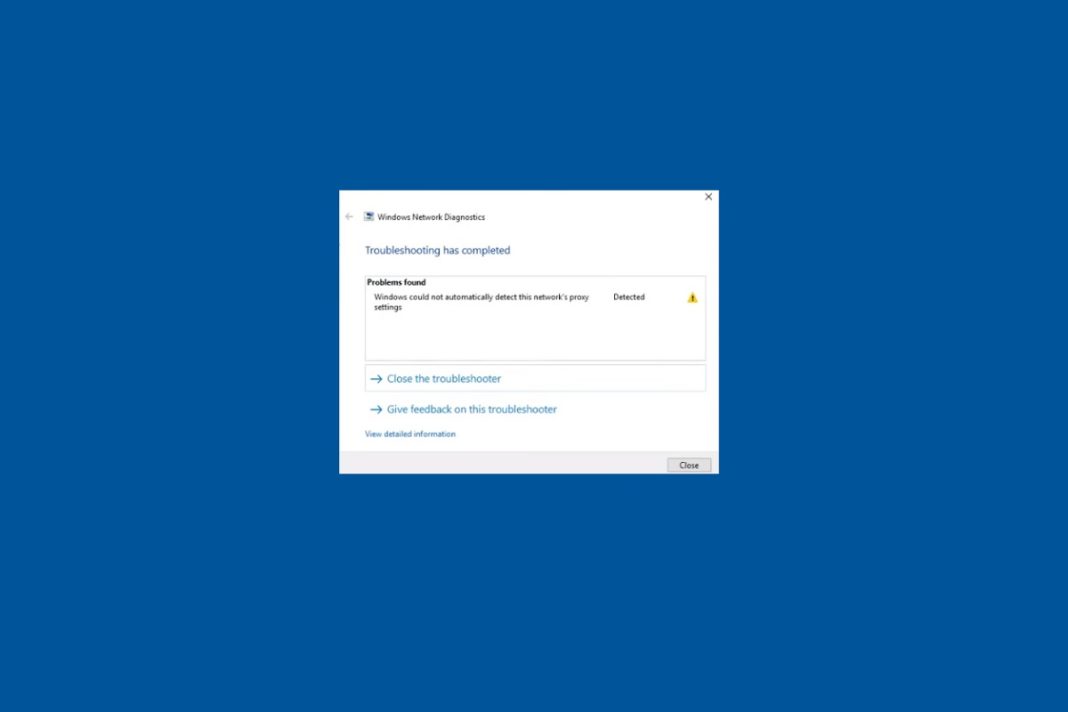
Fix Windows Could Not Automatically Detect Network s Proxy Settings
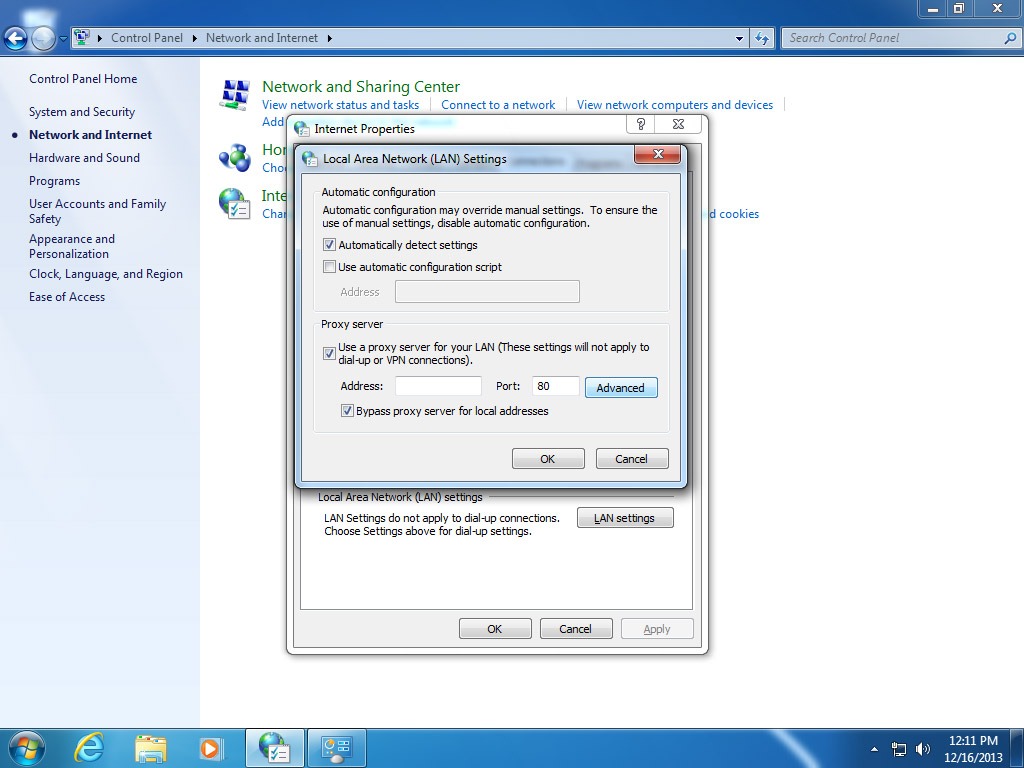
Proxy Chrome Windows 10

Fix Windows Could Not Automatically Detect Network s Proxy Settings

How To Fix Windows Could Not Automatically Detect This Network s Proxy

Web Feb 3 2020 nbsp 0183 32 Method 1 Check the permissions on Internet Settings in registry 1 Press Windows R key to launch Run command 2 Type regedit and hit enter 3 Navigate to this location HKEY LOCAL MACHINE Software Policies Microsoft Windows CurrentVersion Internet

Web Nov 4 2009 nbsp 0183 32 RegistryKey registry Registry CurrentUser OpenSubKey quot Software Microsoft Windows CurrentVersion Internet Settings quot true if registry GetValue quot AutoConfigURL quot null Proxy Server disabled Untick Proxy Server registry DeleteValue quot AutoConfigURL quot
Web Oct 24 2011 nbsp 0183 32 AFAIK there is no global quot automatically detect settings quot neither a netsh command for this the setting is specific to a browser i e the internet explorer is configured using reg keys see the following examples http support microsoft kb 819961 once you know the right regkey you can use the reg command to set it

Web Automatically Windows detects the proxy server settings automatically so you don t have to enter any information Set up script You ll need to know the location of the proxy setup script for your organization if proxy settings aren t detected automatically

Web Mar 9 2023 nbsp 0183 32 When Windows Internet Properties gt Connections gt LAN Settings gt Automatic Configuration is set to quot Automatically detect settings quot how does Windows actually determine discover what the settings are Is it a network broadcast or some kind of targeted query to a server configured somewhere in the registry or something else
Web Jul 2 2009 nbsp 0183 32 It is actually the value in Software Microsoft Windows CurrentVersion Internet Settings Connections DefaultConnectionSettings that is used Since that is not easily modified you can modify the proxy settings for a user export the registry key modify the path in the exported file to HKEY USERS S 1 5 18 and reimport it Web Feb 27 2023 nbsp 0183 32 To specify proxy settings go to the Connections tab and click the Lan Settings button The proxy server can be configured in one of the following ways Automatically detect settings automatic detection of settings using the wpad dat file Use automatic configuration script auto configuration script proxy pac Proxy
Web Aug 31 2022 nbsp 0183 32 Control Panel gt Network and Internet gt Internet Options In the Internet Properties window switch to the Connections tab and then click Lan settings In the Local Area Network LAN settings window uncheck the box next to Automatically detect settings and Use a proxy server for your LAN Then click Ok