Windows 10 Cannot Restart Dns Client Service DNS Server Not Responding In Windows 10 SOLVED How To Flush DNS Resolver Cache In Windows 10 8 1 And 7 Fix DNS Server Is Not Responding Problem In Windows 7 8 10 3 Ways To Enable Or Disable DNS Client Service In Windows 10 Configure DNS Server On Ubuntu IT FROM ZERO Web Aug 7 2020 nbsp 0183 32 For statically configured clients modify the client TCP IP properties to use valid configuration settings or complete its DNS configuration for the network Check network connection Ping test Verify that the client can contact a preferred or alternate DNS server by pinging the preferred DNS server by its IP address
Web Jul 14 2022 nbsp 0183 32 Clean Boot Your Windows 10 or 11 System If your DNS issues persist one or more of the installed tools on your PC may be the culprit One way to check if this is the case is by clean booting your Windows PC Doing so keeps your installed tools from running which helps find the problematic item Web Feb 26 2018 nbsp 0183 32 windows 10 dns Share Improve this question Follow asked Feb 26 2018 at 6 45 Walf 431 6 14 Did you try to end the dependent processes sc qc dnscache gt sc queryex quot Prozess quot gt taskkill f pid Wiffzack Feb 26 2018 at 14 32
Configure DNS Server On Ubuntu IT FROM ZERO How To Fix Dns Server Not Responding In Windows 10 Dns servers 01 Summit 360 Can t Access Web Pages Server DNS Address Could Not Be Found Lets 3 Ways To Enable Or Disable DNS Client Service In Windows 10 About DNS Control Zscaler Windows 10 How To Start Or Stop DNS Client Service YouTube Top 9 Ways To Fix Chrome This Site Can t Be Reached Error How Do You Reset The DNS Server
Windows 10 Cannot Restart Dns Client Service
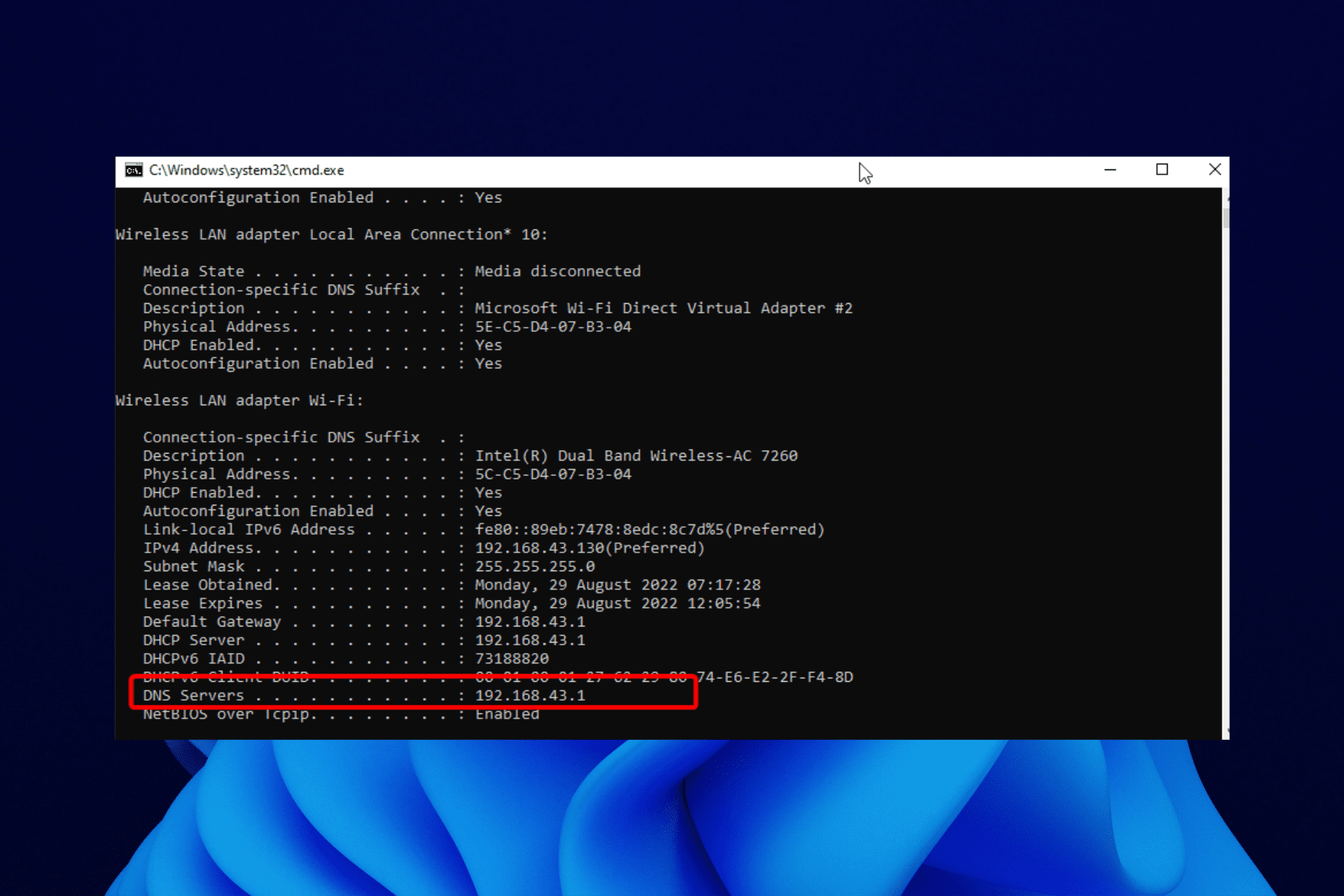 Windows 10 Cannot Restart Dns Client Service
https://cdn.windowsreport.com/wp-content/uploads/2021/03/dns-server-not-respoinding.png
Web Mar 9 2018 nbsp 0183 32 Clear the DNS Cache Open a Command Prompt window as Administrator To do so open the Start menu type quot Command Prompt quot into the search box right click the Command Prompt shortcut in the results and then select the quot Run as Administrator quot command At the prompt type the following command and then press Enter ipconfig
Templates are pre-designed files or files that can be used for various purposes. They can save time and effort by supplying a ready-made format and layout for creating various type of content. Templates can be utilized for personal or expert jobs, such as resumes, invites, leaflets, newsletters, reports, discussions, and more.
Windows 10 Cannot Restart Dns Client Service
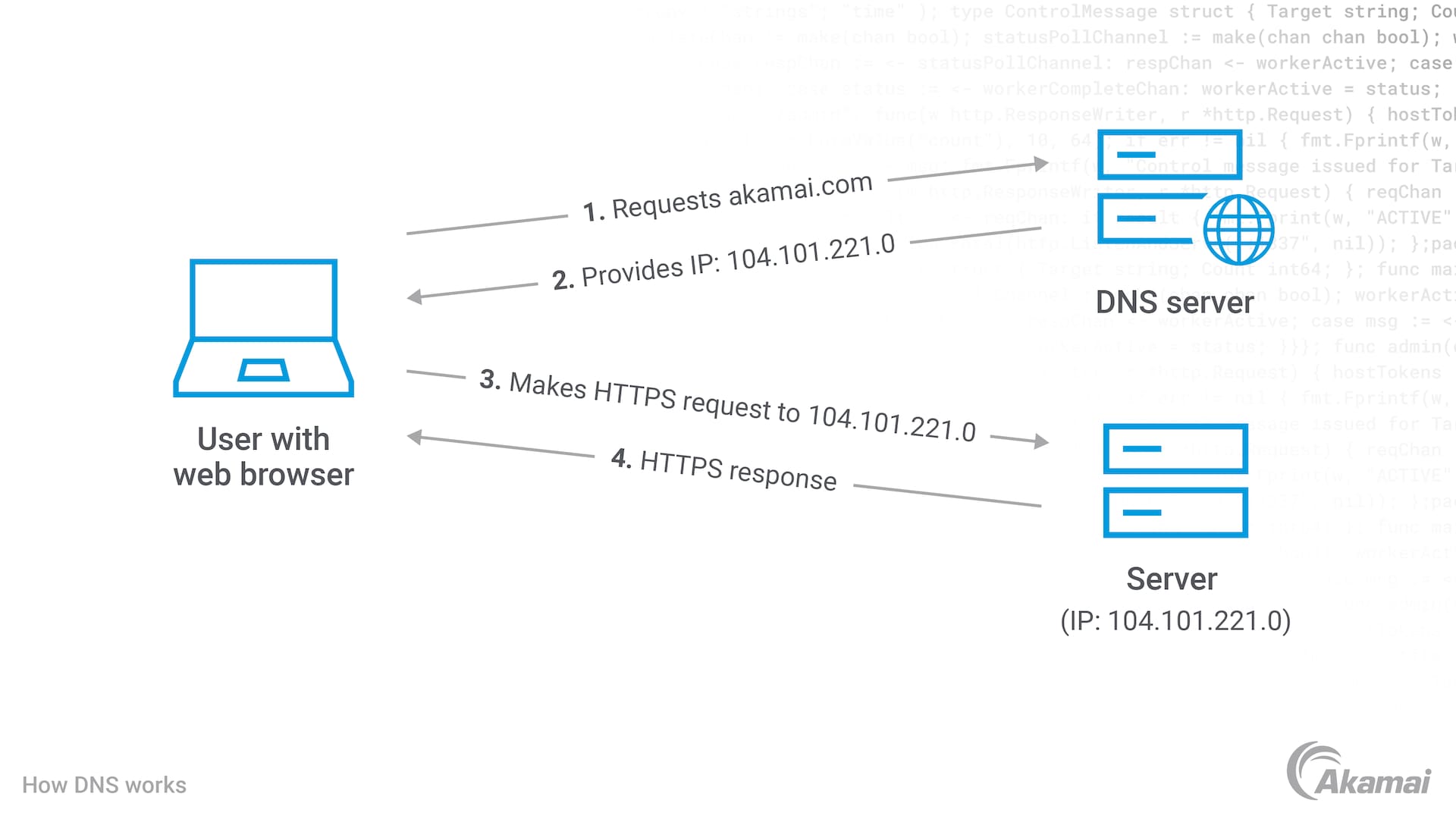
What Are DNS Servers Akamai

How To Fix Dns Server Not Responding In Windows 10

Dns servers 01 Summit 360
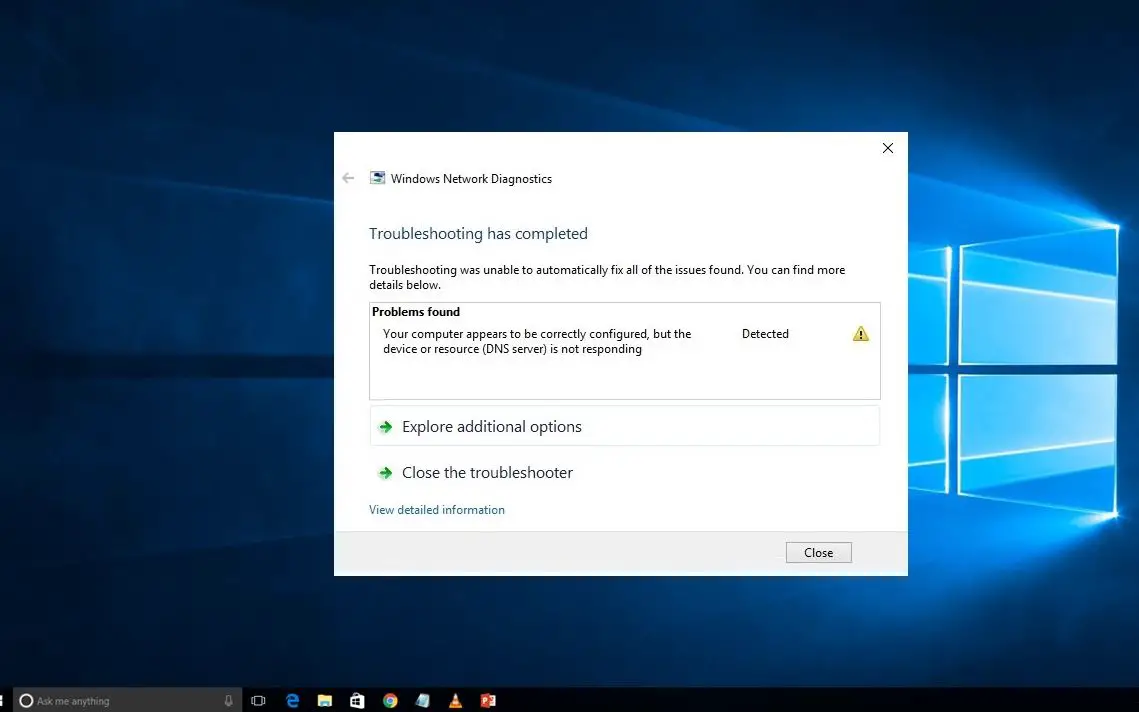
Can t Access Web Pages Server DNS Address Could Not Be Found Lets
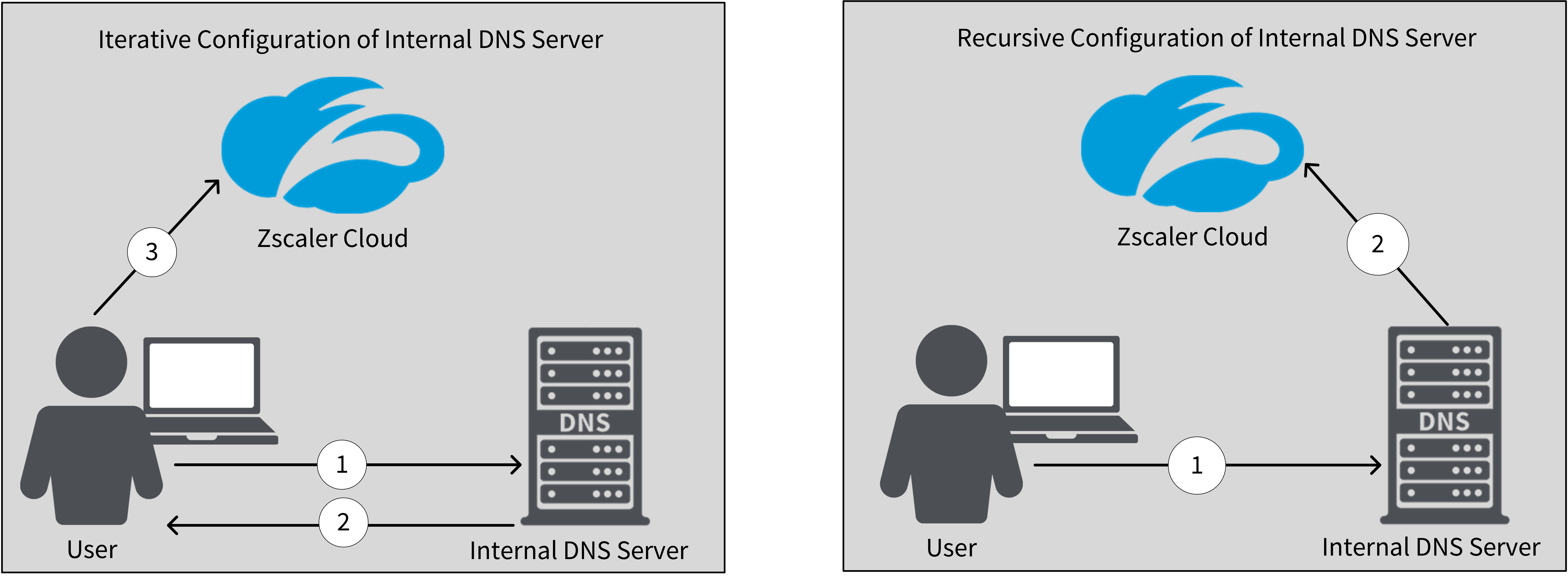
About DNS Control Zscaler

Windows 10 How To Start Or Stop DNS Client Service YouTube
Web Mar 6 2023 nbsp 0183 32 Open the Run dialog box using the Windows key R shortcut services msc and click on the DNS client service from the list and right click on it option on the context menu To set the

Web Apr 20 2020 nbsp 0183 32 Microsoft says To disable the DNS cache permanently in Windows use the Service Controller tool or the Services tool to set the DNS Client service startup type to Disabled Note that the name of the Windows DNS

Web Oct 4 2023 nbsp 0183 32 This is done with the help of the utility named sc which gets installed together with the OS so far as Windows Server 2003 is concerned To perform the start and stop DNS operations here is what needs to be done To Stop DNS C gt sc matrix stop dns SERVICE NAME dns TYPE 10 WIN32 OWN PROCESS STATE 3 STOP PENDING

Web Feb 6 2024 nbsp 0183 32 Press Windows R keyboard shortcut Type servcies msc and ok to open Windows services console scroll down and locate the DNS client service Right click and select start or stop to enable Disable the service To make DNS client service to start automatically at windows startup Right click and DNS client service select properties
Web Jan 26 2021 nbsp 0183 32 Within the last days several issues with windows 10 PCs came up The DNS Client Service was disabled and greyed out So within the services menu I was unable to set it to automatic and start it REG add HKLM SYSTEM CurrentControlSet services dnscache v Start t REG DWORD d 2 f
Web Dec 19 2017 nbsp 0183 32 1 Ran sfc scannow 2 Checked permissions on the relevant registry keys compared to another working Windows 10 computer 3 Replaced the file C windows system32 dnsrslvr dll with one from another working Windows 10 computer 4 Checked the dependent services and drivers are running 5 Web Properties window gt dependencies tab gt see what it needs to run gt stop one of those if possible Eg stopping quot network store interface service quot aka nsi will kill dnscache along with all network capabilities
Web Sep 30 2022 nbsp 0183 32 Reset DNS Settings To reset your DNS Settings follow these steps Run the command prompt as an administrator To do this activate the Run box by pressing Windows key R In the run box type cmd and press shift ctrl enter Type the following commands in the command prompt