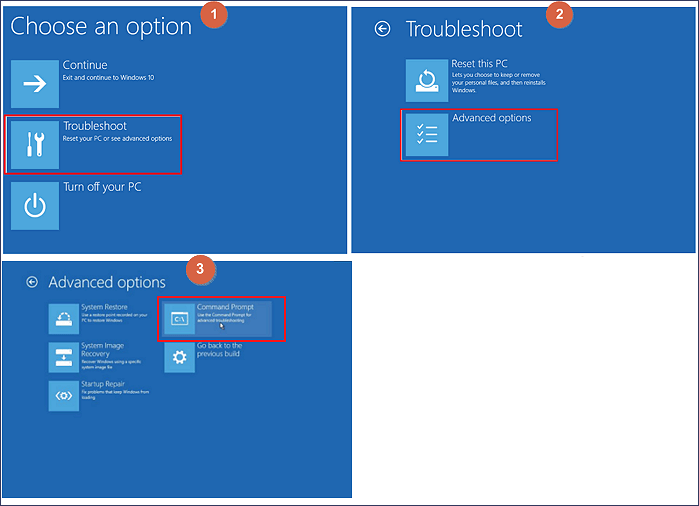
Windows 10 Boot Cd Command Prompt How To Make Windows 10 Boot Cd YouTube How To Change A Windows User Account Password From Command Prompt Basic Commands For Command Prompt Boot To Command Prompt In Windows 10 Changing Directory In Command Prompt Sales USA Save 54 Jlcatj gob mx Web Nov 8 2023 nbsp 0183 32 1 Windows 10 Can t Boot Fix 1 Boot to Windows 10 Command Prompt with Installation Media Full steps Fix 2 Boot to Command Prompt Windows 10 from Advanced Startup Options Full steps 2 Windows 10 Can Boot Fix 1 Start Command Prompt Using Search Full steps Fix 2 Open Boot Windows 10 Command Prompt
Web Feb 17 2023 nbsp 0183 32 Type the following command to access the boot folder and press Enter cd boot Type the following command to update the volume boot code for the USB flash drive and press Enter bootsect nt60 X Type the following command to copy all the Windows 10 files to the USB flash drive and press Enter xcopy E X E F H Web Apr 26 2017 nbsp 0183 32 In this article we ll see two ways to open the command prompt at boot The first one involves the setup program the second one shows how to open the command prompt during boot for the already installed operating system Open Command Prompt at Boot using Windows 10 s setup media Boot from the Windows installation disk USB
Changing Directory In Command Prompt Sales USA Save 54 Jlcatj gob mx Four Ways To To Boot Into Command Prompt Before Entering Windows If You Command Prompt Tutorial Part 1 CD Change Directory YouTube Windows 7 Backup Command Line Dusupernal How To Change Directory In CMD How To Use CD Command Win 10 MiniTool Korn Flugblatt Szene Cmd Route Gro z gig Schier Oft Gesprochen How To Boot From Command Prompt Windows 10 Engineeringluli Cmd Tutorial 1 Cd Dir Cls Exit Command Windows Command How To Format A Drive Using Command Prompt Diskpart Any Windows OS
Windows 10 Boot Cd Command Prompt
 Windows 10 Boot Cd Command Prompt
https://i.ytimg.com/vi/r70KF7GX5Bk/maxresdefault.jpg
Web Aug 24 2023 nbsp 0183 32 This wikiHow teaches you how to start your Windows computer with Command Prompt open Click the Windows icon or press the Windows key on your keyboard This opens the Windows Start menu
Pre-crafted templates provide a time-saving option for developing a diverse variety of files and files. These pre-designed formats and layouts can be made use of for different individual and expert projects, including resumes, invites, flyers, newsletters, reports, presentations, and more, streamlining the material production procedure.
Windows 10 Boot Cd Command Prompt

How To Get Help In Windows 10 Command Prompt Lates Windows 10 Update
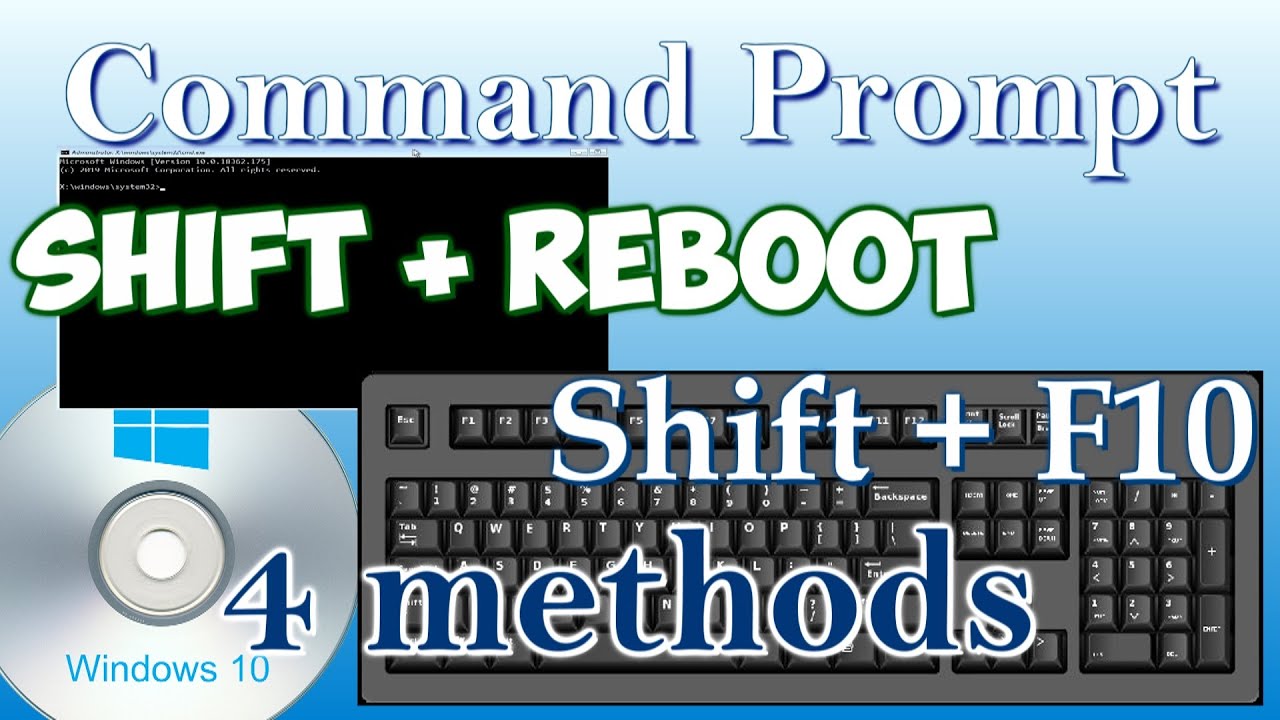
Four Ways To To Boot Into Command Prompt Before Entering Windows If You

Command Prompt Tutorial Part 1 CD Change Directory YouTube
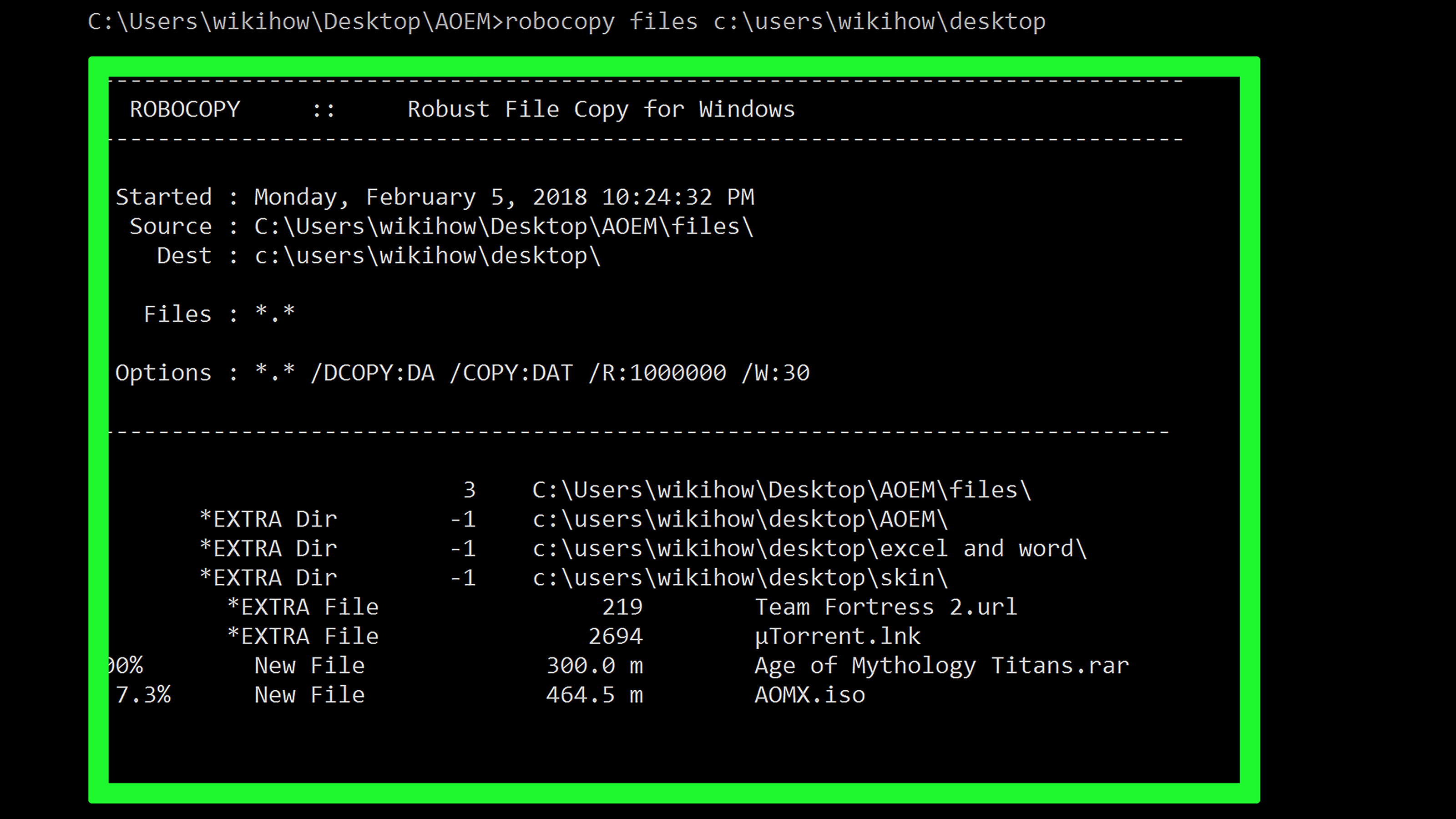
Windows 7 Backup Command Line Dusupernal

Korn Flugblatt Szene Cmd Route Gro z gig Schier Oft Gesprochen

How To Boot From Command Prompt Windows 10 Engineeringluli

Web Jun 1 2022 nbsp 0183 32 Step 1 Start the Command Prompt using a recovery drive Step 2 Use Command Prompt to fix issues with your PC s boot records 2 1 How to repair the EFI Bootloader for Windows 11 amp Windows 10 UEFI systems with GPT partitioned drives 2 2 How to repair your MBR UEFI CSM or BIOS systems with MBR partitioned drives

Web 10 Mar 2021 How to Open a Command Prompt at Boot in Windows 10 A command prompt is an entry point for typing computer commands in the Command Prompt window By typing commands at the command prompt you can perform tasks on your computer without using the Windows graphical interface

Web May 18 2023 nbsp 0183 32 1 Command Prompt Windows 10 Boot Repair To tackle Windows 10 startup issues you can perform the Windows 10 boot repair in Command Prompt You can type these commands to fix Windows 10 boot problems like repair MBR bootrec fixmbr bootrec fixboot bootrec rebuildbcd 2 Run SFC Scannow Command to Repair
Web Dec 15 2021 nbsp 0183 32 Open a command line either as an administrator from inside Windows or by booting to a command line using the Windows installation media and pressing Shift F10 or by booting to Windows PE WinPE Create USB Bootable drive Add boot options for a Windows operating system bcdboot D Windows Reboot the PC

Web Jan 6 2022 nbsp 0183 32 If you have a Windows 11 or Windows 10 recovery drive you can use it to start the Command Prompt at boot Insert the drive then start your computer and use the UEFI BIOS boot menu to select the removable repair drive as the boot device
Web Type in the name of the file from which you wish to boot and press Enter For example if you wish to boot from the quot setup exe quot file you would simply type in quot setup exe quot and press quot Enter quot Web Dec 28 2022 nbsp 0183 32 Method 1 Install Windows 10 from CD using Command Prompt Step 1 Press the Windows logo key R at the same time Type diskpart in the Run box and then click OK to run Diskpart for Windows 10 install Step 2 Type list vol and then press Enter to find the partition containing the ISO files
Web Method 1 Boot to Command Prompt on Windows 10 Using Advanced Startup Options 1 1 If you can access the Desktop If the computer is booting successfully you can use settings to get into Advanced Startup Options From there you can boot to the command prompt on Windows 10 Follow these instructions to learn how to get to command