Windows 10 Activation Key Cmd Activate Windows 10 Using Cmd Bxesenior Cmd Command To Activate Windows 10 Zinebxe Come Attivare Windows 11 10 Con Codice Product Key Licenza Digitale Cmd How To Active Windows 10 Activation Key Cmd Roombda How To Find Windows Product Key Using CMD PowerShell And Windows Activate Windows using a product key During installation you ll be prompted to enter a product key Or after installation to enter the product key select the Start button and then select Settings System Activation Update product key Change product key To locate your product key see the product key table in Activation methods
First press the Windows key search for cmd and click on Run as administrator Then run the following command wmic path softwarelicensingservice get OA3xOriginalProductKey After that you ll see your Windows 10 product key Alternatively you can run this command in the Command Prompt terminal powershell Get WmiObject query How to find your Windows 10 product key 1 Click the Windows search box and type in Command Prompt 2 Once the Command Prompt entry pops up right click that option and select Run as
How To Find Windows Product Key Using CMD PowerShell And Windows Free Windows 10 Activation With Cmd Honaudit How To Active Windows 10 Activation Key Cmd Vsaclear How To Activate Windows 11 How To Check Activation Status Using Cmd In Windows 11 Technoresult Cmd Line Windows Activation Eventclever Windows 10 Activation Cmd Text Moplasoul Activate Windows 10 Cmd 2020 Musclebxe How To Active Windows 10 Activation Key Cmd Innovationbda
Windows 10 Activation Key Cmd
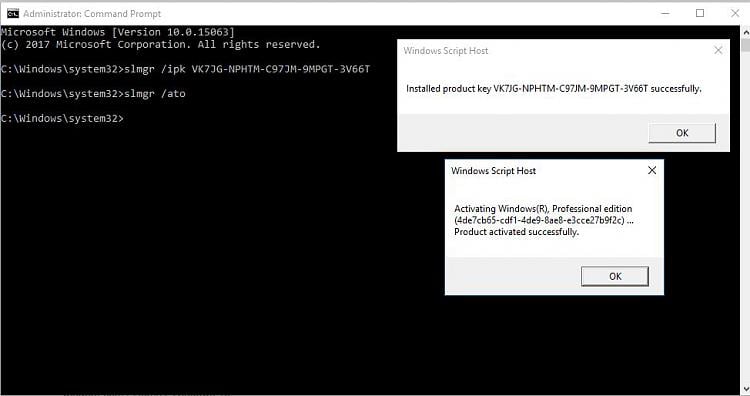 Windows 10 Activation Key Cmd
https://www.tenforums.com/attachments/windows-updates-activation/142697d1499347590t-cmd-activation-new-win-10-install-capture.jpg
Users can find a Windows 10 product key by issuing a command from the command prompt Press Windows key X Click Command Prompt Admin At the command prompt type the following to reveal the
Templates are pre-designed files or files that can be used for numerous purposes. They can conserve time and effort by offering a ready-made format and layout for producing various kinds of content. Templates can be utilized for individual or expert jobs, such as resumes, invitations, flyers, newsletters, reports, presentations, and more.
Windows 10 Activation Key Cmd
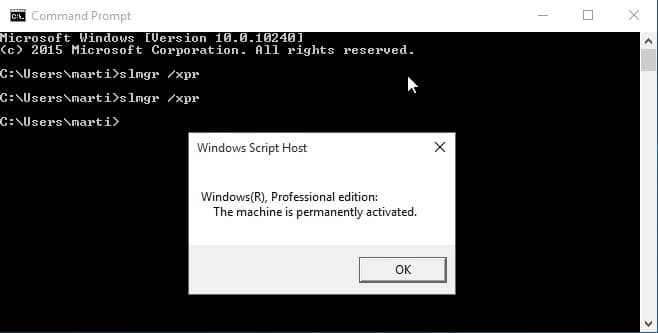
Windows 10 Digital Activation Cmd Prompt Getyourple
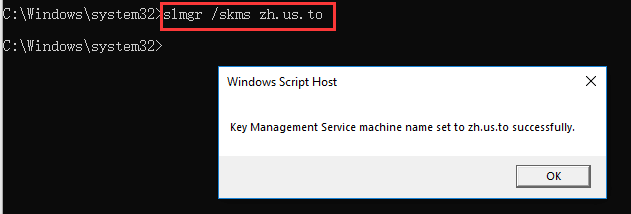
Free Windows 10 Activation With Cmd Honaudit
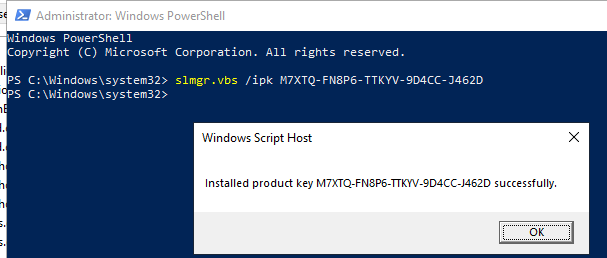
How To Active Windows 10 Activation Key Cmd Vsaclear
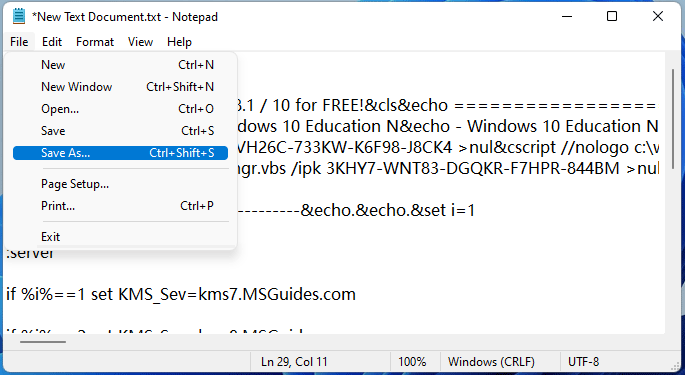
How To Activate Windows 11

Cmd Line Windows Activation Eventclever
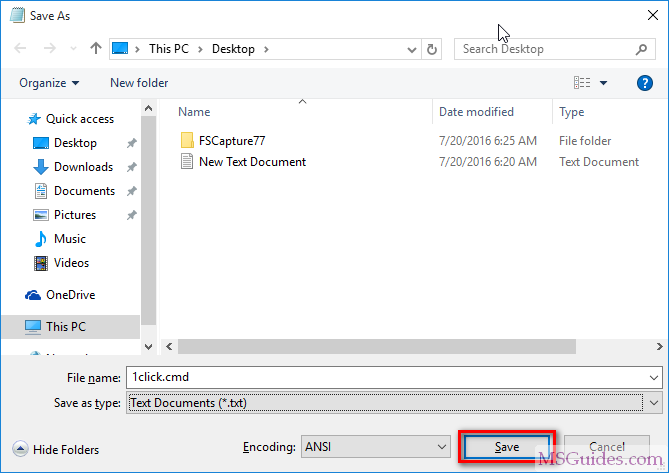
Windows 10 Activation Cmd Text Moplasoul

Hit Enter key to execute the command Wait for a few seconds and a prompt should appear 4 Set key management machine address Very Important Step 5 Use the command slmgr skms kms8
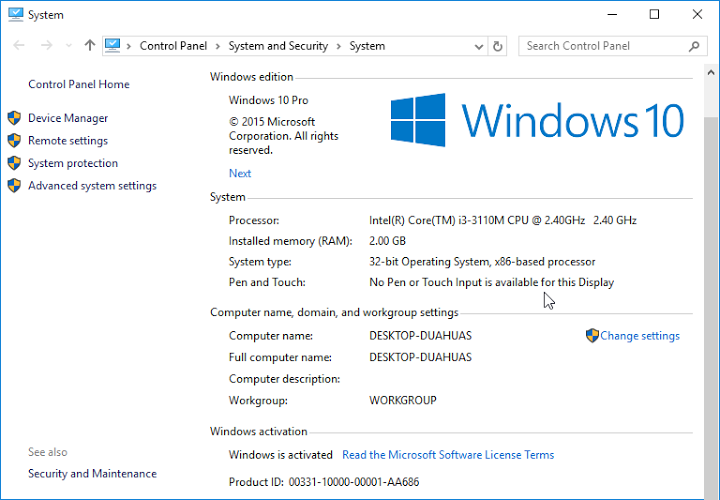
Step 1 1 Open Command Prompt as administrator Click on the start button search for cmd then run it with administrator rights Step 1 2 Install KMS client key Use the command slmgr ipk yourlicensekey to install a license key yourlicensekey is the activation key that corresponds to your Windows edition
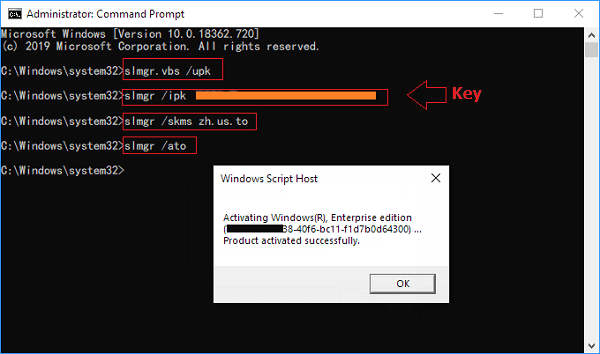
To activate Windows with Command Prompt you ll need to run Command Prompt as an administrator Here s what to do Open the Windows 11 Start menu Search for CMD In the results choose Run as

Viewed 23k times 0 I want to know if my code is capable to run the command one after the other without interacting to click OK after activation of Windows or I should put addition command like Start wait cmd on each of commandline echo off REM Windows Activation Echo Activate Windows set p key Input Windows Key slmgr ipk

To get your Windows product key from the command prompt 1 Launch the command prompt The easiest way to get there is to hit Windows R to open the run dialog box then type in cmd and hit Enter
Step by step Troubleshooting 1 Activate Windows with CMD Run it as administrator Type the command Press enter to activate your Windows 10 11 Full steps 2 Activate Windows with Product Key Go to your systems settings Right click on My PC Click on properties Full steps Get Windows 11 10 License Key using PowerShell To find your Windows 10 Product Key open a PowerShell window with administrative privileges type the following command and hit Enter powershell
To do so on Windows 8 or 10 either right click the Start button or press Windows X Click the Command Prompt Admin option in the menu that appears On Windows 7 search the Start menu for Command Prompt right click it and select Run as Administrator Note If you see PowerShell instead of Command Prompt on the Power Users menu that