Win 10 Kill Process Command Line How To Kill Process From Command Line In Windows Kill Process Using Command Prompt In Windows YouTube CMD Kill Process How To Kill Process In Command Prompt MiniTool How To Kill Process From Command Line In Windows Windows Command Kill Process Command Line Web Apr 12 2013 nbsp 0183 32 The easiest way to get these is on the Details tab of the Task Manager Once you have the name of the process a simple tskill is all it takes tskill chrome If you have already migrated to the Command Prompt s older brother PowerShell it is much simpler Get Process Where Name Like chrome Stop Process
Web Jan 5 2022 nbsp 0183 32 Simply search for cmd in the Start Menu and select Run as Administrator To kill a process with the Taskkill command you need its name or its PID Entering tasklist will give you a complete list of all running processes along with Web Aug 13 2021 nbsp 0183 32 What you might not know is that there is a hidden even more powerful way to close pesky processes in Windows 10 the taskkill command The advanced task kill command gives you more
Windows Command Kill Process Command Line Kill Process With Cmd Taskkill Victoria Park Computers Repairs Support CMD Kill Process How To Kill Process In Command Prompt Tutorial PowerShell Kill Process Command Step by Step Guide How To Kill Process From Command Line Windows Command Kill Process Command Line PowerShell Kill Process CommandL Step by Step Tutorial PowerShell Kill Process Command End Shutdown A Program Kies Windows 10
Win 10 Kill Process Command Line
 Win 10 Kill Process Command Line
https://techieinspire.com/wp-content/uploads/2020/08/tasklist-1.png
Web Mar 18 2017 nbsp 0183 32 You can use the command prompt to terminate processes Open the Run box using Windows R Type cmd in the Run box and click Enter Use the command tasklist to list all processes Use the command taskkill F IM quot executable name exe quot T to terminate the process
Templates are pre-designed files or files that can be utilized for numerous functions. They can save effort and time by supplying a ready-made format and layout for developing various kinds of content. Templates can be utilized for individual or professional jobs, such as resumes, invites, leaflets, newsletters, reports, presentations, and more.
Win 10 Kill Process Command Line
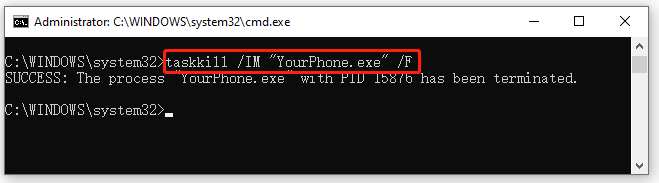
CMD Kill Process How To Kill Process In Command Prompt

Kill Process With Cmd Taskkill Victoria Park Computers Repairs Support
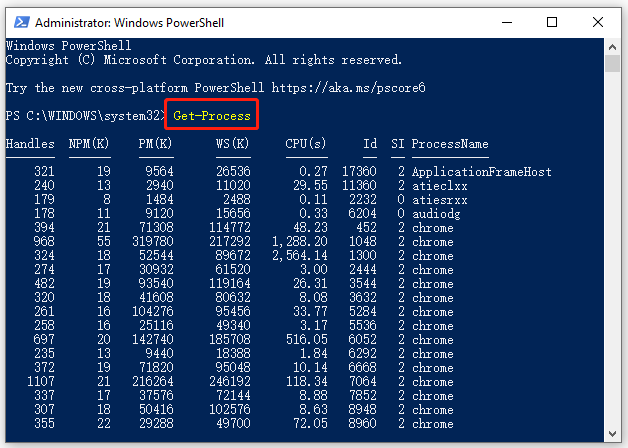
CMD Kill Process How To Kill Process In Command Prompt
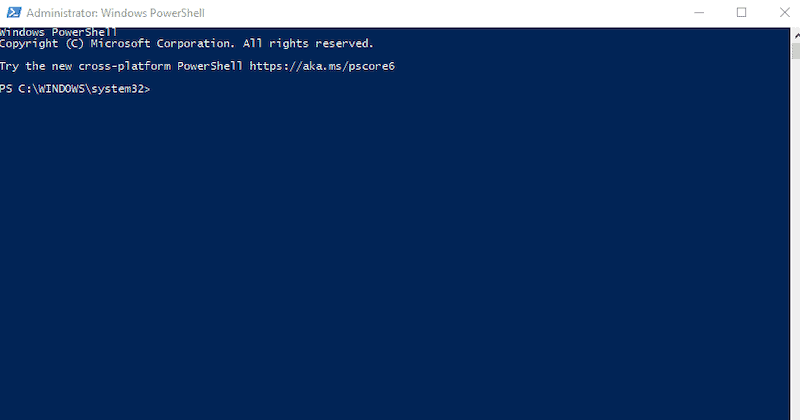
Tutorial PowerShell Kill Process Command Step by Step Guide

Windows Command Kill Process Command Line
PowerShell Kill Process CommandL Step by Step Tutorial

Web Aug 17 2021 nbsp 0183 32 To use Taskkill first open the Command Prompt Type cmd in the search box and click on Run as administrator in the right hand pane Before you can use Taskkill you need to know either the name or PID of the task in question Enter tasklist to get a list of all the running processes on your computer

Web Aug 28 2020 nbsp 0183 32 How to Kill a Process with the Taskkill Command Open Command Prompt Press the Windows key and type Command Prompt then choose Run as administrator Run the tasklist command You can get a quick readout of all the currently running processes much like Task Manager by Run the taskkill
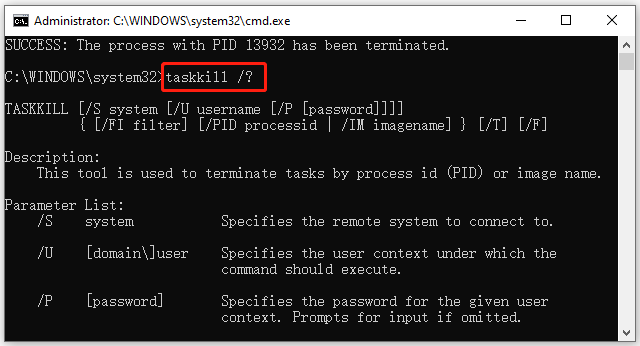
Web Dec 4 2022 nbsp 0183 32 We can use below command to kill a process using process id pid taskkill PID processId Example Kill a process with pid 1234 taskkill PID 1234 Kill processes consuming high amount of memory taskkill FI quot memusage gt value quot For example to kill processes consuming more than 100 MB memory we can run the below command

Web May 8 2021 nbsp 0183 32 To Kill Process using Name A Type the command below into PowerShell and press Enter see screenshot below Stop Process Name quot ProcessName quot Force Substitute ProcessName in the command above with the actual ProcessName ex quot OneDrive quot from step 2 above for the process you want to kill

Web Jan 16 2018 nbsp 0183 32 Kill a process using Taskkill Open the command prompt as the current user or as Administrator Type tasklist to see the list of running processes and their PIDs Since the list might be very long you can use a pipe To kill a process by its PID type the command taskkill F PID pid number To
Web Jul 27 2023 nbsp 0183 32 For that Step 1 Type cmd in the Search box and then right click the Command Prompt window and select Run as administrator Then Step 2 In the elevated command prompt window type the following command and hit Enter to show all the currently Step 3 To kill a process by its PID run the Web Sep 12 2019 nbsp 0183 32 The taskkill command in Windows serves for terminating tasks by name or by process id PID In this note i am showing how to find and kill a process by its name or by PID and how to identify a process by the listening port I am also showing how to troubleshoot The process could not be terminated and Access denied errors
Web Feb 3 2023 nbsp 0183 32 You can use the tasklist command command to determine the process ID PID for the process to be ended Note This command replaces the kill tool Syntax taskkill s lt computer gt u lt domain gt lt username gt p lt password gt fi lt filter gt pid lt processID gt im lt imagename gt f t Parameters Filter names operators and values