What Is Memory Size In Computer What Is ROM Read Only Memory Storage Memory Types Of ROM What Is Memory Unit Of Computer Computer Memory Units Motherboard Two Types Computer Memory Primary And Secondary Memory InforamtionQ Krishna sTecHub Computer Memory Types Of Computer Memory Characteristics Primary Memory Secondary Memory For most PC and laptop owners 16GB of RAM is a good figure to target It gives you plenty of memory for most modern games enough to run plenty of web browsing tabs at the same time and you can
1 Open Task Manager in More details view see screenshot below 2 Click tap on the Performance tab and click tap on Memory 3 You will see the size ex 32 0 GB and type ex DDR3 towards the top right corner OPTION TWO To Determine Memory Size Speed and Type in Command Prompt 1 Open a command prompt RAM or random access memory is one of the most vital components of the best laptops and the best computers Where hard disk drive HDD or solid state drive SSD storage can be considered your
Types Of Computer Memory Characteristics Primary Memory Secondary Memory Memory Hierarchy GitBook The Complexities And Advantages Of Cache And Memory Hierarchy Types Of Computer Memory TutorialsMate Computer Memory Units Lowest To Highest Units Computer Knowledge What Is A Quick Cpu Video Card Performance Scoreleqwer Windows 10 How To Check RAM Memory System Specs Free Easy YouTube Wat Als Je Pc Je RAM Niet Detecteert Types Of Memory In Computer
What Is Memory Size In Computer
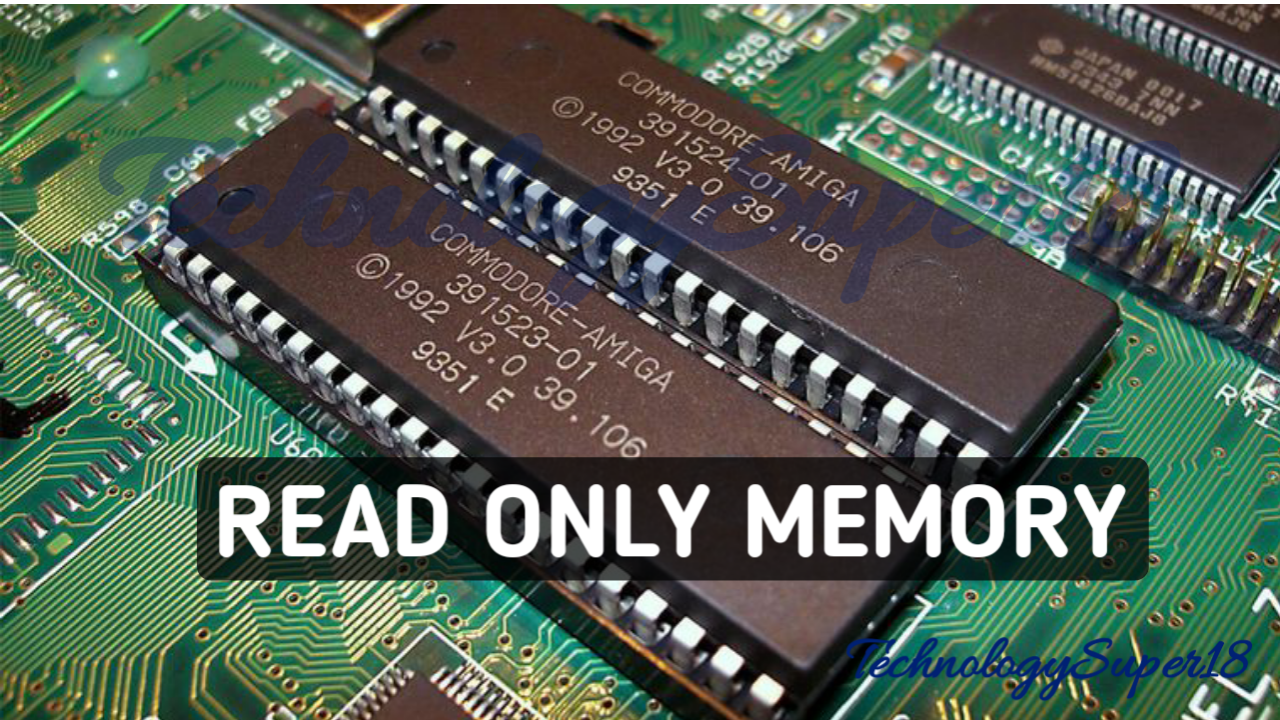 What Is Memory Size In Computer
https://4.bp.blogspot.com/-YbcCCn2JZT0/XELSHYwFX7I/AAAAAAAAArE/hOZRGco5gC4XJoTMpwEuJCleTNCcNO6ygCLcBGAs/s1600/20190119_125335.png
However you should have at least 4 GB of RAM if you want to use newer apps You might need 8 16 GB of RAM or more if you do lots of multitasking or use intensive programs As a general rule the more RAM you have the faster your programs will run and the more programs you can run at the same time However your memory is only one part of the
Pre-crafted templates offer a time-saving option for creating a diverse range of documents and files. These pre-designed formats and layouts can be made use of for numerous personal and expert projects, consisting of resumes, invitations, leaflets, newsletters, reports, presentations, and more, enhancing the material creation procedure.
What Is Memory Size In Computer

Classification Of Semiconductor Memories And Computer Memories VLSIFacts
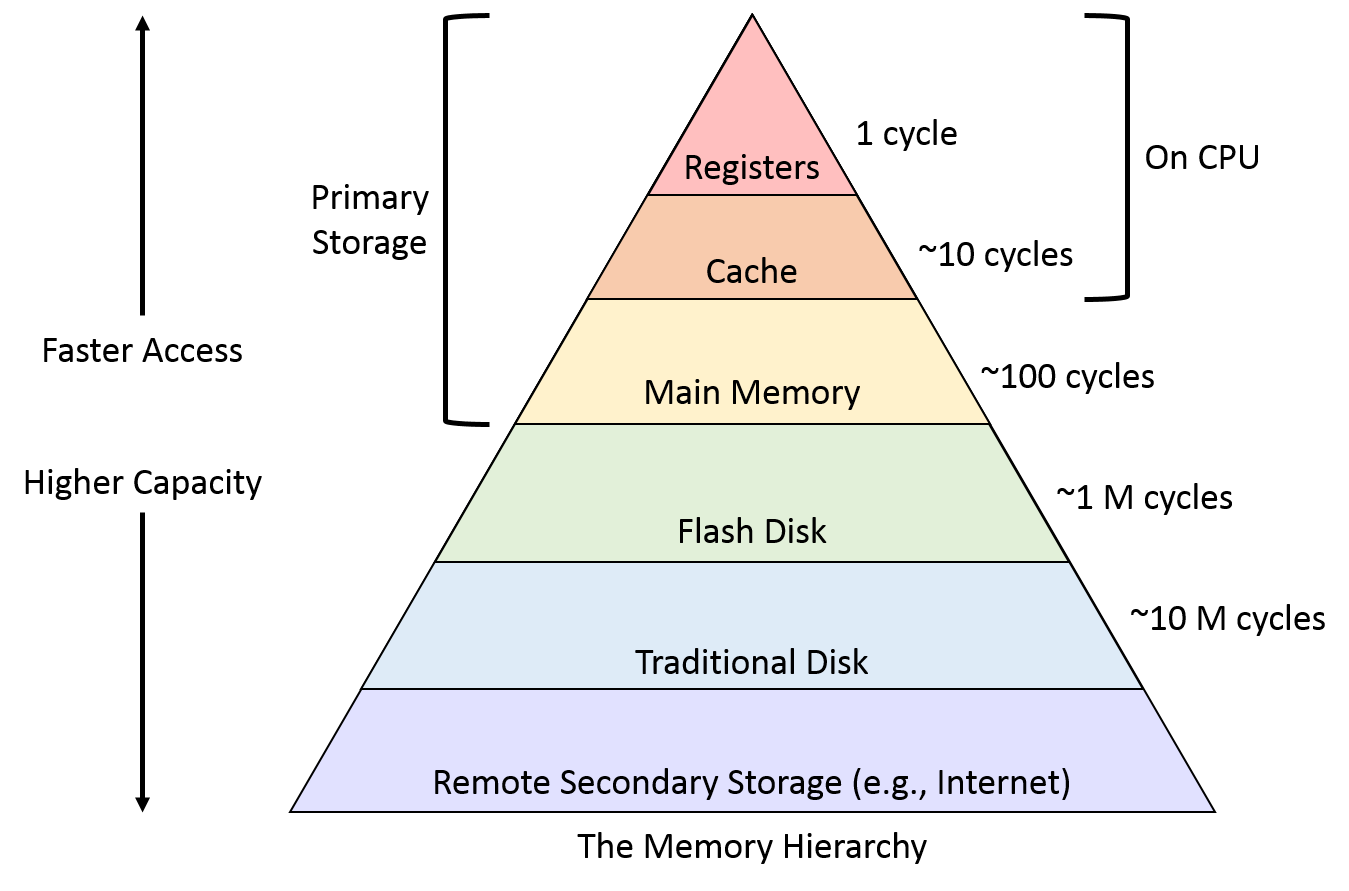
Memory Hierarchy GitBook
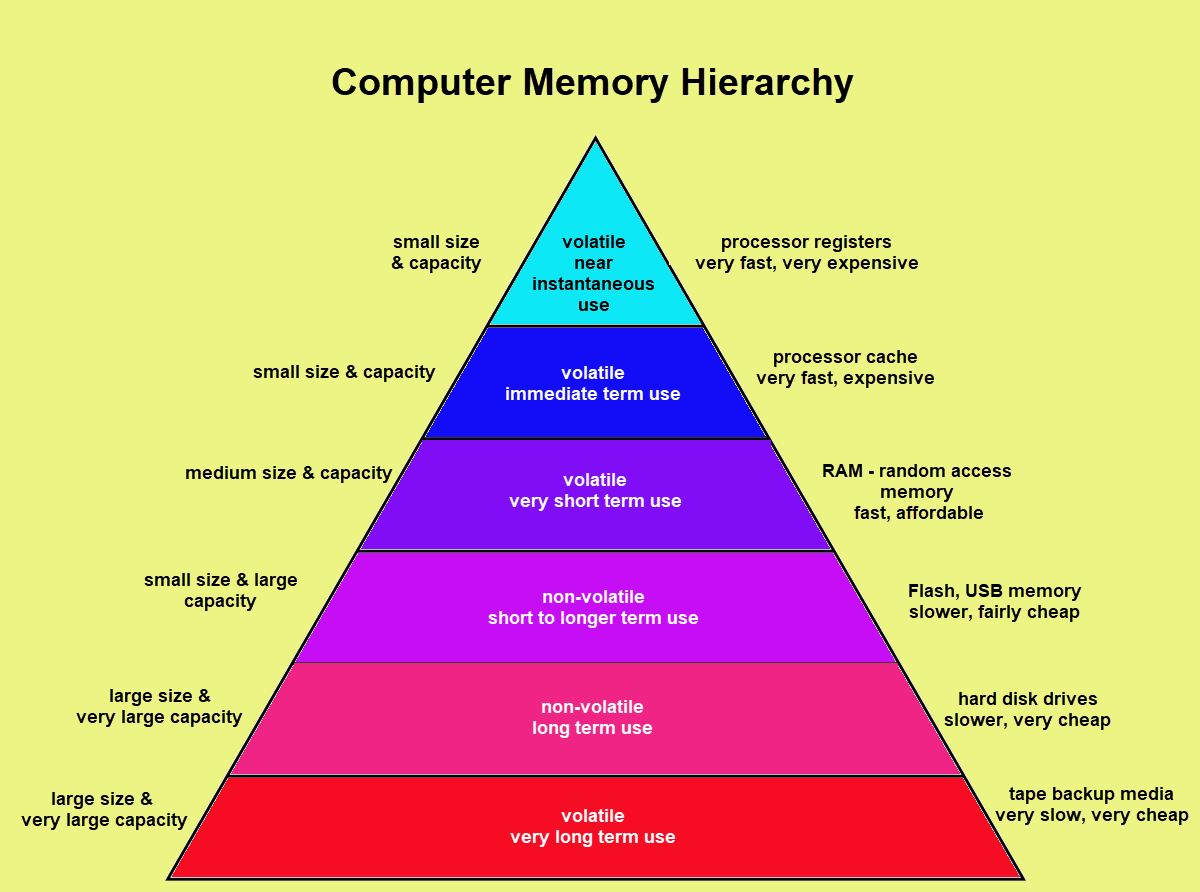
The Complexities And Advantages Of Cache And Memory Hierarchy
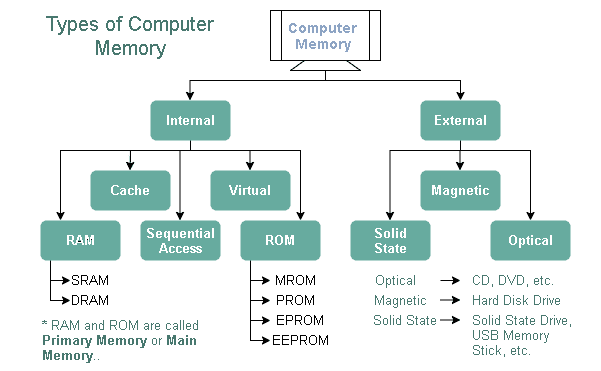
Types Of Computer Memory TutorialsMate
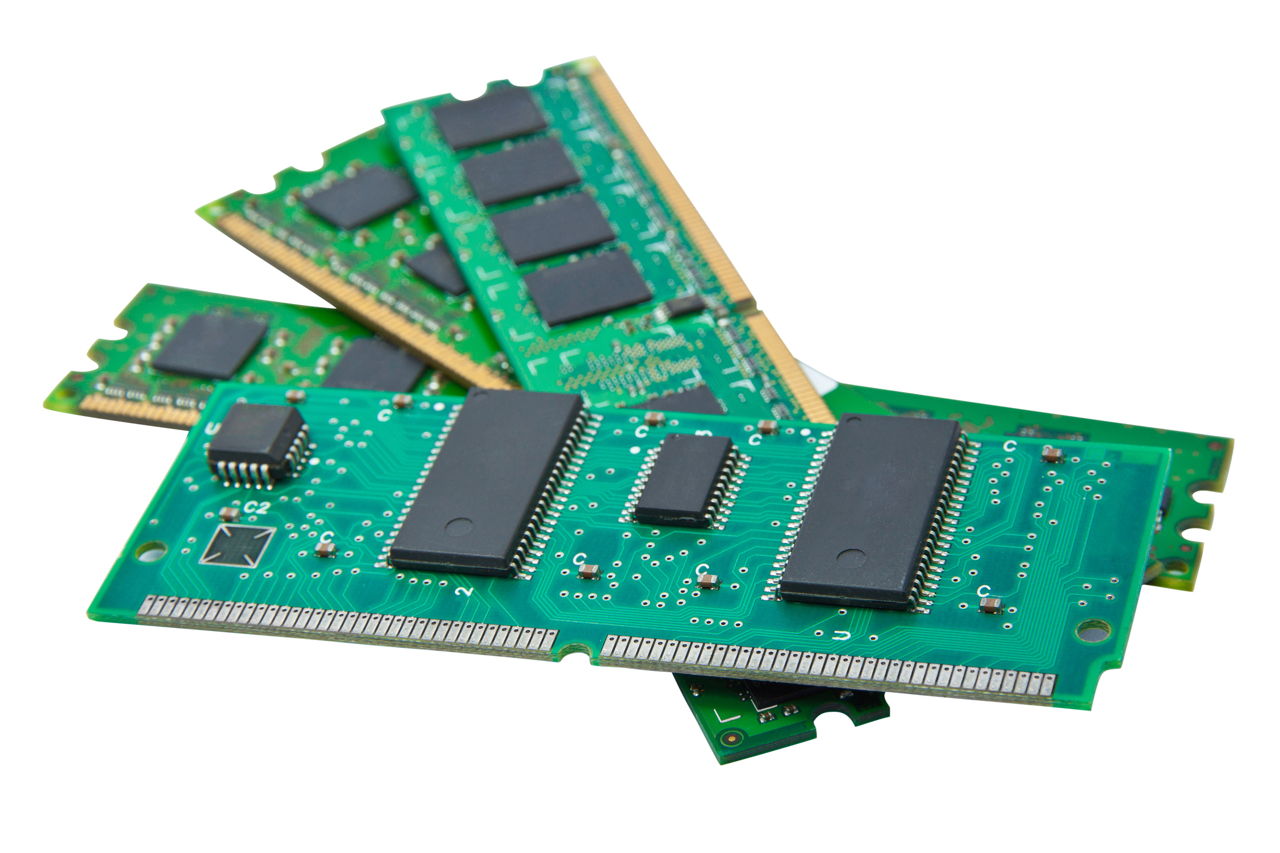
What Is A Quick Cpu Video Card Performance Scoreleqwer
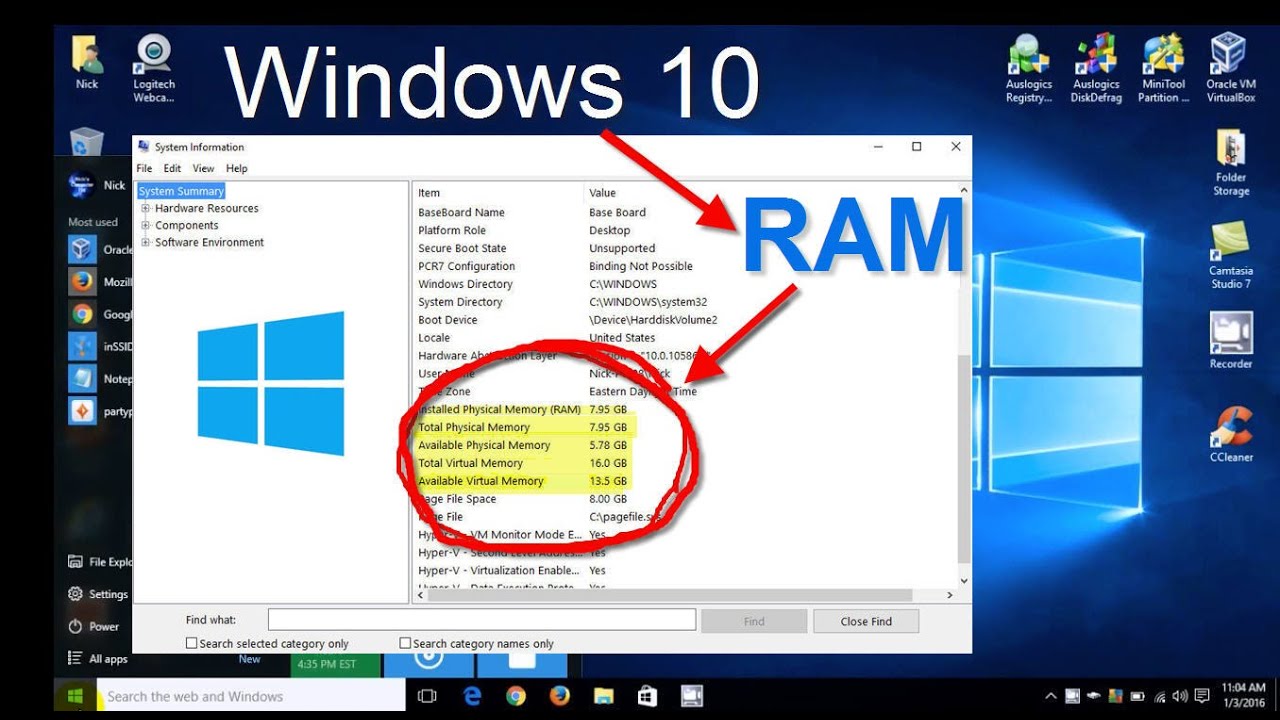
Windows 10 How To Check RAM Memory System Specs Free Easy YouTube

Image 1 of 7 In these titles the amount of RAM used in total ranges from 6 6GB to 11 3GB F1 2018 and The Division 2 respectively Even the low end 6 6GB is too close for comfort to pegging 8GB

Find out how much storage your PC has Windows 10 Select the Start button and then select Settings Select System Storage

Technology Explained Memory Sizes Explained Gigabytes Terabytes and Petabytes in Context By Ben Stegner Published May 8 2020 How big is a gigabyte What is a terabyte Will you ever need a petabyte Let s explore computer storage sizes in perspective Readers like you help support MUO
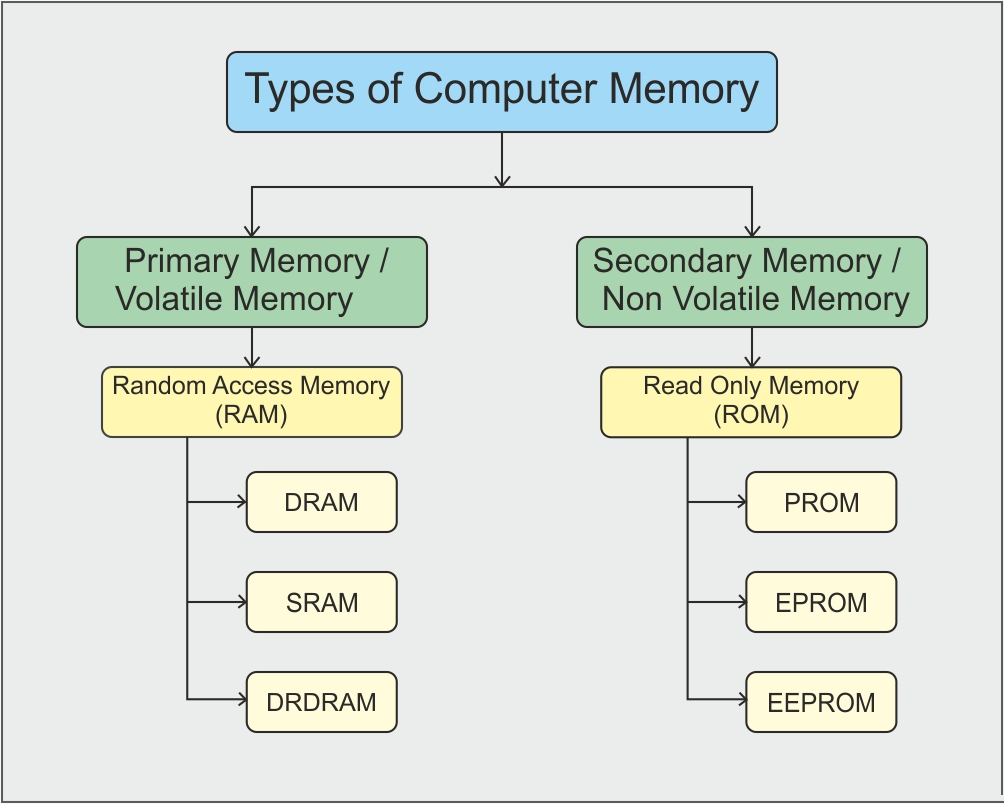
A binary digit is a 1 or a 0 which in very old computers literally represented a switch that was on or off There are some computer systems that have bytes of other lengths but most modern computers today are based on an eight bit byte binary system Those eight bits a byte usually represent a character like a letter or number

Your computer s RAM random access memory is the speedy short term memory the PC uses for running applications and open files The more RAM your computer has the more you can do at once Here s how to check how much your system has installed In this guide we ll also show you how to check how fast your RAM is
One of the easiest ways to see how much memory you already have is to open any folder in Windows 10 in the default view find the This PC icon on the left right click it and go to Properties 4GB RAM Budget shoppers can start with 4GB of RAM for a Windows laptop Combined with an SSD for storage you ll get a responsive PC that handles the basics smoothly e g having a few
1 Press the Win key It s the key on your keyboard that looks like the Windows logo Alternatively you can click the Start logo in the taskbar 2 Type About your PC and click the first search result It will open in Settings and your RAM will be listed there 3 Find your RAM under Device specifications