What Is Block Number Block Number YouTube File F16 Block 30 jpg Wikipedia Square Is Changing Its Name To Block TechCrunch Block Number 3 Leo Reynolds Flickr Block Number 6 Leo Reynolds Flickr To block a number on an Android go into the Phone app and tap the three dots in the top right corner select Settings then tap Blocked numbers and add a number to the list
For phone numbers go to Settings Phone Blocked Contacts Add New For email addresses go to Settings Mail Blocked Add New Select the contact that you want to block When you block On iOS Tap the i icon next to the phone number and select Block this Caller On Android Open the Phone app select the number to block and tap Block number or Reject call Most Androids provide
Block Number 6 Leo Reynolds Flickr Block Number 4 Leo Reynolds Flickr Block Number 0 Leo Reynolds Flickr Block Number 2 Leo Reynolds Flickr 3 Ways To Block A Number On The IPhone WikiHow Block Number 2 Leo Reynolds Flickr Imessage Block Number Apple Community Number Blocks Number Blocks Number Blocks Images And Photos Finder Number Block Clipart 20 Free Cliparts Download Images On Clipground 2023
What Is Block Number
 What Is Block Number
https://i.ytimg.com/vi/TyUWuYHmfQI/maxres2.jpg?sqp=-oaymwEoCIAKENAF8quKqQMcGADwAQH4AYwCgALgA4oCDAgAEAEYZSBfKEswDw==&rs=AOn4CLCdMmVASMJyVZxQLMPOjHRS9UtnZQ
Block a contact Step 1 Tap to open the Phone app Step 2 Tap the Contacts tab at the bottom Step 3 Tap on the Contact you want to block Step 4 Tap Block This Caller If you re using an
Templates are pre-designed files or files that can be used for numerous functions. They can conserve time and effort by providing a ready-made format and design for producing different type of content. Templates can be utilized for personal or expert projects, such as resumes, invites, leaflets, newsletters, reports, discussions, and more.
What Is Block Number
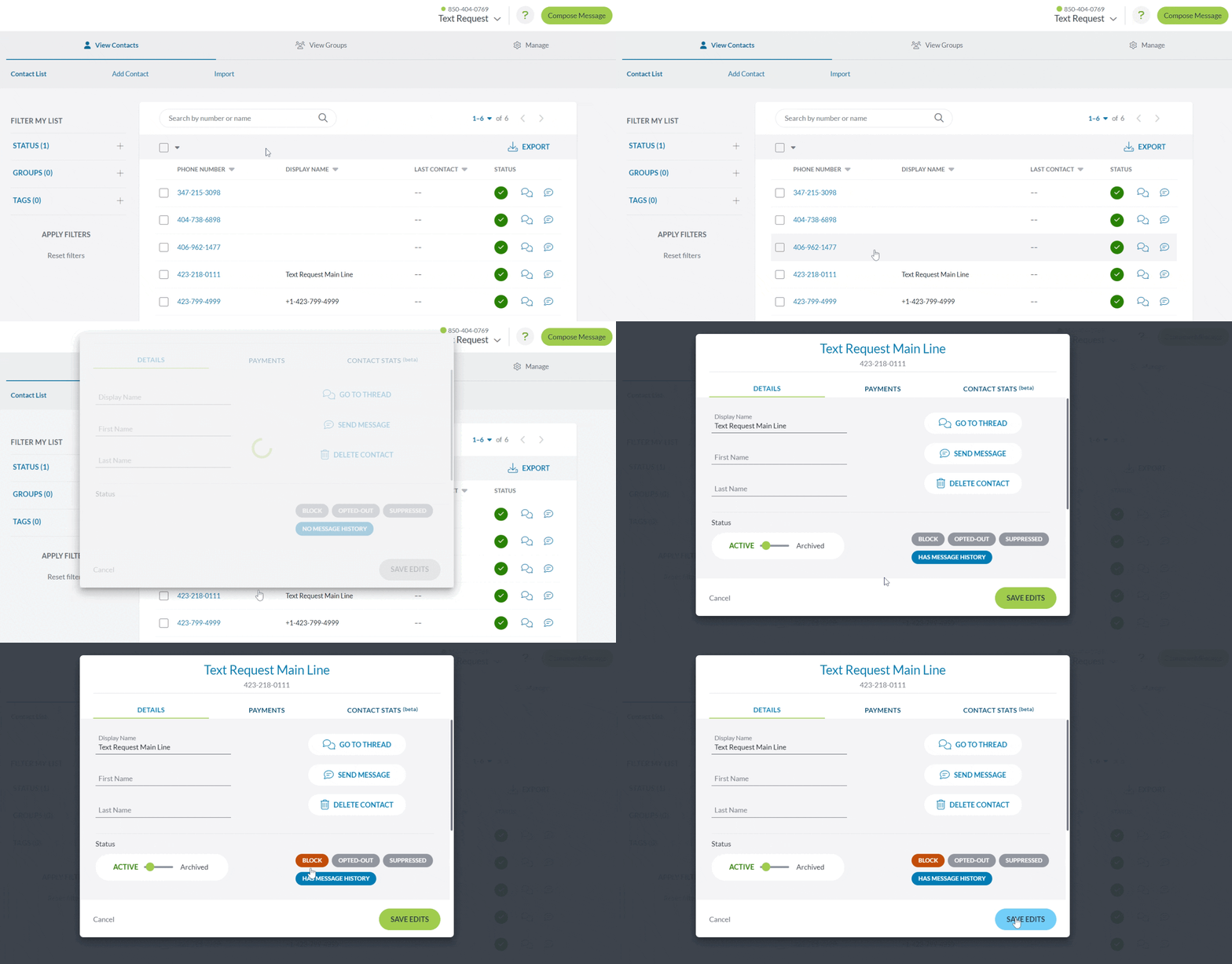
Blocking A Contact

Block Number 4 Leo Reynolds Flickr

Block Number 0 Leo Reynolds Flickr

Block Number 2 Leo Reynolds Flickr

Block Number 2 Leo Reynolds Flickr
Imessage Block Number Apple Community

When someone blocks your number on their iPhone or Android phone there are a few ways to tell including unusual messages and how quickly your call

The simplest way to block your number is by adding 67 to any phone number you call You can block your number permanently by asking your service

When you call someone who may have blocked your number you ll find that your call won t get through with no notification

Go to Settings Messages and turn on Filter Unknown Senders To block a number that called you open the Phone app and tap Recent Find the number and tap the Info icon it looks like a

4 Tap Block numbers on the menu 5 Tap Add phone number This allows you to enter the phone number of the person you
Step 2 Tap the three dot More Options icon in the top right corner Step 3 Tap the Settings option on the drop down menu Step 4 Tap Block Numbers Step 5 If you re receiving spam calls or someone won t leave you alone you can block their number That way their calls and text messages will no longer appear on your phone
Updated When you block someone s number on your iPhone that number can t call text or FaceTime you The blocked number can still leave you voicemails but they ll be