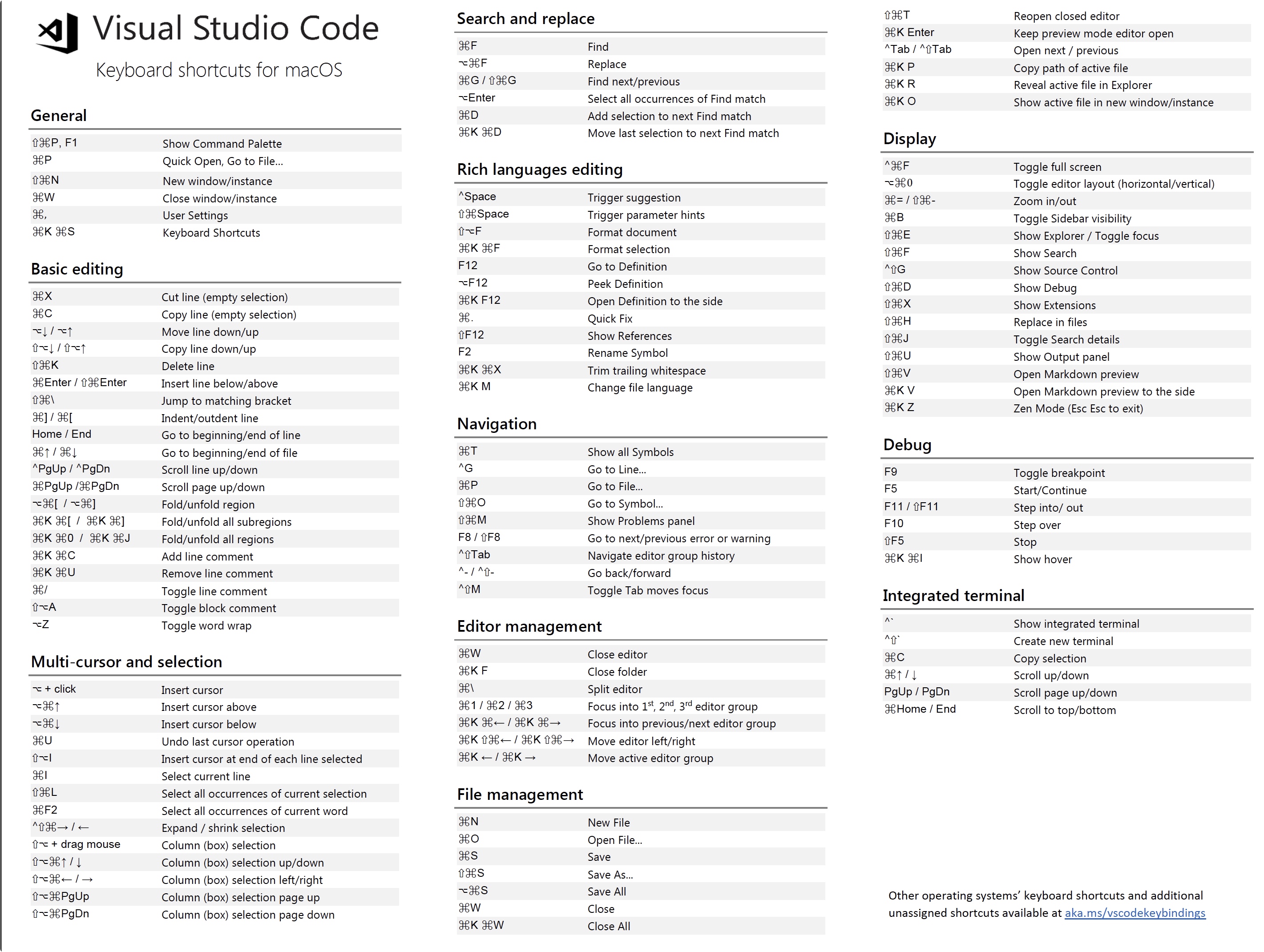
Vscode Shortcut Keys Mac Visual Studio Code VSCode Shortcut Keys To Increase And Decrease Indentation Stack Overflow How To Setup Keyboard Shortcut Keys In VSCODE VS Code Keyboard Shortcuts Change YouTube Visual Studio Shortcuts Cheat Sheet 25 Most Used Vs Code And More Vrogue Visual Studio Comment Shortcut Needsluda VSCode Tip 2 Use Shortcut Keys Hide Sidebar And Be Minimal YouTube Jul 2 2025 nbsp 0183 32 Visual Studio Code is available for free and compatible across Windows Linux and macOS The entirety of the app offers a robust platform for writing debugging and managing
Code anywhere Code wherever you re most productive whether you re connected to the cloud a remote repository or in the browser with VS Code for the Web vscode dev Built in Source Discover expert reviews top extensions and comprehensive guides for Visual Studio Code on VSCode io Explore alternatives optimize your workflow and stay updated with the latest in
VSCode Tip 2 Use Shortcut Keys Hide Sidebar And Be Minimal YouTube Visual Studio Code Shortcuts Topbar Jaslike Visual Studio Code Keyboard Shortcuts Windows Paasflower Visual Studio Code Vscode Shortcut Key For Making One Edittor Group Bigger Than Others Stack Ableton Shortcut Keys Mac Basicsbrown Vscode shortcut To Align Code In Vscode Navy Apple Google Shortcut Keys For Mac FlihooliX The Road To Function Jump At F12 On Mac VSCode 9to5Tutorial Quick Fix Shortcut Cmd Keys Not Work On MacOS M1 Device Issue 152930 Microsoft
Vscode Shortcut Keys Mac
 Vscode Shortcut Keys Mac
https://i.stack.imgur.com/CVbbV.jpg
Visual Studio Code is a free lightweight and extensible code editor for building web desktop and mobile applications using any programming language and framework Visual Studio Code has
Pre-crafted templates offer a time-saving solution for creating a diverse range of files and files. These pre-designed formats and designs can be made use of for different personal and professional projects, consisting of resumes, invites, flyers, newsletters, reports, presentations, and more, improving the material development procedure.
Vscode Shortcut Keys Mac
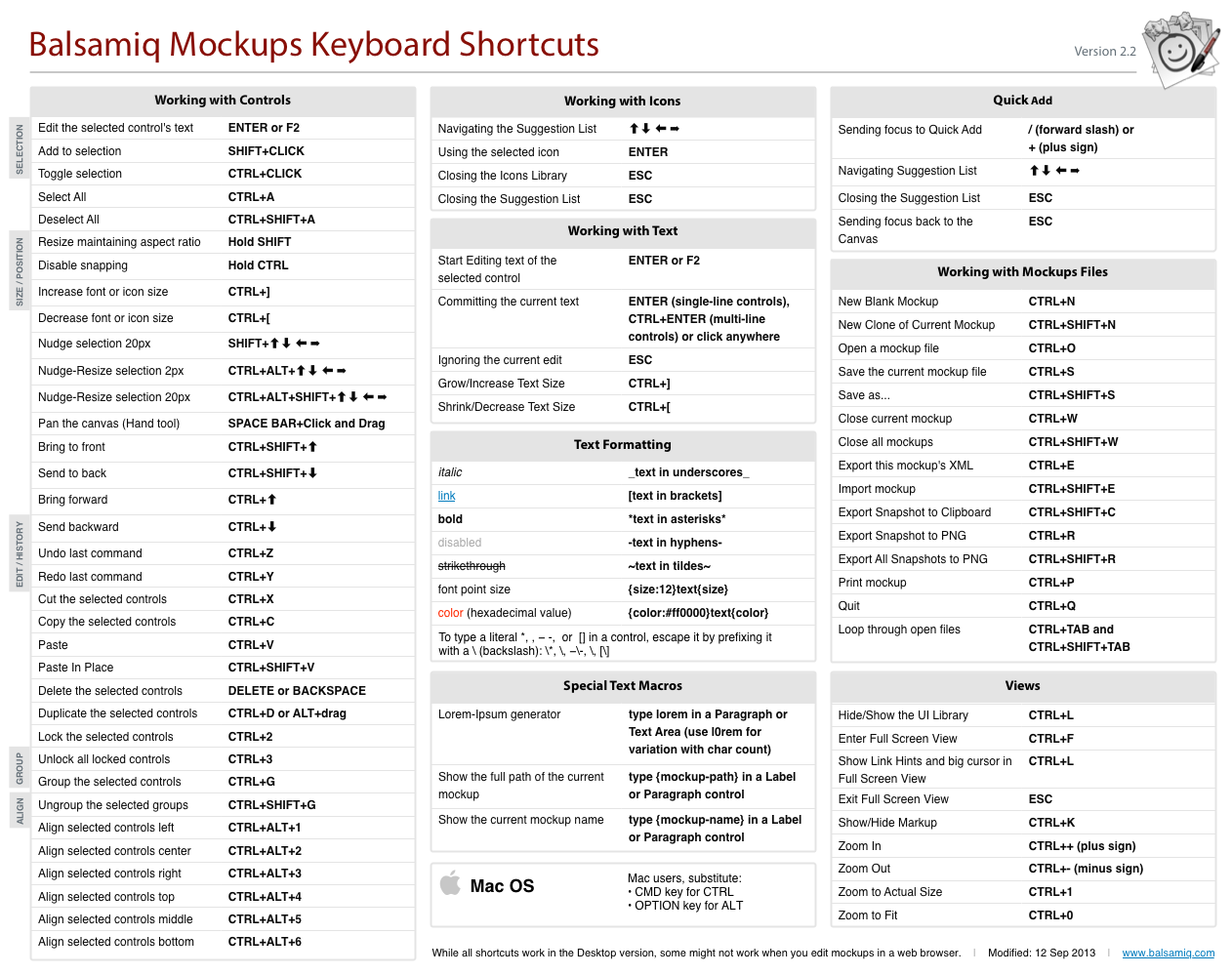
New Keyboard Shortcuts Cheat Sheet Balsamiq Company News Balsamiq
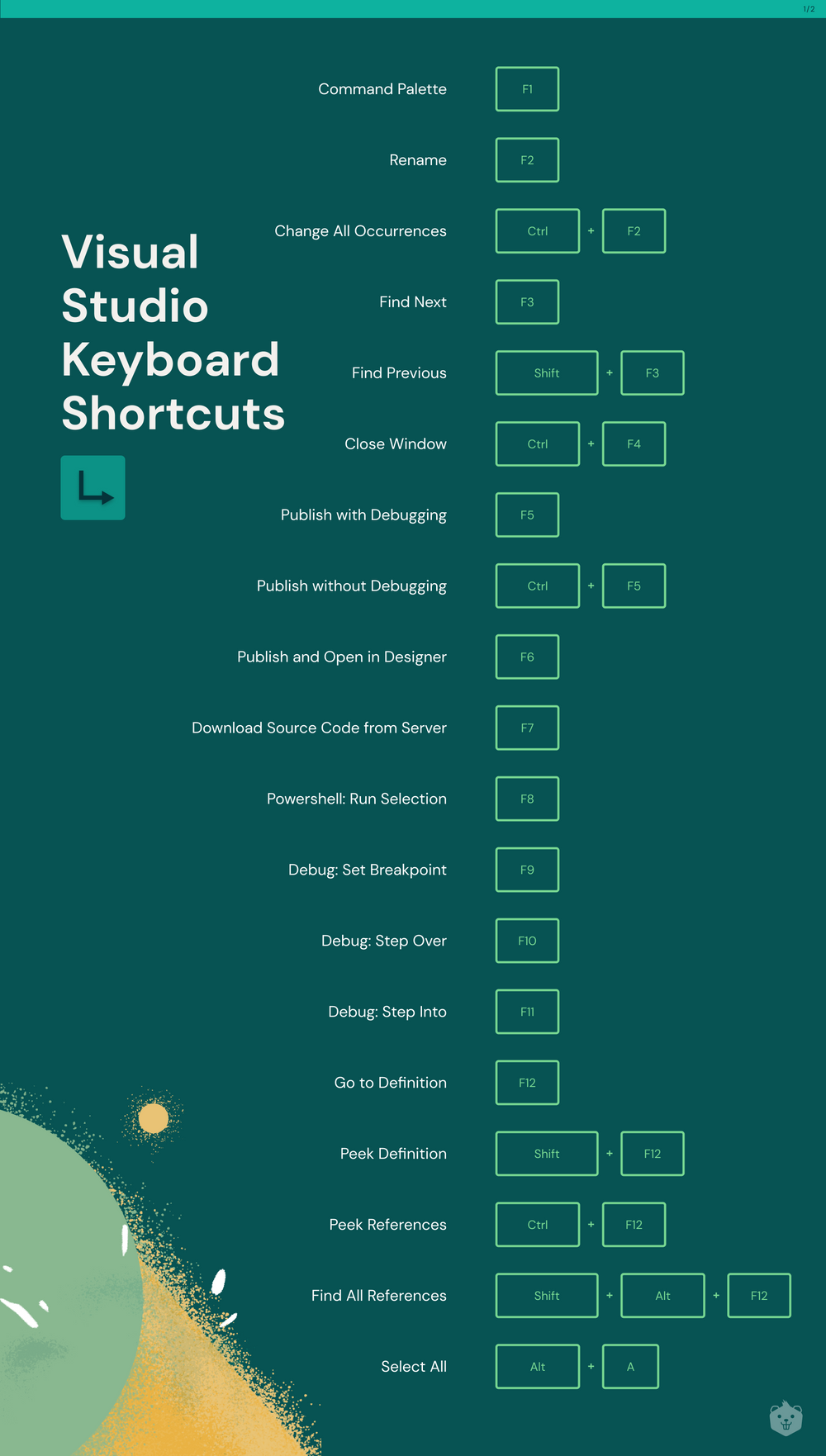
Visual Studio Code Shortcuts Topbar Jaslike
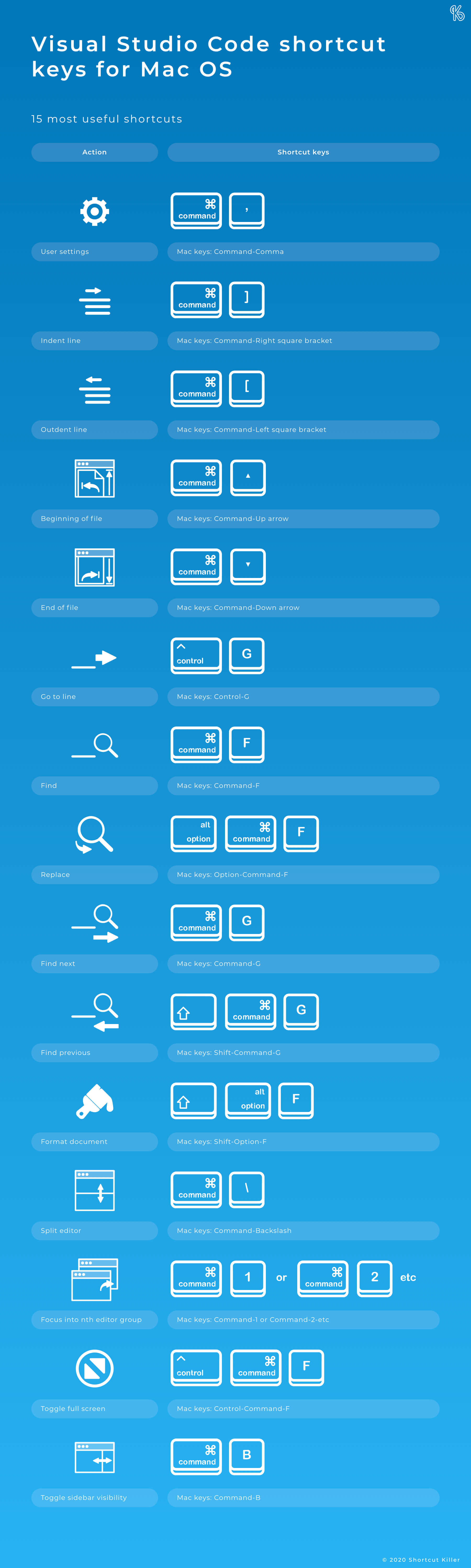
Visual Studio Code Keyboard Shortcuts Windows Paasflower

Visual Studio Code Vscode Shortcut Key For Making One Edittor Group Bigger Than Others Stack
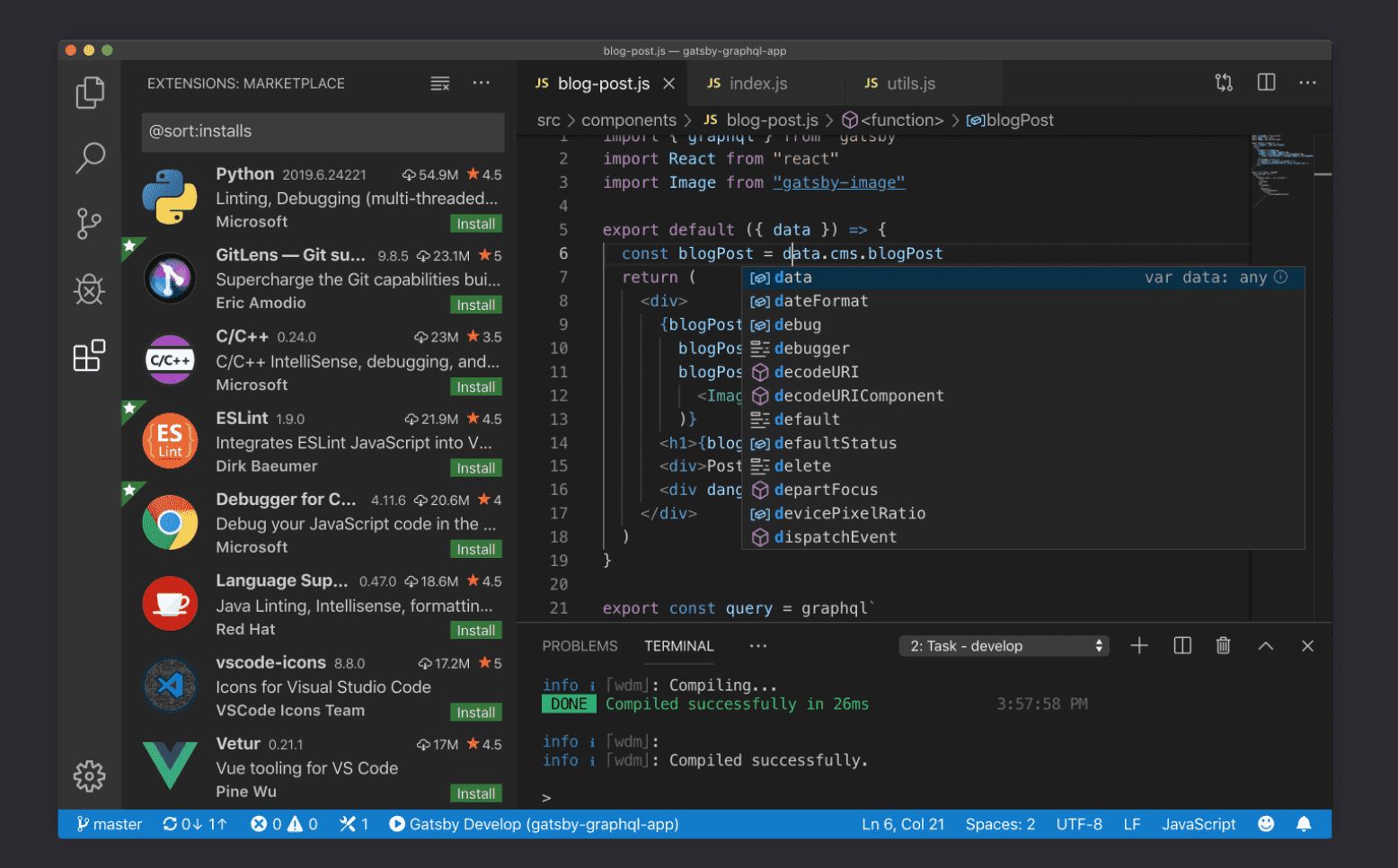
Vscode shortcut To Align Code In Vscode Navy Apple
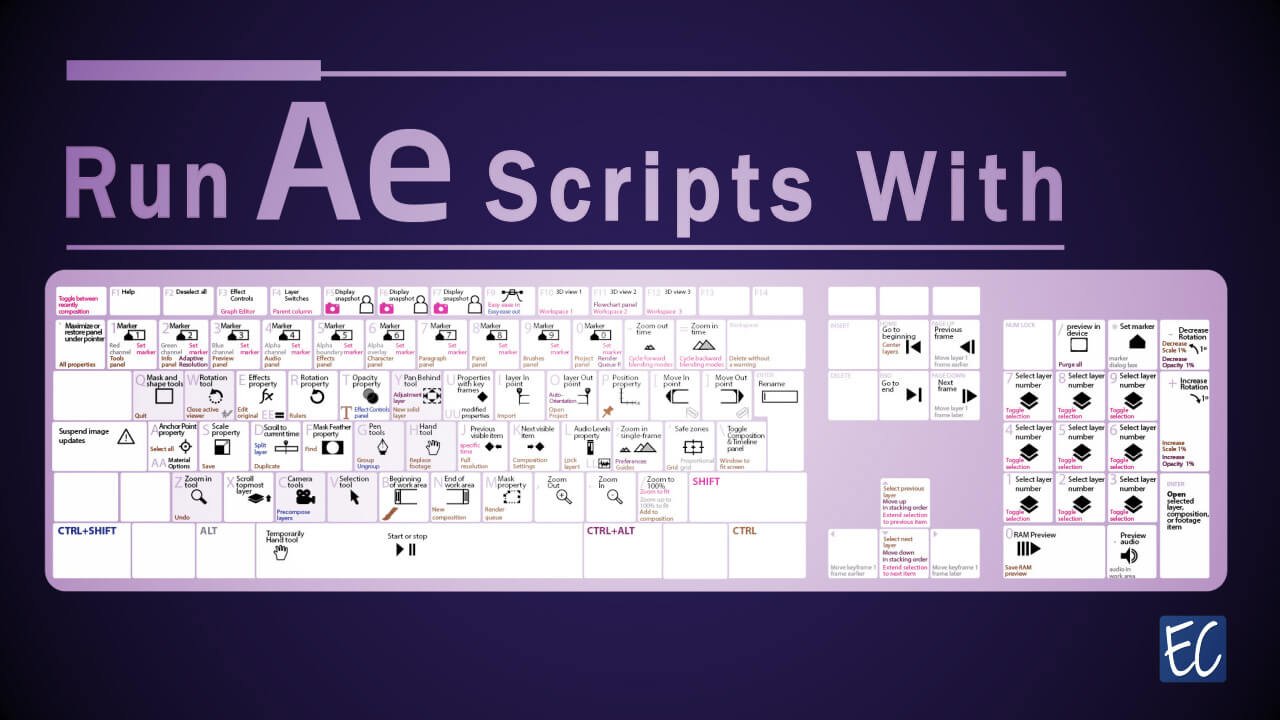
Google Shortcut Keys For Mac FlihooliX

Download Visual Studio IDE or VS Code for free Try out Visual Studio Professional or Enterprise editions on Windows Mac

Build with Visual Studio Code anywhere anytime entirely in your browser
It is officially supported and hosted by Microsoft and can be accessed at vscode dev Out of the box Visual Studio Code includes basic support for most common programming languages
Visual Studio Code Contribute to microsoft vscode development by creating an account on GitHub

Simply visit the site vscode dev and you re ready to code without installing anything This version of VS Code running directly in your browser can do wonders
[desc-11] [desc-12]
[desc-13]