Vscode Interpreter Not Working 10 Tips For Working With An Interpreter Is There A Way To Fix Python Interpreter Error In VSCode TechTalk7 Visual Studio Code Python Interpreter Not Found VSCode Stack Overflow arm Nocleh Hn zdo Error Please Select A Valid Python Interpreter Working As An Interpreter In Foreign Country Translation Workzone Copy this path In the file explorer right click This PC and select properties Click Advanced System Settings in the settings window that will open blue link on the right Select Environment Variable New Add the copied python path
Thanks for contributing an answer to Stack Overflow Please be sure to answer the question Provide details and share your research But avoid Asking for help clarification or responding to other answers Teams Q A for work Connect and share knowledge within a single location that is structured and easy to search Learn more about Teams
Working As An Interpreter In Foreign Country Translation Workzone Cannot Select Python Interpreter When Running Python Prints Out More Pyenv VSCode python Book reviews blog VSCode Setting Python Interpreter YouTube Unable To Select Python Interpreter Issue 18231 Microsoft vscode VS Code Issue With Interpreter Selector Not Showing Python With Image Prettier Not Working In VSCode Possible Fixes LinuxPip Default Interpreter Path For Python Isn t Working Issue 18219 VSCode Intellisense Not Working Sometimes How Can I Help Issue
Vscode Interpreter Not Working
 Vscode Interpreter Not Working
https://blog.chsc.org/hubfs/iStock_000017533419_Large.jpg#keepProtocol
Python Select Interpreter not appearing in VS Code I m currently trying venv in VS Code but when I try to select the Interpreter with Ctrl Shift P it won t appear any option whatsoever I tried writing in the Preferences Open Default Settings JSON with no success
Pre-crafted templates offer a time-saving option for developing a diverse variety of files and files. These pre-designed formats and layouts can be used for numerous individual and expert projects, including resumes, invitations, flyers, newsletters, reports, discussions, and more, simplifying the content production procedure.
Vscode Interpreter Not Working

eclipse Project Interpreter Not Specified weixin 30569001

Cannot Select Python Interpreter When Running Python Prints Out More
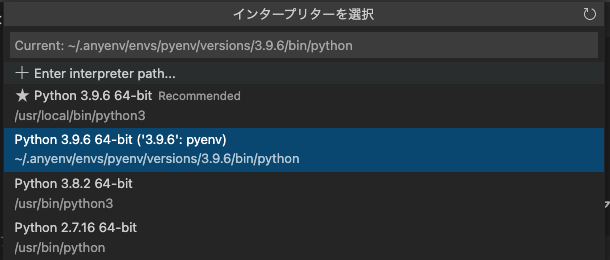
Pyenv VSCode python Book reviews blog
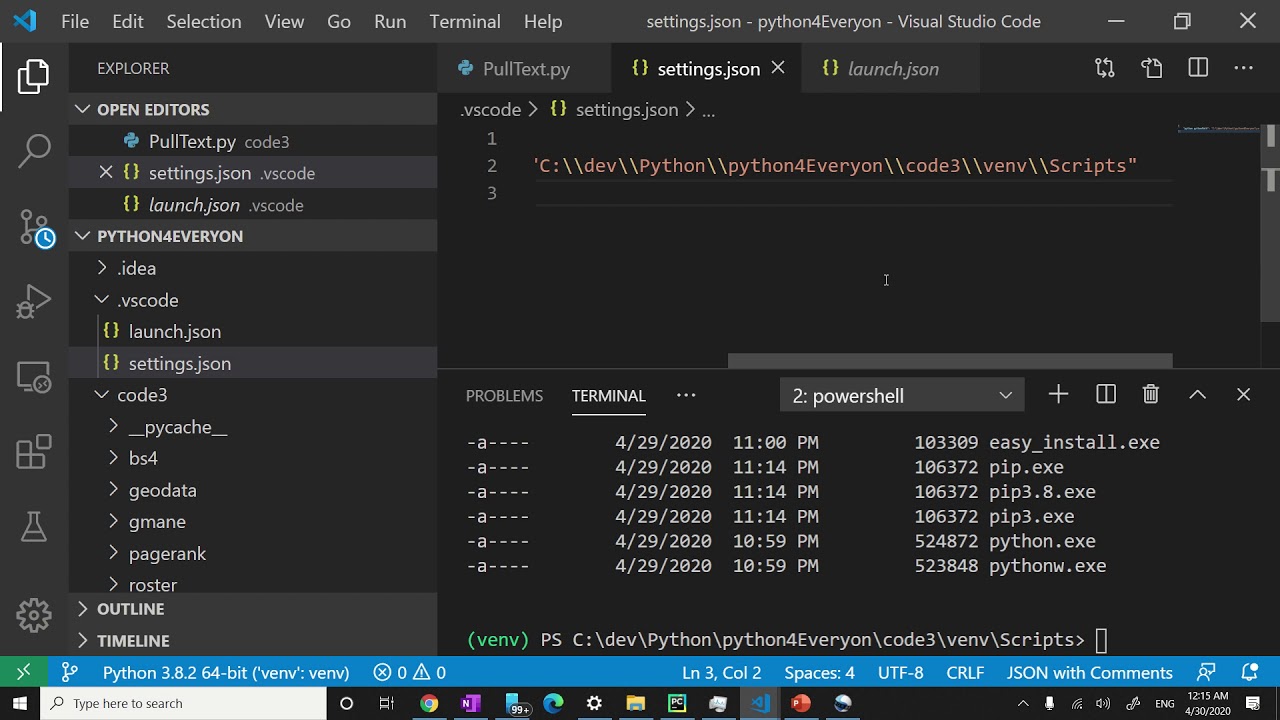
VSCode Setting Python Interpreter YouTube

VS Code Issue With Interpreter Selector Not Showing Python With Image

Prettier Not Working In VSCode Possible Fixes LinuxPip

In vs code In top left Click on view Click on Command Palette Click on Python Select Interpreter Click on your python version If python directory does not appear copy python exe directory and paste it in the Python Select Interpreter bar Share

Vscode is not able to find the python path or its not yet set Open command palette ctrl shift P and type python and look for Python Select Interpreter Choose the correct interpreter path Or enter the python path yourself Incase you are using virtual environment and in most of the case its true

3 Answers Sorted by 0 The Python version you selected on VS Code only effects the editor Right click to any file on the sidebar and select Open in Integrated Terminal If your selected Python version is created with virtualenv it will activated and your python command works If not worked and you want a global Python version you need to

3 This is because the Python interpreter is not selected for VSCode and the Python extension of VSCode cannot identify the Python code through it The Python interpreter in VSCode refers to the Python that recognizes and interprets code which needs to be installed outside of VSCode The main conditions required to run Python code in VSCode

Purpose There is more than one way to configure the Run button using the purpose option Setting the option to debug test defines that the configuration should be used when debugging tests in VS Code However setting the option to debug in terminal defines that the configuration should only be used when accessing the Run Python File button on the top right of the editor regardless of
Viewed 632 times 1 I am on arch linux and for some reason VSCode doesn t find the python interpreter I have tried to set the python interpreter path to to be right bin python3 and if I actually run a file then it works but the python extension says I need to download python before using the extension and the auto complete doesnt work Another Solution Writing the path in Json should definitely work But I prefer using the functionality vscode provides Now come to my solution press ctrl shift p to open the search bar now type Python Select Interpreter This should allow you to select the existing interpreter or to add the interpreter path in the vscode
Looking at your specified location it seems you are missing the main folder look at this C Users kakarotto AppData Local Programs Python Python37 you are missing the main folder look for it again and i would suggest not installing python from windows store but go to actual python website and download it from there during installation click the checkbox of path