Vscode Delete Matching Lines Visual Studio Code Flutter Extensions Flutter Fixes VSCode TechMemo VSCode Plugins Developers Journal Nh ng o n Code T y Bi n Cho VSCode C c p B i Evondev Evondev Blog VSCode Tricks For This Blog Flyan Lu s Blog Edit debug and deploy on Azure with Visual Studio Code a powerful code editor that works with nearly any language and runs on any OS
Simply visit the site vscode dev and you re ready to code without installing anything This version of VS Code running directly in your browser can do wonders Oct 3 2022 nbsp 0183 32 Learn how to set up VS Code to author and debug code using the Windows Subsystem for Linux
VSCode Tricks For This Blog Flyan Lu s Blog 6 VSCode Extensions That You Are Not Using AntStack VSCode Keyboard Shortcuts Visual Studio Code VSCode Debugger Conditional Breakpoints Stack Why Doesn t VSCode Delete An Old Extension Issue 31175 Microsoft Bq Extension Vscode VSCode Tips Tricks For Flutter Projects Codereis Yell Vscode Theme Getting Error Message Running The Contributed Command Failed ITecNote
Vscode Delete Matching Lines
 Vscode Delete Matching Lines
https://i.stack.imgur.com/uUsN3.png
Visual Studio Code is free and available on your favorite platform Linux macOS and Windows Download Visual Studio Code to experience a redefined code editor optimized for building and
Pre-crafted templates offer a time-saving service for developing a varied series of documents and files. These pre-designed formats and layouts can be made use of for numerous individual and professional tasks, consisting of resumes, invitations, flyers, newsletters, reports, presentations, and more, streamlining the material development process.
Vscode Delete Matching Lines

How To Delete The Whole Line In VSCode LinuxPip

6 VSCode Extensions That You Are Not Using AntStack

VSCode Keyboard Shortcuts
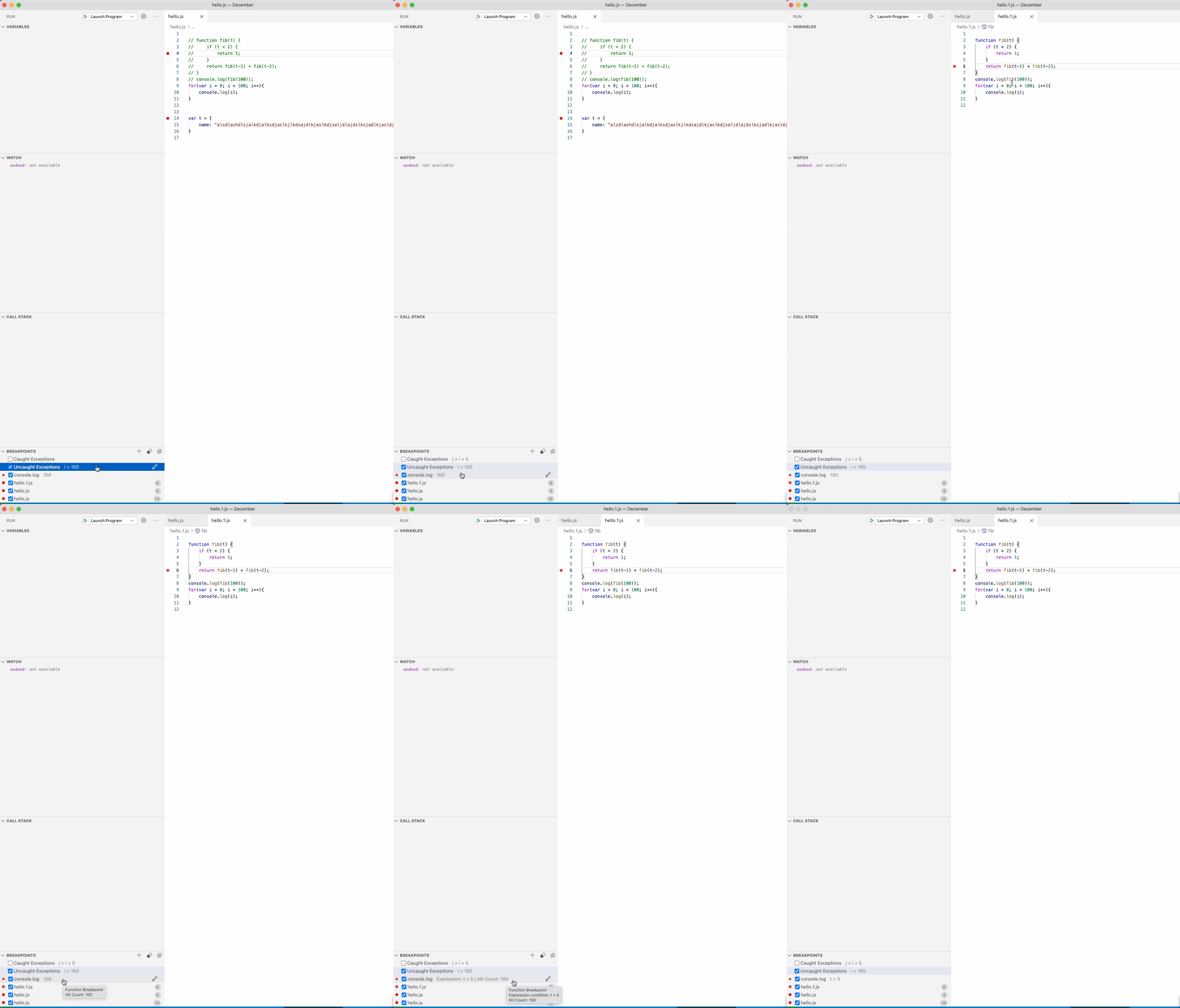
Visual Studio Code VSCode Debugger Conditional Breakpoints Stack

Bq Extension Vscode
VSCode Tips Tricks For Flutter Projects Codereis

Download Visual Studio IDE or VS Code for free Try out Visual Studio Professional or Enterprise editions on Windows Mac

Visual Studio Code is a free lightweight and extensible code editor for building web desktop and mobile applications using any programming language and framework Visual Studio Code has
Build with Visual Studio Code anywhere anytime entirely in your browser
Visual Studio Code Contribute to microsoft vscode development by creating an account on GitHub

It is officially supported and hosted by Microsoft and can be accessed at vscode dev Out of the box Visual Studio Code includes basic support for most common programming languages
[desc-11] [desc-12]
[desc-13]