Vs Code Suggestions Not Working Python Android Studio Auto Code Suggestions Not Working YouTube Python How Can I Turn OFF Code Suggestions In VS Code Stack Overflow Vs Code Suggestions Not Working Issue 4283 Microsoft vscode docs Code Suggestions Not Working With Jedi Since Extension Version 2020 5 How To Fix Outlook Not Working In Windows 10 Issue Mind Setters Type Performance Issue im not getting any suggestions now only abc is showing Before it was showing python v2023 22 1 Extension version 2023 22 1 VS Code version Code 1 85 1 0ee08df0cf4527e40ed
If IntelliSense is not working as it should on your Windows 11 10 PC you can try restarting VS Code and this should solve the issue Restarting the program can be really effective and time Method 3 Restart And Update VS Code Step 1 Restart your system by clicking on the start button at the bottom left corner Step 2 Click on the Power button and click on the Restart option Step 3 Check if the IntelliSense works if not update the VS Code Step 4 To update VS Code open VS Code and click on Settings which is at the bottom
How To Fix Outlook Not Working In Windows 10 Issue Mind Setters Python How To Obtain time Difference Between 2 Consecutive Records Chrome AutoFill Suggestions Not Working How To Fix DroidWin Python Hasattr Not Working 5 Most Correct Answers Barkmanoil How To Build A Streamlit App To Make Python R Code Suggestions Like Chrome AutoFill Suggestions Not Working How To Fix DroidWin Solved Rpy2 Import Is Not Working 9to5Answer Tutorial Not Working Python Help Discussions On Python DX Get Code Suggestions In Your Custom Frappe App For Standard Frappe
Vs Code Suggestions Not Working Python
 Vs Code Suggestions Not Working Python
https://i.ytimg.com/vi/po0jQ2sI9hg/maxresdefault.jpg
Visual Studio Code is a powerful editing tool for Python source code The editor includes various features to help you be productive when writing code For more information about editing in Visual Studio Code see Basic Editing and Code Navigation In this overview we will describe the specific editing features provided by the Python extension
Pre-crafted templates use a time-saving service for creating a diverse range of documents and files. These pre-designed formats and designs can be utilized for different personal and professional projects, including resumes, invites, leaflets, newsletters, reports, presentations, and more, streamlining the content production process.
Vs Code Suggestions Not Working Python
What Is The Full Form Of Pip In Python Quora

Python How To Obtain time Difference Between 2 Consecutive Records

Chrome AutoFill Suggestions Not Working How To Fix DroidWin
Python Hasattr Not Working 5 Most Correct Answers Barkmanoil

Chrome AutoFill Suggestions Not Working How To Fix DroidWin

Solved Rpy2 Import Is Not Working 9to5Answer

VS Code IntelliSense features are powered by a language service A language service provides intelligent code completions based on language semantics and an analysis of your source code If a language service knows possible completions the IntelliSense suggestions will pop up as you type

Vscode quickSuggestions not working with Python Ask Question Asked 1 year 3 months ago Modified 1 year 3 months ago Viewed 104 times 0 For example there are two functions f1 and f2 def f1 download playlist pass def f2 download playlist print download playlist
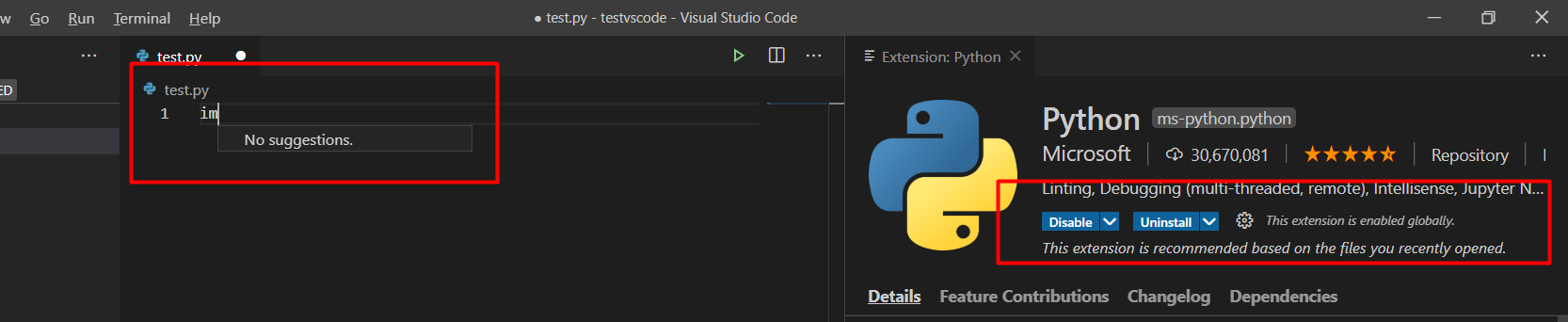
Vs code Suggestions not working Issue 4283 microsoft vscode docs GitHub As shown in the picture for me suggestions were not coming though I have Installed ms python python As shown in the picture for me suggestions were not coming though I have Installed ms python python Skip to contentToggle navigation Sign up Product
It leverages all of VS Code s power to provide auto complete and IntelliSense linting debugging and unit testing along with the ability to easily switch between Python environments including virtual and conda environments This article provides only an overview of the different capabilities of the Python extension for VS Code

Solution Configure the settings json to include this custom location for autocompletion to work Remember to re start VS Code once done this won t be necessary in a future release Cause VS Code was not launched from the active virtual environment The path to the custom modules is set when a virtual environment is activated
Purpose There is more than one way to configure the Run button using the purpose option Setting the option to debug test defines that the configuration should be used when debugging tests in VS Code However setting the option to debug in terminal defines that the configuration should only be used when accessing the Run Python File button on the top right of the editor regardless of In your settings json file add a new line with the following setting python analysis typeCheckingMode basic The default value for this line is off meaning the static analysis is disabled You have two other possible values which are basic basic type checking rules strict All type checking rules at the highest error severity
Troubleshooting steps To troubleshoot Integrated Terminal launch failures in Visual Studio Code follow these steps to diagnose issues Check your user settings Review these terminal integrated settings that could affect the launch terminal integrated defaultProfile platform The default shell profile that the terminal uses