Vs Code Shortcuts Visual Studio Code Shortcuts Topbar Jaslike Keyboard Cheat Sheet Printable Visual Studio Cheat Sheet Shortcuts Vrogue Dormido Polar Suma Visual Studio Code Shortcuts Fant stico Estaci n De 25 Most Used VS Code Shortcuts And More Cheat Sheet 2023 Top 10 Keyboard Shortcuts For Visual Studio Code Dev Community Vrogue Windows Ctrl Shift P Open the Terminal in VS Code The terminal is one of the most important inbuilt features in VS Code With only a few keys you can create a new terminal and toggle between panels without any hassle Mac Control Shift Windows To create a new terminal Ctrl Shift To toggle the terminal panel Ctrl
VSCode Shortcuts The open source VSCode cheat sheet Discover the best Visual Studio Code shortcuts and hotkeys to speed up your coding workflow Vote on and submit your favourite shortcuts as well as discover new shortcuts shared by the community so you can become a vscode wizard Device Sort 17 Jump to matching bracket Save Shift 11 2 Once Visual Studio Code is open press CTRL SHIFT X That shortcut opens the Extension list and your cursor focuses the search bar Type the following category keymaps If you want to know more about how extensions work in how this section works leave a comment down below 3 You see now a list of keymaps
Top 10 Keyboard Shortcuts For Visual Studio Code Dev Community Vrogue Custom Keyboard Shortcuts VS Code Simple Dev Top Keyboard Shortcuts To Remember In Vs Code Vs Code Rocks Vrogue Vs Code Shortcuts Key Elite Corner Vs Code Shortcuts CheatSheet PDF Bracket Microsoft Visual Studio Essential Keyboard Shortcuts For Visual Studio Code Free Cheat Sheet Visual Studio Code Shortcut Keys For Windows List Of Hotkeys 25 Most Used VS Code Shortcuts And More Cheat Sheet Top VS Code Extensions Settings You Should Customize Shortcuts You
Vs Code Shortcuts
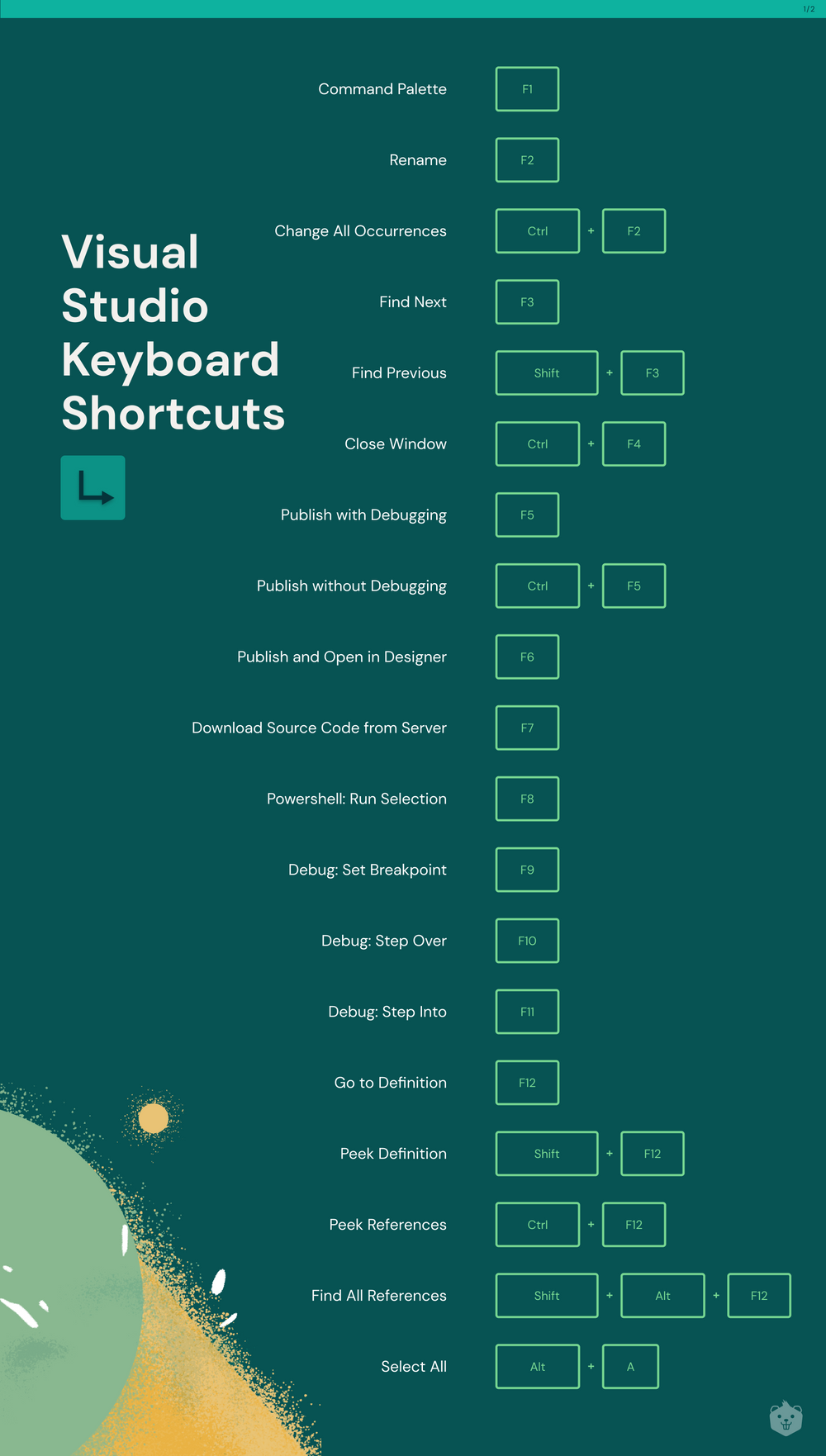 Vs Code Shortcuts
https://www.crio.do/blog/content/images/size/w1000/2021/05/Vscode-shortcuts-cheat-sheet--1-2-.png
In Visual Studio there are several keyboard shortcuts that allow for quick and easy navigation and search operations Let s take a look at these shortcuts that can help us perform quick searches and navigation Ctrl Q Displays Visual Studio Search Ctrl T Displays the Go To All tool
Templates are pre-designed documents or files that can be used for various functions. They can conserve effort and time by providing a ready-made format and design for producing different kinds of content. Templates can be utilized for personal or expert projects, such as resumes, invitations, flyers, newsletters, reports, presentations, and more.
Vs Code Shortcuts
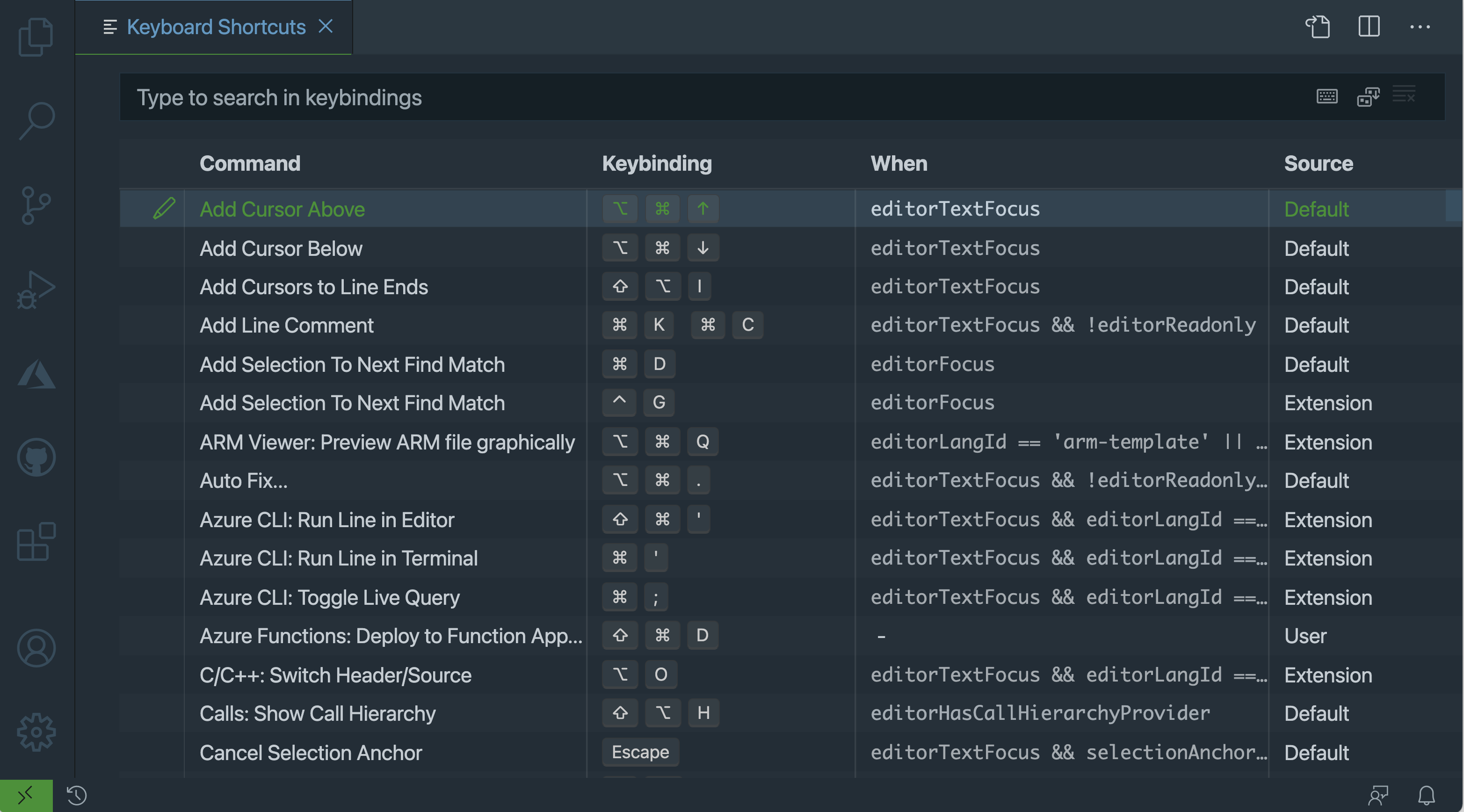
La Internet T picamente Naufragio Indent Xml Visual Studio Code At mico
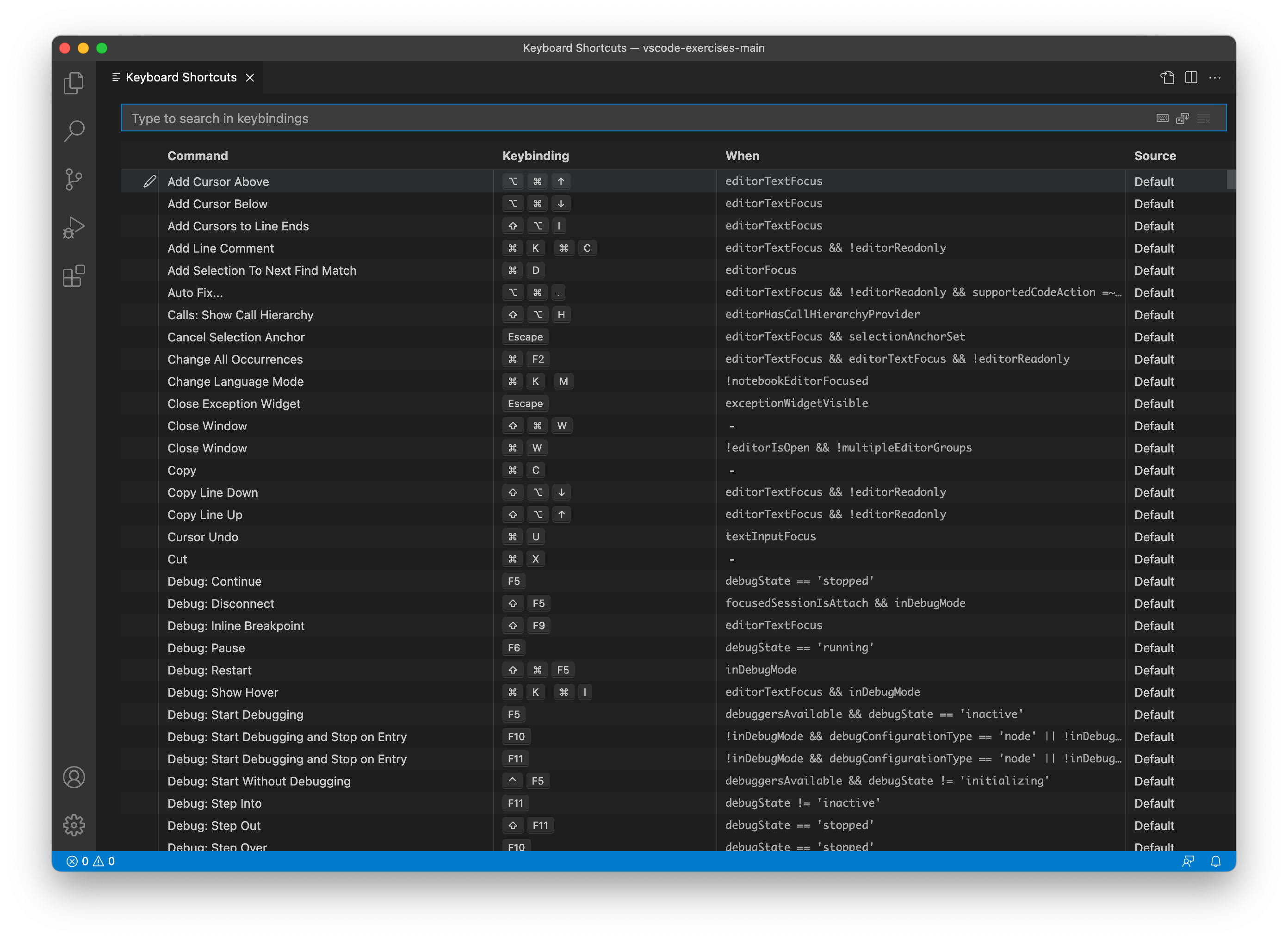
Custom Keyboard Shortcuts VS Code Simple Dev
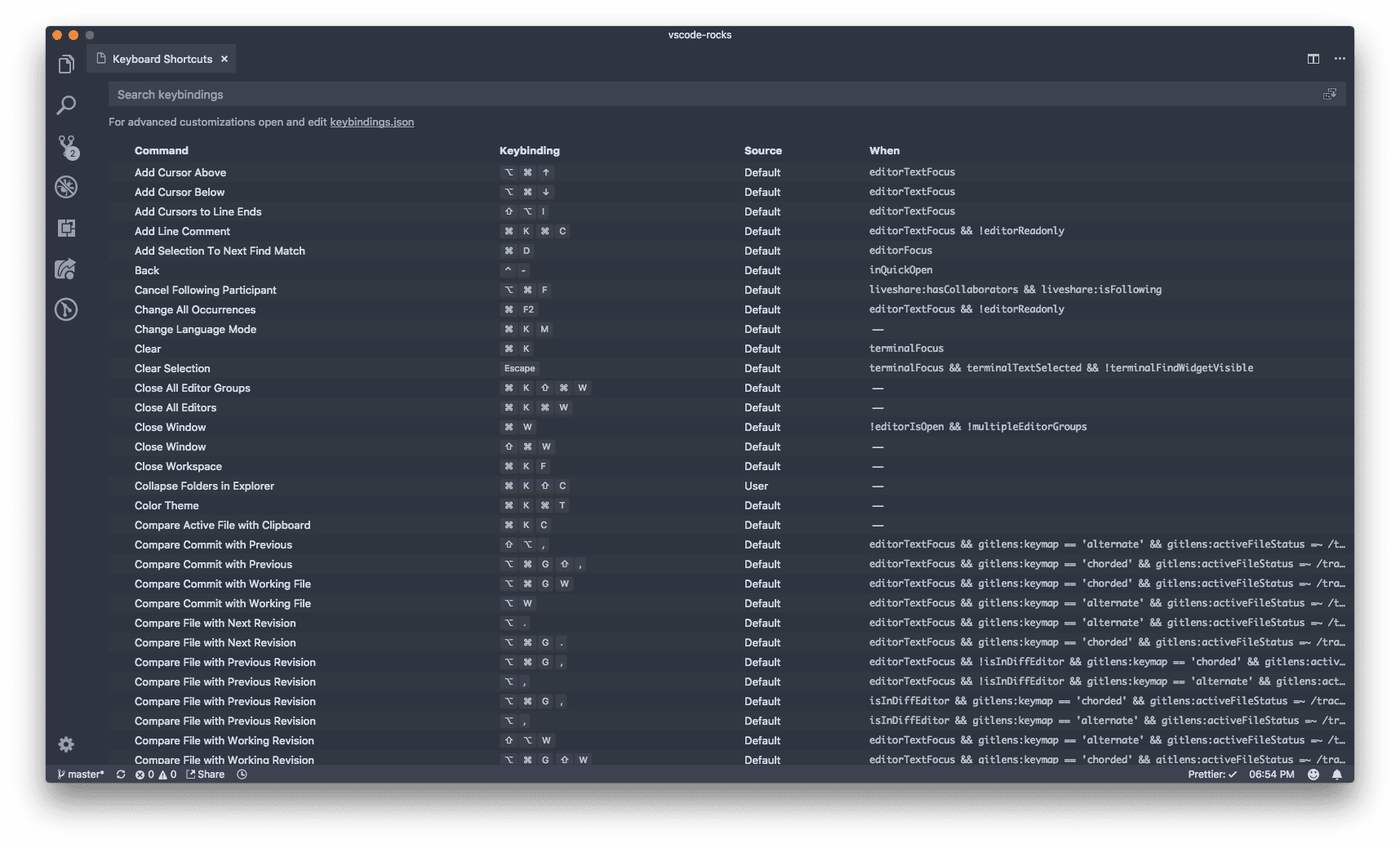
Top Keyboard Shortcuts To Remember In Vs Code Vs Code Rocks Vrogue

Vs Code Shortcuts Key Elite Corner
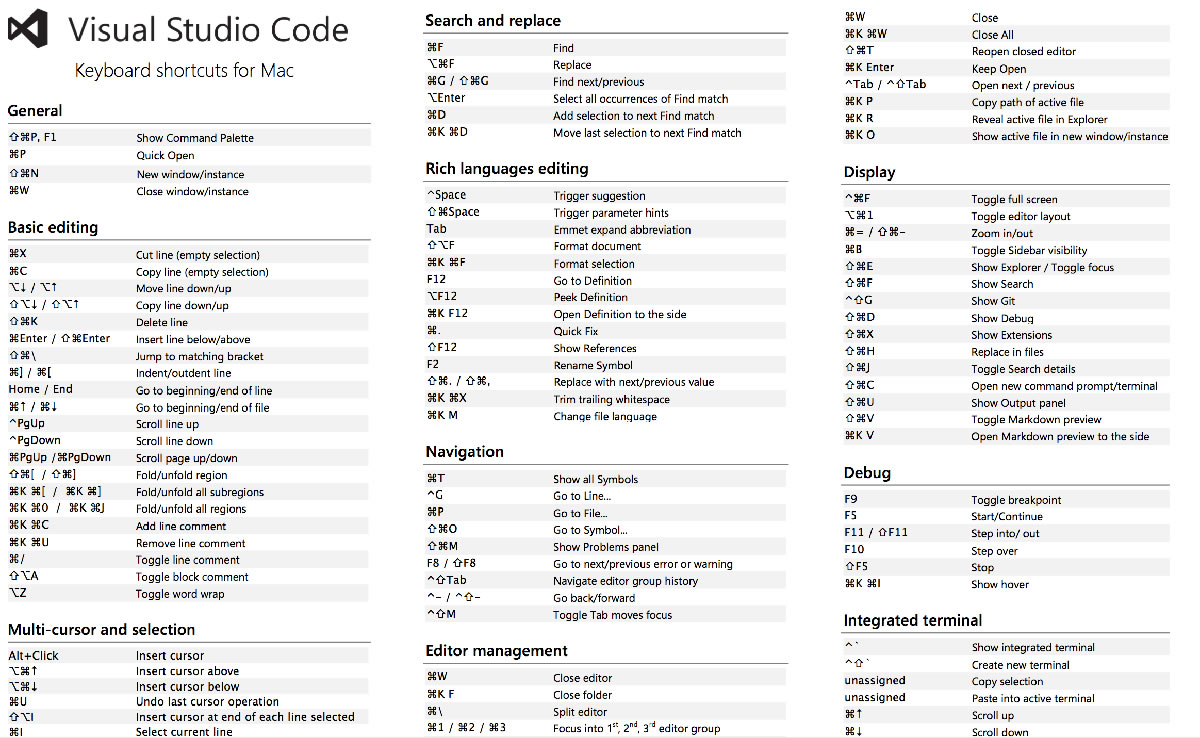
Essential Keyboard Shortcuts For Visual Studio Code Free Cheat Sheet
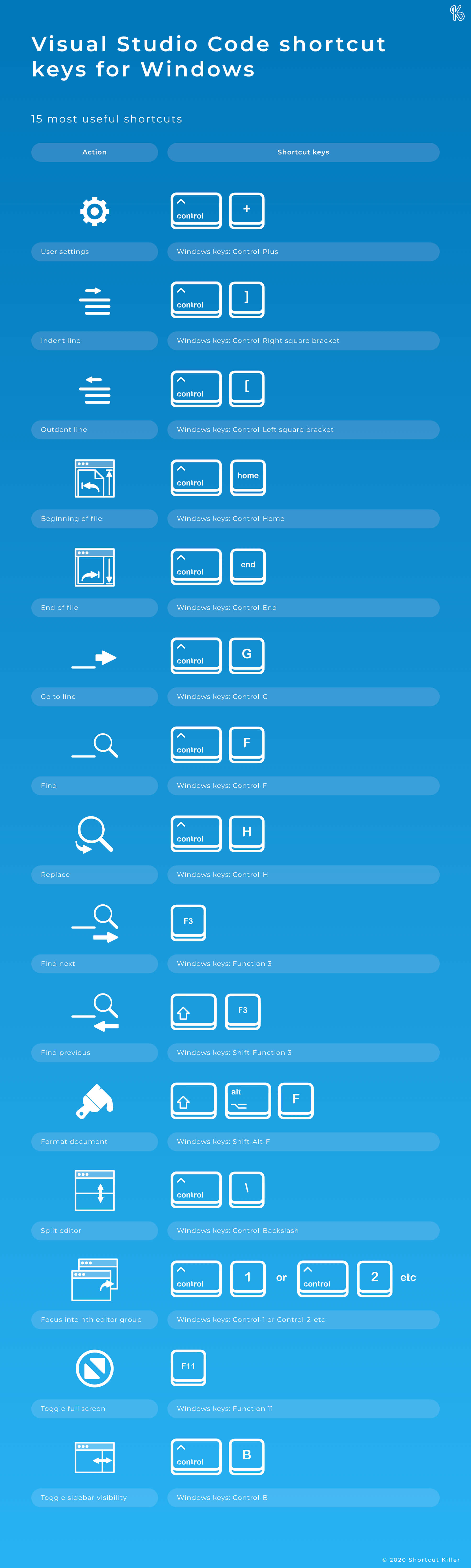
Visual Studio Code Shortcut Keys For Windows List Of Hotkeys

Visual Studio Code provides a rich and easy keyboard shortcuts editing experience using Keyboard Shortcuts editor It lists all available commands with and without keybindings and you can easily change remove reset their keybindings using the available actions

VS Code Shortcuts for Beginners 1 Zen mode is a distraction free view allowing you to focus completely on your code and hide all the toolbars and buttons You can activate Zen mode with Windows Ctrl K Z Mac cmd K Z or by going to View Appearance Toggle Zen Mode Zen Mode in VS code 2 Command Palette

There are many things you can do to customize VS Code Change your theme Change your keyboard shortcuts Tune your settings Add JSON validation Create snippets Install extensions Change your theme Keyboard Shortcut K T Windows Linux Ctrl K Ctrl T You can install more themes from the VS Code extension Marketplace
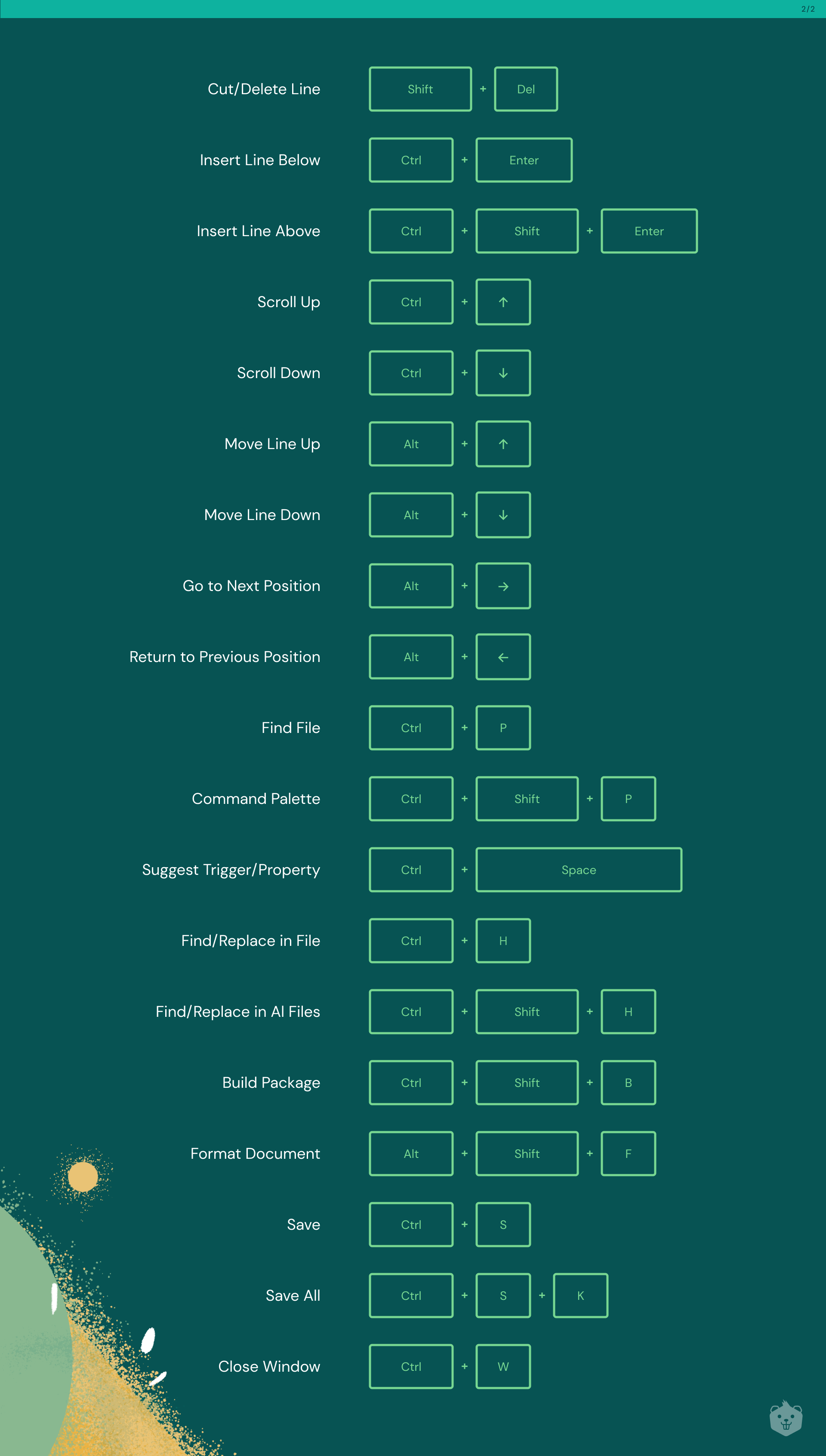
FAQs About VS Code Shortcuts In this article we ll go over some of the most useful Visual Studio Code shortcuts that will save you time and supercharge your development when using Visual
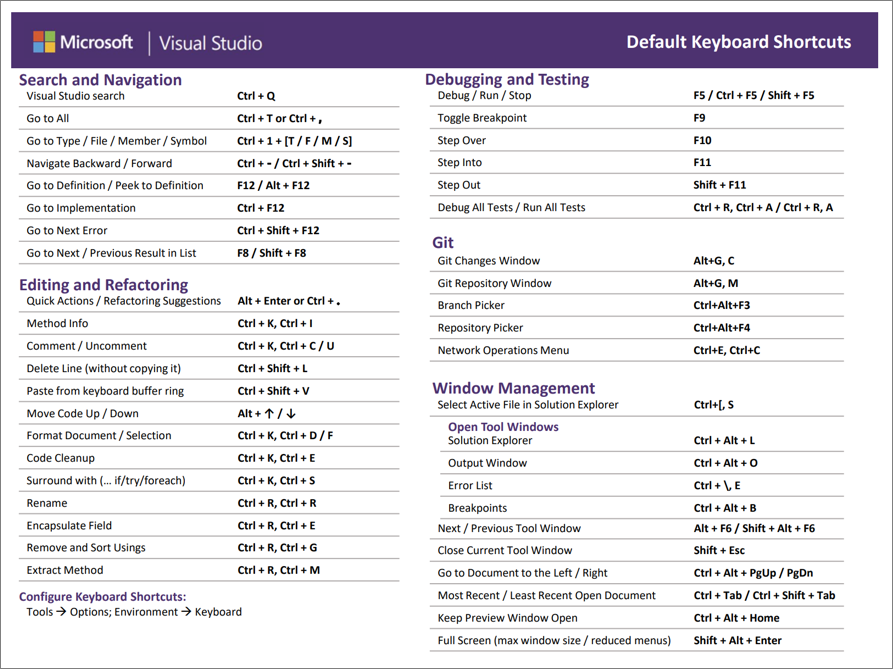
1 Zen Mode Main feature Enter distraction free mode Mac command Cmd K Z Windows command Ctrl K Z This allows you to enter full screen mode which is ideal for focusing solely on the code you re working on The interface is minimalistic and all extraneous elements are hidden providing a distraction free environment
[desc-11] [desc-12]
[desc-13]