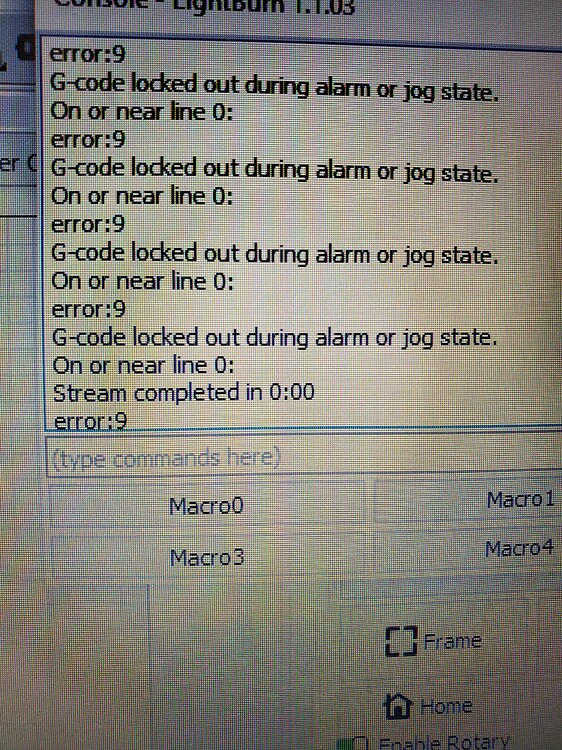
Vs Code Rst Preview Ham Radio Workshop Held At PDEU University KC4MCQ us Error 9 Gcode Locked Out During Alarm State Ortur Lasers LightBurn Software Forum Error 9 Gcode Locked Out During Alarm State Ortur Lasers LightBurn Software Forum SP9HZX Ham Radio How To Open ReStructuredText Rst Files In Linux Systran Box Feb 3 2017 nbsp 0183 32 I am not able to download any extension via VS Code on my office system due to the proxy Is there a way that I can do it manually by downloading and placing the downloaded
Apr 27 2022 nbsp 0183 32 In VS Code I m writing python code I was wondering if there is a key shortcut to run the file instead of pressing the run button in the right top corner of the screen constantly Oct 21 2020 nbsp 0183 32 While installing the VS Code we get an option to tick for Open with Code I gave the tick mark for only files but not for folders So how to turn it on after installation When I m
How To Open ReStructuredText Rst Files In Linux Systran Box Standard 3 Pin Lugged Panel Insert Images Are Not Displayed In ReStructuredText rst HTML Preview In VS Code Stack Overflow VScode RST vs Code rst TYINY CSDN Electrical Wire Colour Code Singapore VScode RST vs Code rst TYINY CSDN ESP32 Devkit V1 Labomedia Ressources Sphinx Mac 2019 Chevrolet Silverado RST Crew Cab HD Wallpaper Background Image 1920x1080 ID 1072676
Vs Code Rst Preview
 Vs Code Rst Preview
https://kc4mcq.us/wp-content/uploads/2022/06/ham-radio-workshop-held-at-pdeu-university.jpg
May 10 2020 nbsp 0183 32 VS Code desktop versions starting with 1 71 August 2022 will no longer run on Windows 7 and you will need to upgrade to a newer Windows version to use later versions of
Templates are pre-designed files or files that can be used for different functions. They can save effort and time by providing a ready-made format and design for developing different sort of material. Templates can be utilized for personal or professional tasks, such as resumes, invitations, flyers, newsletters, reports, discussions, and more.
Vs Code Rst Preview
GitHub Gu fan InstantRst Instant Rst Preview In Browser

Standard 3 Pin Lugged Panel Insert

Images Are Not Displayed In ReStructuredText rst HTML Preview In VS Code Stack Overflow

VScode RST vs Code rst TYINY CSDN

VScode RST vs Code rst TYINY CSDN

ESP32 Devkit V1 Labomedia Ressources

Dec 11 2008 nbsp 0183 32 I m using JSLint to go through JavaScript and it s returning many suggestions to replace two equals signs with three equals signs when doing things like comparing
Nov 2 2022 nbsp 0183 32 I am running VS Code on a Mac OS I have installed Jupyter extension but I m unable connect to my Python virtual environments When I create a new virtual environment
Jun 24 2024 nbsp 0183 32 Python Interpreter Not Found on VS Code Asked 5 years 4 months ago Modified 2 months ago Viewed 95k times

Oct 10 2023 nbsp 0183 32 A comment on why VS is being run as a different user would also help us understand and communicate with our partner teams who own the implementation why this

General disablement of VS Code extensions To disable an extension go to the extensions view You can do that under the quot View quot menu at the top left or click the icon at the left bar or use the
[desc-11] [desc-12]
[desc-13]