Vs Code Default Terminal Git Bash Visual Studio Code Default Powershell Terminal Is 7 2 But Scripts Run As Powershell 5 1 Powershell How To Change VS Code Default Terminal To Python Stack Overflow How To Change VS Code Default Terminal 2022 How To Program shorts code vscode programming Make Your VS Code Terminal Look Awesome By brahim BABAL Medium Download How To Integrate Git Bash In Vscode Visual Studio Web VS Code will automatically detect most standard shells that can then be configured as the default Configuring profiles To create a new profile run the Terminal Select Default Profile command and activate the configure button on the right side of
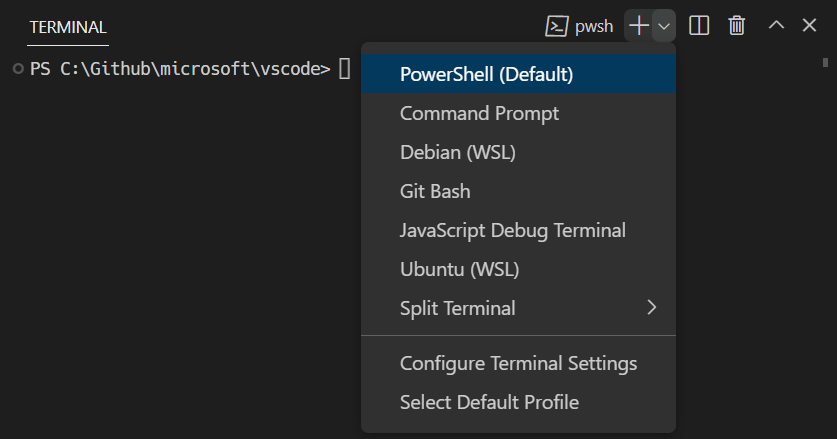
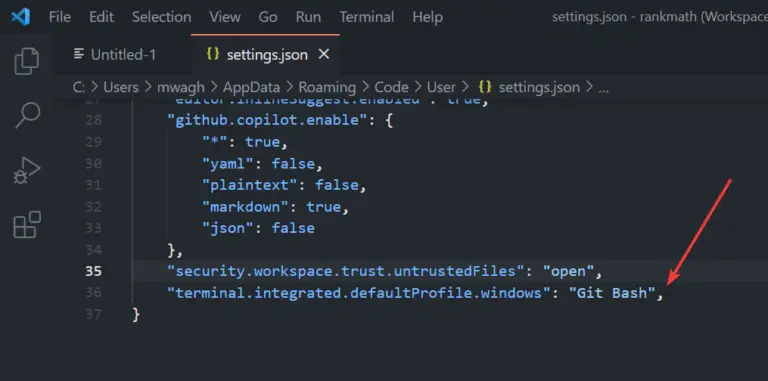
Web May 13 2021 nbsp 0183 32 To configure Git Bash as the default integrated terminal in VSCode version 1 56 on Windows 10 Step 1 Open command palette CMD Shift P Step 2 Search quot Preferences Open User Settings JSON quot Step 3 Create a new field by typing quot quot double quotation key Inside the quotation type quot terminal quot Web Dec 24 2020 nbsp 0183 32 In VS Code go to Command Palette P with Terminal Select Default Profile or Terminal Select Default Shell in older versions then select available shell in this case Git Bash in the dropdown list Click on sign next to terminal list as shown below At this point the Git Bash should be successfully added PS
Download How To Integrate Git Bash In Vscode Visual Studio Powershell How To Change VS Code Default Terminal To Python Stack Overflow Integrated Terminal In Visual Studio Code 2023 Precedens Sz Szerint Rejtett Mac Terminal Font Oszt lyt rs Nyom V letlen l Bug Code Runner Is Not Using Git Bash Even Though It s My Default Terminal Issue 849 Set Default Terminal An Executable Bash Script In Mac For Running A Java Program Seoecpcseo Wie Integriere Ich Git Bash In Visual Studio Code Acervo Lima Change These VS Code Default Settings To Make It Even More Awesome Daniel Schroeder s
Vs Code Default Terminal Git Bash
 Vs Code Default Terminal Git Bash
https://i.stack.imgur.com/706wq.png
Web Mar 13 2022 nbsp 0183 32 VS Code Integrate Git Bash as Default Terminal Neutron Dev 1 05K subscribers Subscribe 714 Share 65K views 1 year ago VS Code Pro Tips Let s quickly have a look at 3 ways we can
Templates are pre-designed files or files that can be utilized for different purposes. They can conserve time and effort by providing a ready-made format and design for producing different kinds of material. Templates can be used for personal or professional tasks, such as resumes, invitations, flyers, newsletters, reports, discussions, and more.
Vs Code Default Terminal Git Bash

Example Code How To Change VS Code Default Terminal To Python

Powershell How To Change VS Code Default Terminal To Python Stack Overflow
Integrated Terminal In Visual Studio Code 2023
Precedens Sz Szerint Rejtett Mac Terminal Font Oszt lyt rs Nyom V letlen l
Set Default Terminal
An Executable Bash Script In Mac For Running A Java Program Seoecpcseo

Web Feb 8 2021 nbsp 0183 32 How do I use Bash on Windows from the Visual Studio Code integrated terminal 31 answers Closed 2 years ago I have git installed in my D but my VSCODE is in C and when I try to set Git bash as default it dont show to me What should I do

Web Mar 13 2022 nbsp 0183 32 Back to VS Code there are several ways we can integrate Git Bash as the default terminal First way The easiest way is to press down CTRL SHIFT P and then type in select default profile The drop down includes every shell that is installed in your system that VS Code was able to detect

Web With Git Bash configured in Visual Studio Code you can now use all of your favorite Git commands directly from the terminal in your code editor If you want to set Git Bash as your default shell open the Terminal dropdown next to the icon and select Select Default Profile
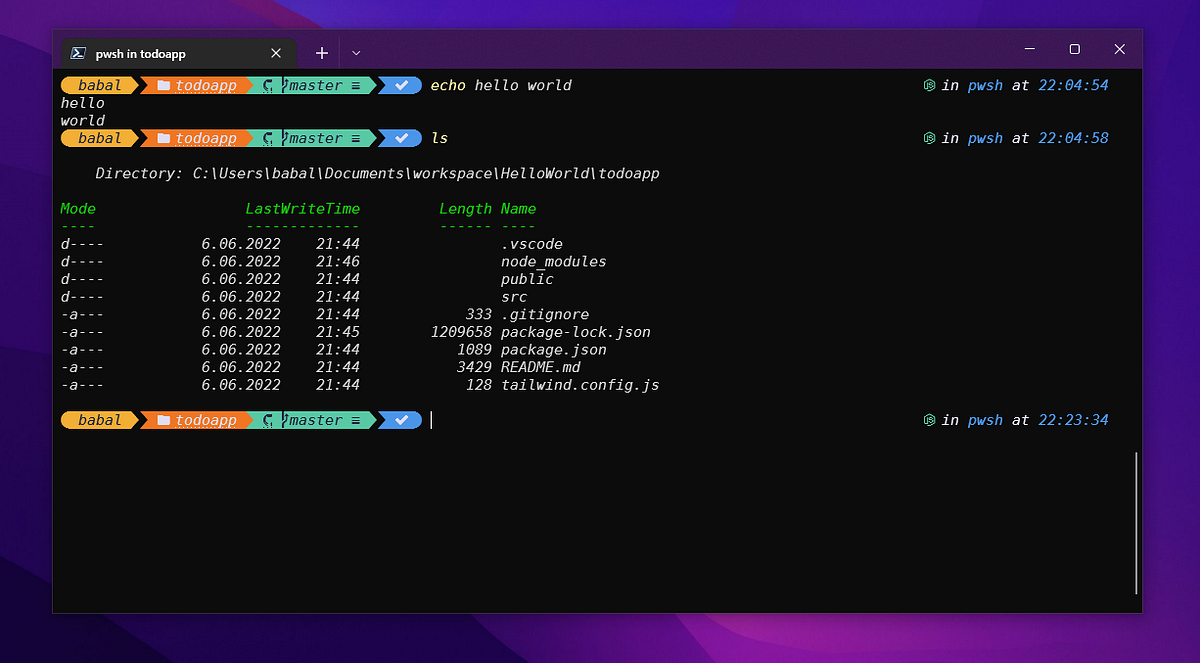
Web Sep 4 2021 nbsp 0183 32 VS Code integrated terminal how to choose git bash as a default Ask Question Asked 2 years ago Modified 1 year 1 month ago Viewed 261 times 0 My VS Code used to show default intagrated terminal as a git bash I chose it in settings

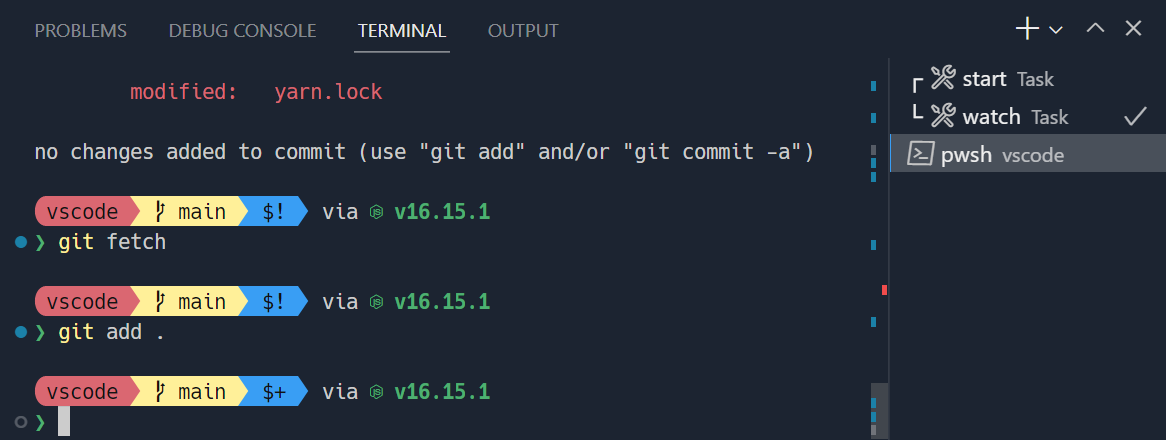
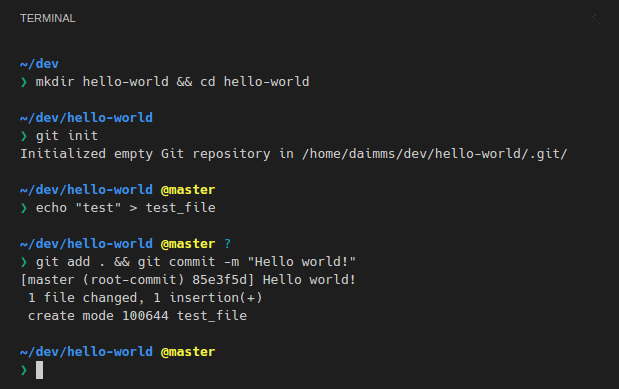
Web Edit Terminal Basics Visual Studio Code includes a full featured integrated terminal that starts at the root of your workspace It provides integration with the editor to support features like links and error detection The integrated terminal can run commands such as mkdir and git just like a standalone terminal
Web Sep 3 2021 nbsp 0183 32 How to change default terminal in VS Code Ask Question Asked 2 years ago Modified 1 year 11 months ago Viewed 21k times 25 Whenever I open terminal in VS Code it always opens it s default one and I always have to manually change it This is really annoying because I use terminal all the time every day Web May 4 2015 nbsp 0183 32 UPDATE 1 I have tried an approach similar to what I have done for Notepad in the past i e bin sh quot c Program Files x86 Notepad notepad exe quot multiInst notabbar nosession noPlugin quot quot And used bin sh quot C Users gep13 AppData Local Code app 0 1 0 Code exe quot quot quot But this results in an
Web Mar 27 2019 nbsp 0183 32 In this guide I ll demonstrate how to modify vscode s integrated terminal to set git bash However this guide can also be used to set powershell as vscode s integrated terminal once vscode comes with cmd exe by default on Windows