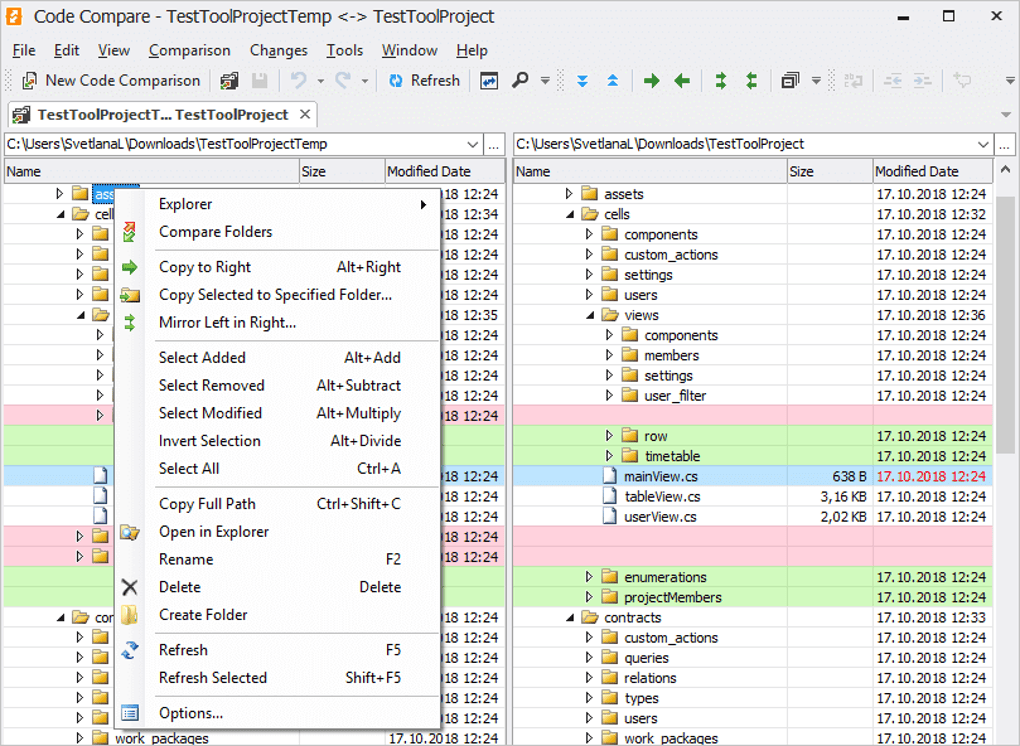
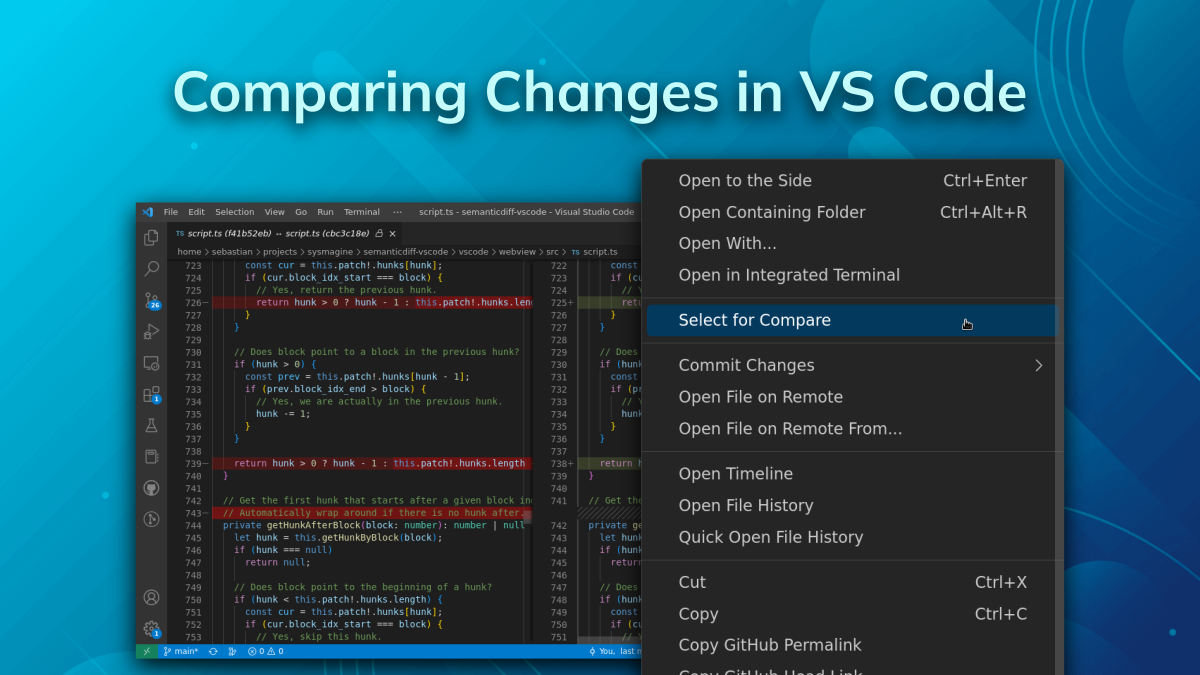
Vs Code Compare Two Files Download Code Compare 5 3 231 For Windows Filehippo VS Code How To Compare Two Files Find The Difference KindaCode How To Compare Any Two Files In VS Code With Just One Small Command VS Code Compare Cambios C mo Aceptar Rechazar Mejor C digo How To Make Notepad Compare Two Files With A Plugin Tech Tips Next Web Jan 20 2023 nbsp 0183 32 Two files can be compared and merged in VS Code by right clicking the first file and selecting Select for Compare from the right click menu When you ve finished clicking the second file choose Compare with Selected
Web Nov 10 2021 nbsp 0183 32 1 Answer If you multi select Ctrl Left Click on Windows both files file1 csv file2 csv in the VS Code File Explorer window then select Compare Selected from the right click menu in the File Explorer window a diff window will open with the comparison you desire Web Nov 21 2023 nbsp 0183 32 Open the Diff folder view from your menu Select the folders that you d like to compare Click Compare and the contents will now show up Spotting the Differences Once you pick two files
How To Make Notepad Compare Two Files With A Plugin Tech Tips Next Compare Files 3 With Visual Studio Extension Or Other Apps VS Code Extensions That ll Boost Your Development Productivity Flipboard TechRec Merge Dedupe Files Folders In A Flash With Code Compare VS Code How To Compare Two Files Find The Difference KindaCode How To Compare Files In Visual Studio Code OS X Visually Compare Differences Between Two Files Meld Vs Code Compare Which Is Better 2021 Appmus PDF Compare Two Files And Find Differences Software
Vs Code Compare Two Files
 Vs Code Compare Two Files
https://sc.filehippo.net/images/t_app-cover-l,f_auto/p/6e59019c-a4d1-11e6-86f5-00163ec9f5fa/512692066/code-compare-2.png
Web Mar 19 2018 nbsp 0183 32 Open the 2 files in Visual Studio Code Right click on one file and click quot Select for compare quot Right click on the other file and click quot Compare file file1 with file2 quot You should see the result Note The right panel is editable This is useful to edit the new version of the document and see the live diff Comparing files using the command line
Pre-crafted templates use a time-saving option for developing a diverse series of documents and files. These pre-designed formats and layouts can be made use of for numerous individual and professional tasks, including resumes, invitations, leaflets, newsletters, reports, discussions, and more, improving the content production process.
Vs Code Compare Two Files
Solved How To Compare Two Files In Notepad For Differences Online

Compare Files 3 With Visual Studio Extension Or Other Apps

VS Code Extensions That ll Boost Your Development Productivity Flipboard

TechRec Merge Dedupe Files Folders In A Flash With Code Compare
How To Compare Files In Visual Studio Code

OS X Visually Compare Differences Between Two Files

Web There s two primary types of diffs you can do with VS Code Compare two files in your project Compare git file versions Diff from Explorer Panel This is the quickest easiest way to bring up the diff panels 1 Right click the first file and quot Select for Compare quot 2 Right click on the second file and quot Compare with Selected quot 3

Web May 9 2015 nbsp 0183 32 Then to compare two files Open or focus file B will be editable in compare view by default E g by drag drop from File Explorer to VS Code s Open or focus file A Press Alt k a quick open menu will be shown with file B focused Press Enter

Web Aug 14 2021 nbsp 0183 32 The Comparison of two files has become very easy now with visual studio 2022 17 7 version Now you can easily compare any file in Solution Explorer with other files by either Right clicking on a single file selecting Compare With from the context menu which will bring up File Explorer

Web Oct 4 2022 nbsp 0183 32 Solution Explorer Here s are the commands available from the right click menu in Solution Explorer Compare two files in Solution Explorer Compare file with another file on disks Compare file with content of clipboard Compare file with its unmodified version

Web Mar 10 2023 nbsp 0183 32 1 Open the Explorer view 2 Right click on the first file and choose Select For Compare 3 Right click on the second file and choose Compare With Selected The diff is hard to understand Check out programming language aware diffs Tip You can open the diff viewer directly from the command line
[desc-11] [desc-12]
[desc-13]