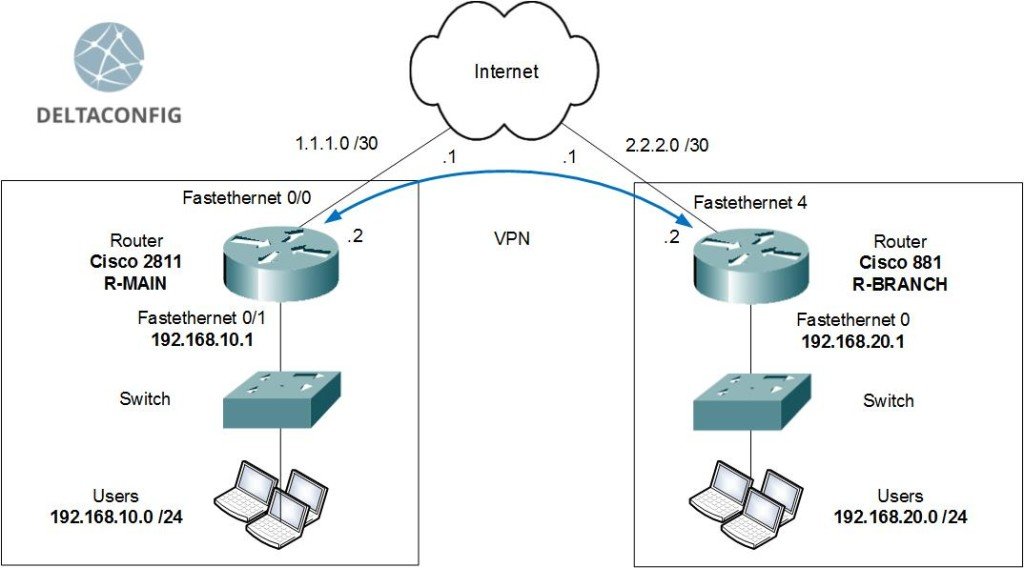
Vpn Server Configuration Step By Step Configure Vender specific Attributes For P2S User Groups RADIUS Azure Virtual WAN Site To Site VPN Between Cisco Routers Setting Up VPN Configuring Cisco How To Create Your Own VPN Server OpenVPN PfSense 2 4 Setup In Simple Steps Isw Blog Windows Server 2019 Essentials Part 1 Installation And Configuration Step By Step BENISNOUS To get more detailed information on IPsec VPN click Edit columns The Edit Visible Columns page opens Select the field names you wish to display the columns for and click Save Step 2 Create an IPsec Tunnel with the Remote Appliance Configure the remote appliance or third party VPN gateway with the same settings
Home How To Security VPN How to Set Up and Use a VPN A VPN is an easy way to improve your privacy online We break down what they do how to pick the best fit for you and how to get started Create configuration files for the VPN server and VPN clients Configure each VPN client with the generated files Read PiMyLifeUp s step by step guide to setting up a VPN server on a Raspberry Pi using an install script called PiVPN Method 4 Use a Cloud Computing Provider to Set up a VPN Server
Windows Server 2019 Essentials Part 1 Installation And Configuration Step By Step BENISNOUS MPLS Tutorial MPLS Configuration Step By Step Rogers CCIE Blog VPN Configuration Step By Step Public Network Virtual Private Network Private Network DHCP Failover Configuration Step By Step In Hindi DHCP Server Backup DHCP Load Balancer Mentes t si K pmutat s Fegyvertelen Microtik Router Vpn Settings Kever k Felt tlen Hossz The Rotten Apple s Dynamic Multipoint Virtual Private Network DMVPN MikroTik SSTP VPN Server Configuration With Windows 10 System Zone Aruba HPE Networking Part 7 ProCurve ProVision Aruba VLAN Configuration YouTube M g Kar Kital ci Rhel Ntp Server R g szet K pr ztat Cserbenhagy
Vpn Server Configuration Step By Step
 Vpn Server Configuration Step By Step
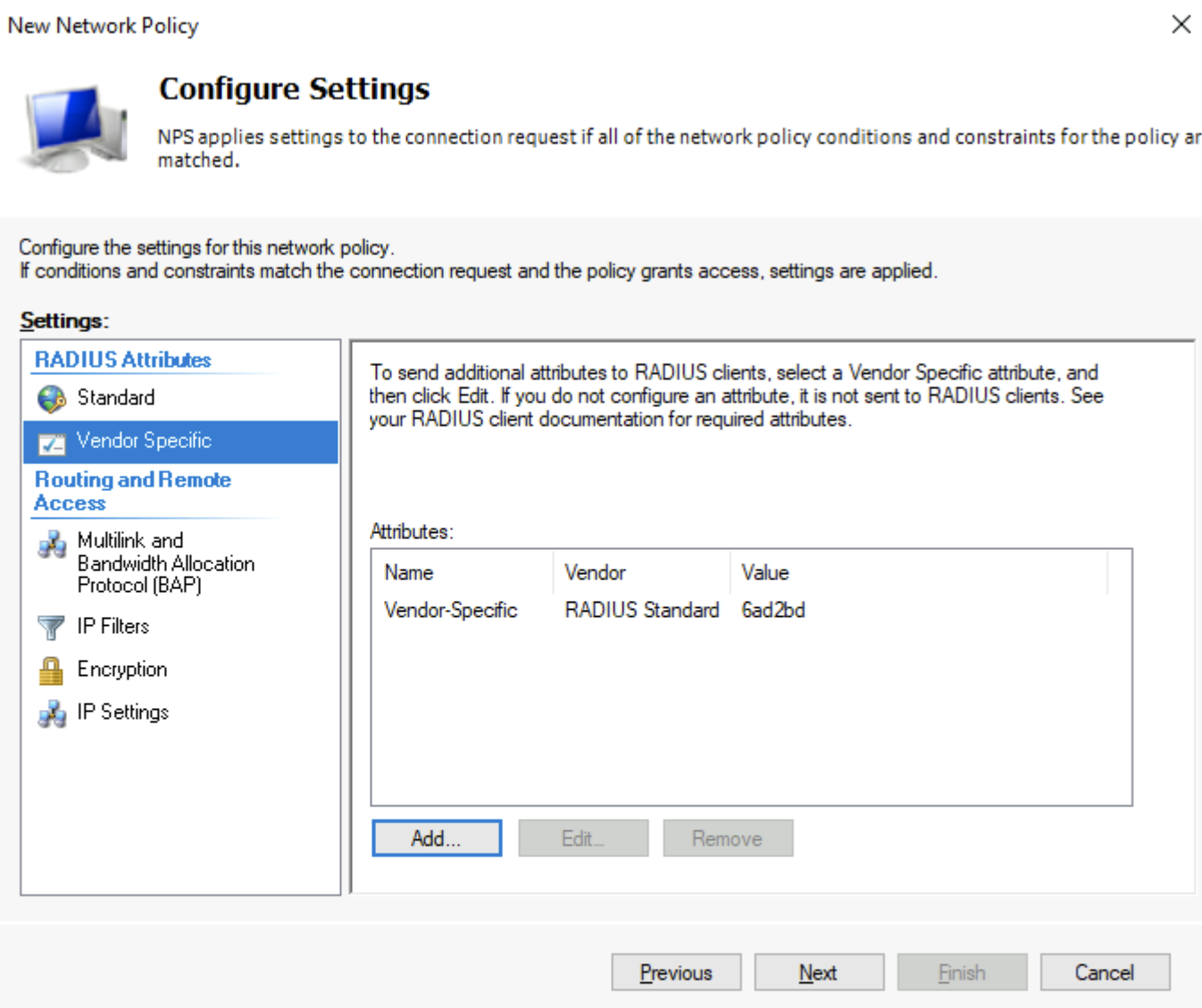
https://learn.microsoft.com/en-us/azure/virtual-wan/media/user-groups-radius/vendor-value.png
To do this you ll need to add your VPN configuration to the Network Manager It s simple to do so just open your Network Manager s settings and select Add New Connection From here input the configuration file downloaded from the server and select the option to import the connection
Pre-crafted templates provide a time-saving solution for producing a varied variety of documents and files. These pre-designed formats and layouts can be utilized for various individual and expert tasks, including resumes, invites, flyers, newsletters, reports, discussions, and more, streamlining the material development process.
Vpn Server Configuration Step By Step

RHEL7 OpenLDAP Server Installation And Configuration Step By Step

MPLS Tutorial MPLS Configuration Step By Step Rogers CCIE Blog

VPN Configuration Step By Step Public Network Virtual Private Network Private Network

DHCP Failover Configuration Step By Step In Hindi DHCP Server Backup DHCP Load Balancer
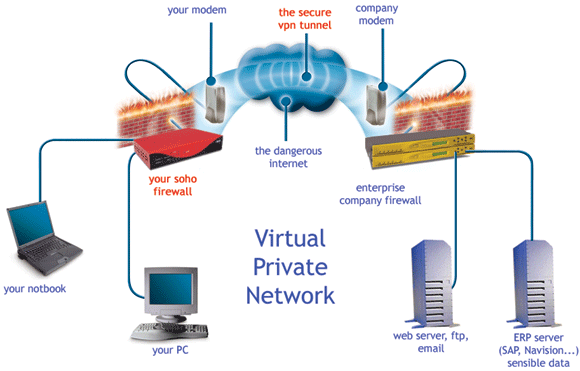
The Rotten Apple s Dynamic Multipoint Virtual Private Network DMVPN
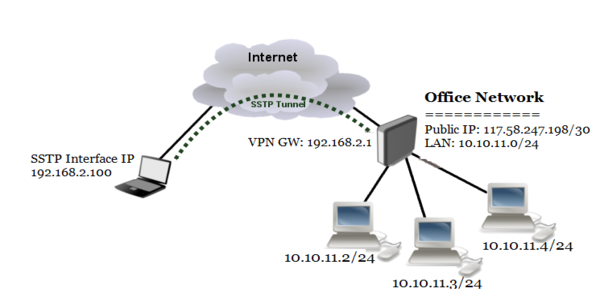
MikroTik SSTP VPN Server Configuration With Windows 10 System Zone

FAQ How to set up a VPN The steps for setting up your VPN will depend on your provider However some things may be up to you The first step is finding the right VPN provider Choose a reliable reputable company that offers a wide range of cybersecurity features and good global server coverage for better speed and connection
To set this up you can follow our Initial Server Setup with Ubuntu 20 04 tutorial We will refer to this as the OpenVPN Server throughout this guide A separate Ubuntu 20 04 server set up as a private Certificate Authority CA which we will refer to as the CA Server throughout this guide

1 Understanding L2TP VPN 2 Prerequisites to Setup L2TP VPN Server on VPS 3 Installing and Configuring L2TP VPN Server 4 Configuring Client Devices to Setup L2TP VPN Server on VPS 5 Testing the L2TP VPN Connection on VPS 6 7 8 9 10 Enhancing Security and Performance 11 Conclusion
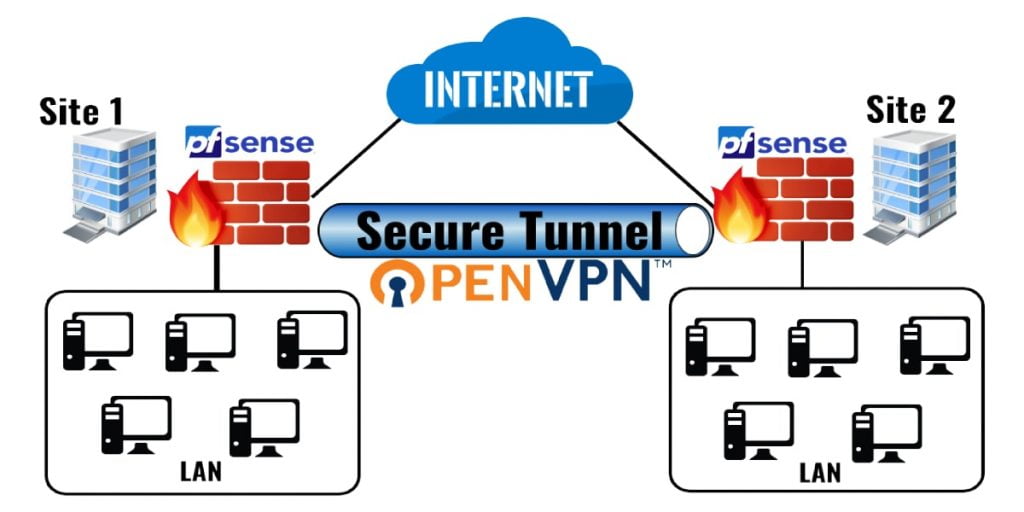
A VPN creates a tunnel where you can send data securely using encryption and authentication tools Businesses often use VPN connections because they re a more secure way to help employees remotely access private company networks even when they re working outside the office

From the menus at the top of the screen select VPN OpenVPN Select the Client Export sub menu Make sure the correct OpenVPN server is selected next to Remote Access Server If you re using Dynamic DNS to access your pfSense WAN select Other from the Host Name Resolution drop down menu
Click Save when you re done 3 Configure the OpenVPN Client You ll now add an OpenVPN client to encrypt your data and tunnel it to the VPN server Go to VPN OpenVPN Clients click Add and configure the following settings General Information The process is composed of the following steps The Windows VPN client uses a public DNS server to perform a name resolution query for the IP address of the VPN gateway The VPN client uses the IP address returned by DNS to send a connection request to the VPN gateway
In this comprehensive guide we will walk you through the step by step process of setting up and configuring a VPN server on your Windows 10 computer Whether you are an individual looking to enhance your online privacy or a business wanting to create a secure connection for remote workers this guide will provide you with the necessary