Visual Studio View Solution Explorer Learn About Solution Explorer Visual Studio Windows Microsoft Learn Learn About Solution Explorer Visual Studio Windows Microsoft Learn Learn About Solution Explorer Visual Studio Windows Microsoft Docs C No Solution Explorer Now Showing Visual Studio Stack Overflow Solution Explorer Views Visual Studio Tipp 2 YouTube WEB In Solution Explorer there are several ways that we can look at the folder view I ll start by looking at the traditional way of doing it Pick one of the nodes in the Solution Explorer
WEB Jun 17 2020 nbsp 0183 32 The Visual Studio Solution Explorer panel is like home for Visual Studio users It presents all projects source files and items thanks to a treeview layout This panel is quite sophisticated and it is likely that WEB Aug 21 2023 nbsp 0183 32 We ve heard your feedback and are excited to introduce a new compare feature in Visual Studio This feature enables you to compare code files directly within
Solution Explorer Views Visual Studio Tipp 2 YouTube Visual Studio Project Generation For Windows Unity Visual Studio 80 Shifting Visual Studio s Solution Explorer To The Left A Guide Shifting Visual Studio s Solution Explorer To The Left A Guide Visual Studio Open Solution Explorer Ultimate QA Customizing window layouts in visual studio Connected Programmer Restore Solution Explorer State In Visual Studio 2019 Daily NET Tips Create Projects Solutions Visual Studio Windows Microsoft Learn
Visual Studio View Solution Explorer
 Visual Studio View Solution Explorer
https://learn.microsoft.com/en-us/visualstudio/ide/media/visual-studio-integrated-development-environment.png?view=vs-2019
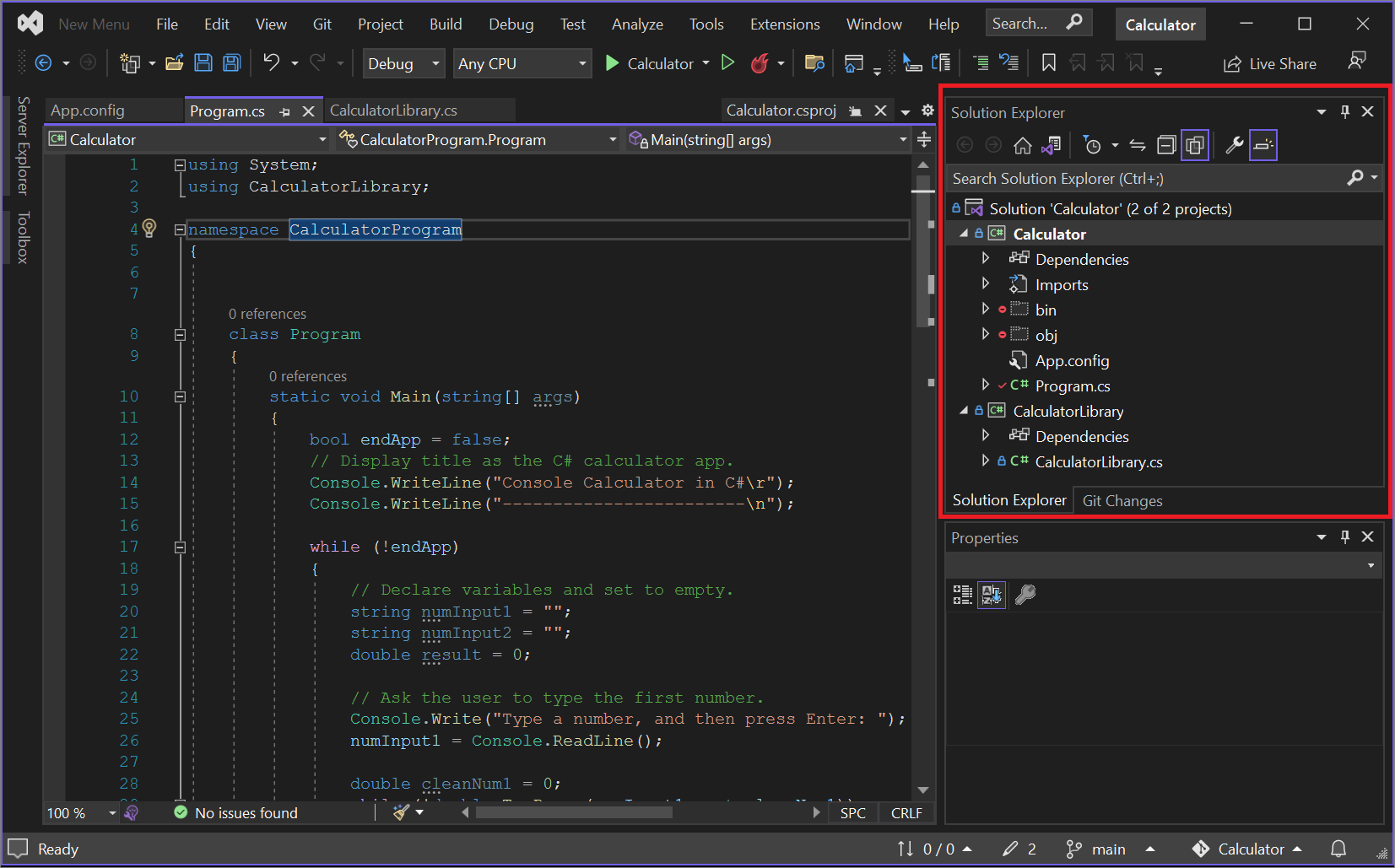
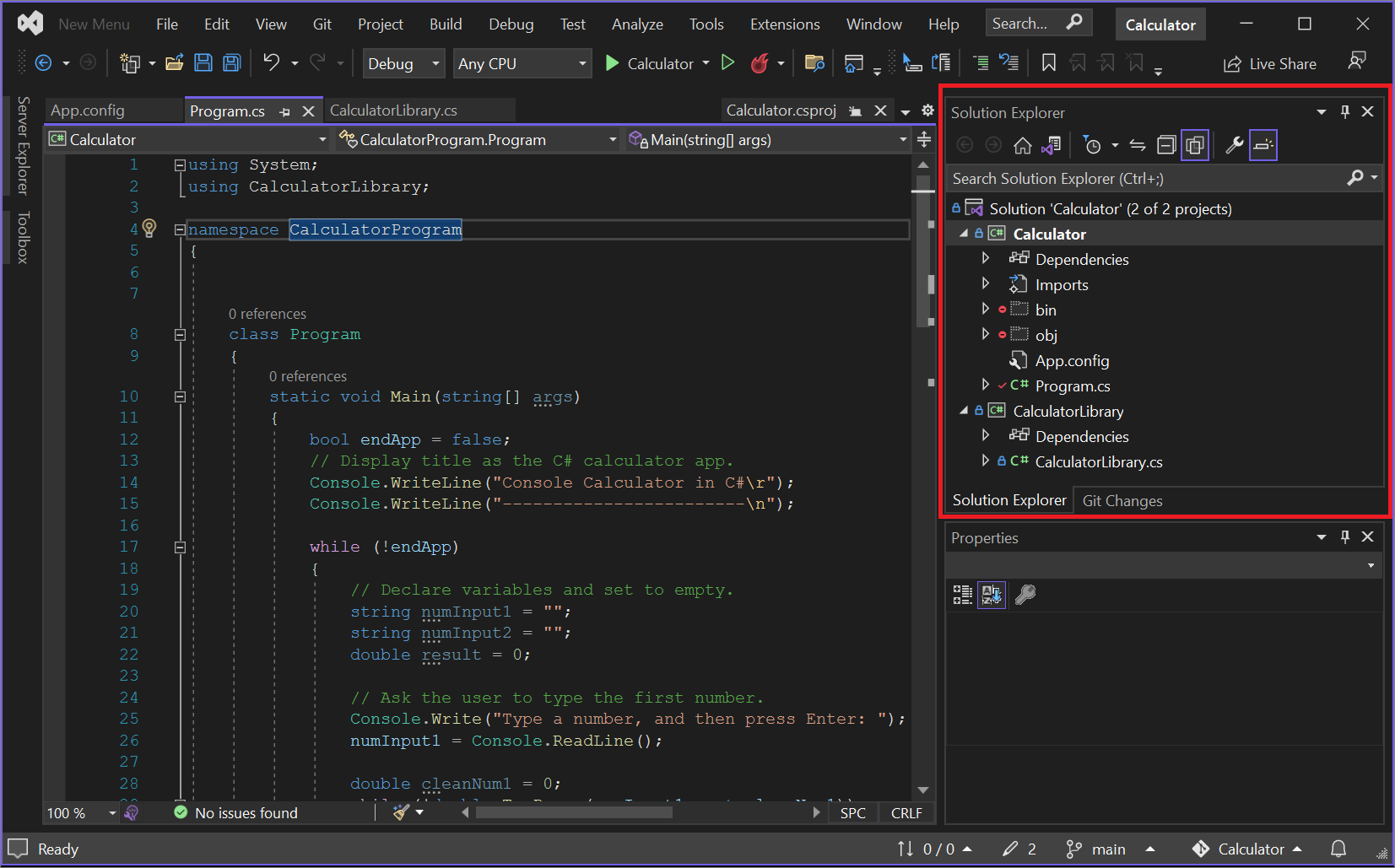
WEB The Solution Explorer is one of the most important tool windows in Visual Studio It is central to working with solutions projects files references and project settings Learn
Templates are pre-designed files or files that can be utilized for different purposes. They can save effort and time by providing a ready-made format and design for producing different sort of content. Templates can be utilized for individual or professional projects, such as resumes, invitations, leaflets, newsletters, reports, presentations, and more.
Visual Studio View Solution Explorer
Tutustu 99 Imagen Visual Studio Show Solution Explorer Abzlocal Fi

Visual Studio Project Generation For Windows Unity

Visual Studio 80

Shifting Visual Studio s Solution Explorer To The Left A Guide
Visual Studio Open Solution Explorer Ultimate QA

Customizing window layouts in visual studio Connected Programmer
WEB Mar 5 2019 nbsp 0183 32 4 Answers Sorted by 8 In My case I opened the folder where the actual files of the project are placed in file explorer And double click on the solution file file with
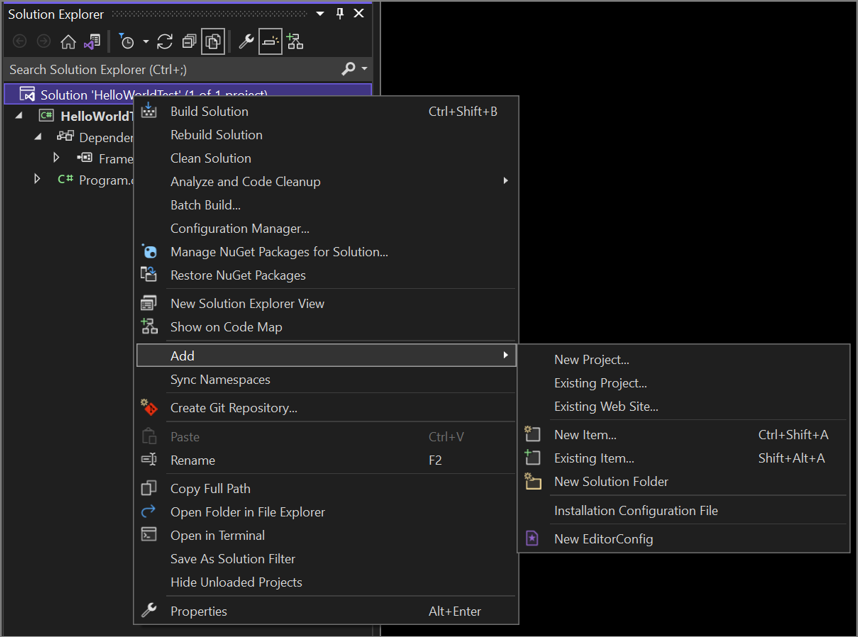
WEB Solution Explorer After you create a new project you can use Solution Explorer to view and manage the project and solution and their associated items The following

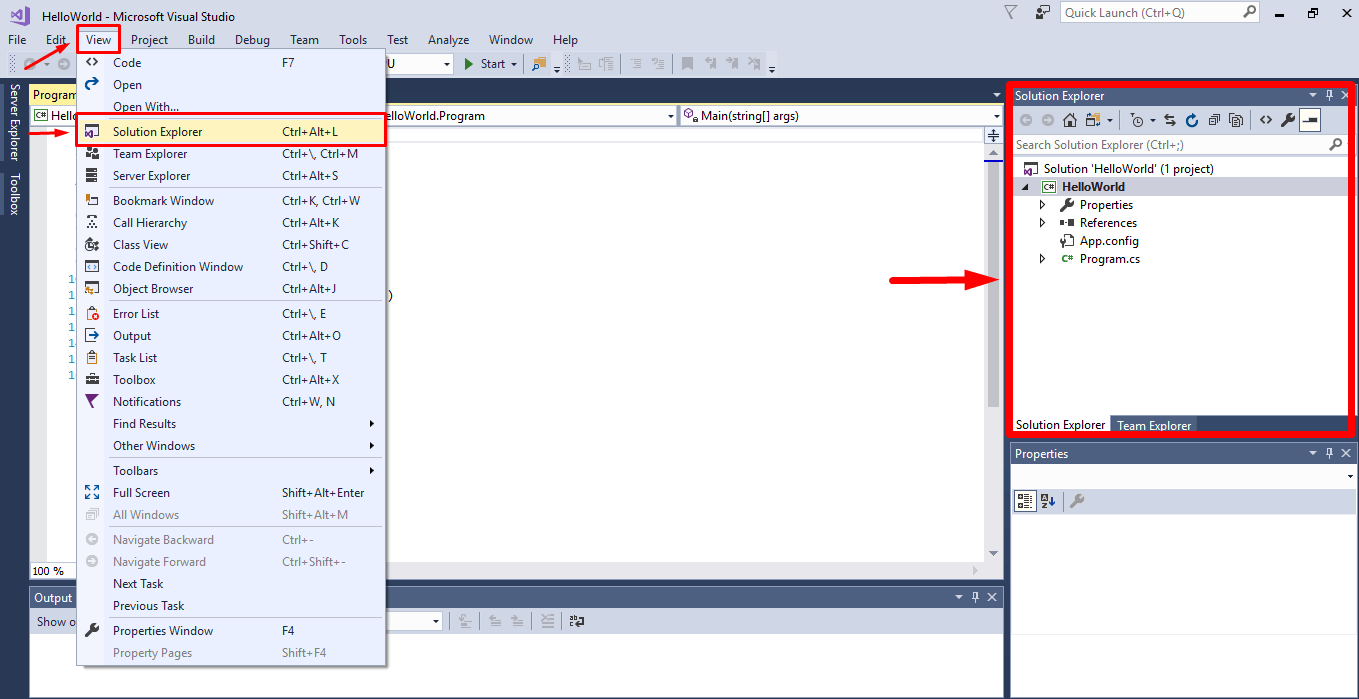
WEB Nov 7 2019 nbsp 0183 32 Option 1 Keyboard Shortcut Hold CTRL ALT and press L This will display the Solution Explorer if it isn t on the screen already

WEB To open the Solution Explorer using the mouse click the Solution Explorer tab at the bottom of the Visual Studio window Method 3 Use the View menu To open the

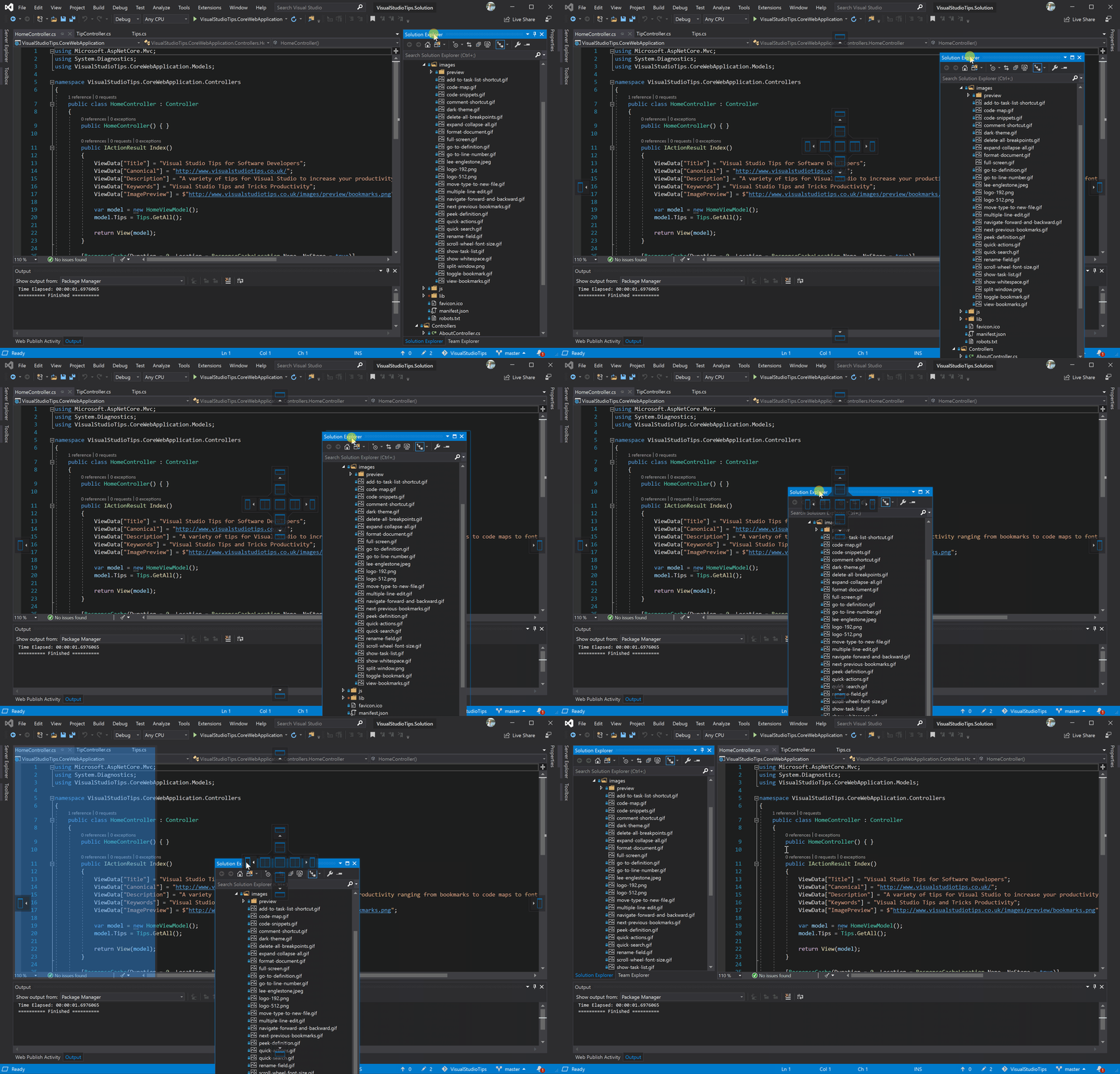
WEB Article 08 30 2023 15 contributors Feedback In Visual Studio you can customize the position size and behavior of windows to create window layouts that work best for various development workflows You can also
WEB Aug 20 2017 nbsp 0183 32 Learn how to switch between Solution and Folder views in Solution Explorer in Visual Studio It is a great tip to increase the productivity while using the w WEB Jul 26 2023 nbsp 0183 32 How To Add Solution Explorer in Visual Studio 2022 Neon Spotlight 2 31K subscribers Subscribed 34 Share 7 6K views 6 months ago Guides In this
WEB Jul 20 2010 nbsp 0183 32 The Solution Navigator enables you to Expand code files to navigate to its classes expand classes to navigate to their members and so on Search your solution