Visual Studio View In Solution Explorer Learn About Solution Explorer Visual Studio Windows Microsoft Learn Learn About Solution Explorer Visual Studio Windows Microsoft Learn Learn About Solution Explorer Visual Studio Windows Microsoft Learn C No Solution Explorer Now Showing Visual Studio Stack Overflow Tutustu 99 Imagen Visual Studio Show Solution Explorer Abzlocal Fi Web In Solution Explorer there are several ways that we can look at the folder view I ll start by looking at the traditional way of doing it Pick one of the nodes in the Solution Explorer
Web Aug 20 2017 nbsp 0183 32 17 9 7K views 6 years ago Visual Studio Tips amp Tricks Learn how to switch between Solution and Folder views in Solution Explorer in Visual Studio It is a great tip to increase the Web Article 08 30 2023 15 contributors Feedback In Visual Studio you can customize the position size and behavior of windows to create window layouts that work best for various development workflows You can also
Tutustu 99 Imagen Visual Studio Show Solution Explorer Abzlocal Fi Visual Studio 80 Create Projects Solutions Visual Studio Windows Microsoft Learn Solution Explorer Views Visual Studio Tipp 2 YouTube Shifting Visual Studio s Solution Explorer To The Left A Guide Shifting Visual Studio s Solution Explorer To The Left A Guide Load A Subset Of Projects Visual Studio Windows Microsoft Learn Visual Studio Open Solution Explorer Ultimate QA Visual Studio How To Switch Views In Solution Explorer Stack Overflow
Visual Studio View In Solution Explorer
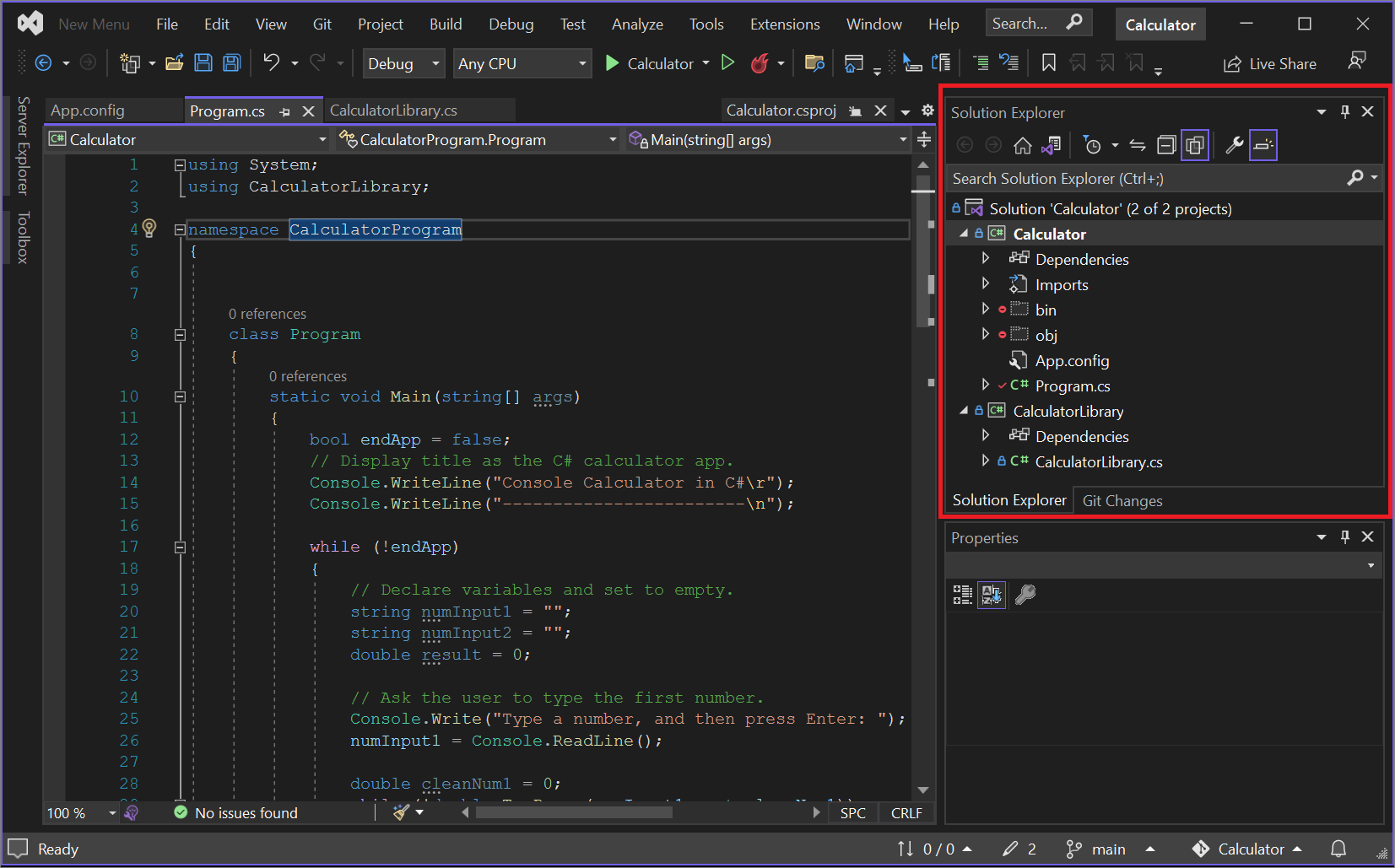 Visual Studio View In Solution Explorer
https://learn.microsoft.com/en-us/visualstudio/ide/media/visual-studio-integrated-development-environment.png?view=vs-2019
Web Jun 17 2020 nbsp 0183 32 The shortcut Ctrl set the focus in the Visual Studio Solution Explorer search textbox and you can start typing your search term s If the Solution Explorer
Templates are pre-designed documents or files that can be utilized for various purposes. They can conserve time and effort by offering a ready-made format and design for developing different sort of material. Templates can be utilized for personal or expert tasks, such as resumes, invites, leaflets, newsletters, reports, discussions, and more.
Visual Studio View In Solution Explorer
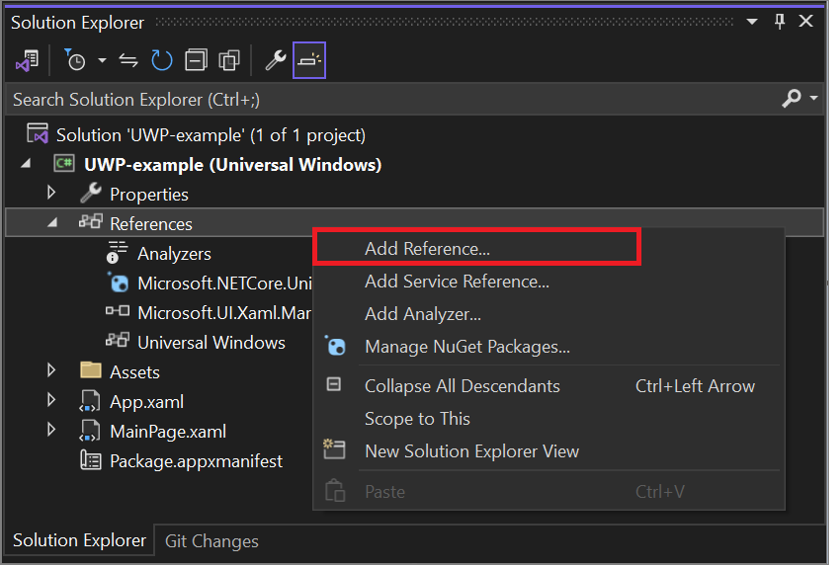
Manage References In A Project Visual Studio Windows Microsoft Learn

Visual Studio 80
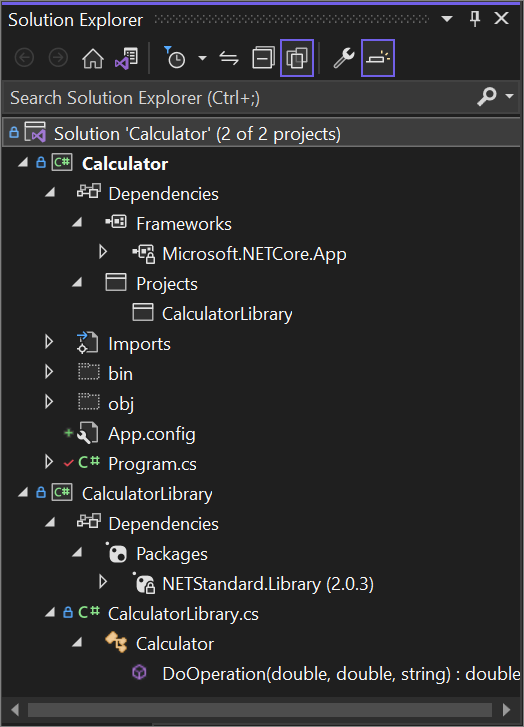
Create Projects Solutions Visual Studio Windows Microsoft Learn

Solution Explorer Views Visual Studio Tipp 2 YouTube

Shifting Visual Studio s Solution Explorer To The Left A Guide
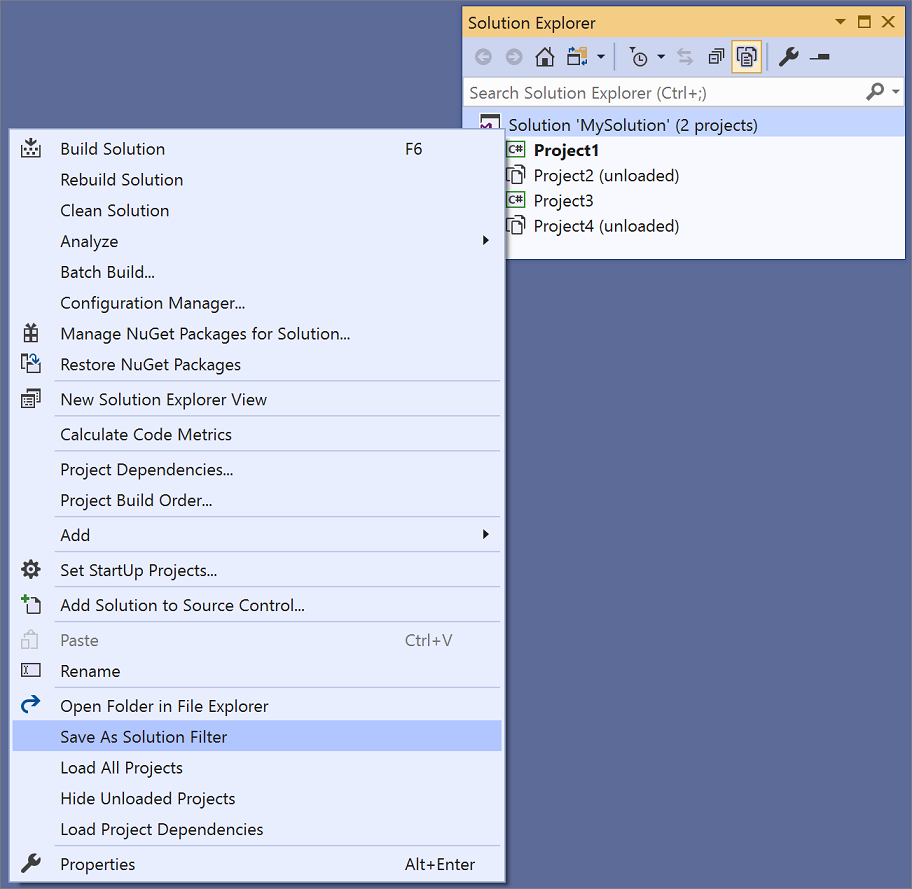
Load A Subset Of Projects Visual Studio Windows Microsoft Learn
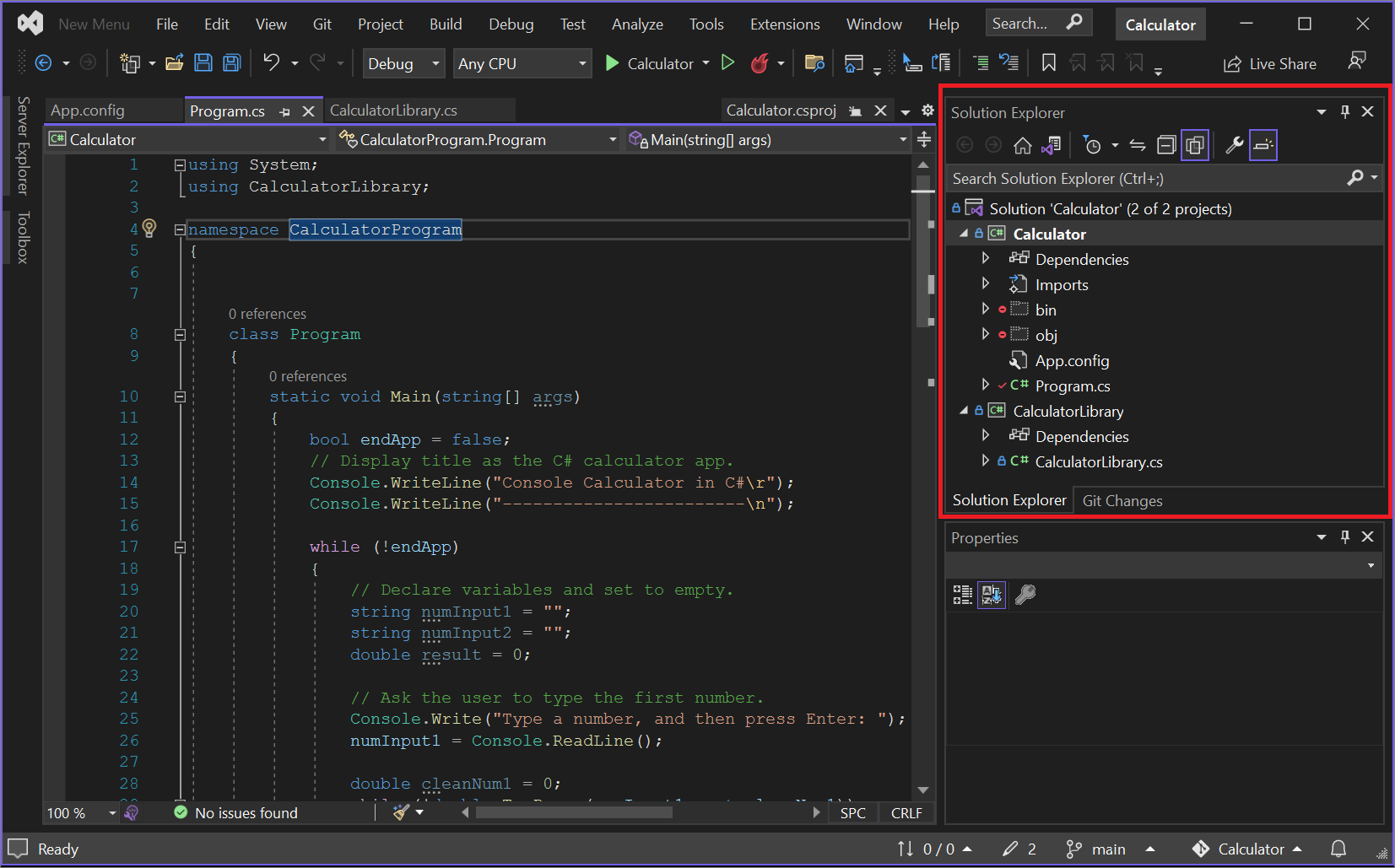
Web Mar 5 2019 nbsp 0183 32 4 Answers Sorted by 8 In My case I opened the folder where the actual files of the project are placed in file explorer And double click on the solution file file with
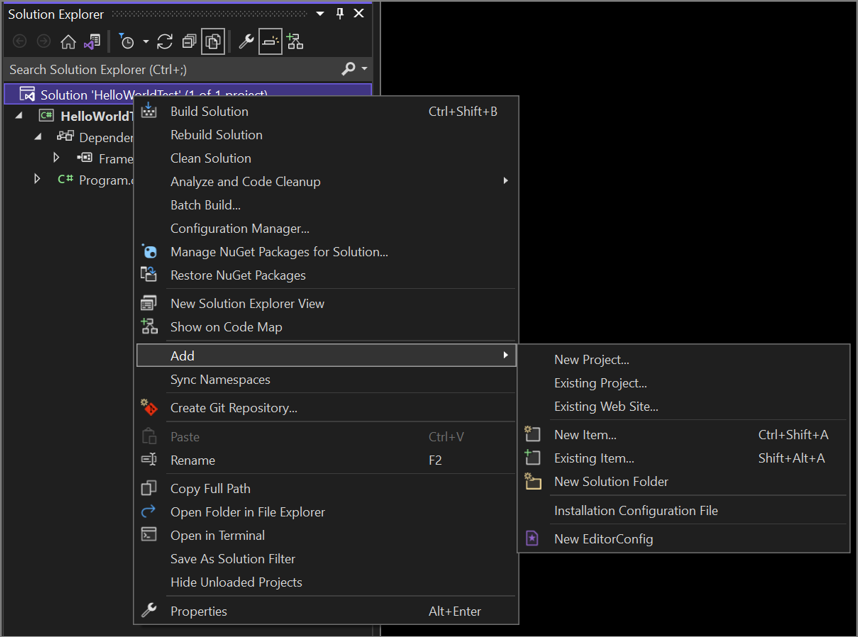
Web To explore the files and folders in your solution click the Solution Explorer tab at the bottom of the Visual Studio window The Solution Explorer will display a tree view of
Web Jul 29 2021 nbsp 0183 32 Visual Studio has a little known feature that will automatically locate the currently open file in the Solution Explorer pane To enable it you ll need to dive into the Visual Studio options menu and enable it via

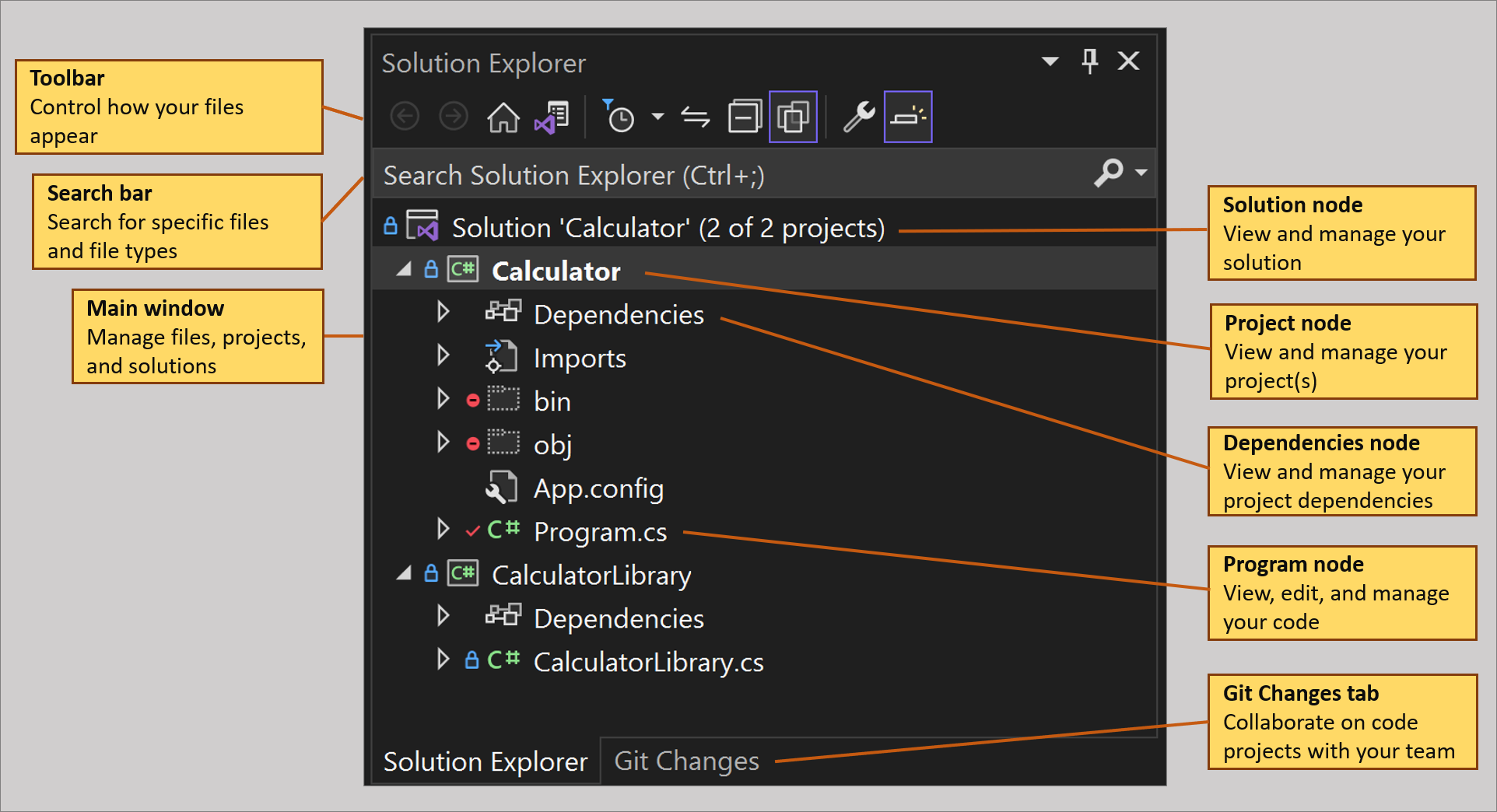
Web The toolbar across the top of Solution Explorer has buttons to switch from a solution view to a folder view filter pending changes show all files collapse all nodes view
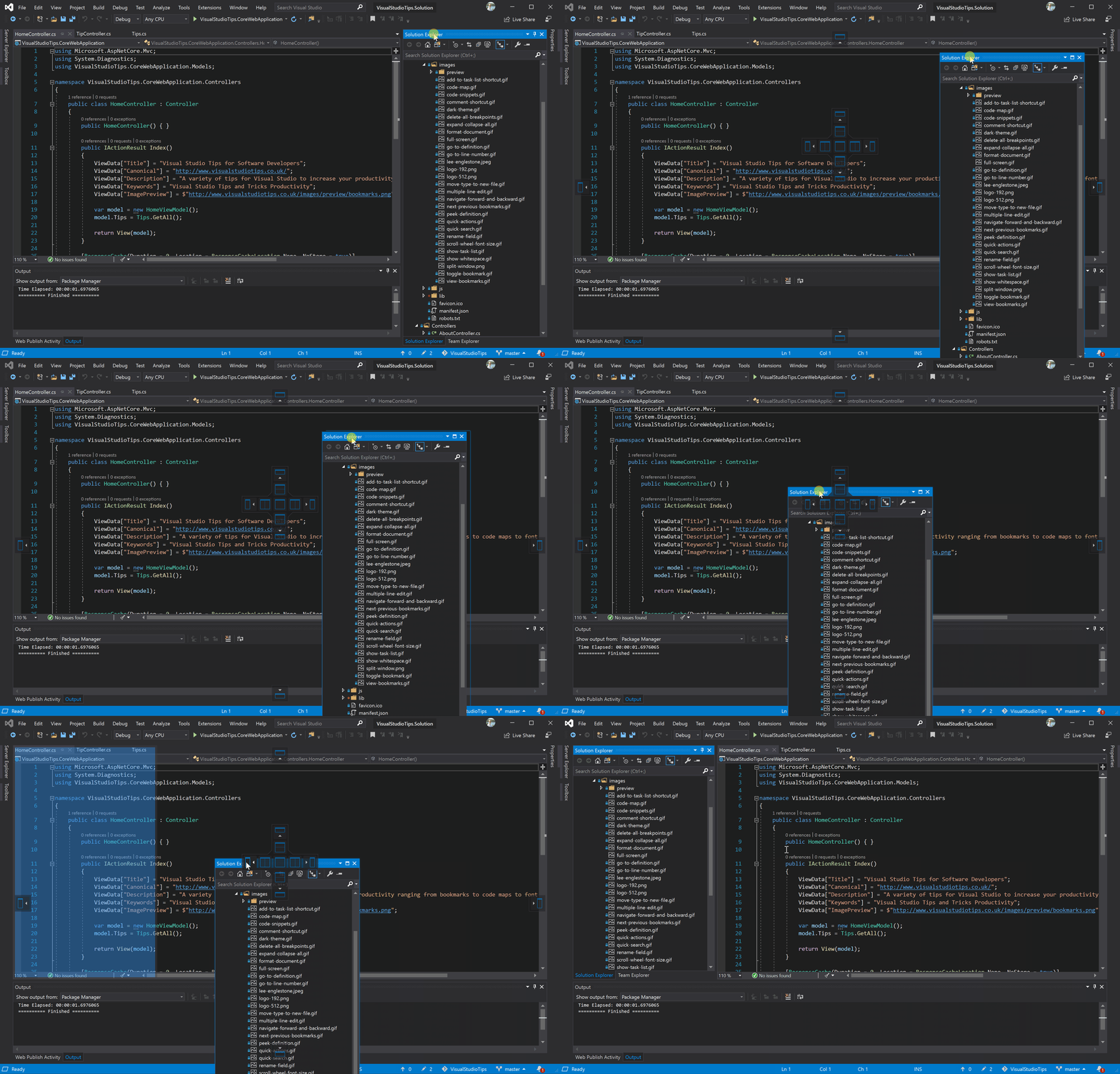
Web Jun 28 2018 nbsp 0183 32 In Visual Studio s menu go to Tools gt Options gt Projects and Solutions Then check quot Track Active Item in Solution Explorer quot Add a Keyboard Shortcut to Change the Track Active Item in Solution
Web Nov 7 2019 nbsp 0183 32 Option 1 Keyboard Shortcut Hold CTRL ALT and press L This will display the Solution Explorer if it isn t on the screen already Option 2 Menu Windows Web Aug 24 2012 nbsp 0183 32 15 Answers Sorted by 226 There s an option to track the active open and viewed item in the solution explorer If the file is in view the file in the solution
Web Aug 21 2023 nbsp 0183 32 Hold down the Ctrl key and select two files in the Solution Explorer that you want to compare After selecting the files right click and choose Compare Selected