Visual Studio Code Size Font VERIFIED Visual Studio ISO Crack 2020 Coub Python AI Men Of War Assault Squad 2 Pc Trianiner Arcvast Visual Studio Code Programmer Sticker TeePublic AU Visual Studio Code Visual Studio Code Magnet TeePublic Web Use default for the workbench user interface font family editor for the editor fontFamily s value or a custom font family quot scm inputFontFamily quot quot default quot Controls the font size for the input message in pixels quot scm inputFontSize quot 13 Controls the count badges on Source
Web Sep 8 2022 nbsp 0183 32 As demonstrated in the above GIF you can change the Font Size of your Code Content in Visual Studio Code by clicking on the Settings gear at the bottom left and by going to Text Editor gt Font Size Steps to Change Font Size VS Code Click on the Settings Gear icon on the Sidebar Now Expand Text Editor Select Font Web Jul 2 2022 nbsp 0183 32 0 00 1 25 Two Ways of Changing Font Size In VSCode VSCode How to Change Font Size Visual Studio Code Ghost Together 21 2K subscribers Subscribe 16K views 1 year ago VS Code
Visual Studio Code Visual Studio Code Magnet TeePublic How To Change Font Size In Visual Studio Code Vscode Font Size Scale Ui Change Visual Studio Code Visual Studio Code Sticker TeePublic UK Process How To Change Font Weight In Visual Studio Code How To Bold Text In Visual Studio Code Dubai Download Visual Studio Code For DevOps And IT Professionals SoftArchive How To Increase Font Size In Visual Studio 2019 How To Change Font Size In Visual Studio 2019 Lo Que Aprend Hoy Visual Studio Code Visual Studio Code Pin TeePublic
Visual Studio Code Size Font
 Visual Studio Code Size Font
https://3fc4ed44-3fbc-419a-97a1-a29742511391.selcdn.net/coub_storage/story/cw_image_for_sharing/da95cefc58b/32095e95319ee7ba44e29/1643095255_share_story.png
Web Mar 9 2023 nbsp 0183 32 Text style See also Applies to Visual Studio Visual Studio for Mac Visual Studio Code The environment font All fonts within Visual Studio must be exposed to the user for customization This is primarily done through the Fonts and Colors page in the Tools gt Options dialog The three main categories of font settings are
Templates are pre-designed files or files that can be utilized for different purposes. They can conserve time and effort by supplying a ready-made format and layout for developing various type of content. Templates can be used for personal or professional jobs, such as resumes, invites, flyers, newsletters, reports, discussions, and more.
Visual Studio Code Size Font

Vintage Visual Studio Code Visual Studio Code Sticker TeePublic
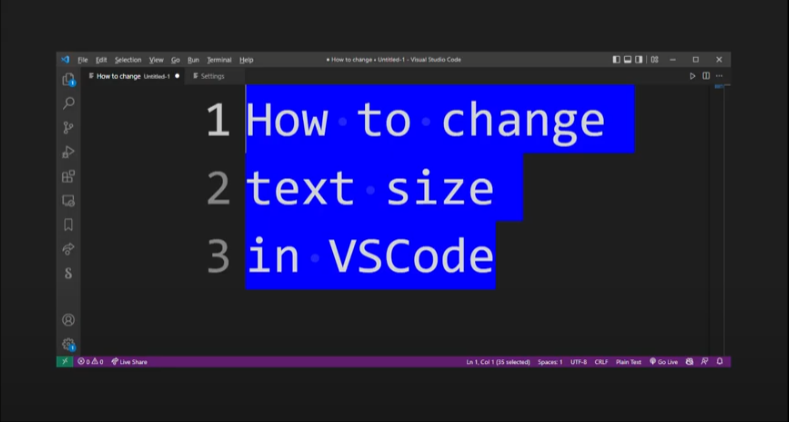
How To Change Font Size In Visual Studio Code Vscode Font Size Scale Ui Change

Visual Studio Code Visual Studio Code Sticker TeePublic UK

Process

Download Visual Studio Code For DevOps And IT Professionals SoftArchive

How To Increase Font Size In Visual Studio 2019 How To Change Font Size In Visual Studio 2019

Web Mar 24 2017 nbsp 0183 32 Open VS Code Type command CTRL SHFT P Type Settings Settings file will open Now under User gt Text Editor gt Font find Font Size Enter your desired font size

Web Jul 30 2022 nbsp 0183 32 Here s how to change font size Open VSCode and click on the File menu Select Preferences gt Settings On the left sidebar select User Preferences On the right side locate the setting titled quot Editor Font Size quot Click on the dropdown arrow and select the desired font size Close the Settings

Web Oct 9 2023 nbsp 0183 32 Increase the Font size in Visual Studio Code VS Code Visual Studio Code VS Code is a lightweight highly customizable code editor developed by Microsoft widely used for coding and development tasks due to its rich extension ecosystem and cross platform support Open VS Code

Web Jul 21 2018 nbsp 0183 32 Change the font size with keyboard shortcuts using the FontSize Shortcuts plugin On a Mac I am able to focus on the terminal or the editor and change the font size of those areas independently of each other https marketplace visualstudio items itemName fosshaas fontsize shortcuts

Web In visual studio 2019 you can use Either Ctrl Shift To increase Ctrl Shift To decrease Or Go to Tools gt Options gt Environment gt Fonts and Colors
Web Apr 30 2015 nbsp 0183 32 Which font is used in Visual Studio Code Editor and how to change fonts Ask Question Asked 8 years 5 months ago Modified 6 months ago Viewed 730k times 284 I tried Visual Studio Code editor https code visualstudio which is recently announced at build I tried it on Windows and Ubuntu Web Oct 2 2020 nbsp 0183 32 How to Change Font Size in Visual Studio Code Amit Thinks 140K subscribers Join Subscribe 259 Share Save 21K views 2 years ago Visual Studio Code Tutorial VS Code Learn how to
Web Apr 21 2023 nbsp 0183 32 To change the font and text size in the IDE On the menu bar select Tools gt Options In the options list select Environment gt Fonts and Colors In the Show settings for list select Environment Modify the Font and Size options to change the font and text size for the IDE Select the appropriate