Visual Studio Code Python Pep8 Linter VS Code Pep8 Visual Studio Code Python In VSCode Syntax Highlighting Tabs And No Python Tips Outils De Contr le De La Qualit Du Code De Python Ce Enable PEP8 Compliance In Visual Studio Code For Python Code What Is PEP8 s E128 Continuation Line Under indented For Visual Indent Web Apr 17 2023 nbsp 0183 32 The next step To enforce the PEP8 standard we will install Pylint in Visual Studio Code Pylint is the tool that checks whether our code complies with the PEP8
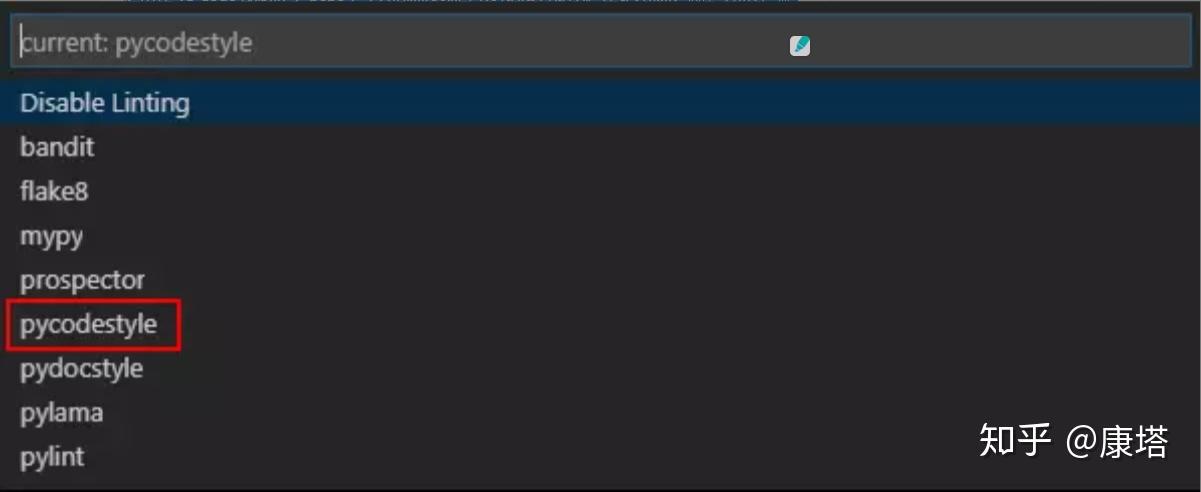
Web To enable linters other than the default PyLint open the Command Palette kb workbench action showCommands and select the Python Select Linter command Web Dec 6 2023 nbsp 0183 32 In VS Code you ll select your Python interpreter by using shortcut key Ctrl P to open up the Command Pallette and select from the dropdown menu which
What Is PEP8 s E128 Continuation Line Under indented For Visual Indent Python Tips Outils De Contr le De La Qualit Du Code De Python Ce VScode Python Settings Reference For Python PEP8 Style Guide Terms Re Framing Digital Design And Fabrication HOW TO Automatically Format Python Code To PEP8 Style BONUS Tips Linter python pep8 Atom About The Problem That The Flake8 Setting In Visual 9to5Tutorial Enable PEP8 Compliance In Visual Studio Code For Python Code
Visual Studio Code Python Pep8 Linter
 Visual Studio Code Python Pep8 Linter
https://pic4.zhimg.com/v2-0868fe0ead1b9438ef0c8fe48728a8ed_r.jpg
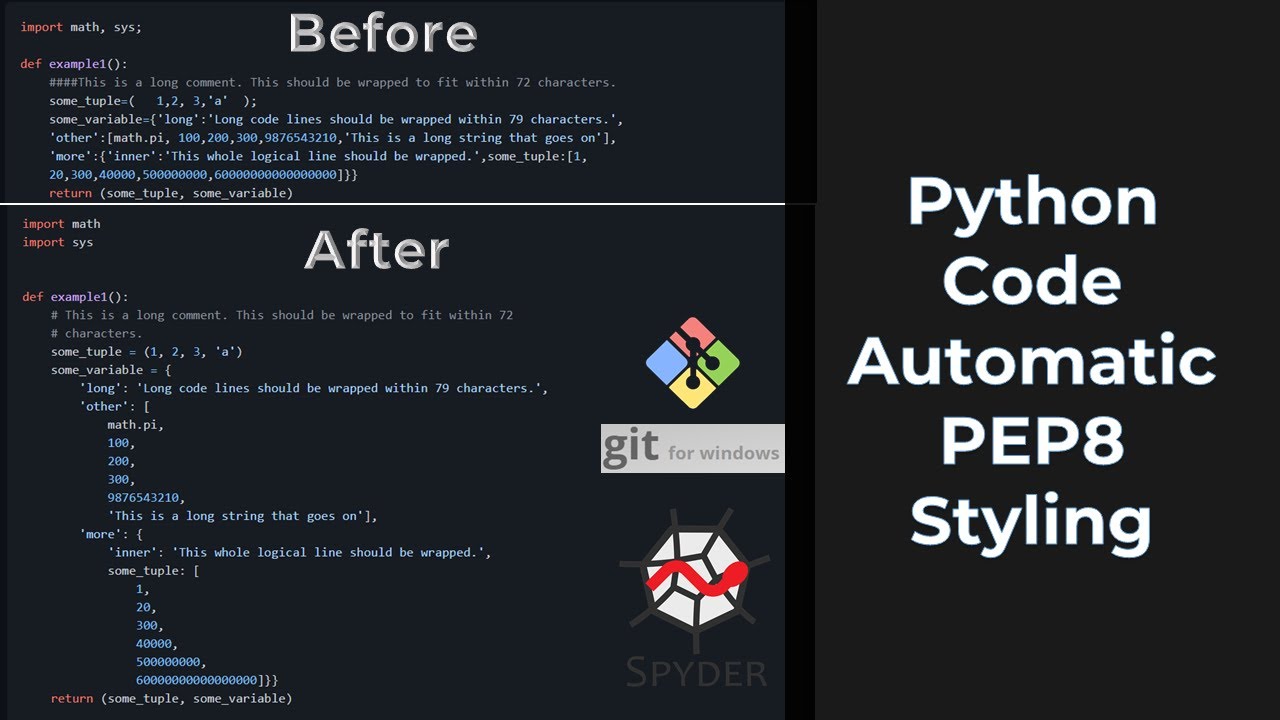
Web You can view an example on the autopep8 page Keep in mind formatting doesn t affect the functionality of the code itself Linting helps to prevent errors by analyzing code for
Pre-crafted templates provide a time-saving option for developing a diverse variety of files and files. These pre-designed formats and layouts can be used for various individual and expert jobs, consisting of resumes, invitations, flyers, newsletters, reports, discussions, and more, improving the material creation procedure.
Visual Studio Code Python Pep8 Linter

Enable PEP8 Compliance In Visual Studio Code For Python Code

Python Tips Outils De Contr le De La Qualit Du Code De Python Ce
VScode Python

Settings Reference For Python
HOW TO Automatically Format Python Code To PEP8 Style BONUS Tips
Linter python pep8 Atom
Web I had the same problem If you read the documentation you will notice that the setting is not called pep8 but resides under the pydocstyle

Web Jan 15 2019 nbsp 0183 32 pep8 has been renamed to pycodestyle so the python linting pep8Enabled is not a valid setting anymore Now it is

Web Linting Python in Visual Studio Code Linting highlights syntactical and stylistic problems in your Python source code which often helps you identify and correct subtle

Web Mar 10 2022 nbsp 0183 32 Pylint extension for Visual Studio Code A Visual Studio Code extension with support for the Pylint linter This extension ships with pylint 3 0 3 Note The

Web Visual Studio Code supports the following categories in linting Hint Error Information Warning By default the extension maps pylint convention to Hint and so on These
Web Sep 14 2023 nbsp 0183 32 Python by Microsoft This VS Code extension published by Microsoft has rich support for Python It contains the following features Linting for your code with Web Jan 17 2023 Updating the Studio Code IDE with a vertical ruler Photo by William Warby on Unsplash If you re a Python programmer you ll likely want to stick to the PEP8 style
Web Feb 1 2024 nbsp 0183 32 The February 2024 release of the Python and Jupyter extensions for Visual Studio Code are now available This month s updates include the Python Debugger