Visual Studio Code Character Encoding Visual Studio Code Change Encoding For Single Files And Permanently How To Setup Visual Studio Code To Detect And Set The Correct Encoding Character Encoding The Transformation Between Code Point And Its Own Visual Studio Code VSCode File Encoding Unexpectedly Switches To UTF Setting The File Encoding To UTF 8 In Text Editors And IDEs Visual Studio Code is an editor first and foremost and includes the features you need for highly productive source code editing This topic takes you through the basics of the editor and helps you get moving with your code Keyboard shortcuts Being able to keep your hands on the keyboard when writing code is crucial for high productivity
Visual Studio allows you to save your C source code in any of several character encodings For information about source and execution character sets see Character sets in the language documentation Set the option in Visual Studio or programmatically To set this compiler option in the Visual Studio development environment Visual Studio allows you to save your C source code in any of several character encodings For more information about source and execution character sets see Character sets in the language documentation
Setting The File Encoding To UTF 8 In Text Editors And IDEs Arabic Character Set Utf 8 Signedness Character Encoding Base64 Binary Code Hexadecimal An Explanation Of Unicode Character Encoding Solved C Visual Studio Character Encoding Issues 9to5Answer Visual Studio Code Change Encoding For Single Files And Permanently Money Stock Clip Art Vector Cartoon Pattern Rich Man Material Life Visual Studio Stop VS Code Auto Guess Encoding Super User Visual Studio Code VSCode File Encoding Unexpectedly Switches To UTF
Visual Studio Code Character Encoding
 Visual Studio Code Character Encoding
https://www.w3schools.io/images/editors/vscode/vscode-global-encoding.png
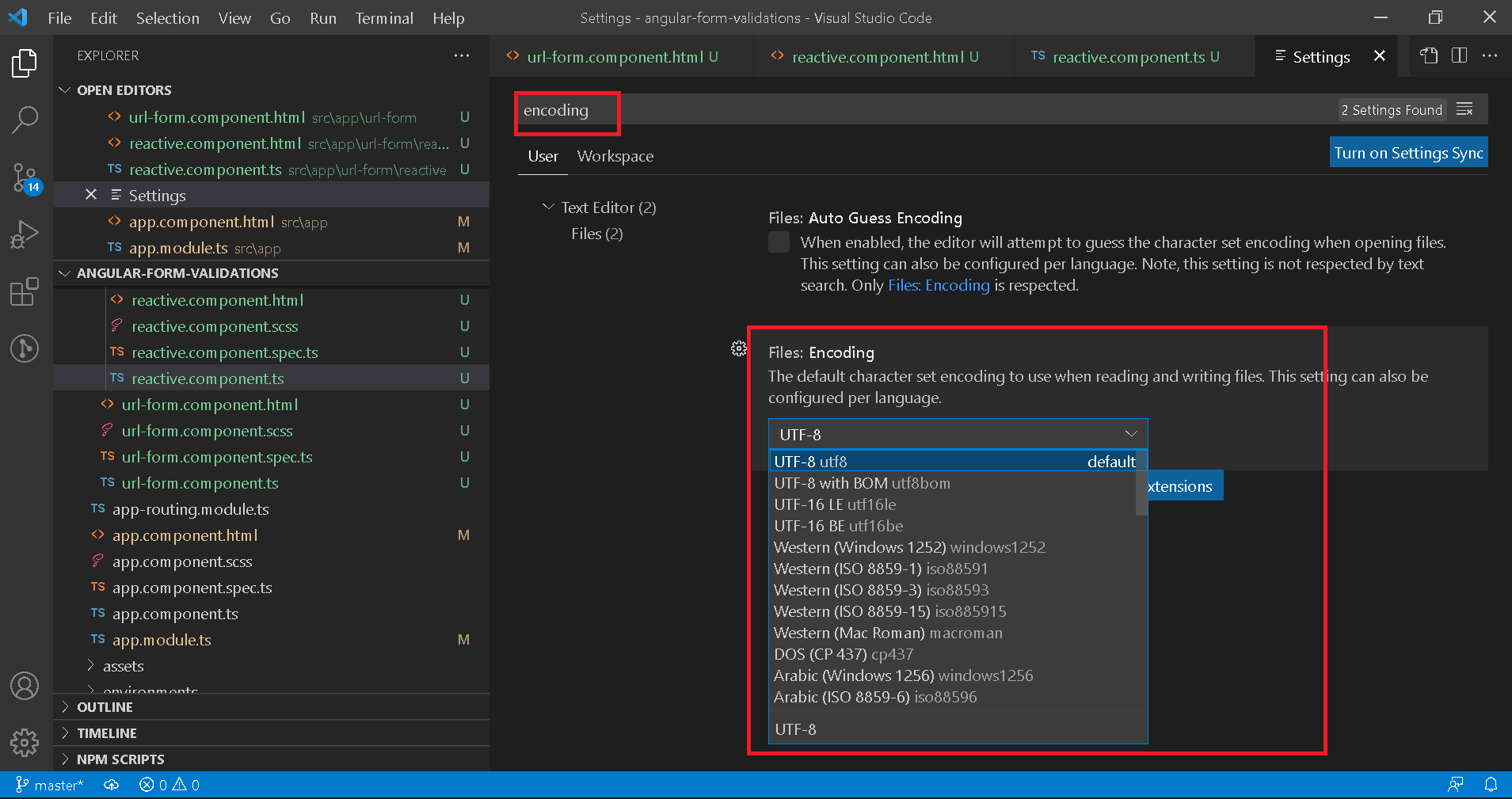
Go to the Settings area of VS Code Mac Code Preferences Settings hotkeys Command Windows File Preferences Settings hotkeys Ctrl 2 Type encoding into the search field head to the Files Encoding section and select what you want from the drop down See the following screenshot for more clarity
Pre-crafted templates offer a time-saving solution for developing a varied variety of documents and files. These pre-designed formats and layouts can be utilized for different individual and professional tasks, including resumes, invitations, flyers, newsletters, reports, presentations, and more, simplifying the content creation process.
Visual Studio Code Character Encoding
Visual Studio Code Vscode The File Is Not Displayed In The Editor
Arabic Character Set Utf 8

Signedness Character Encoding Base64 Binary Code Hexadecimal

An Explanation Of Unicode Character Encoding
Visual Studio Code Change Encoding For Single Files And Permanently

Money Stock Clip Art Vector Cartoon Pattern Rich Man Material Life
7 Answers Sorted by 77 Do you want the files to save as UTF 8 because you are using special characters that would be lost in ASCII encoding If that s the case then there is a VS2008 global setting in Tools Options Environment Documents named Save documents as Unicode when data cannot be saved in codepage

Article 11 30 2023 13 contributors Feedback In this article To save a file with encoding To open an encoded file that is part of a project To open an encoded file that is not part of a project Related content Applies to Visual Studio Visual Studio for Mac Visual Studio Code

11 30 2023 11 contributors Feedback In this article Advanced save options Related content Applies to Visual Studio Visual Studio for Mac Visual Studio Code The following characters are interpreted as line breaks in Visual Studio CR LF Carriage return line feed Unicode characters 000D 000A LF Line feed Unicode character 000A

Character encoding utf 8 ansi Share Improve this question edited Oct 20 2022 at 16 55 asked Sep 24 2022 at 18 19 Henke 901 1 9 21 Add a comment 1 Answer Sorted by 6 How can I make all these letters appear correctly I can think of two options Convert the file to UTF 8

VS Code manages the interface between a human entering strings of characters into a buffer and reading writing blocks of bytes to the filesystem When VS Code saves a file it uses a text encoding to decide what bytes each character becomes For more information see about Character Encoding
I assume that the VS Code settings json contains the following code line 2 css files encoding windows1252 Such a setting will make VS Code encode all css files as Windows 1252 3 If you download style css then right click it and Open with Code expect to see click to enlarge The reason you see two Windows 1252 The term character is used here in the general sense of what a reader perceives as a single display element Common examples are the letter a the symbol and the emoji Sometimes what looks like one character is actually composed of multiple independent display elements as the section on grapheme clusters explains
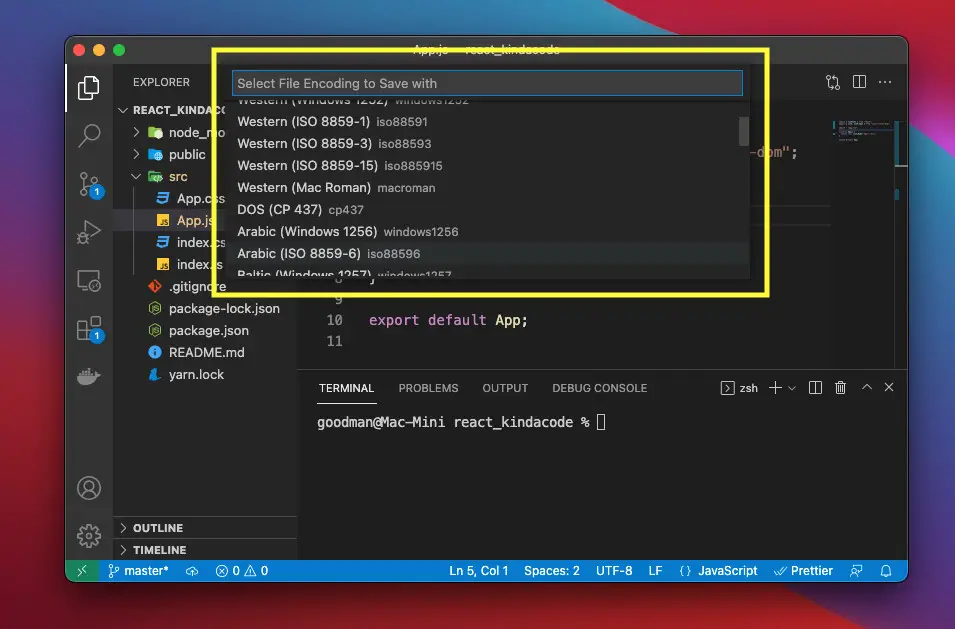
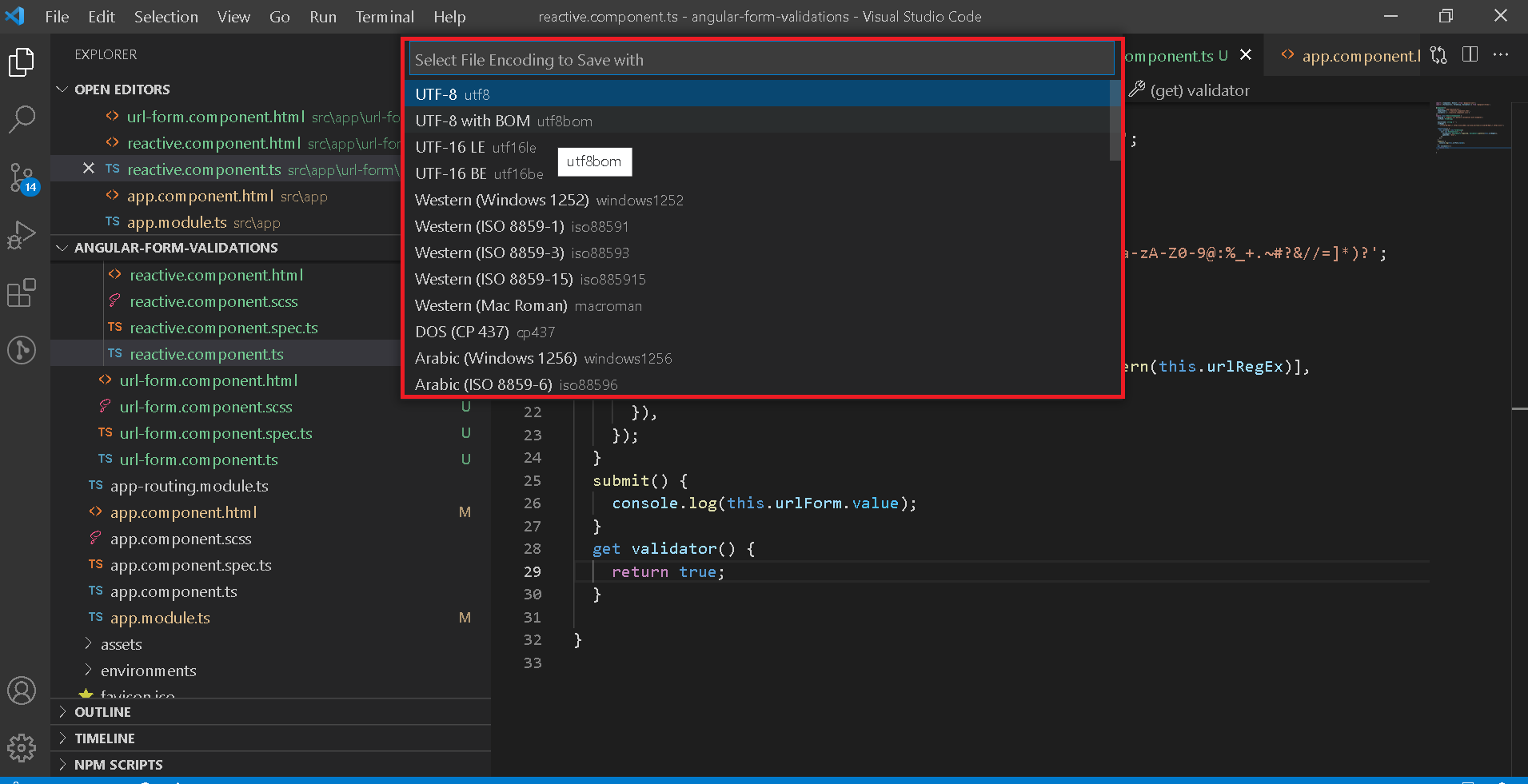
What is the default encoding for Visual Studio code The default encoding is UTF 8 you can change it How to change encoding for an open file in VS Code In this approach You can change the encoding for a single file or opened file Open a file in Visual Studio Code If the file is not opened The below option is not visible