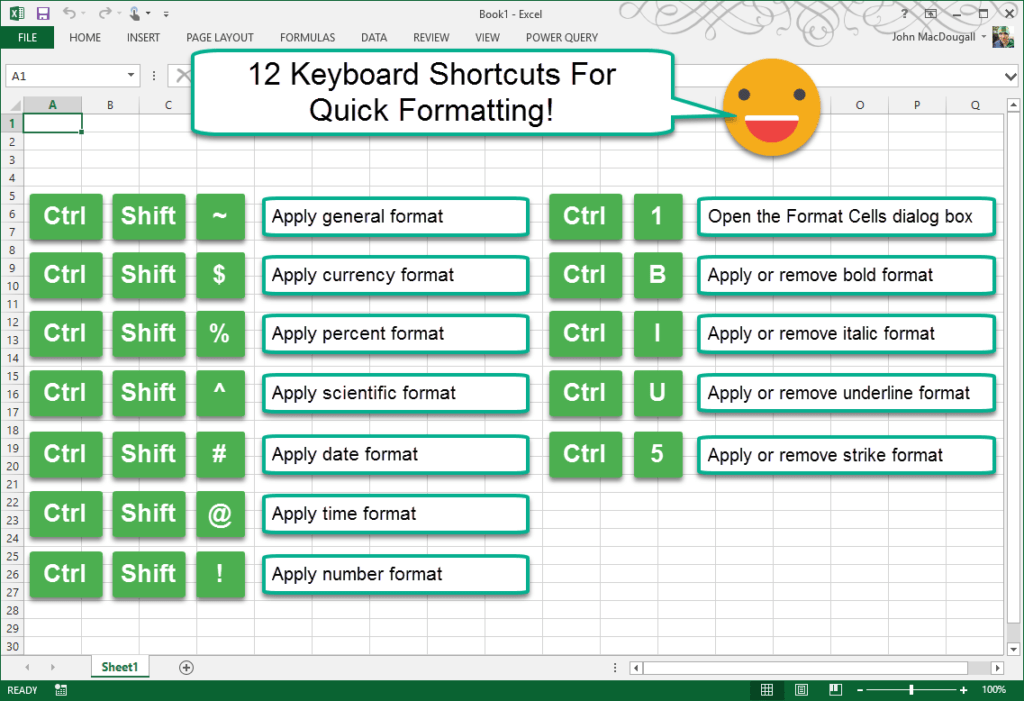
Visual Studio Auto Format Keyboard Shortcut Format Painter Keyboard Shortcut Microsoft Excel Top 30 Keyboard Shortcuts In Visual Studio Code Visual Studio Code Shortcut Keys For Windows List Of Hotkeys Keyboard Shortcuts Visual Studio Windows Microsoft Learn 12 Keyboard Shortcuts For Quick Formatting How To Excel Web Jan 8 2024 nbsp 0183 32 Learn how to identify keyboard shortcuts for Visual Studio commands customize those shortcuts and export them for others to use
Web Auto Format in Visual Studio works by analyzing the structure of your code and applying formatting rules accordingly It takes into account various factors such as indentation Web Mar 29 2024 nbsp 0183 32 To open the command palette you can use COMMAND SHIFT P on macOS or CTRL SHIFT P on Windows In the command palette search for format and then choose Format Document You may
12 Keyboard Shortcuts For Quick Formatting How To Excel Visual Studio Shortcuts Cheat Sheet Code Shortcuts Vrogue Visual Studio Javascript Intellisense Auto Format Bamzaer Keyboard Shortcuts In The Design Studio Visual Studio Code Keyboard Shortcuts Windows Visual Studio 2017 Keyboard Shortcuts Code Source NET Keyboard Shortcuts For Visual Studio Code Editor In Mac WebNots Visual Studio Code Format Keyboard Shortcut Aslreading Essential Keyboard Shortcuts For Visual Studio Code Free Cheat Sheet
Visual Studio Auto Format Keyboard Shortcut
 Visual Studio Auto Format Keyboard Shortcut
https://excelchamps.com/wp-content/uploads/2022/07/1-keyboard-shortcut-to-format-painter.png
Web Step Into F11 Step Out Shift F11 Debug All Tests Run All Tests Ctrl R Ctrl A Ctrl R A Git Go to Type File Member Symbol Ctrl 1 T F M S Debug Run
Templates are pre-designed files or files that can be used for various purposes. They can conserve time and effort by supplying a ready-made format and layout for developing different sort of content. Templates can be used for individual or professional jobs, such as resumes, invitations, leaflets, newsletters, reports, discussions, and more.
Visual Studio Auto Format Keyboard Shortcut
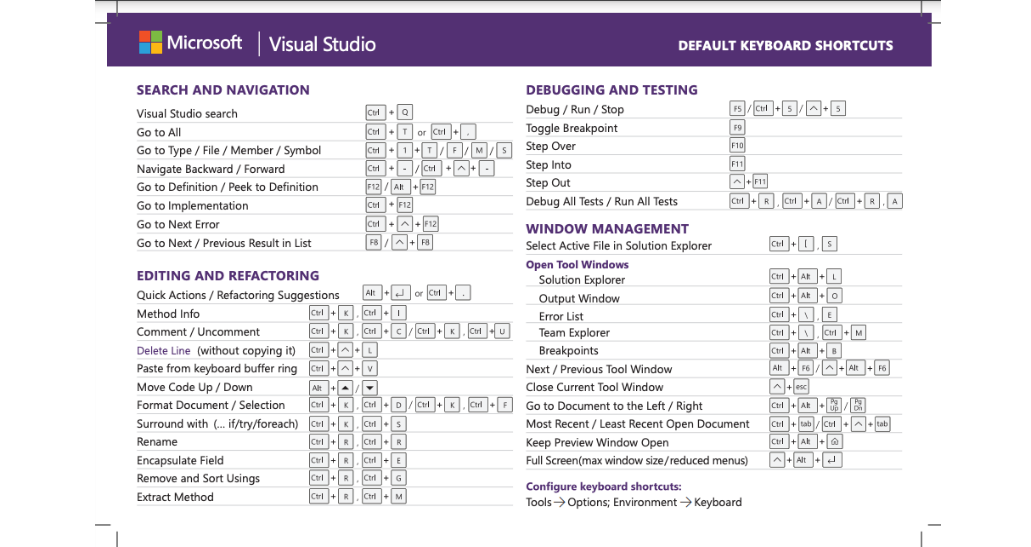
Keyboard Shortcuts To Master Your Git Flow Visual Studio Blog

Visual Studio Shortcuts Cheat Sheet Code Shortcuts Vrogue

Visual Studio Javascript Intellisense Auto Format Bamzaer
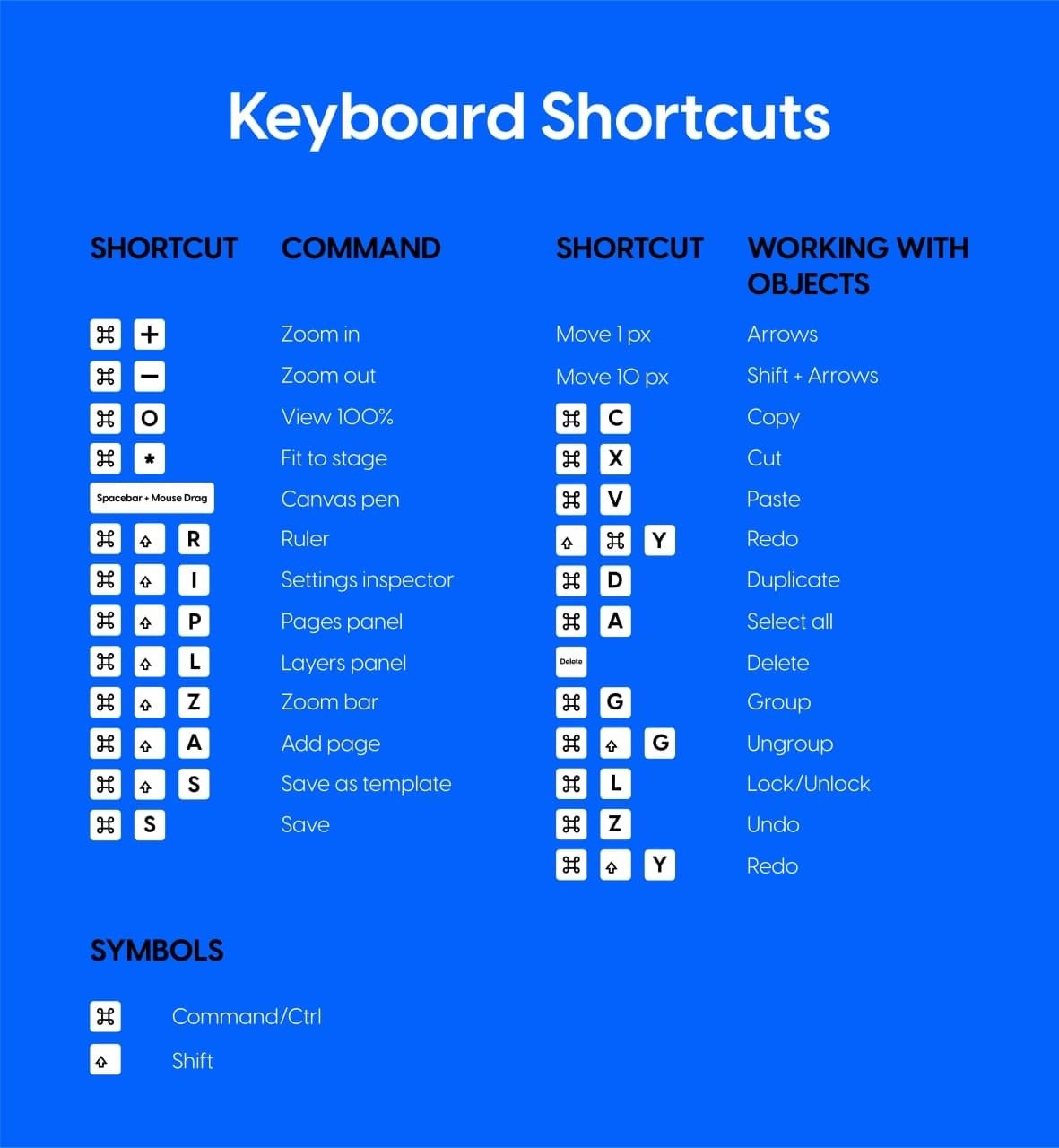
Keyboard Shortcuts In The Design Studio

Visual Studio 2017 Keyboard Shortcuts Code Source NET

Keyboard Shortcuts For Visual Studio Code Editor In Mac WebNots

Web Apr 22 2011 nbsp 0183 32 The solution provided in accepted answer does not apply to Microsoft Visual Studio 2012 In case of Visual Studio 2012 the shortcuts are For a highlighted block of code Ctrl K Ctrl F For the document
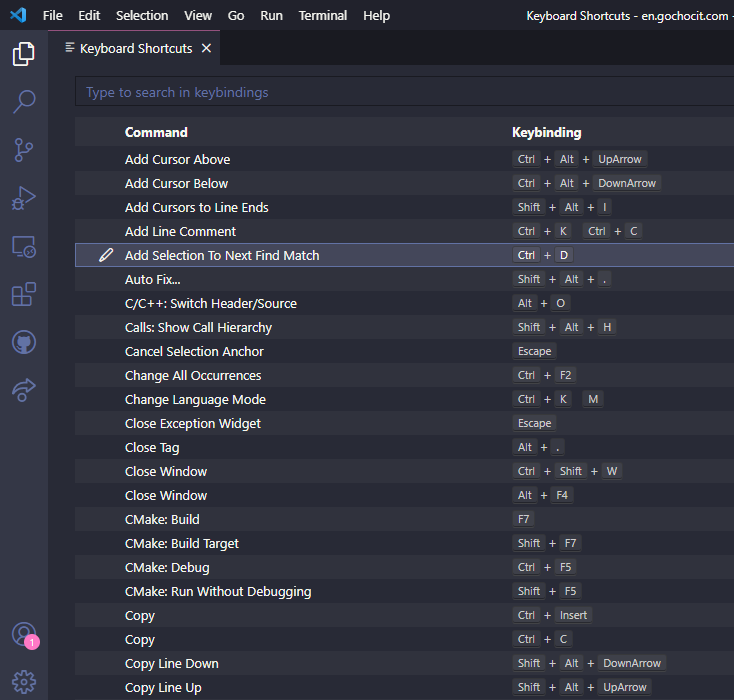
Web Sep 13 2021 10 35 AM You may of used Format Document on Save Visual Studio extension Enables auto formatting of the code when you save a file Visual Studio supports auto formatting of the code with the
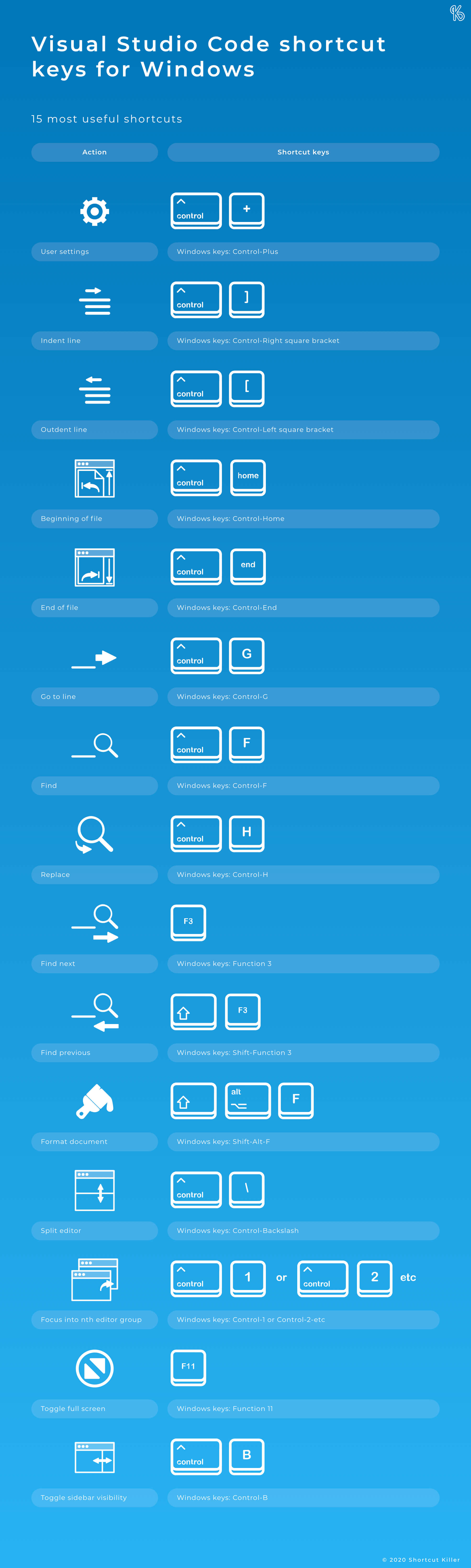
Web Jul 12 2022 nbsp 0183 32 For a comprehensive list of command shortcuts and a printable keyboard shortcut cheat sheet see Keyboard shortcuts in Visual Studio This topic applies to
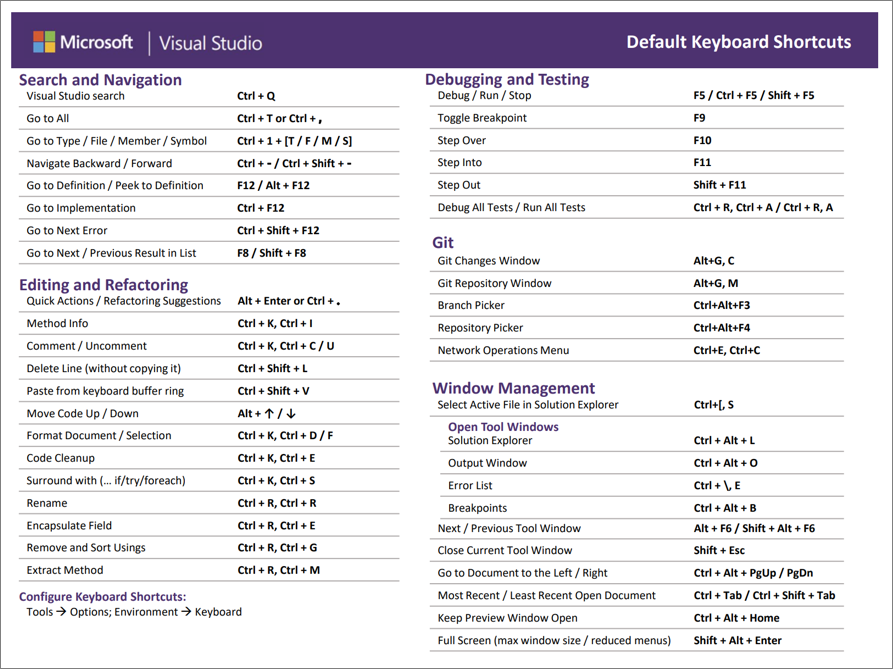
Web Oct 5 2023 nbsp 0183 32 The auto format feature is activated using a combination of keys on your keyboard For instance on Windows you can tidy up your code by simply pressing Ctrl
Web Jun 6 2020 nbsp 0183 32 Shortcut Key Format the code in Visual Studio 2019 Windows Set Code Style For set code style in Visual Studio 2019 from top menu Tools gt Options gt Text
Web May 15 2023 nbsp 0183 32 Learn how to configure Visual Studio to apply code style preferences using the Code Cleanup Visual Studio 2019 and Format Document Visual Studio 2017 Web Dec 1 2022 nbsp 0183 32 Press Ctrl Shift P to and search for Format document and hit enter Method 3 Enable auto indent while saving the file VSCode allows you to format your
Web Apr 6 2017 nbsp 0183 32 3 Answers Sorted by 26 You can choose one of the below options quot editor formatOnType quot false quot editor formatOnPaste quot false quot editor formatOnSave quot false