Visual Studio 2019 Refresh Intellisense Microsoft Apps Microsoft Visual Studio 2019 V16 8 1 Update To 16 8 2 16 8 3 Instalar MySql En Visual Studio 2019 Blog De Inform tica Y Tecnolog a Visual Studio Microsoft Learn Visual Studio 2019 Microsoft Learn Web Nov 16 2023 nbsp 0183 32 To enable the UI Refresh first go to Tools gt Manage Preview Features from the main menu in Visual Studio Then look for Experimental control styles Once that box is checked you ll need to restart Visual Studio for the UI Refresh to be enabled Driven by feedback The fundamentals of the new experience haven t changed
Web Mar 29 2024 nbsp 0183 32 Explore IntelliSense features that you can use while coding your C project for quick access to variables commands functions language keywords and more Learn about completion lists and automatic code generation Web Aug 7 2018 nbsp 0183 32 Restart VS The suo file contains cached IntelliSense data and once that file is off no amount of recompilation or clearing the project is going to help Nuke the suo file or in VS 2015 or later the vs folder and get back to sanity Compiler Errors
Visual Studio 2019 Microsoft Learn Intro To Visual Studio 2019 What s New What s Better And Why You Performance Improvements In Visual Studio 2019 Visual Studio Blog Microsoft Visual Studio 2019 Enterprise G nstig Kaufen SoftwareKing24 Visual Studio 2019 16 1 Preview 3 IntelliCode Exits The Preview Mode Microsoft Visual Studio 2019 Visual Studio 2019 Version 16 1 Preview 3 Visual Studio Blog How To Install SSIS In Visual Studio 2019 Integration Services Visual Studio 2019 What s New Visual Studio 2019
Visual Studio 2019 Refresh Intellisense
Visual Studio 2019 Refresh Intellisense
https://sparkcdnwus2.azureedge.net/sparkimageassets/XP8LFCZM790F6B-a371c7fa-41fc-4cf0-b6df-504734c1217d
Web 12 Answers Sorted by 209 Additionally Ctrl K Ctrl I shows you Quick info handy inside parameters Ctrl Shift Space shows you parameter information edited Dec 28 2018 at 13 28 Peter Mortensen 31 2k 22 109 132 answered Sep 4 2010 at 1 57 Peter Gfader 7 681 8 56 56 31
Templates are pre-designed files or files that can be used for various functions. They can save effort and time by offering a ready-made format and design for creating different kinds of content. Templates can be used for personal or expert projects, such as resumes, invitations, leaflets, newsletters, reports, presentations, and more.
Visual Studio 2019 Refresh Intellisense
Visual Studio 2019 Szoftvercenter Xaml I Mvvm W 2015 Jacek Matulewsk 56
Intro To Visual Studio 2019 What s New What s Better And Why You
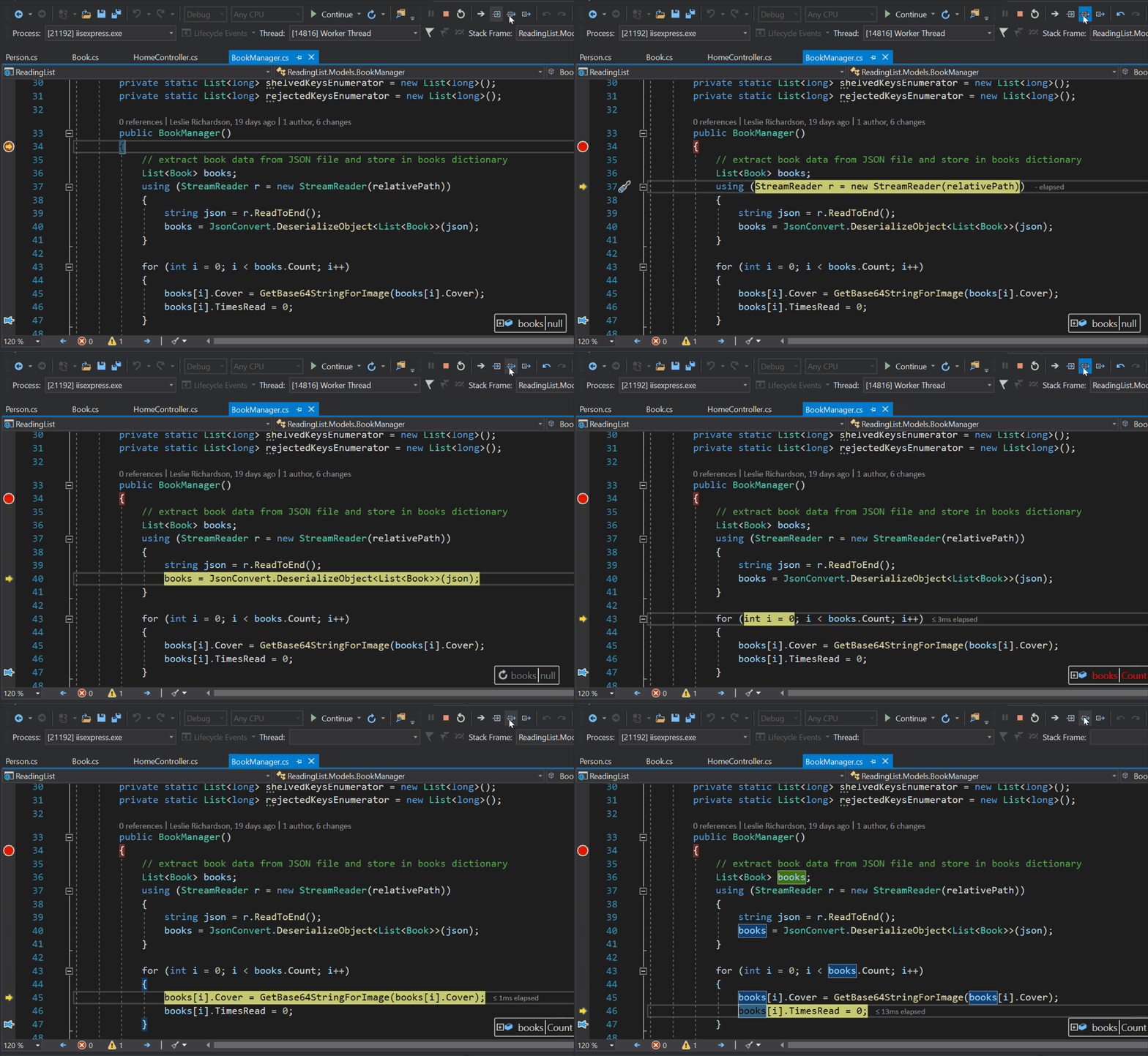
Performance Improvements In Visual Studio 2019 Visual Studio Blog
Microsoft Visual Studio 2019 Enterprise G nstig Kaufen SoftwareKing24
Microsoft Visual Studio 2019
Visual Studio 2019 Version 16 1 Preview 3 Visual Studio Blog
Web 1 Answer Sorted by 5 Is there a way to manually refresh IntelliSense in VS 2019 I think you cannot get what you want in VS2019 and the question which you ask make sense In VS2017 version 15 5 or before Microsoft team added a manual refresh Intellisense database to improve performance

Web Aug 13 2019 nbsp 0183 32 If you are facing this issue with Unity projects then Check in your Unity settings whether it has Visual Studio configured as the external editor Click on Regenarate project files in the Unity settings Go to Assets gt Open C project This will restart Visual Studio with your project edited Jun 30 2020 at 18 20

Web Jan 18 2024 nbsp 0183 32 IntelliSense is a code completion aid that includes a number of features List Members Parameter Info Quick Info and Complete Word These features help you to learn more about the code you re using keep track of the parameters you re typing and add calls to properties and methods with only a few keystrokes

Web Mar 10 2021 nbsp 0183 32 We ve made many great improvements to C IntelliSense over the course of the Visual Studio 2019 release We ve collected a few of the highlights in case you are interested in upgrading to Visual Studio 2019 or just want to learn how to be more productive when writing C code

Web Mar 9 2023 nbsp 0183 32 Configure your C project manually to get IntelliSense working properly by using the Visual Studio IDE to help you identify and fix IntelliSense problems
Web Jan 11 2024 nbsp 0183 32 To access this options page choose Tools gt Options and then choose Text Editor gt C gt IntelliSense The IntelliSense options page contains the following options Completion Lists Show completion list after a character is typed When this option is selected IntelliSense automatically displays the completion list when you begin typing Web Jul 25 2017 nbsp 0183 32 Solution 1 Go to Tools gt Options gt Text Editor gt All Languages gt General Enable quot Auto List Members quot and quot Parameter Information quot Solution 2 Now quot Restart the Visual Studio quot and Try Again mostly works Solution 3 Just delete the folder quot ReflectedSchemas quot Here location depends on Visual Studio Version
Web Nov 9 2020 nbsp 0183 32 1 Is my IntelliSense not working For IntelliSense to detect and work with Unity s API Visual Studio needs to Be linked to the Unity Editor and Have the appropriate extensions installed read further to find out what they are If you ve installed Visual Studio via Unity Hub this can have been automatically set up but not always