Visual Studio 2017 Offline Installer Visual Studio 2017 Offline Installer YouTube How Do I Install Visual Studio Offline FreeCode Spot Install Visual Studio 2017 With Offline Installer YouTube Visual Studio 2017 Offline Installer YouTube How To Create Offline Installer For Visual Studio 2017 YouTube WEB Mar 8 2017 nbsp 0183 32 Step 1 Download the respective Visual Studio 2017 version from the download page https www visualstudio downloads Step 2 Open your command prompt as Administarator point to where your Visual studio download exe is and execute the following command this command is specifically for Web amp Desktop development
WEB Mar 20 2024 nbsp 0183 32 In this article you will learn how to install Visual Studio 2017 using the offline installer enabling setup without internet connectivity Download the installer customize components and enjoy flexibility in setting up WEB Mar 8 2017 nbsp 0183 32 1 Download the Visual Studio 2017 installer When you visit the Visual Studio download page you find the three editions that you can download Select depending on your choice For example if you have MSDN subscription you can go for Enterprise edition of the product If you want a FREE edition then you can go for Community edition
How To Create Offline Installer For Visual Studio 2017 YouTube Visual Studio 2017 Offline Installer Visual Studio 2017 Offline Installer ISO Download YouTube Visual Studio 2017 Offline Installer ISO Download YouTube Download Visual Studio 2017 Offline Installer YouTube Comment Installer Visual Studio 2017 YouTube Visual Studio 2017 Offline Installer YouTube How To Download Offline Installer Visual Studio 2017 YouTube Microsoft Visual Studio 2017 Free Download Get Into Pc
Visual Studio 2017 Offline Installer
 Visual Studio 2017 Offline Installer
https://i.ytimg.com/vi/0mHOLUZ4o7E/maxresdefault.jpg
WEB Visual Studio Code A standalone source code editor that runs on Windows macOS and Linux The top pick for Java and web developers with tons of extensions to support just about any programming language Free download Windows x64User Installer macOS UniversalPackage Linux x64 deb Linux x64 rpm More
Templates are pre-designed files or files that can be used for different functions. They can conserve time and effort by offering a ready-made format and layout for creating different type of material. Templates can be used for personal or expert projects, such as resumes, invites, leaflets, newsletters, reports, discussions, and more.
Visual Studio 2017 Offline Installer

How To Download Visual Studio 2017 Offline Installer ISO File YouTube

Visual Studio 2017 Offline Installer
Visual Studio 2017 Offline Installer ISO Download YouTube
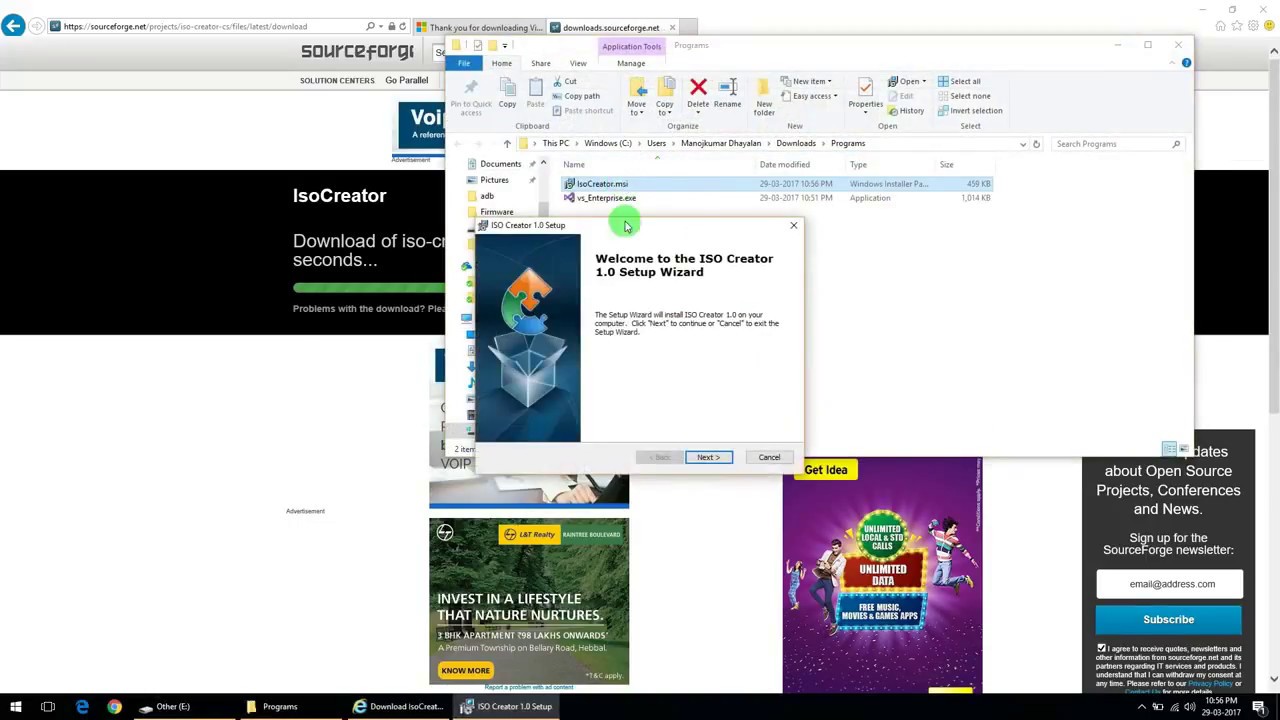
Visual Studio 2017 Offline Installer ISO Download YouTube

Comment Installer Visual Studio 2017 YouTube

Visual Studio 2017 Offline Installer YouTube

WEB Try the latest 64 bit Visual Studio 2022 to create your ideal IDE build smarter apps integrate with the cloud optimize for performance and stay ahead of the curve Check out what s new in Visual Studio 2022 Download Community 2022 Professional 2022
WEB Jul 6 2020 nbsp 0183 32 Download Visual Studio Community 2017 Offline Installer Links Step 1 Download the Visual Studio Community bootstrapper Install the Bootstrapper version Download VS Community 2017 Offline Installer Link Step 2 Create a local install cache You must have an internet connection to complete this step

WEB Jan 6 2019 nbsp 0183 32 Only option that we have is just download the web installer and do a layout to grab the offline installation media Country codes Update an installation layout As updates become available for Visual Studio 2017 you can run the layout command again pointing to the same layout folder to ensure that the folder contains the latest

WEB Sep 11 2018 nbsp 0183 32 It should be possible to install Visual Studio build tools anyway by following this guide https learn microsoft en us visualstudio install create an offline installation of visual studio view vs 2017

WEB Feb 16 2017 nbsp 0183 32 Fortunately there s docs that walk you through making an offline installer These could be used to create USB sticks or DVDs that could then be passed out at User Groups or free Events First I went to http visualstudio free and clicked Download I use VS Community but you can also do this for Enterprise etc
[desc-11] [desc-12]
[desc-13]