Virtualbox Internal Network Not Working Ubuntu How To Use Virtualbox And Access The Internet Weathervse Debugging Vagrant Hosted PHP Through Sublime Click Here Labs Create A Internal Network Within VirtualBox Ubuntu Machines Klick Dev Create A Virtual Network In VirtualBox Internal Network In VBox YouTube Secure Mail Gateway Relution Documentation Ubuntu 12 04 guest In VirtualBox Preferences Network set up a host only network Mine is called vboxnet0 it is manually configured ip 192 168 56 1 netmask 255 255 255 0 no dhcp
1 Answer Sorted by 0 You have your machine set up as NAT and they are on a separate subnet from the host machine Make sure Network Discovery and Might help If you use internal networking for a virtual network adapter of a virtual machine use VBoxManage dhcpserver add netname where is the same
Secure Mail Gateway Relution Documentation How To Emulate A Network Using VirtualBox Open Source Routing And Network Simulation How To Enable Copy And Paste In A VirtualBox Running Ubuntu Linux How To Emulate A Network Using VirtualBox Open Source Routing And Network Simulation How To Configure Internal Network For Virtual Machines In Virtualbox YouTube VirtualBox SXWZ ProgrammingKnowledge Create A Internal Network Within VirtualBox Ubuntu Machines How To Configure Internal Network Between Virtual Machines In VirtualBox Static IP Address How To Fix Keyboard Not Working After Ubuntu Update 2020 TechWiser
Virtualbox Internal Network Not Working Ubuntu
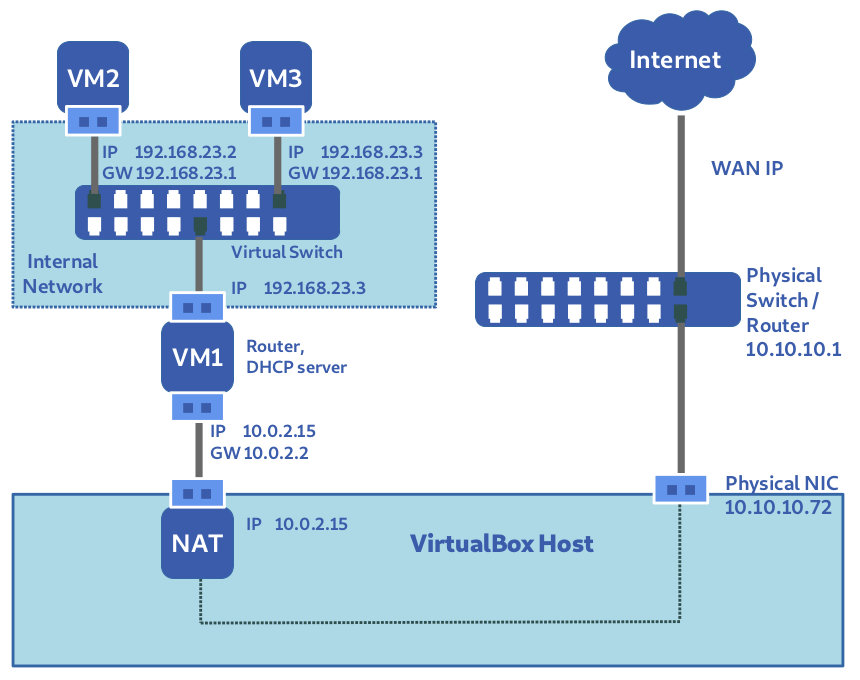 Virtualbox Internal Network Not Working Ubuntu
https://1.bp.blogspot.com/-0rS0EzupA0o/YGhfjvp7npI/AAAAAAAADfs/xCQGOdUyh0EOyV846bpb1FlXz8CVAo7XgCNcBGAsYHQ/s0/vbox_internal_network_diagram_300dpi_860_680.jpg
Setup the virtualbox to use 2 adapters The first adapter is set to NAT that will give you the internet connection The second adapter is set to host only Start the virtual machine
Templates are pre-designed documents or files that can be utilized for various purposes. They can conserve effort and time by supplying a ready-made format and layout for creating different kinds of material. Templates can be used for individual or professional tasks, such as resumes, invitations, flyers, newsletters, reports, discussions, and more.
Virtualbox Internal Network Not Working Ubuntu
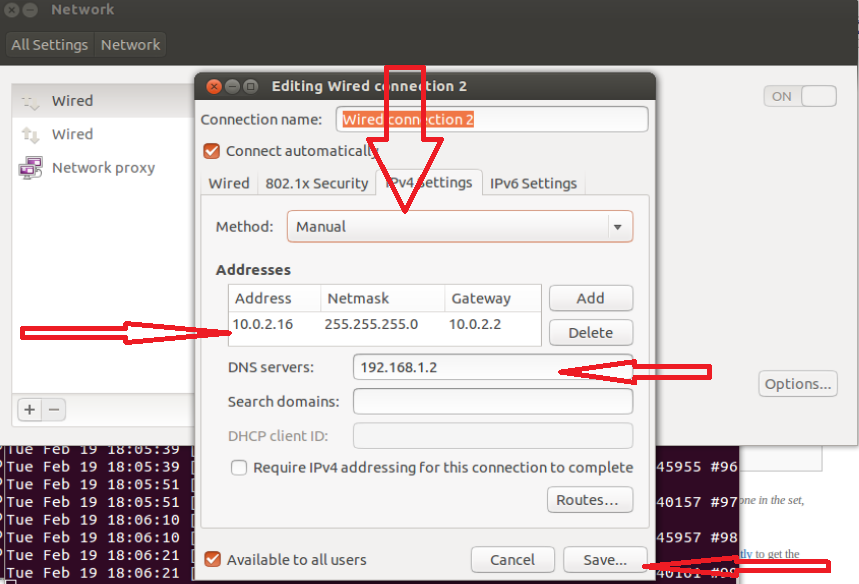
Create A Internal Network Within VirtualBox Ubuntu Machines Klick Dev

How To Emulate A Network Using VirtualBox Open Source Routing And Network Simulation
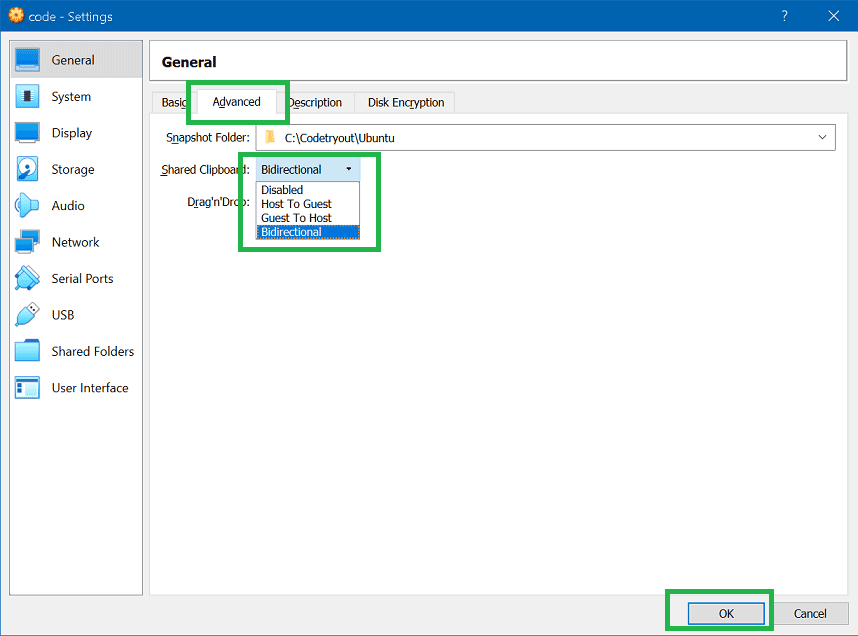
How To Enable Copy And Paste In A VirtualBox Running Ubuntu Linux

How To Emulate A Network Using VirtualBox Open Source Routing And Network Simulation

VirtualBox SXWZ
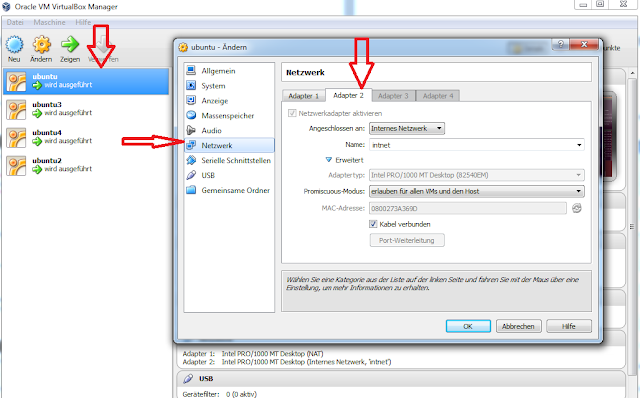
ProgrammingKnowledge Create A Internal Network Within VirtualBox Ubuntu Machines

Hi I ve been trying to setup an Internal Network with two Ubuntu 14 04 virtual machines But I ve been unsuccessful so far They both have the Internal

Probably it is an issue with the default route You don t need the Gateway and DNS for host only network You may check it using ip route show Remove them

According to VirtualBox manual these are the network possibilities for your VMs NAT Internal network between VM and host Besides you can access to the Internet Two or

Now to enable Internet on VMs from Host I made Adapter1 NAT and on one VM I added line in etc networks interfaces to assign static IP as auto eth1 iface eth1 inet static

Ssh connect to host 192 168 56 to port 22 No route to host I d start by looking at the Ubuntu Network Configuration article Not a network guru but I suspect
I could get away with the following solution works with Ubuntu 14 guest VM on Windows 7 host or Ubuntu 9 10 Casper guest VM on host Windows XP x86 Go to THE SOLUTION Short Version I was able to fix this by changing my Adapter 1 for my network to NAT and then adding a Host Only adapter to my Adapter 2
0 Virtual Box has a tiny oblivious icon that must be clicked to enable the connection Right click on the networking icon that will show a disconnected cable icon