Virtualbox Debian Bridged Network Not Working Virtualbox Bridged Adapter Not Working Fix NIC YouTube How To Install Oracle VirtualBox Latest Version On Ubuntu Linux Debian QEMU KVM Bridged Networking And VLAN SOLVED Vmware Bridged Network Not Working Fix VMware Bridged Network Not Working On Windows 10 Host Fix VMware This guide explains how to setup network bridge on Debian Linux using etc network interface file for virtualized environments such as KVM or VirtualBox Excellent work on this guide Worked great for me on Debian 11 unlike many other guides on the internet
Connect network is unreachable I ve tried different adapter settings disabling the firewall created new VM s and Googled everything I could think of however nothing solved the problem Some more information which may be useful The host PC runs on Windows 10 The interfaces etc network interfaces file is untouched 1 Answer Sorted by 3 Okay i got the solution i just changed my connection from NAT to Bridge NAT network From virtual box documentation
Fix VMware Bridged Network Not Working On Windows 10 Host Fix VMware OpenVPN Setup Guide On Debian routed And Bridged VPN Vincenzo SOLVED Vmware Bridged Network Not Working VirtualBox Bridged Network Not Working As Expected YouTube SOLVED Vmware Bridged Network Not Working SOLVED Vmware Bridged Network Not Working Bridged Networking Not Working In Virtualbox Under Windows 10 Stack Solved VirtualBox Bridged Network Not Working As 9to5Answer
Virtualbox Debian Bridged Network Not Working
 Virtualbox Debian Bridged Network Not Working
https://i.ytimg.com/vi/Pic236C5Ll0/maxresdefault.jpg?sqp=-oaymwEmCIAKENAF8quKqQMa8AEB-AH-DoACuAiKAgwIABABGCMgVyhyMA8=&rs=AOn4CLBEJSaLyWeA1M7XycKQ6RJFh8Em3A
1 It seems like NAT is the correct option I d want the virtual machine to jump through my machine s Internet connection The VM s internet connection will always be made through the hosts And for setup and testing Bridged Adapter is likely the better option Is there a particular thing I m probably doing wrong here It s difficult to say
Templates are pre-designed files or files that can be utilized for numerous purposes. They can save effort and time by providing a ready-made format and design for developing different type of content. Templates can be used for individual or expert tasks, such as resumes, invites, flyers, newsletters, reports, discussions, and more.
Virtualbox Debian Bridged Network Not Working
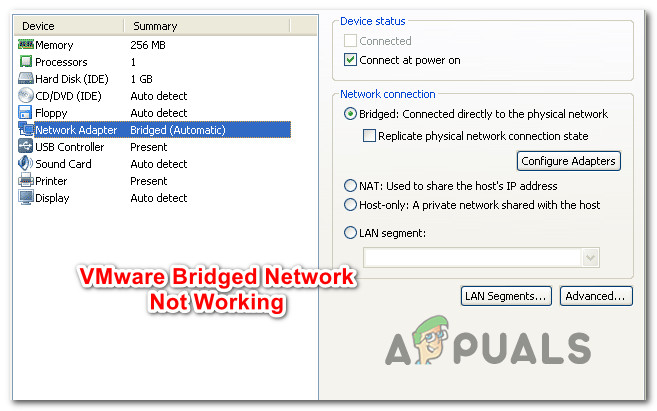
Fix VMware Bridged Network Not Working 2022

OpenVPN Setup Guide On Debian routed And Bridged VPN Vincenzo

SOLVED Vmware Bridged Network Not Working

VirtualBox Bridged Network Not Working As Expected YouTube

SOLVED Vmware Bridged Network Not Working
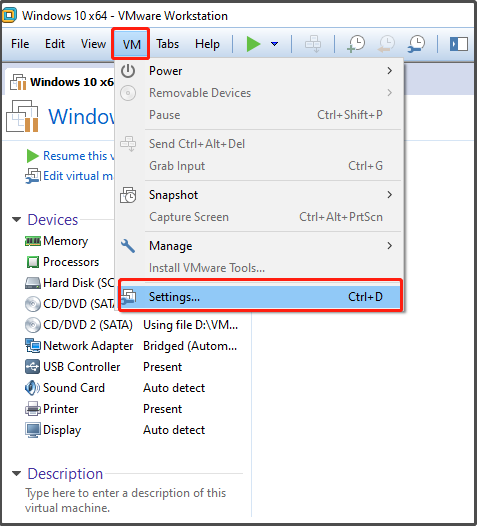
SOLVED Vmware Bridged Network Not Working

Here goes Unfortunately you must fix this on a per VM basis there is no global fix for the problem Open VirtualBox select one of the virtual machines and click Settings Click on the
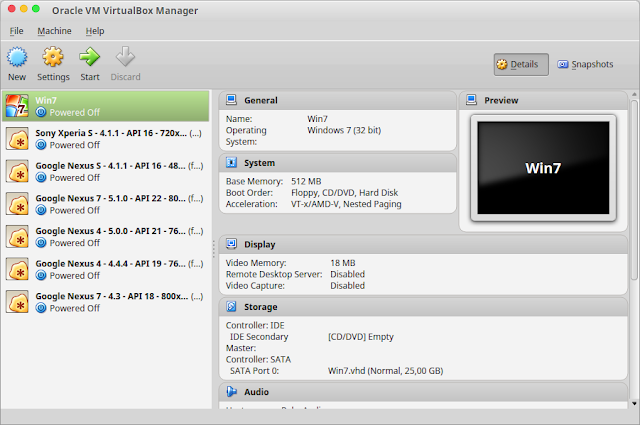
1 I ll try to be brief and include all the things I ve tried out so far Guest OS Debian Wheezy Host OS Windows 7 Setting networking to NAT works Setting networking to host only works as well Setting networking to bridged the one I need does not work

If VirtualBox Manager won t do it to you automatically you can bridge the virtual NIC associated with your guest OS with another network interface in Network Adapter Settings on your host OS check to see first if they are already birdged

Oct 20 2016 at 11 30 I resetted all netwerork connections on the computer to see if it resolved an unrelated issue Hence I thought that the VirtualBox installation might have been affected so I uninstalled and installed VirtualBox and the list of bridge adapters was filled again Mike de Klerk Apr 27 2021 at 9 03 Add a comment

The solution was pretty simple I just had to add the following lines into the Debian virtual machine s etc network interfaces file allow hotplug eth1 iface eth1 inet dhcp The second line instructs the interface to obtain an IP via DHCP The first line loads the interface at boot time
Right click on the Network Bridge and choose Properties In the Adapters section make sure the adapters you chose are ticked Next navigate to the This Internet uses the following items section Here tick and select the Internet Protocol Version 4 TCP IPV4 option Then press the Properties button 1 Answer Sorted by 1 I found the solution When I change my MAC address in Kali Linux it doesn t recognize it on the next reboot crontab e in this I put reboot macchanger r eth0 and I removed it and now is working perfectly Share
Nov 2021 15 13 I m a bit stumped and was hoping somebody could help me I have just bought a new Intel NUC host and installed Ubuntu Server 20 04 3 LTS on it That worked quite well and it the machine is running I then install Virtualbox on it and tried to migrate an existing guest virtual machine from a Windows PC to the new Ubuntu server