Virtualbox Bridged Network Stopped Working SOLVED Vmware Bridged Network Not Working MiniTool Virtualbox Bridged Network Adapting Final YouTube Virtualbox VirtualBox Bridged Network No Internet In Ubuntu 18 04 YouTube Building An Internal Network In VirtualBox By Kapil Verma Medium WEB Jan 30 2013 nbsp 0183 32 Code Select all cat etc network interfaces auto lo iface lo inet loopback auto eth0 iface eth0 inet dhcp WHAT I TRIED SO FAR Switching to another network card in VM Set up a new VM Updating to Virtualbox 4 2 Executing sudo dhclient eth0 on the guest took about 10 minutes without a result
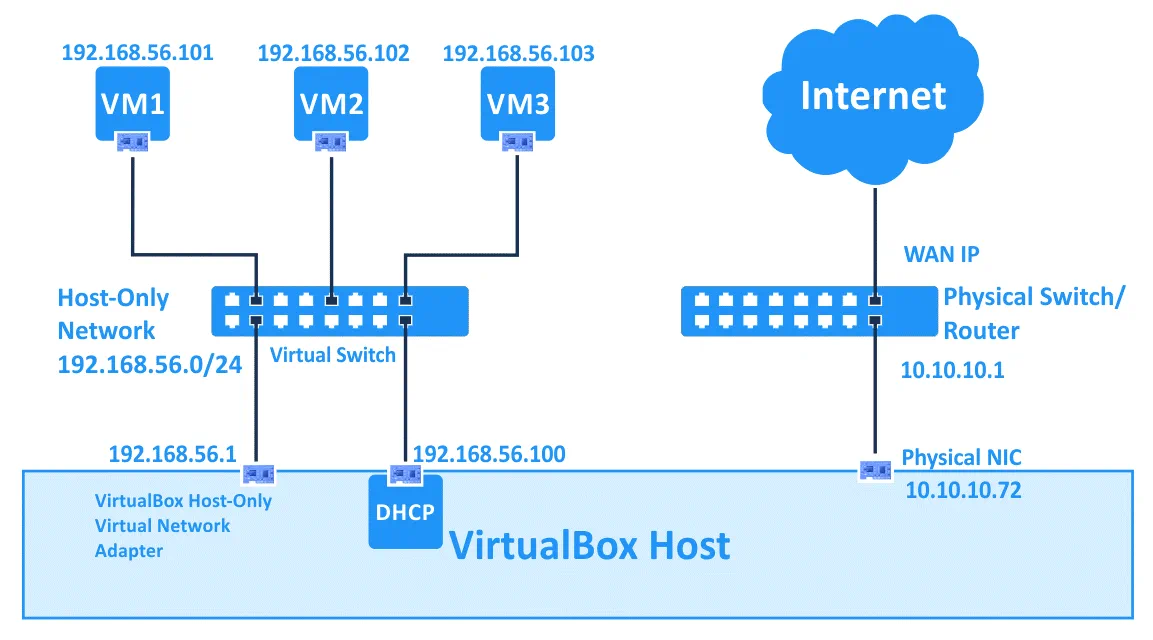
WEB In VBox settings if Host only Networks is empty add one called Host Only Ethernet Adapter 2 I assume 1 would also work Restart your VM It will get the IP and it will now be able to access the internet using Bridged networking per VM instance WEB Jul 12 2022 nbsp 0183 32 Most of us have faced network bridge issues while using virtual machines Whether you use VMWare or Oracle VirtualBox you can easily configure bridged network settings on them Below are some general fixes you can try if the network bridge is not working in your VM Select Bridged Option From Network Adapter Settings
Building An Internal Network In VirtualBox By Kapil Verma Medium Install On VirtualBox Juniper Networks Virtualbox Test Stopped Working Plasma EndeavourOS Establish Communication Between Virtual Machines Set Up Virtual SOLVED Vmware Bridged Network Not Working MiniTool Virtualbox Host Only Network Westjapanese VirtualBox Ile Uzak Masa st Ba lant s Hasan G k Connection Type Bridged Adapter Stopped Working On VirtualBox Guest VirtualBox Network Topology Back To The Basics
Virtualbox Bridged Network Stopped Working
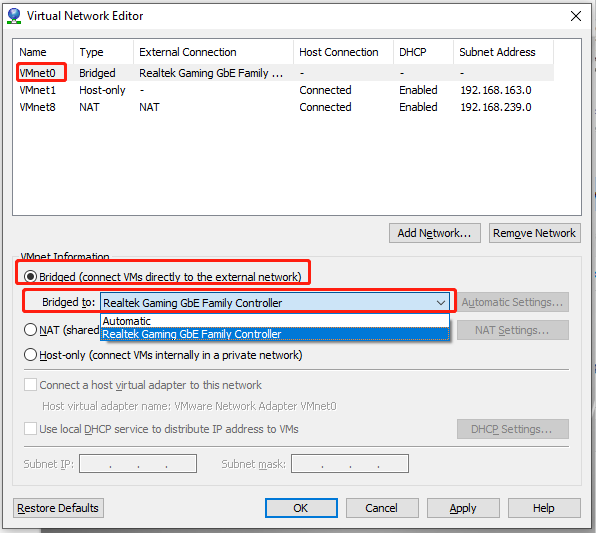 Virtualbox Bridged Network Stopped Working
https://www.minitool.com/images/uploads/articles/2022/08/vmware-bridged-network-not-working/vmware-bridged-network-not-working-4.png
WEB Nov 8 2017 nbsp 0183 32 Through this setting you can select NAT NAT Network Bridged Adapter Internal Network Host only Adapter or Generic Driver If you re looking to make your virtual machine visible to your
Templates are pre-designed files or files that can be used for various functions. They can save time and effort by offering a ready-made format and design for developing different type of material. Templates can be used for individual or expert tasks, such as resumes, invitations, leaflets, newsletters, reports, discussions, and more.
Virtualbox Bridged Network Stopped Working
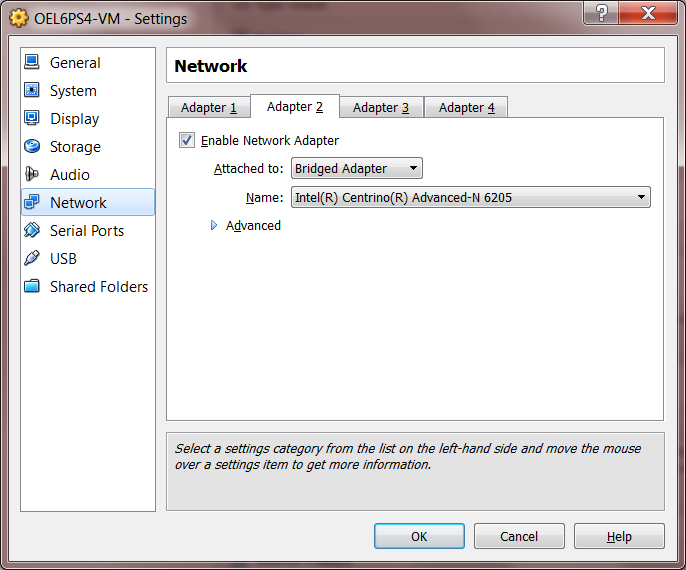
Virtualbox Network Settings Bridged Adapter Polarver

Install On VirtualBox Juniper Networks
Virtualbox Test Stopped Working Plasma EndeavourOS
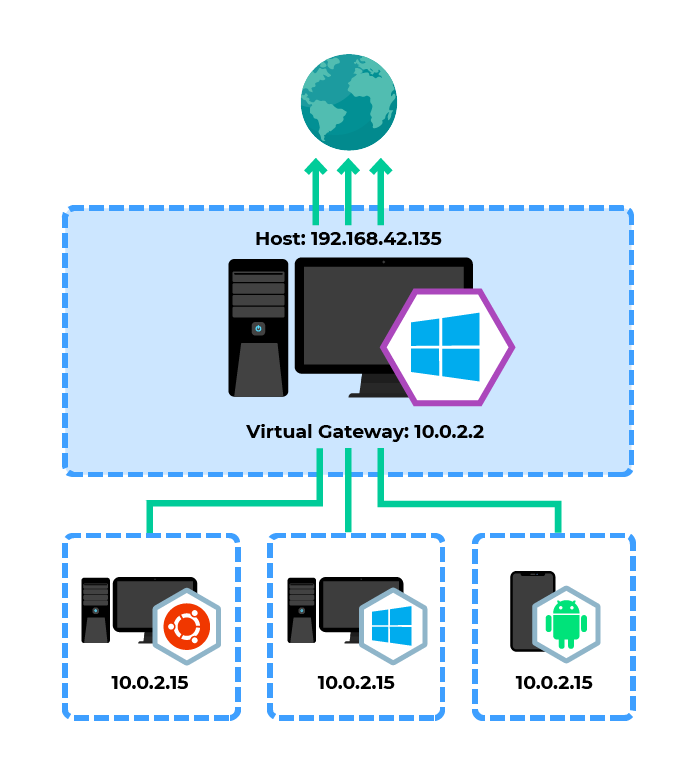
Establish Communication Between Virtual Machines Set Up Virtual

Virtualbox Host Only Network Westjapanese
VirtualBox Ile Uzak Masa st Ba lant s Hasan G k

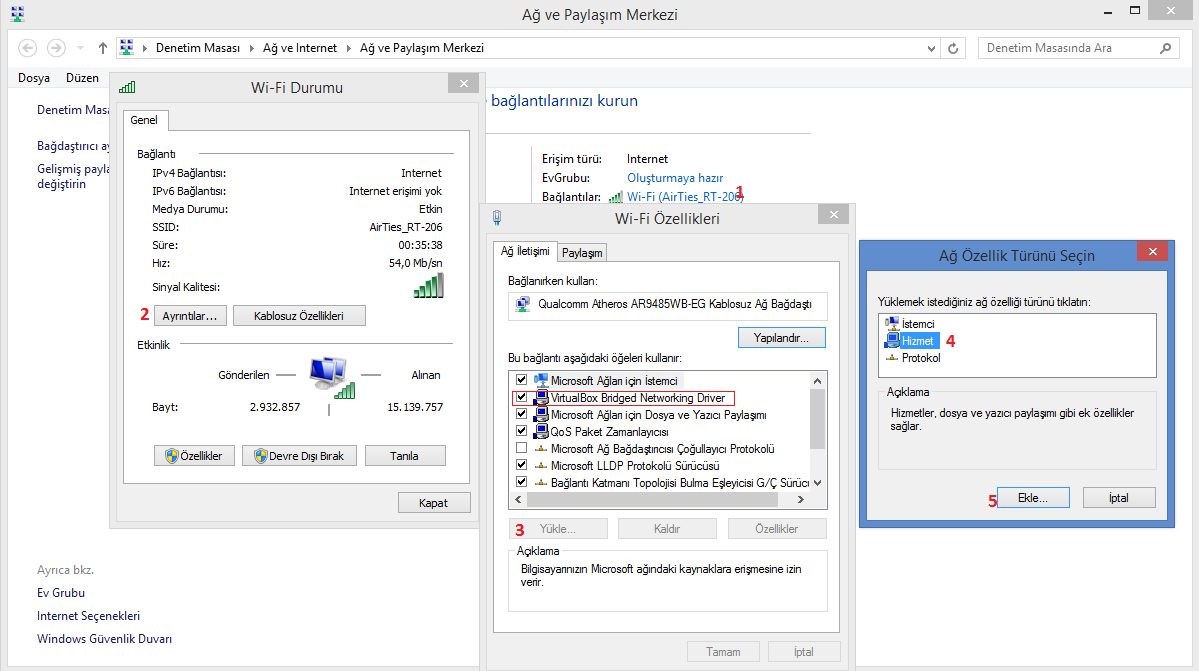
WEB What you need to check On Windows 10 host go to Control Panel Network and Internet Network Connections right click the physical device that you are trying to bridge to on your guest OS VM and make sure that quot VirtualBox NDIS6 Bridged Networking Driver quot and quot Brdige Driver quot are enabled

WEB Apr 3 2017 nbsp 0183 32 It seems that this is the source of the issue I ve tried all the ipaddress release renew flushdns options to no avail on both the Guest and the Host machines I ve had Comcast support on the line renewing my Router IPAddress etc No progress I ve also uninstalled reinstalled my Virtualbox installtion
WEB Dec 11 2013 nbsp 0183 32 1 Answer Sorted by 16 The bridge adapter has nothing to with this Your VM simply has not started your ethernet interface You should try manually sudo ip link set dev eth0 up sudo dhclient v eth0 ping c1 8 8 4 4 The v option might have to be removed depending on your distro
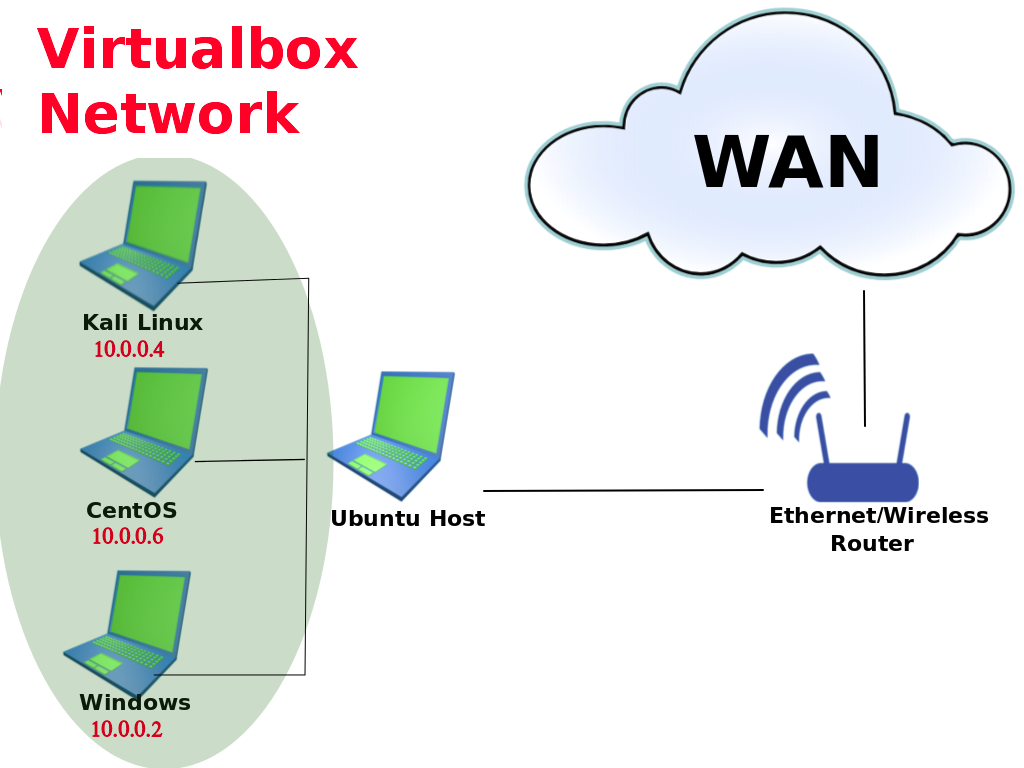
WEB Here is the guest VM network config And here is the host s network config The fact is that from the host internet works perfectly But from the guest I can t access Internet nor ping the network hosts My home network is behind a NAT so from what I read on the internet the VM guest should appear with the same host s IP address on the gateway
WEB Apr 5 2021 nbsp 0183 32 On the Windows host go to the properties dialog of the network adapter used from the host and uncheck the VirtualBox driver Go to the properties dialog of the network adapter used from the VM and uncheck the IPv4 and IPv6 drivers Reboot the host and test if that makes a difference
WEB Oct 20 2017 nbsp 0183 32 1 Here is How I fixed the exact problem by manually updating the virtualbox bridge driver Update VirtualBox to the Newest version Network and Sharing Center Change adapter settings Right Click the Main Adapter Properties Uninstall quot VirtualBox NDI56 Bridge Network Driver quot WEB Jan 27 2023 nbsp 0183 32 I cannot get my Virtual Box 7 0 quot bridged adapter quot to work on my laptop Kubuntu 22 10 I have a project that I need to submit but I cannot move forward until I fix this This affects all my guest machines
WEB Bridged Network stopped working Discussions about using Windows guests in VirtualBox 6 posts Page 1 of 1 Bridged Network stopped working by Darxide23 187 3 Nov 2016 09 36 I ve got a Windows XP guest running on Windows 7 host I had it configured to use a Bridged Adapter to my host PCs network adapter It was using the