Vba Code To Open Excel File And Copy Data Copy Data From One Worksheet To Another In Excel VBA Easy Script To Open Up Excel File Ray Liend1967 Open Excel File From Folder With VBA Code With Images Vba Code To Open Excel File Frinedtepmers Vba Code To Open Folder Dialog Box Excel Avon Name Required Optional Data type Description FileName Optional Variant String The file name of the workbook to be opened UpdateLinks Optional Variant Specifies the way external references links in the file such as the reference to a range in the Budget xls workbook in the following formula SUM Budget xls Annual C10 C25 are updated If this argument is omitted the user is
You specify which workbook you want to open by using the Filename argument More specifically the basic VBA statement syntax to open a particular workbook is 1 Workbooks Open Filename File Name Or 1 Workbooks Open File Name Where File Name is the file name of the workbook that you want to open with VBA This code is to sit on a button in a workbook called League Table Report When the button is pressed I want it to run the code provided many thanks works fine When this new workbook opens I want it to find the Items Summary tab and copy columns B M from the workbook the VBA code has just opened
Vba Code To Open Folder Dialog Box Excel Avon Vba Code To Open Excel File And Copy Sheet Ikariyube Vba Code Examples To Run Excel Vba Code For Beginners Free Nude Porn VBA Macro To Copy Data From Another Workbook In Excel YouTube Use VBA To Select A File To Open To Use With Your VBA YouTube How To Have Excel Convert Formula To Value Using VBA Open Worksheet In Excel Vba Worksheet Resume Template Collections Excel Vba Exoacsuppo VBA WorkBook Open Open Excel Using Workbooks Open Method
Vba Code To Open Excel File And Copy Data
 Vba Code To Open Excel File And Copy Data
https://analysistabs.com/wp-content/uploads/2013/06/VBA-to-Copy-From-One-Sheet-to-Another-Sheet.png
To rename the copied file simply include the new file name in the destination path For example this will copy the file to a new location and the file in the new location will have a different name VB FileSystemObject CopyFile c mydocuments letters sample doc c tempfolder sample new doc Objects Visual Basic for Applications
Templates are pre-designed files or files that can be utilized for numerous functions. They can conserve time and effort by offering a ready-made format and layout for developing various type of material. Templates can be utilized for individual or expert jobs, such as resumes, invitations, flyers, newsletters, reports, discussions, and more.
Vba Code To Open Excel File And Copy Data
02 IBM Robotic Process Automation RPA Open Excel File And Get Value
Vba Code To Open Excel File And Copy Sheet Ikariyube
Vba Code Examples To Run Excel Vba Code For Beginners Free Nude Porn
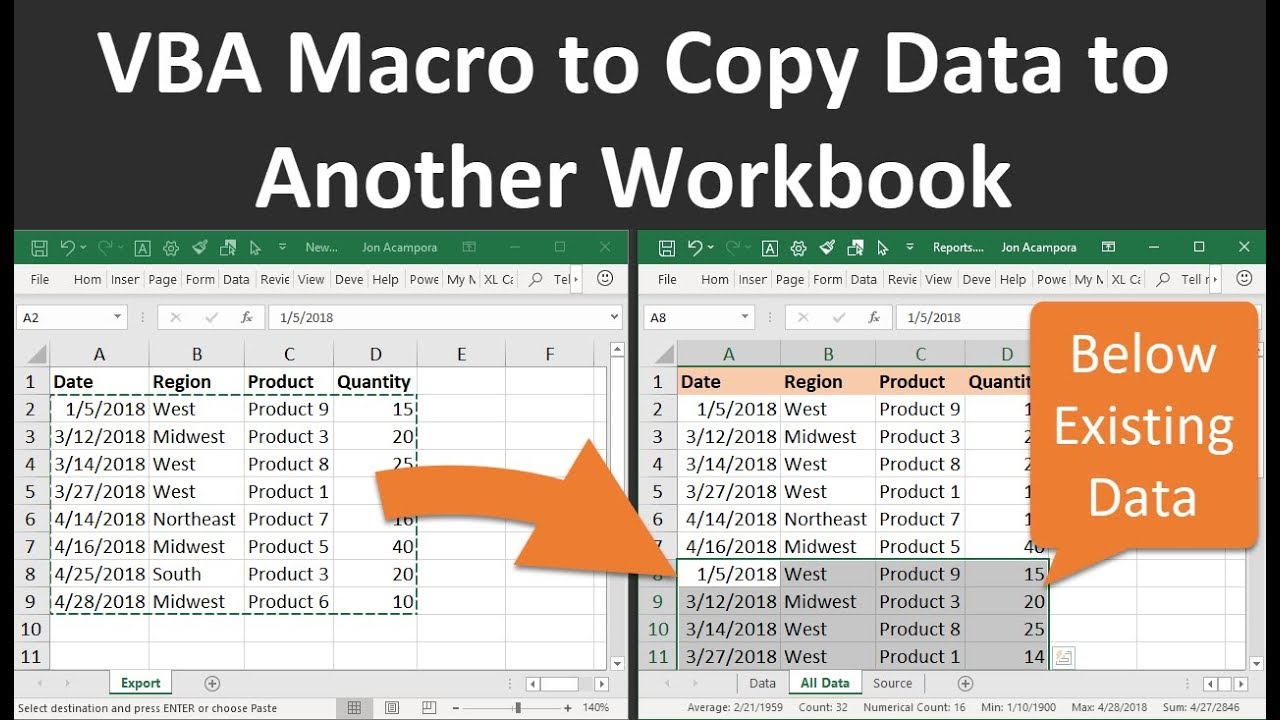
VBA Macro To Copy Data From Another Workbook In Excel YouTube
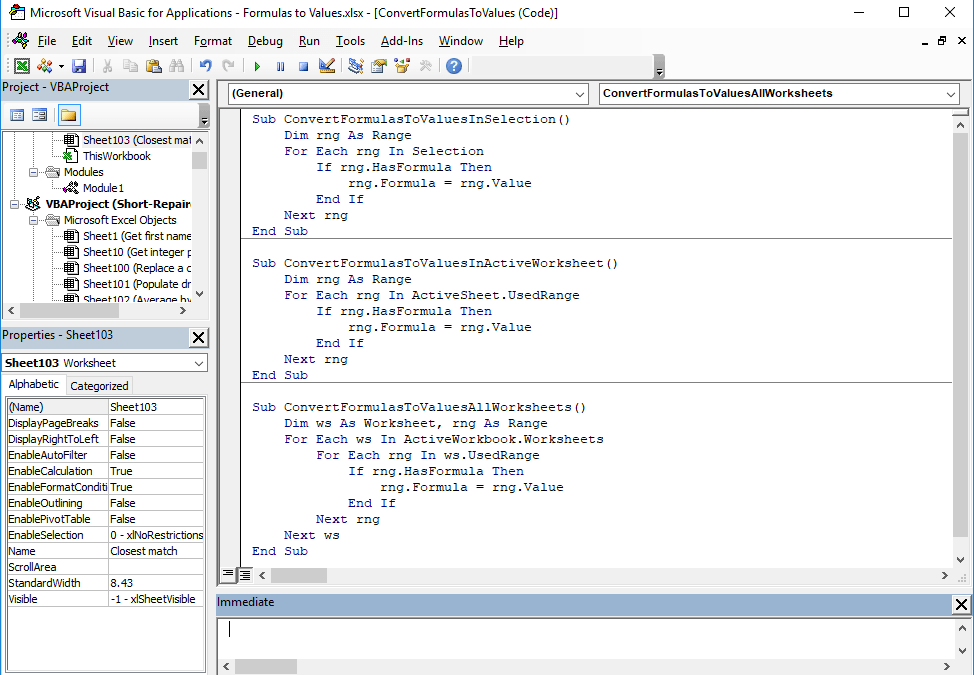
How To Have Excel Convert Formula To Value Using VBA
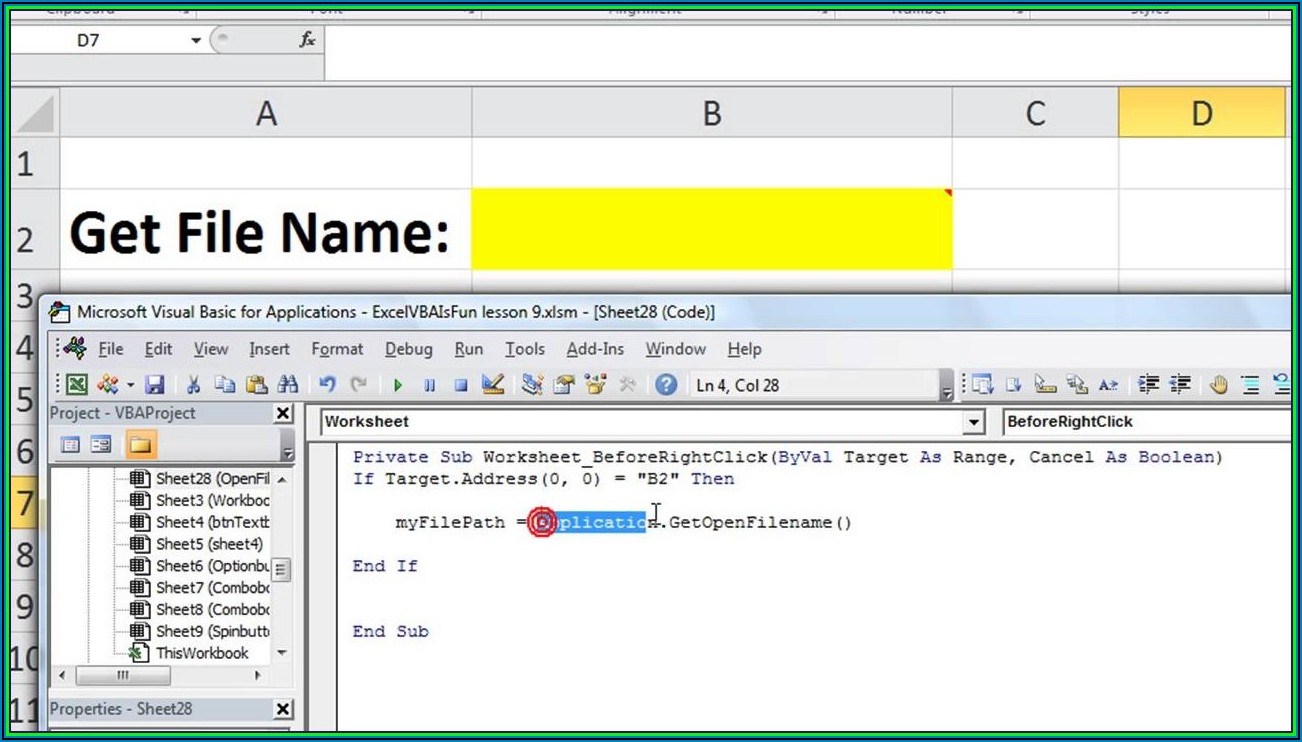
Open Worksheet In Excel Vba Worksheet Resume Template Collections

Below is the VBA code that would open an Excel file named Example xlsx in the folder called Project on my system Sub OpenWorkbook Workbooks Open C Users sumit OneDrive Desktop Project Example xlsx End Sub Note that the part of the Excel file needs to be in double quotes and you need to specify the entire file path including the name

The three cells of data are located in the same three cells and the location that they will be copied to is also the same In total I will need it to open up 15 workbooks copy and paste 15 sets of data and paste into the active workbook or the master workbook
Here are the steps 1 Delete the data in worksheet of workbook A 2 While being in active workbook A open workbook B 3 Copy range from worksheet in workbook B 4 Paste range into specific worksheet in workbook A

Copy Data from One Workbook to Another Using Excel Macros There are a few ways to copy paste data with VBA We are first going to use the Range Copy method This allows us to perform the entire action in one line of code Workbooks New Data xlsx Worksheets Export Range A2 D9 Copy

Else Open the workbook and set it to the Workbook variable Set wb Workbooks Open FilePath Activate the worksheet named Sheet2 in the opened workbook wb Worksheets Sheet2 Activate End If End Sub The code first verifies if the specified workbook exists at the provided file path
To use the GetOpenFilename method in a macro start a new procedure and enter the following code Sub Get Data From File Application GetOpenFilename End Sub That s it To test run the macro to watch as Excel presents us with the Open dialog box Notice that the title of the dialog box is Open and the default file type filter is to We can also use VBA in Excel to open a Word file Sub OpenWordFile Dim wApp As Object Dim wDoc As Object Set wApp CreateObject Word Application Set wd wApp documents Open c data test docx wApp Visible True End Sub This code will open a copy of Word and then open the document test docx VBA Examples to Open or Close Workbooks
The following Excel VBA example will open the test xlsx file in the C temp folder Here we are opening the workbook and setting to an object This will help us to re use the open workbook in the program Sub sbVBA To Open Workbook Dim wb As Workbook Set wb Workbooks Open C temptest xlsx End Sub VBA Code to Open an Excel File Explained