Unity3d Visual Studio Intellisense Not Working Visual Studio Intellisense And Unity Not Working YouTube How To Turn On Intellisense In Visual Studio Code For Unity3d How To Fix Intellisense Not Working In Visual Studio Code Steps Visual Studio Javascript Intellisense Not Working Unity Naxrelook Visual Studio 2015 Intellisense Not Working In Website Lokasinology Solution to Intellisense Not Working with Visual Studio Error This Unity video tutorial contain fixing Intellisense in VS Code Support Through Patreon h
Check that the Visual Studio plugin is installed in Unity Help About should display a message like Microsoft Visual Studio Tools for Unity is enabled at the bottom Unity 2020 x Check that you are using the latest Visual Studio Editor package in Window Package Manager Try deleting all projects solution files and the vs folder in your Code editor integration for supporting Visual Studio Code as code editor for unity Adds support for generating csproj files for intellisense purposes auto discovery of installations etc Version information Released for Unity Package version 1 2 5 is released for Unity Editor version 2022 3 Compatible with Unity
Visual Studio 2015 Intellisense Not Working In Website Lokasinology Visual Studio IntelliSense Not Working Multiple Ways For You C VS Code IntelliSense Not Working For Unity Stack Overflow Unity Visual Studio Unity3d C Stopped Working Properly After Break From Project Stack Visual Studio Javascript Intellisense Not Working Unity Naxrelook Visual Studio IntelliSense Stopped Working What To Do SubMain Blog C VS Code IntelliSense Does Not Work With Unity Why ITecNote Visual Studio Code Unity Intellisense Not Working Gerashares
Unity3d Visual Studio Intellisense Not Working
 Unity3d Visual Studio Intellisense Not Working
https://i.ytimg.com/vi/-C2b7d_pEdo/maxresdefault.jpg
How to get intellisense in Visual Studio Code for Unity functions names Ruzihm Dec 20 2021 at 19 49 No I saw this post but I used each of the suggested solutions and none seem to be working As I mentioned in the question I tried some of the top voted solutions and still not working for me
Pre-crafted templates provide a time-saving solution for developing a diverse variety of documents and files. These pre-designed formats and layouts can be utilized for numerous individual and expert jobs, consisting of resumes, invitations, leaflets, newsletters, reports, discussions, and more, enhancing the material creation process.
Unity3d Visual Studio Intellisense Not Working
How To Get Suggestions In Visual Studio Code VS Code Intellisense Not

Visual Studio IntelliSense Not Working Multiple Ways For You

C VS Code IntelliSense Not Working For Unity Stack Overflow

Unity Visual Studio

Visual Studio Javascript Intellisense Not Working Unity Naxrelook

Visual Studio IntelliSense Stopped Working What To Do SubMain Blog

VS Code IntelliSense not working for Unity3d Ask Question Asked 3 years 10 months ago Modified 1 year ago Viewed 44k times 27 Problem IntelliSense is not working for Unity specific methods and functions i e Update FixedUpdate Awake etc

1 Is my IntelliSense not working For IntelliSense to detect and work with Unity s API Visual Studio needs to Be linked to the Unity Editor and Have the appropriate extensions installed read further to find out what they are If you ve installed Visual Studio via Unity Hub this can have been automatically set up but not always
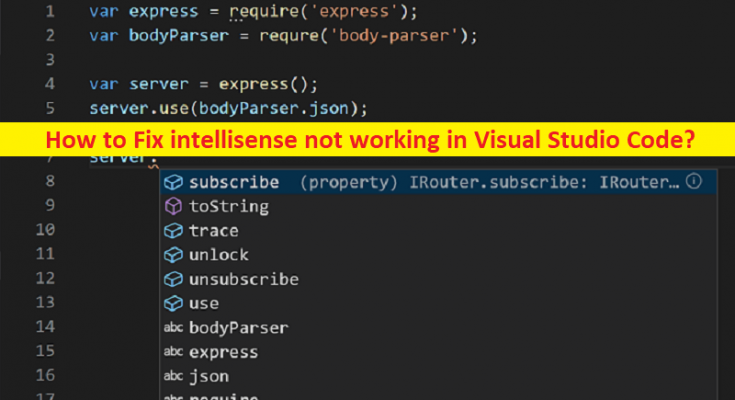
Jul 16 2022 at 21 15 What does the Omnisharp output say in the terminal tab in VS Code Jul 16 2022 at 21 49 Paul Martin unityscript long deprecated For Visual Studio it sometimes helps to regenerate the project files Edit Preferences External Tools Regenerate project files

Check out our accompanying article for the video which gets continually updated with new tips https blog terresquall 2020 11 fixing visual studios int
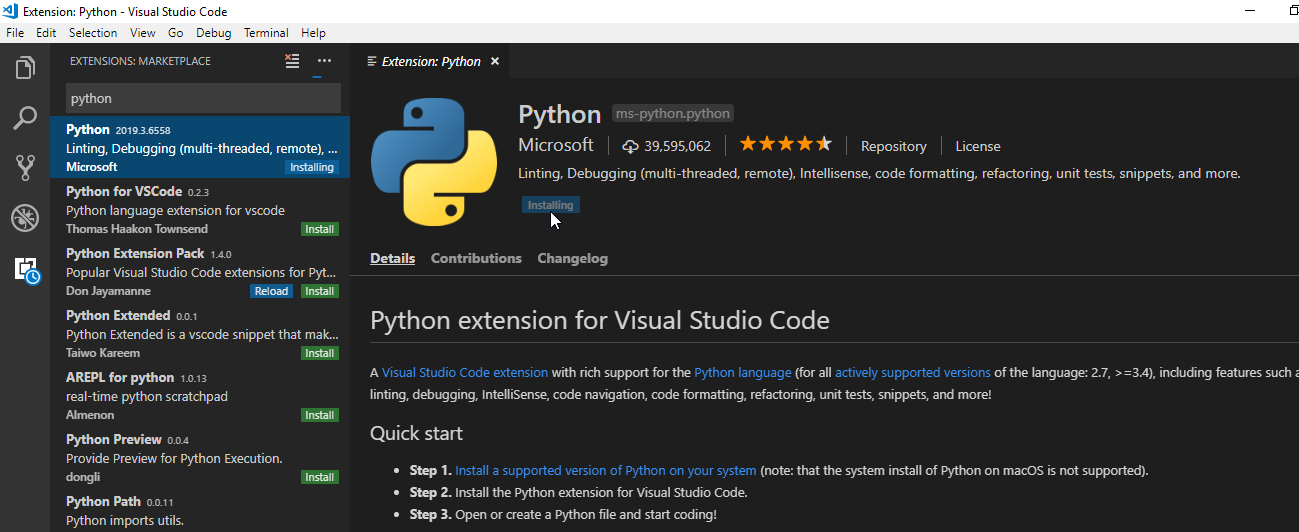
Method 2 Install Visual Studio using Unity hub assistant Method 3 Update visual studio in Unity Package Manager Method 4 Downgrade Visual studio version from package manager Method 5 If all above steps got followed and not worked create a new project and open a script from it in Visual studio
You can try going to Edit Preferences External Tools and making sure you have it set to visual studio code epicidkthingy1223 April 11 2021 8 17am 5 I had the same problem when i downloaded visual studio checking unity To fix it go to Edit Preferences External Tools External Script Editor and select visual studio To find it let s start debugging this app F5 For simplicity let s assume main properly causes the leak it opens AdWindow causing it to subscribe to an event then closes it First we need the Diagnostic Tools window open To get to it in a debugging session go to Debug Windows Diagnostic Tools
In addition this feature relies on the latest features of Unreal Engine 5 4 You will no longer need to generate a Visual Studio solution Currently whenever you are working with Unreal Engine projects in Visual Studio you must generate a Visual Studio solution from within the Unreal Editor or using the Unreal Build Tool UBT