Ubuntu Create Ssh Key For New User Generate Ssh Key Windows Command Line How To Create Ssh Key In Linux Create Ssh Key In Ubuntu Use Of Ssh How To Set Up SSH Keys On Ubuntu 20 04 LaptrinhX What Is Ssh keygen How To Use It To Generate A New SSH Key 2022 How To Add A User With SSH Access On Ubuntu Web Before adding a new SSH key to the ssh agent to manage your keys you should have checked for existing SSH keys and generated a new SSH key Start the ssh agent in the background eval quot ssh agent s quot gt Agent pid 59566 Depending on your environment you may need to use a different command
Web Mar 1 2021 nbsp 0183 32 First create a new user with useradd sudo useradd m d home username s bin bash username Next set the user s password passwd username Note Even if you don t want the user to have a password you should set the password to an empty string Then create the user s ssh directory mkdir home username ssh Web Mar 6 2023 nbsp 0183 32 Administration ssh 1 Introduction SSH Secure Shell is a protocol used in Linux to access and manage servers remotely This allows for the remote execution of commands file transfers and other tasks Creating new users with specific permissions is an important aspect of server management
How To Add A User With SSH Access On Ubuntu Ubuntu SSH Keys Not Working 2 Solutions YouTube How To Create An SSH Key KeyCDN Support GitHub Generate SSH Key Where To Store SSH Key For Windows DEV Community How To Use SSH To Access A Linux Machine From Windows John Atten Using SSH Key In Your Web Development Workflow Studio K40 OpenClass Create Ssh Key For Giblab YouTube Where To Store SSH Key For Windows DEV Community
Ubuntu Create Ssh Key For New User
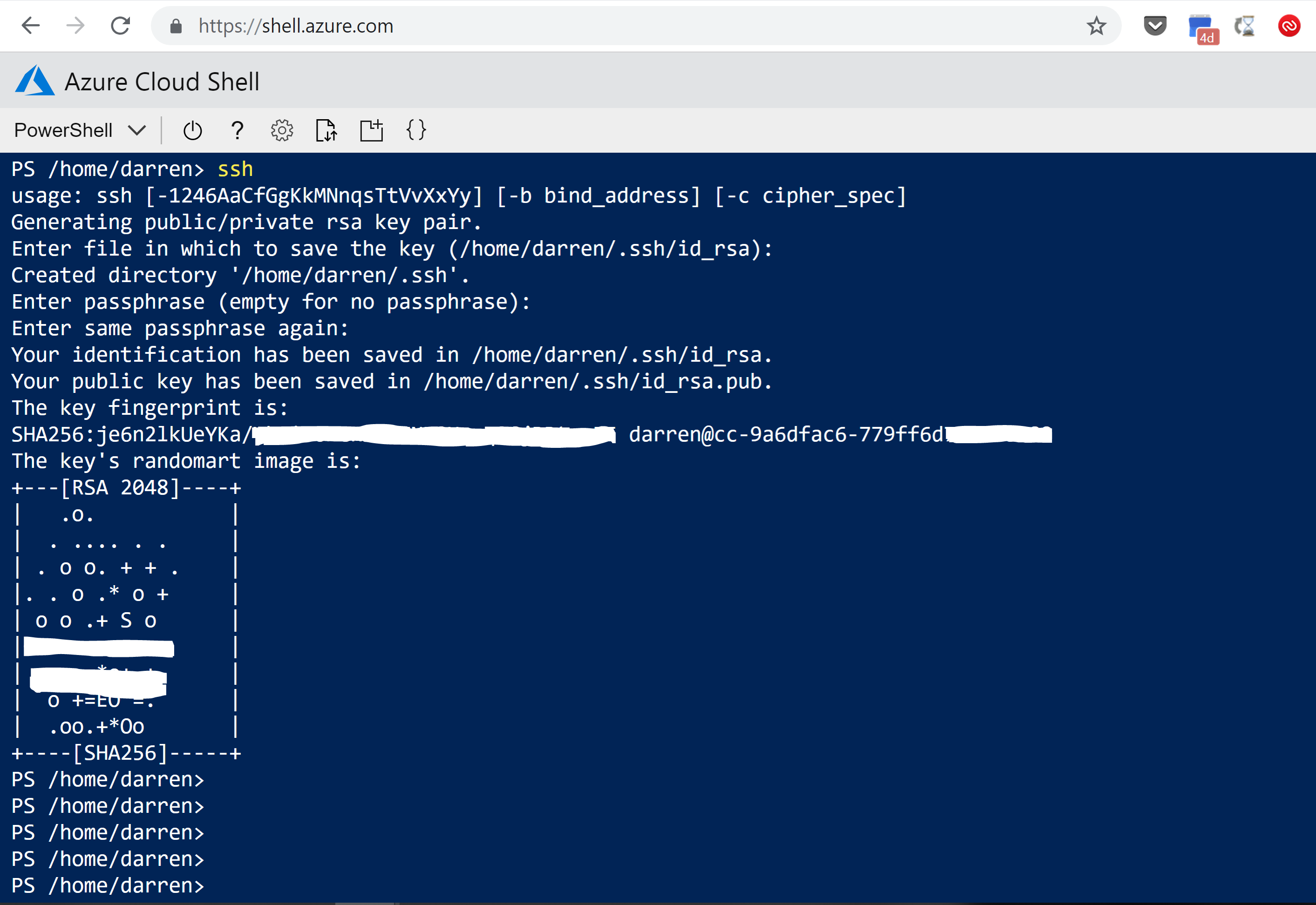 Ubuntu Create Ssh Key For New User
https://eversell232.weebly.com/uploads/1/2/5/7/125717903/980083527.png
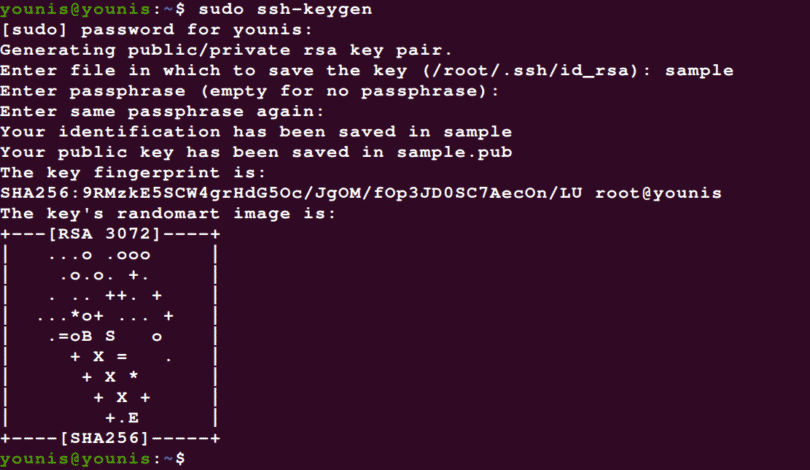
Web Jul 29 2022 nbsp 0183 32 Steps to Creating SSH Keys on Ubuntu 20 04 1 Create the Key Pair To create a new SSH key on Linux run the following command on the client machine ssh keygen This will generate a key pair that consists of a public and a private key Use the following command
Templates are pre-designed documents or files that can be used for numerous functions. They can save time and effort by providing a ready-made format and design for developing various kinds of material. Templates can be utilized for individual or expert jobs, such as resumes, invites, flyers, newsletters, reports, presentations, and more.
Ubuntu Create Ssh Key For New User
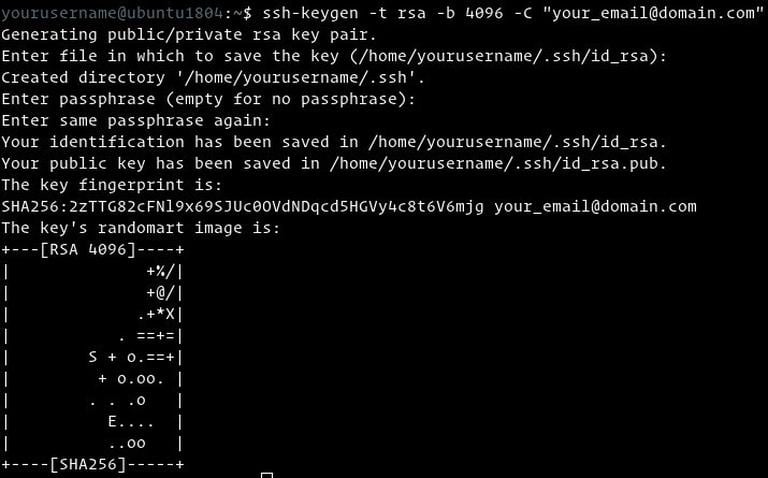
How To Set Up SSH Keys On Ubuntu 20 04 Linuxize

Ubuntu SSH Keys Not Working 2 Solutions YouTube
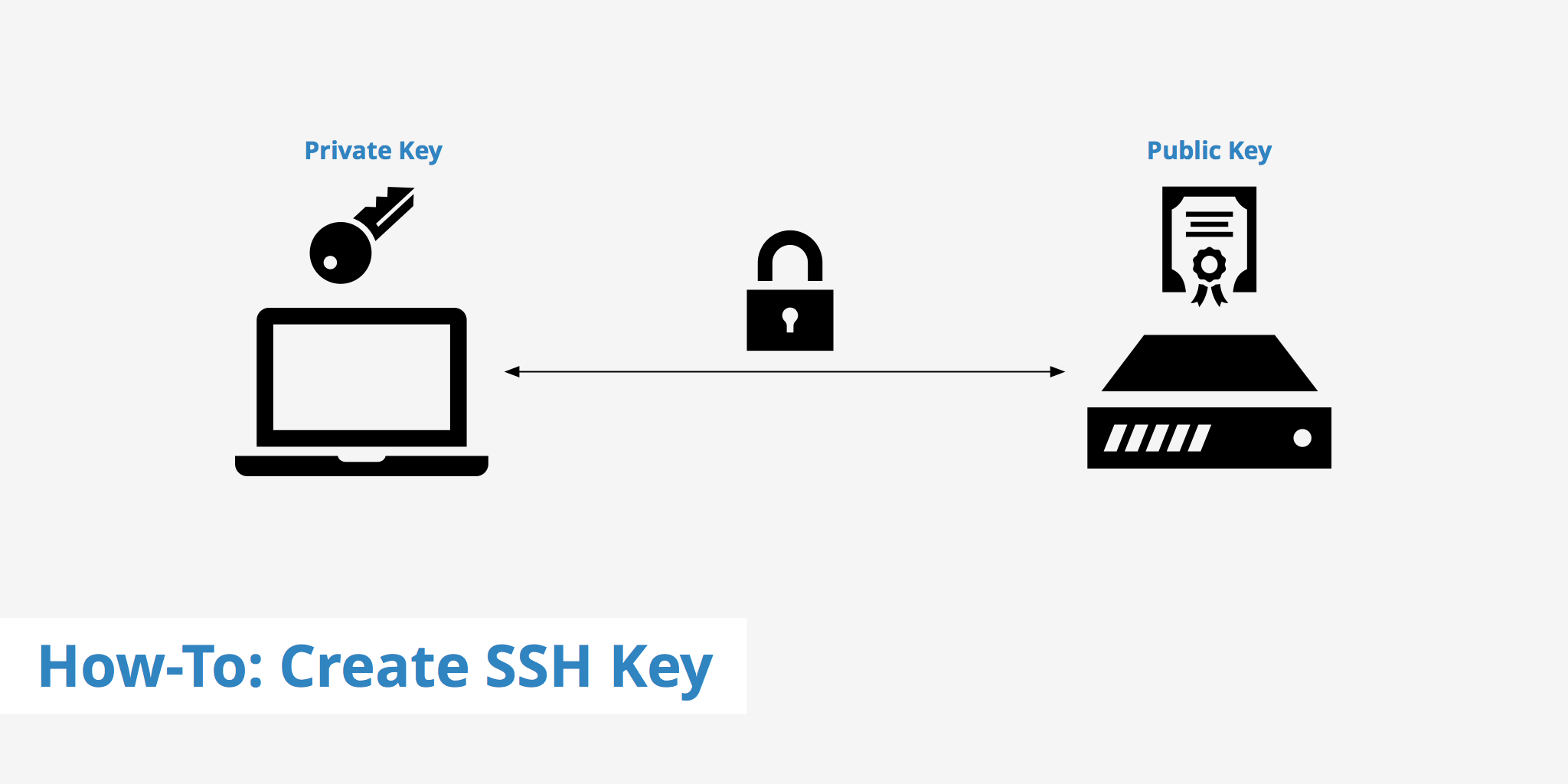
How To Create An SSH Key KeyCDN Support
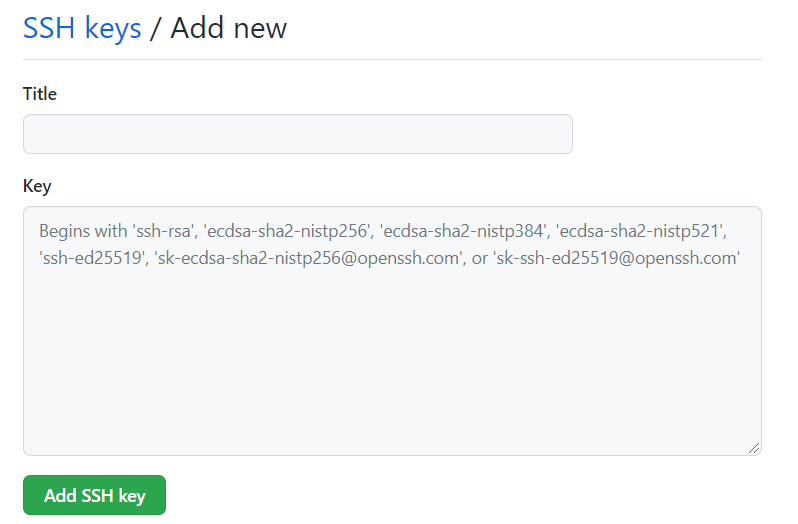
GitHub Generate SSH Key
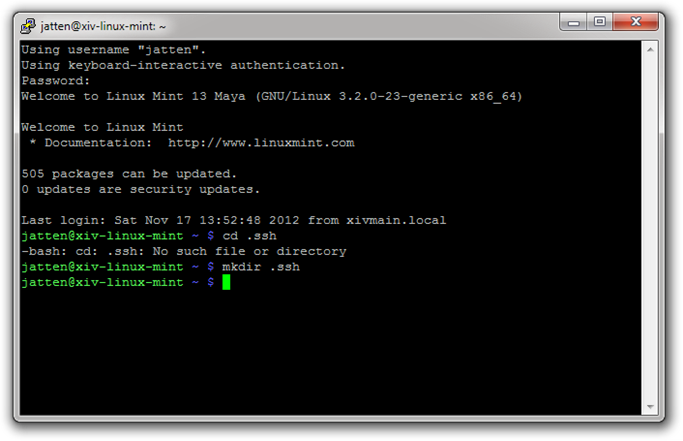
How To Use SSH To Access A Linux Machine From Windows John Atten
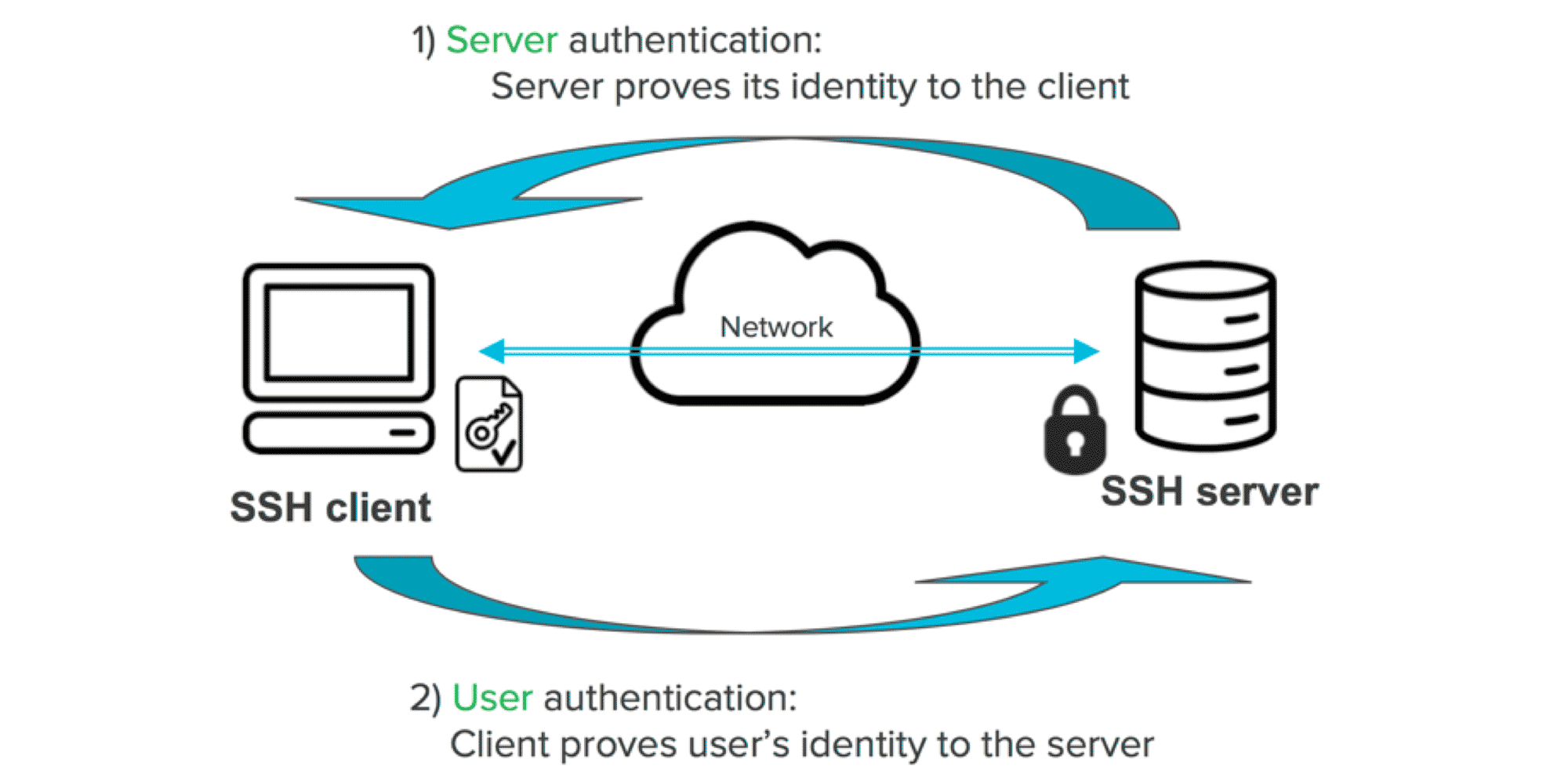
Using SSH Key In Your Web Development Workflow Studio K40

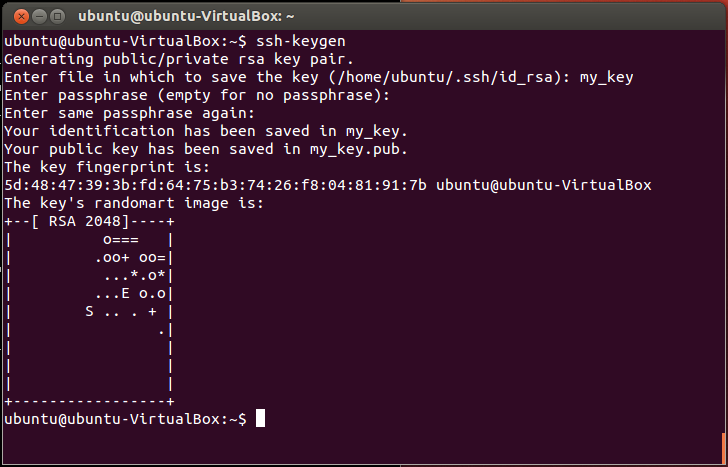
Web Oct 22 2011 nbsp 0183 32 Become the user by using su and run the key as that user root kvm0001 su joeuser joeuser kvm0001 ssh keygen t dsa or rsa1 or rsa depending on your security requirements Generating public private dsa key pair Enter file in which to save the key home joeuser ssh id dsa

Web I have created a new user with sudo access adduser username usermod aG sudo username Then in the etc ssh sshd config file I have allowed that user ssh access AllowUsers username root and I restarted ssh service sshd reload Finally I logged in as the user and copied my public ssh key into the ssh authorized keys file
Web Jul 27 2020 nbsp 0183 32 We ve shown you how to generate a new SSH key pair and set up an SSH key based authentication You can use the same key to manage multiple remote servers You have also learned how to disable SSH password authentication and add an extra layer of security to your server
Web 145 Just created a new virtual Ubuntu server and I m in the process of hardening it for production use I currently have a root account I want to do the following Create a new user let s call them jim for the rest of this I want them to

Web Jan 21 2021 nbsp 0183 32 Generate an ssh key ssh keygen t rsa b 4096 C quot comment quot copy it to your remote server ssh copy id user ip or you can manually append the ssh id rsa pub to ssh authorized keys ssh user ip mkdir ssh ssh user ip cat gt gt ssh authorized keys lt ssh id rsa pub
Web Jul 29 2019 nbsp 0183 32 1 Create a directory named ssh in the home directory The p option ensures the system does not return an error if the directory exists mkdir p HOME ssh 2 Change permissions of the directory to give the user read write and execute privileges chmod 0700 HOME ssh 3 Execute the ssh keygen command to create an RSA key pair ssh Web Apr 25 2022 nbsp 0183 32 The first step is to create a key pair on the client machine usually your computer ssh keygen By default recent versions of ssh keygen will create a 3072 bit RSA key pair which is secure enough for most use cases you may optionally pass in the b 4096 flag to create a larger 4096 bit key
Web Jun 13 2019 nbsp 0183 32 Creating a Pair of SSH Keys These instructions were tested on Ubuntu Fedora and Manjaro distributions of Linux In all cases the process was identical and there was no need to install any new software on any of the test machines To generate your SSH keys type the following command ssh keygen