Ubuntu Command Line Change User Password How Change The Time Zone Windows 11 Via Command Prompt YouTube Ubuntu Command Line Script Disk Operations User Linux Advance How To Change Your Account Password Using Command Prompt On Windows 10 Easily Change A Windows Password Using Command Prompt YouTube CMD Wallpapers Wallpaper Cave Aug 8 2022 nbsp 0183 32 There are several methods of obtaining Ubuntu Downloading the Ubuntu ISO Go to the Official Download Page Click on the Ubuntu Desktop link Note that the Ubuntu ISO for
Experience Ubuntu with different choices of default desktop environment applications and settings backed by the full Ubuntu archive for packages and updates Feb 20 2025 nbsp 0183 32 The Ubuntu team is pleased to announce the release of Ubuntu 24 04 2 LTS Long Term Support for its Desktop Server and Cloud products as well as other flavours of
CMD Wallpapers Wallpaper Cave How To Change Directory In Ubuntu Linux Via Command Line Or Terminal System Administrator Windows 11 10 How To Activate The Full Admin Account Extract Zip File To A Folder In Ubuntu How To List Users In Ubuntu Command Line Change User Password In Windows 10 11 Via NET USER Command How To Add User To A Group In Ubuntu Command Line How To Change Password In Ubuntu 18 4 Using Terminal And GUI Change
Ubuntu Command Line Change User Password
 Ubuntu Command Line Change User Password
https://i.ytimg.com/vi/asX_5etQWLg/maxresdefault.jpg
The first official Ubuntu release Version 4 10 codenamed the Warty Warthog was launched in October 2004 and sparked dramatic global interest as thousands of free software
Templates are pre-designed documents or files that can be used for various functions. They can save time and effort by supplying a ready-made format and design for creating different sort of content. Templates can be utilized for individual or professional tasks, such as resumes, invites, flyers, newsletters, reports, discussions, and more.
Ubuntu Command Line Change User Password
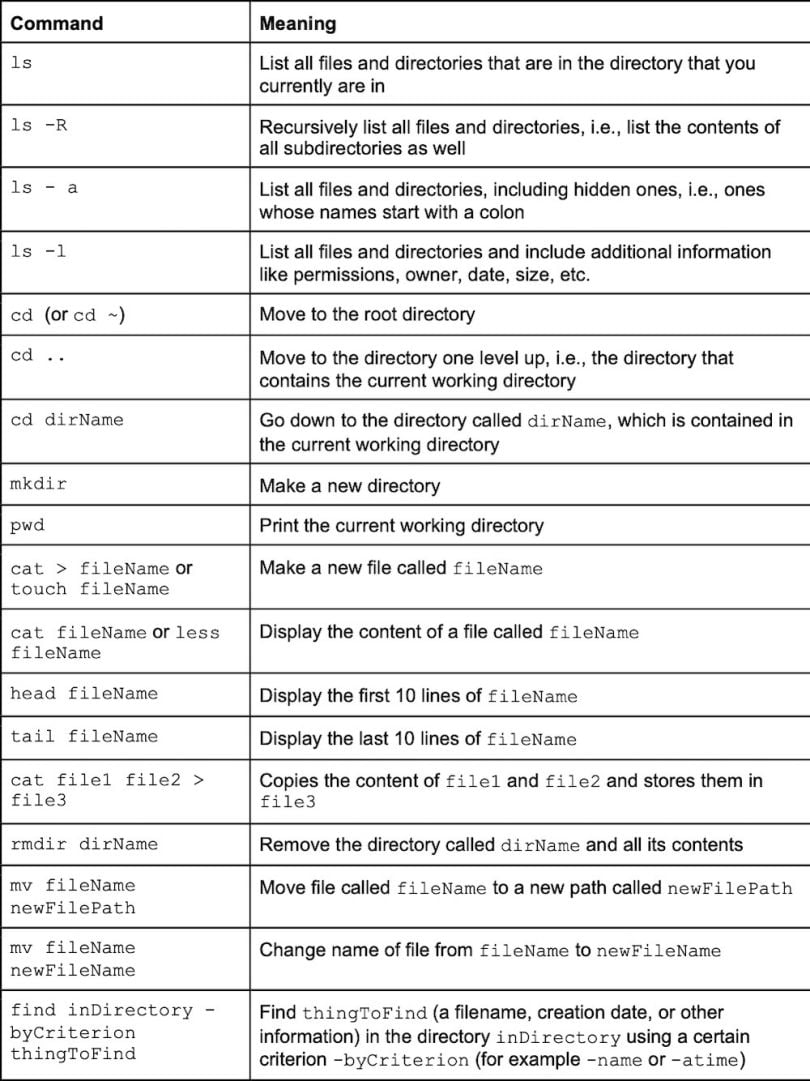
The Linux Command Line Cheat Sheet 60 OFF

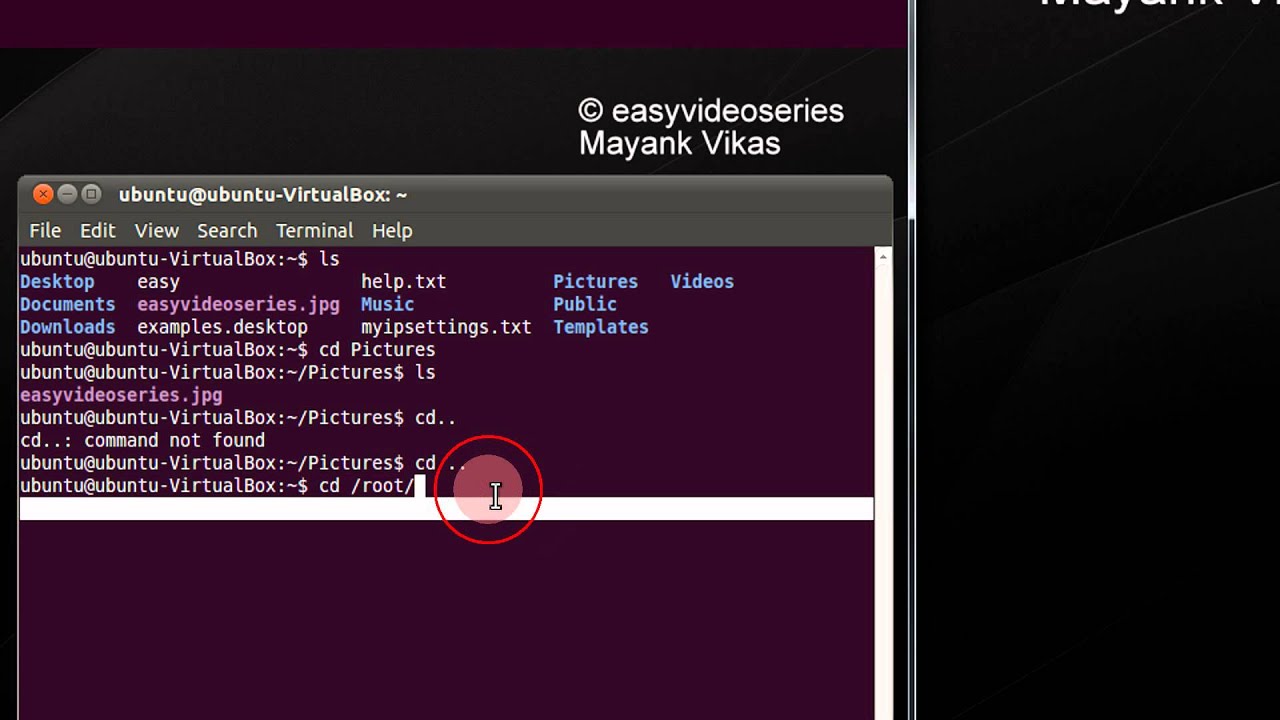
How To Change Directory In Ubuntu Linux Via Command Line Or Terminal
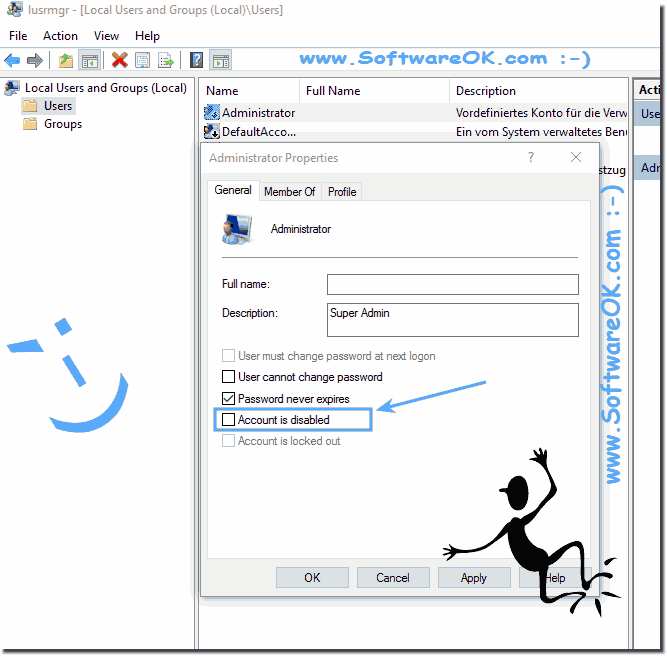
System Administrator Windows 11 10 How To Activate The Full Admin Account
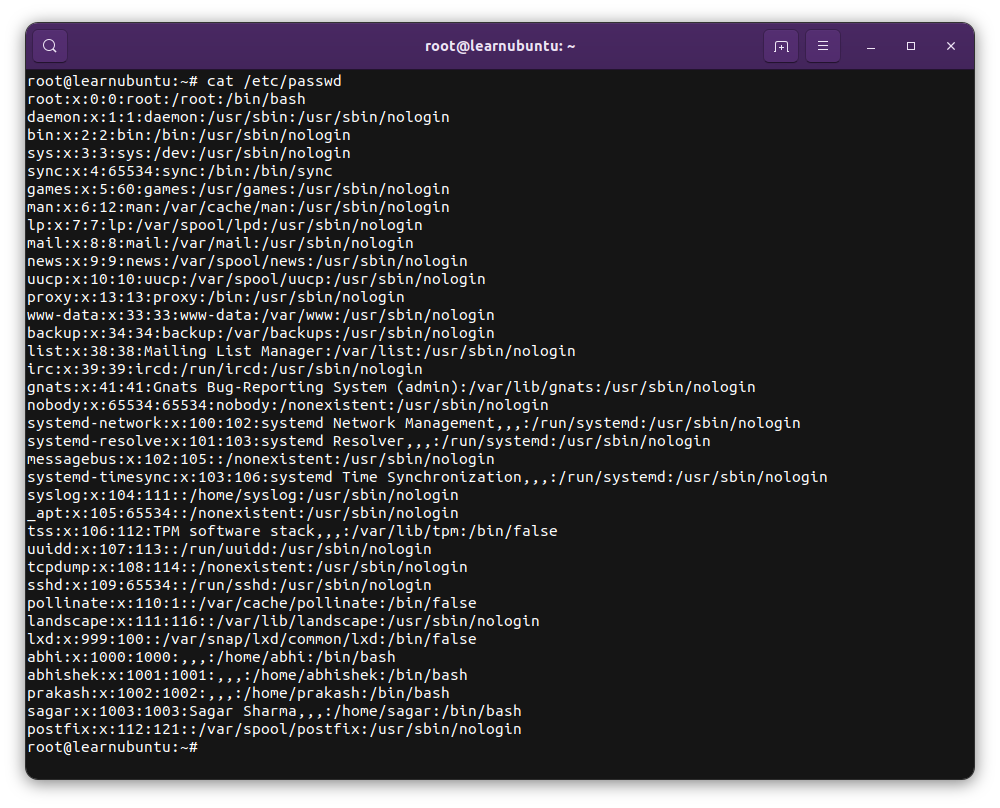
How To List Users In Ubuntu Command Line
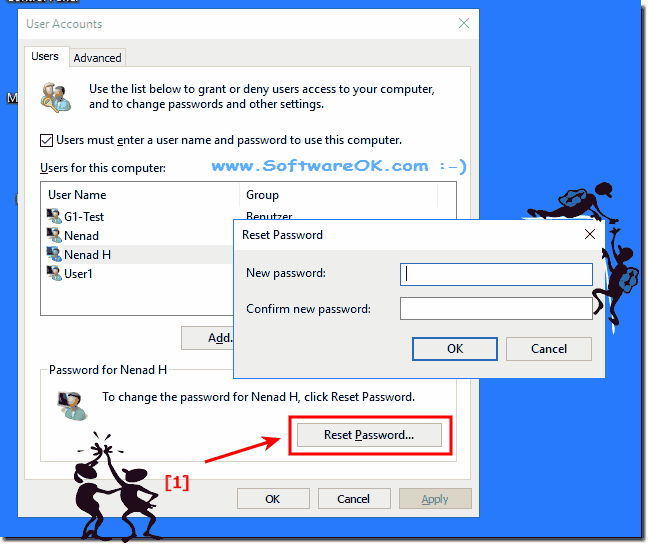
Change User Password In Windows 10 11 Via NET USER Command

Follow this tutorial to install Ubuntu Desktop on your laptop or PC You can also run Ubuntu from a USB to try it without installing
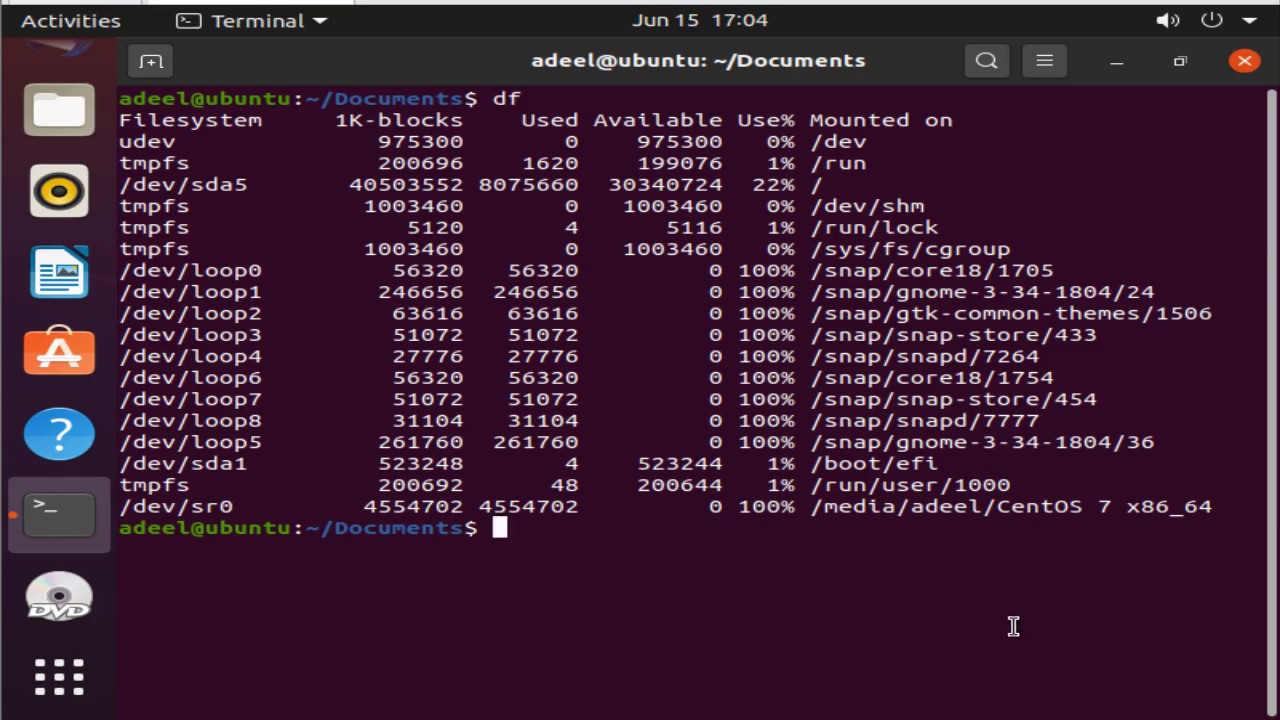
Get Ubuntu Server one of three ways by using Multipass on your desktop using MAAS to provision machines in your data centre or installing it directly on a server

Get the Ubuntu image from the Download Ubuntu Desktop page Save it to a memorable location on your PC This tutorial uses the latest Ubuntu 24 04 LTS release available on April 25th

The desktop image allows you to try Ubuntu without changing your computer at all and at your option to install it permanently later This type of image is what most people will want to use
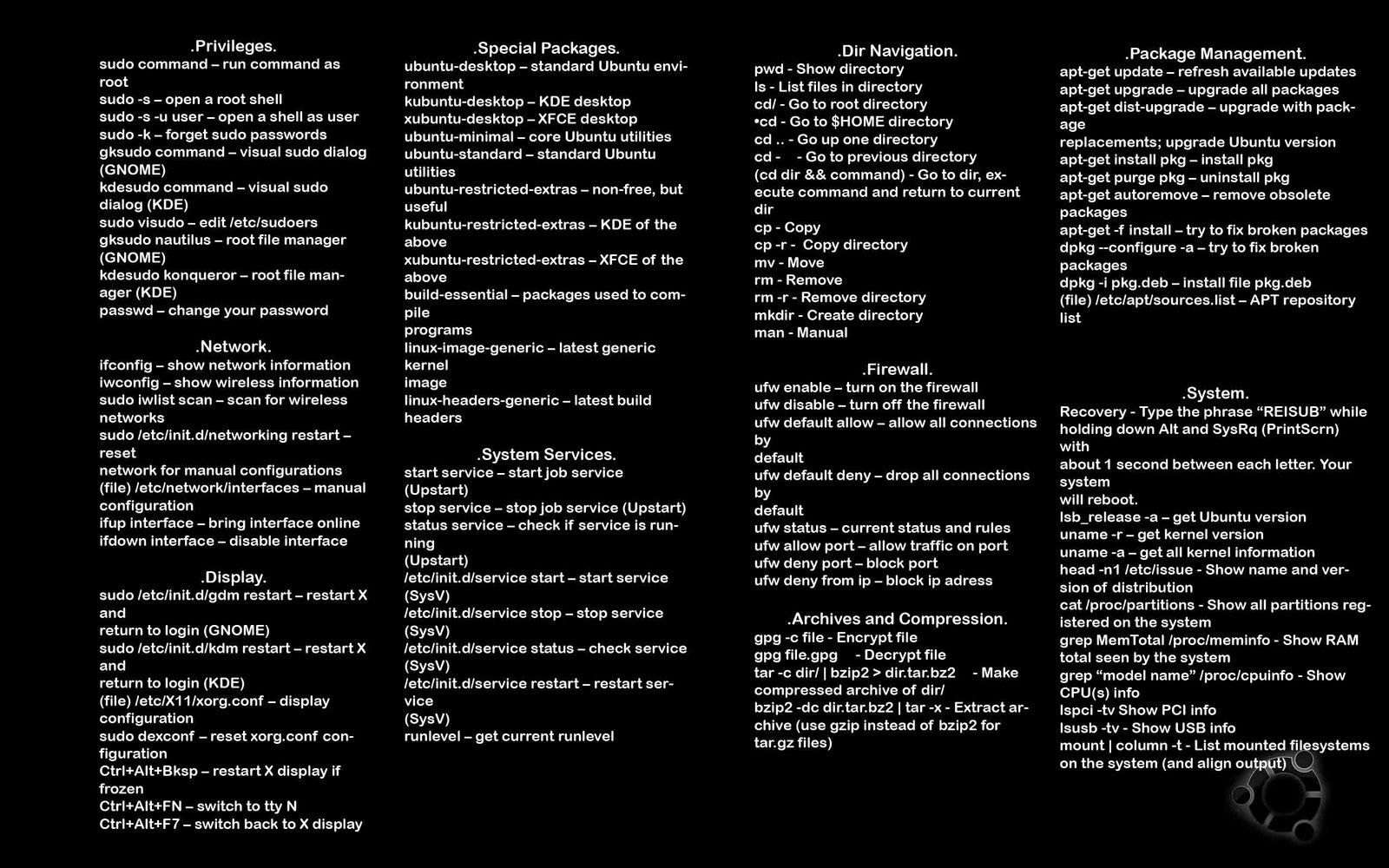
Jul 23 2025 nbsp 0183 32 Ubuntu is the modern open source operating system on Linux for the enterprise server desktop cloud and IoT
[desc-11] [desc-12]
[desc-13]