Turn Off Firewall Powershell Windows 10 PowerShell Und Windows Firewall How To Turn Off Windows Firewall Powershell How To Turn ON OFF Windows Firewall Using CMD Or PowerShell Askit PowerShell Command To Disable The Firewall HowPChub SQL SERVER Script Turn Off Firewall Remotely PowerShell NetSh Oct 6 2020 nbsp 0183 32 3 Turn on default or off Microsoft Defender Firewall for what you want and click tap on Yes when prompted by UAC to approve see screenshots below 4 Check or
Jan 2 2024 nbsp 0183 32 1 Open Settings and click tap on the Accounts icon 2 Click tap on Sign in options on the left side and turn On default or Off Require Windows Hello sign in for Microsoft Apr 19 2021 nbsp 0183 32 Turn On or Off Hardware Acceleration in Microsoft Edge from Microsoft Edge Settings 1 Open Microsoft Edge 2 Click tap on the Settings and more Alt F 3 dots menu
SQL SERVER Script Turn Off Firewall Remotely PowerShell NetSh How To Turn Off Windows Firewall Using PowerShell And Command Prompt Firewall Powershell Disable Firewall Turn On Or Off Windows Defender Firewall In Windows 10 Tutorials 5 Modi Per Disattivare Il Firewall Del Computer How To Uninstall PowerShell In Windows 10 4 Ways Firewall Powershell Disable Firewall Powershell Tip 64 Enable Or Disable The Windows Firewall Powershell Download Powershell 3 0 For Windows 7 64 Bit
Turn Off Firewall Powershell Windows 10
 Turn Off Firewall Powershell Windows 10
https://www.msxfaq.de/code/powershell/ps_firewall01.gif
turn over turn over turn back 1 She turned back towards the crossroads
Pre-crafted templates offer a time-saving service for producing a diverse variety of files and files. These pre-designed formats and designs can be made use of for numerous personal and expert projects, consisting of resumes, invites, leaflets, newsletters, reports, discussions, and more, improving the material development procedure.
Turn Off Firewall Powershell Windows 10

Powershell Disable Windows Firewall Phonebaldcircle
How To Turn Off Windows Firewall Using PowerShell And Command Prompt

Firewall Powershell Disable Firewall

Turn On Or Off Windows Defender Firewall In Windows 10 Tutorials
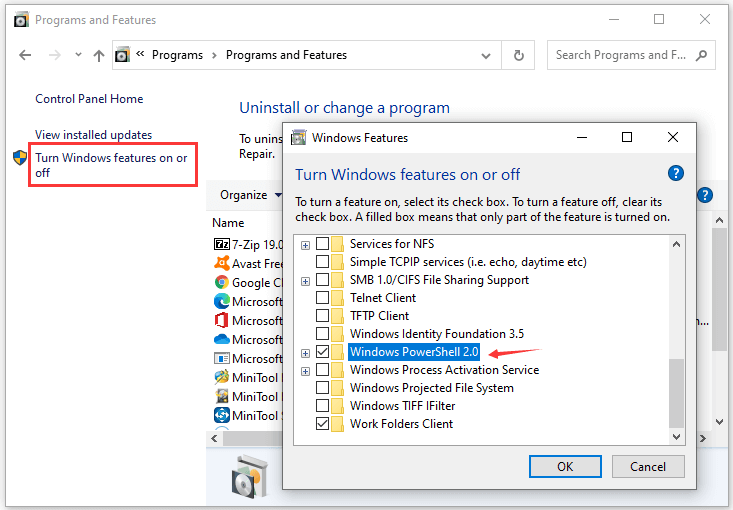
How To Uninstall PowerShell In Windows 10 4 Ways

Firewall Powershell Disable Firewall

Jul 3 2021 nbsp 0183 32 After you turn off a feature you can turn it back on at any time This tutorial will show you how to turn Windows features on or off for all users in Windows 10 You must be signed in

Dec 17 2023 nbsp 0183 32 This tutorial will show you how to enable or disable automatic updates in Windows Update for all users in Windows 10
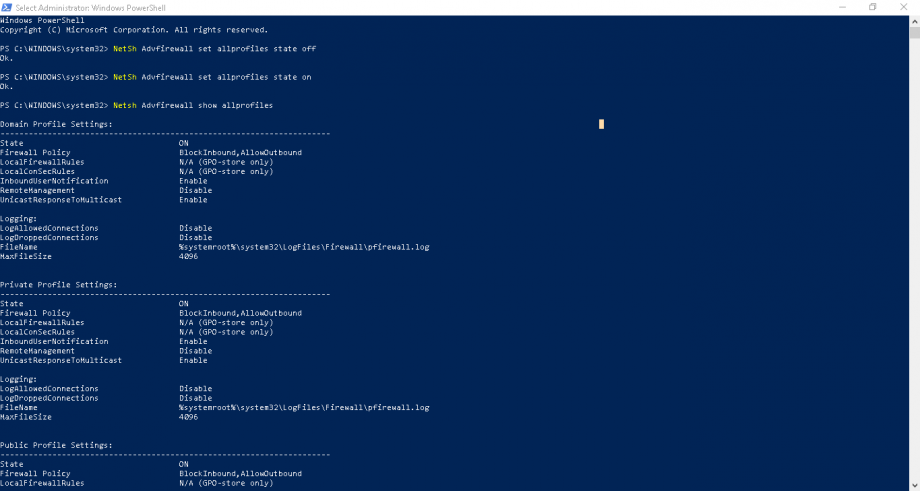
Nov 1 2022 nbsp 0183 32 The Windows Security app uses the Windows Security Service SecurityHealthService or Windows Security Health Service which in turn utilizes the Security
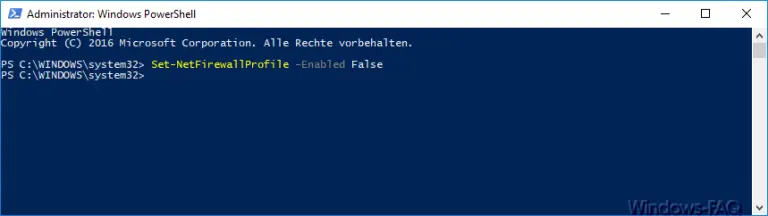
Nov 29 2017 nbsp 0183 32 Some programs and features included with Windows such as Internet Information Services must be turned on before you can use them Certain other features are turned on by

Oct 5 2024 nbsp 0183 32 How to Turn On or Off Sync Your Settings in Windows 10 When Sync settings is turned on Windows syncs the settings you choose across all your Windows 10 devices that
[desc-11] [desc-12]
[desc-13]