Translate Table In Excel Excel Functions Translator Add in Easy Excel How To Win Excel Book By Prof Rashid Rizwi MARStraining Excel Work Create A Table In Excel And Solve For The Following What Types Of Tables In Excel BEST GAMES WALKTHROUGH 50 Possible Things You Can Implement Within Excel Pivot Tables If the translation table is in Excel format copy the translatable cells from the 1 st column to the 2 nd column then hide rows 1 to 3 and all columns except the Translation column Translate the document in your CAT tool the CAT tool should ignore hidden rows and columns by default When the translated document is exported from the CAT tool
Excel Translate is used to translate the contents of a worksheet be it a word sentence or an entire table from one language to another First we must find which language it is and translate them into English The table is shown below Step 1 To find the language select the cell range A2 A13 Go to the Review tab and select Translate Select the range A2 A12 and copy it CTRL C Click on the Review Tab of the ribbon then click on Translate Alternatively you can use the shortcut ALT SHIFT F7 The Translator pane opens on the right side and shows the selected text in the upper box English language is automatically detected
50 Possible Things You Can Implement Within Excel Pivot Tables How To Make Chart In Excel How To Create A Pivot Table In Excel Pixelated Works How To Use PRESENT VALUE PV Formula In Excel Excel Formula Excel 9 Excel Spreadsheet Template For Scheduling Excel Templates Excel Riset Is There A Way To Convert A Given Table To Another Table In Excel Power Automate Office 365 Excel List Rows Present In A Table Action How To Get Rid Of A Table In Excel SpreadCheaters How To Delete A Table In Excel SpreadCheaters
Translate Table In Excel
 Translate Table In Excel
https://easy-excel.com/wp-content/uploads/2021/02/EasyExcel_Translation-add-in-2.png
In case you want to translate an entire Excel file you can use Google Translate Go to Google Translate from your browser select Documents tab click Browse your computer button Then select your file click Open Once you have uploaded your Excel file select the language you want the file to be translated into
Templates are pre-designed documents or files that can be used for various purposes. They can conserve time and effort by providing a ready-made format and design for producing various type of material. Templates can be utilized for individual or expert jobs, such as resumes, invitations, flyers, newsletters, reports, presentations, and more.
Translate Table In Excel

How To Make A Table In Excel Pixelated Works

How To Make Chart In Excel

How To Create A Pivot Table In Excel Pixelated Works

How To Use PRESENT VALUE PV Formula In Excel Excel Formula Excel

Is There A Way To Convert A Given Table To Another Table In Excel

Power Automate Office 365 Excel List Rows Present In A Table Action

Select cell A1 which contains the header text you want to translate first and click the Review tab and then the Translate button in the Language group The Translator pane appears on the right of the Excel window Set the source language and the target language which are English and Swahili respectively After selecting the target language

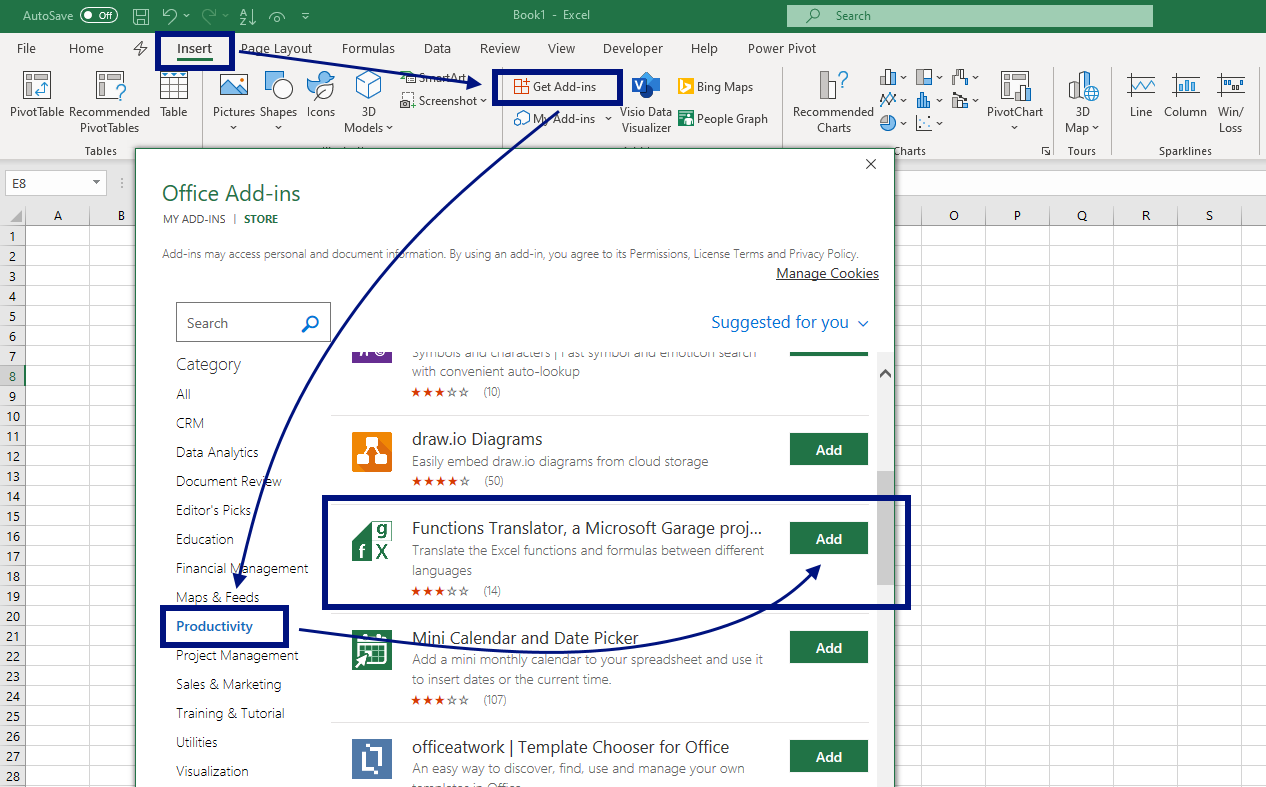
Step 1 Inserting Functions Translator Add in to Translate Language in Excel First go to the Insert tab and click on Get Add ins as shown below Then search for Functions Translator find the Functions Translator a Microsoft Garage project add in and click on the Add button as shown below Next click on Continue to accept the license terms
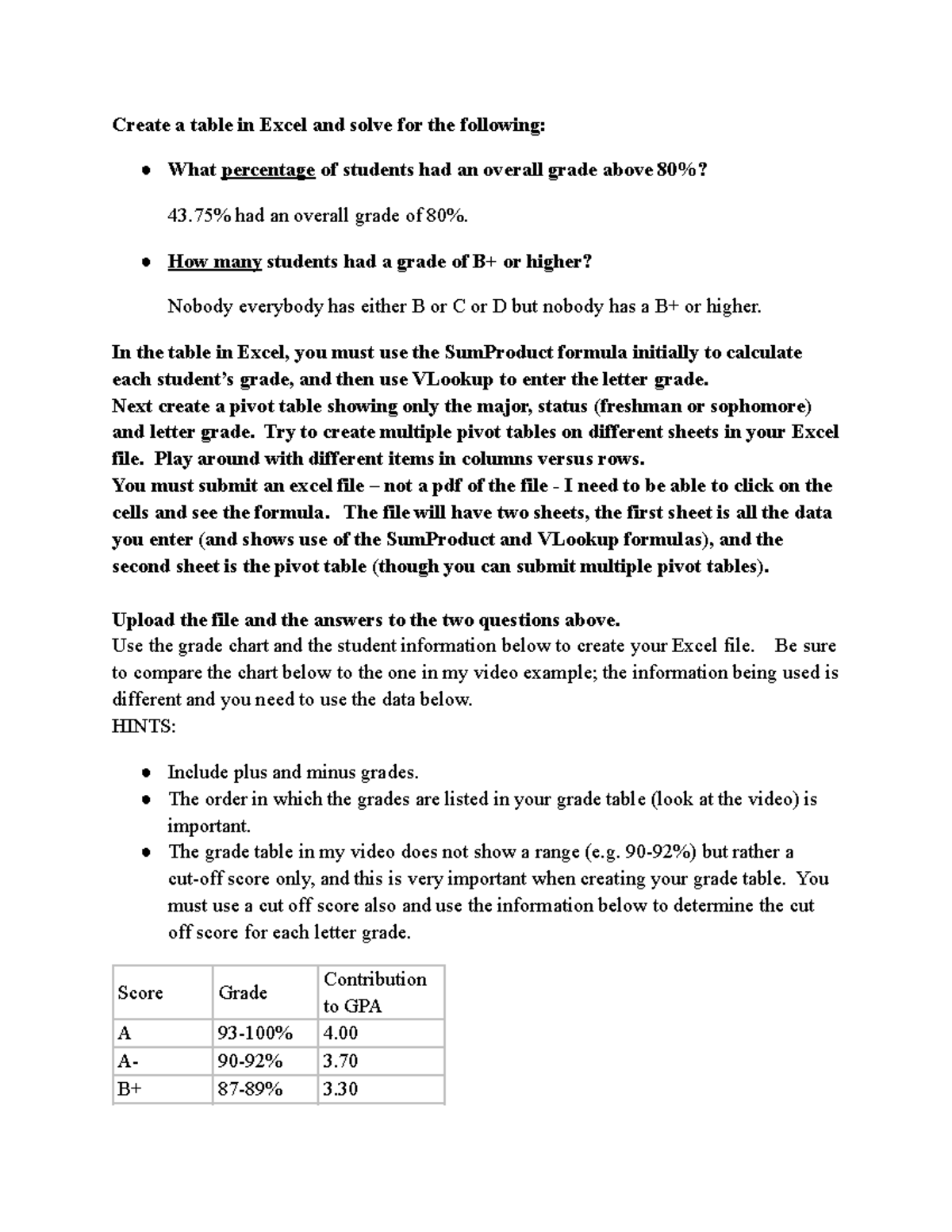
This article walks you through setting up and using the Excel Functions Translator add in The Functions Translator is geared towards people who use versions of Excel in different languages and need help finding the right function in the right language or even translating entire formulas from one language to another The Functions Translator Enables users who know Excel s English

Step 1 Open Microsoft Excel Step 2 Go to Insert table and select Get Add ins from the Add ins section Step 3 An Office Add ins Window will pop up Search for Functions translator in the upper left search section Step 4 You will see Functions Translator at the top click Add as shown in the image below

Microsoft Excel for Windows natively supports translation through the Microsoft Translator ribbon menu It enables users to select a cell and translate its content into any of the supported languages Microsoft Office products offer translation using the AI powered Translator service Learn more about Translator s text and speech translation
First open your Excel spreadsheet and select the text you wish to translate Then on the toolbar select Review Translate The translator menu will appear on the right where you can set the source language and the target language Keep in mind that the translation will only appear on the menu Just type in a selected cell this formula GOOGLETRANSLATE cell to translate source language target language for example Then spread the formula for the entire column and work the same way for other languages Microsoft Excel Translate Microsoft Excel has a special function for automatic translations called Translate You
12 Dec 2023 2 min read Open your Excel spreadsheet and choose the file you want to translate On the toolbar click Review Translate Select the source language and target language Click Translate Microsoft Translator offers the simplest way to translate Excel files This translation method requires copy pasting translations manually