Text Formula In Excel For Time How To Extract Year From Date And Time Format In Excel Free Excel How To Make Excel Ignore Text Within A Formula Quora Are You Properly Using TEXT FORMULA In Excel Excel Formula Tutorial How To Use TEXT Formula In Excel How Can Calculate Time In Excel YouTube On your Android phone or tablet install Gboard On some Android devices Gboard is already the default keyboard To make sure that your device has the most recent version check for updates
Change advanced settings Change how Google Messages sends pictures videos amp audio files Send a message or a file separately to each person in a conversation Tap Group messaging Change text image amp video sizes zoom You can change the size of text images and videos for one web page or for all web pages
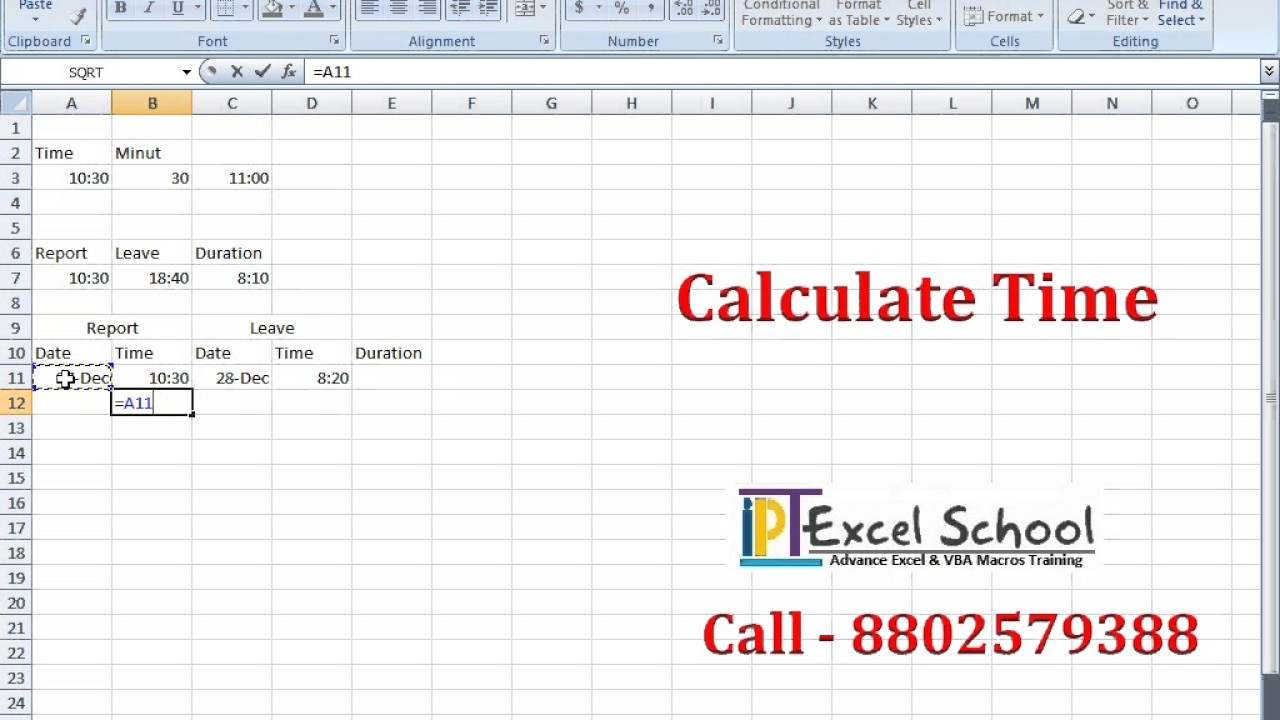
How Can Calculate Time In Excel YouTube How To Use Text Formula In Excel In Hindi Text Formula In Excel TEXT Function In Excel Examples How To Use TEXT Formula In Excel Excel If Then Formula Text Porsight How To Insert If Then Formula In Excel Dassworld Text Function In Excel 7 Best Text Function In Excel Hindi TEXT Function In Excel YouTube Text Formula In Excel How To Use Text Formula In Excel 30 Excel Formula Convert Text To Number Transparant Formulas Riset
Text Formula In Excel For Time
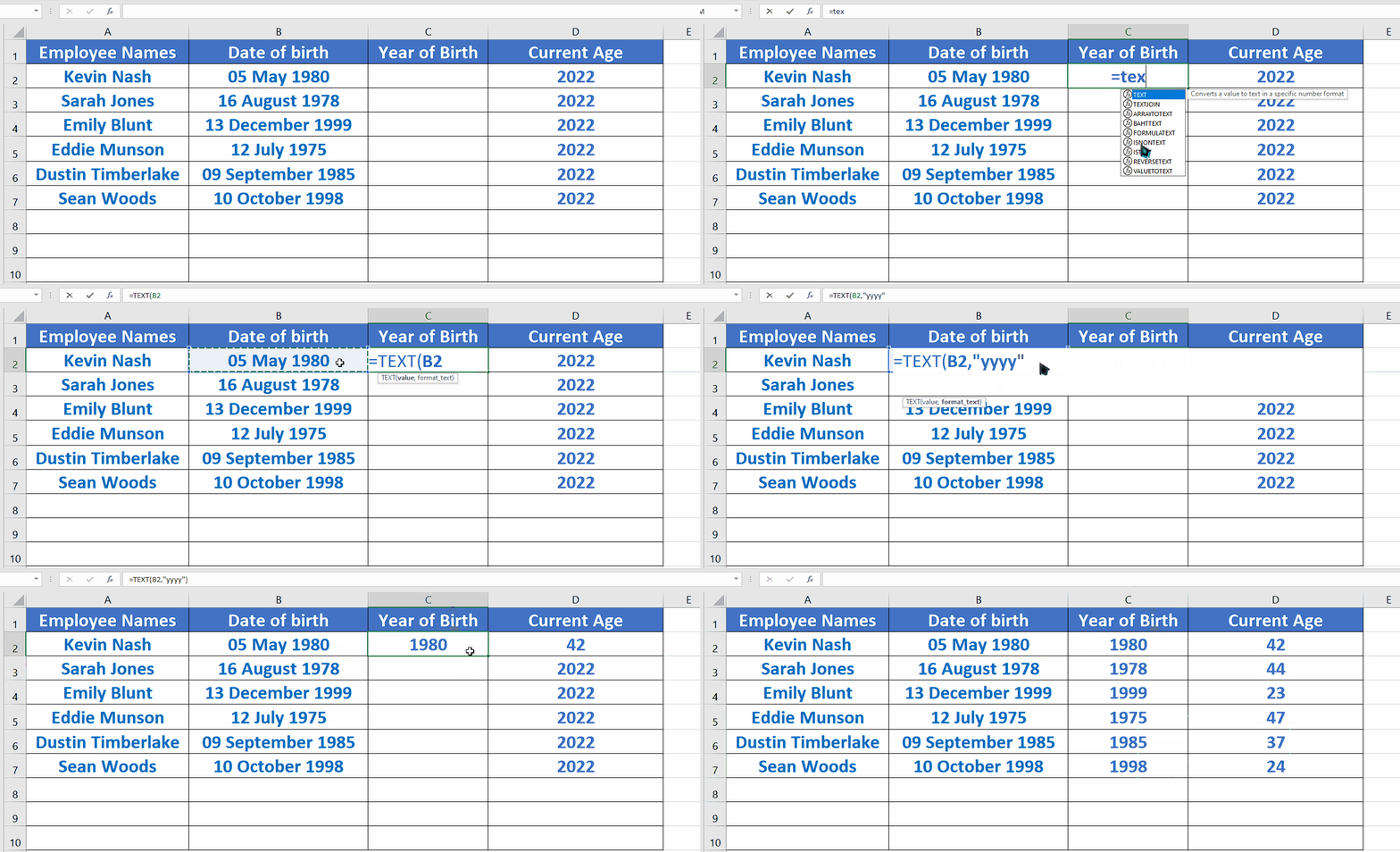 Text Formula In Excel For Time
https://spreadcheaters.com/wp-content/uploads/Final-Image-How-to-extract-year-from-a-date-in-Excel.gif
Cost of text or voice verification The cost of your text or voice messages varies which depends on your plan and provider but will likely be your standard text message and call charges When
Templates are pre-designed documents or files that can be used for different functions. They can save effort and time by providing a ready-made format and layout for developing different sort of material. Templates can be used for individual or expert jobs, such as resumes, invitations, flyers, newsletters, reports, discussions, and more.
Text Formula In Excel For Time
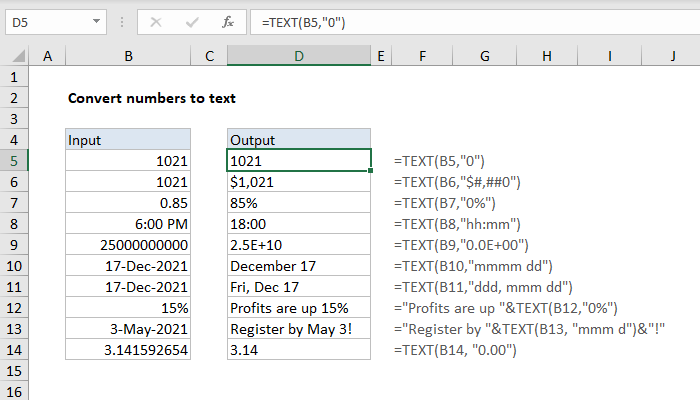
Footwear Number Converter Discount Dealers Save 53 Idiomas to senac br

How To Use Text Formula In Excel In Hindi Text Formula In Excel
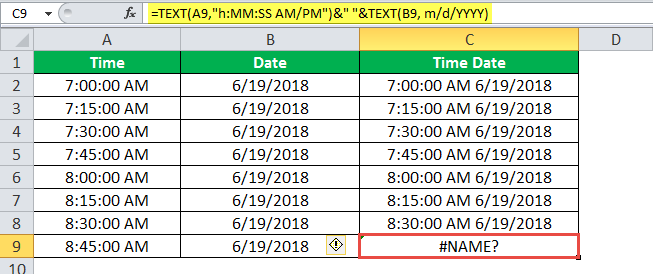
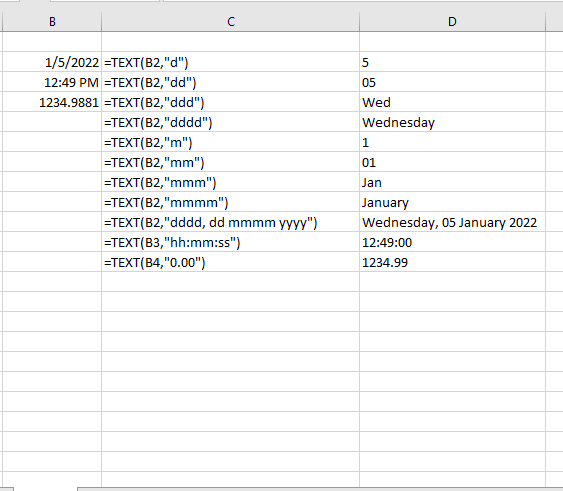
TEXT Function In Excel Examples How To Use TEXT Formula In Excel

Excel If Then Formula Text Porsight
Text Function In Excel 7 Best Text Function In Excel Hindi
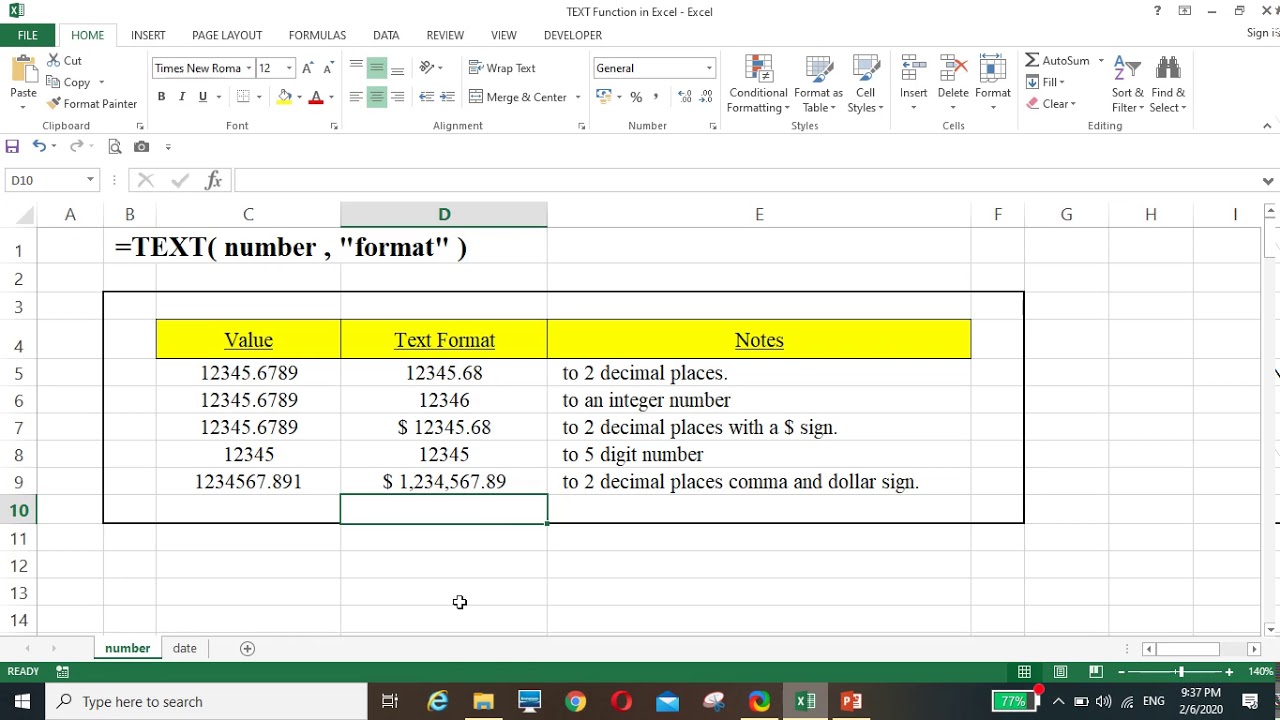
TEXT Function In Excel YouTube
Official Google Translate Help Center where you can find tips and tutorials on using Google Translate and other answers to frequently asked questions
Transcribe spoken words You can use your Pixel Buds to get real time translations Important To use this feature in your device settings turn on microphone permissions for Google Translate

Parts of your spreadsheet affected by theme Text font and color of grid text charts and pivot tables Note If you change the format of an item in your spreadsheet it will override the theme
On your Android phone or tablet open the Translate app Tap Menu Settings Pick a setting For example To automatically speak translated text Tap Speech input Then turn on Speak
On your Android phone or tablet install Gboard Open any app that you can type with like Gmail or Keep Tap an area where you can enter text At the top of your keyboard tap Microphone
[desc-11] [desc-12]
[desc-13]