Sudo Systemctl Start Mongod Not Working Systemctl Mongod PSMDB 1021 Can Not Start Mongod With Systemctl If Change PidFilePath Mongod Command Not Working The FreeCodeCamp Forum Mongodb Mongod Command Is Not Working Now It Was Working Before recastnavigation Linux WEB Jan 22 2019 nbsp 0183 32 After reinstall sudo systemctl start mongod Failed to start mongod service Unit mongod service not found
WEB Aug 29 2020 nbsp 0183 32 Now reinstall the mongo again Solution 2 Most probably unit mongodb service is masked Use following command to unmask it sudo systemctl unmask mongod and re run sudo service mongod start WEB Aug 29 2018 nbsp 0183 32 I m trying to set up a dummy mongodb server on my local device so I can play around with it and make mistakes so that I can feel confident editing the actual server I use the following code to start the mongodb server sudo service mongod start However executing sudo service mongod status outputs the following
recastnavigation Linux Easylist Docker mongo systemctl Start Mongod service Error Mongod service Rocky Linux 8 AlmaLinux 8 RHEL 8 Mongo 4 4 Linux Centos 7 MongoDB Mongodb error While Loading Shared Libraries Libcrypto so 1 1 Cannot Sudo Systemctl Start Roast Linuxmasterrace C mo Instalar MongoDB En Rocky Linux 8 CodePre MongoDB Community Edition Ubuntu
Sudo Systemctl Start Mongod Not Working
 Sudo Systemctl Start Mongod Not Working
https://i2.wp.com/img-blog.csdnimg.cn/2020050216110222.png?x-oss-process=image/watermark,type_ZmFuZ3poZW5naGVpdGk,shadow_10,text_aHR0cHM6Ly9ibG9nLmNzZG4ubmV0L3FxXzM2MTU3MDg1,size_16,color_FFFFFF,t_70
WEB Aug 27 2022 nbsp 0183 32 Recent versions of Linux tend to use systemd which uses the systemctl command while older versions of Linux tend to use System V init which uses the service command You can start the mongod process by issuing the following command sudo systemctl start mongod
Pre-crafted templates provide a time-saving option for creating a varied series of documents and files. These pre-designed formats and layouts can be used for numerous individual and professional jobs, including resumes, invitations, flyers, newsletters, reports, presentations, and more, improving the material development procedure.
Sudo Systemctl Start Mongod Not Working
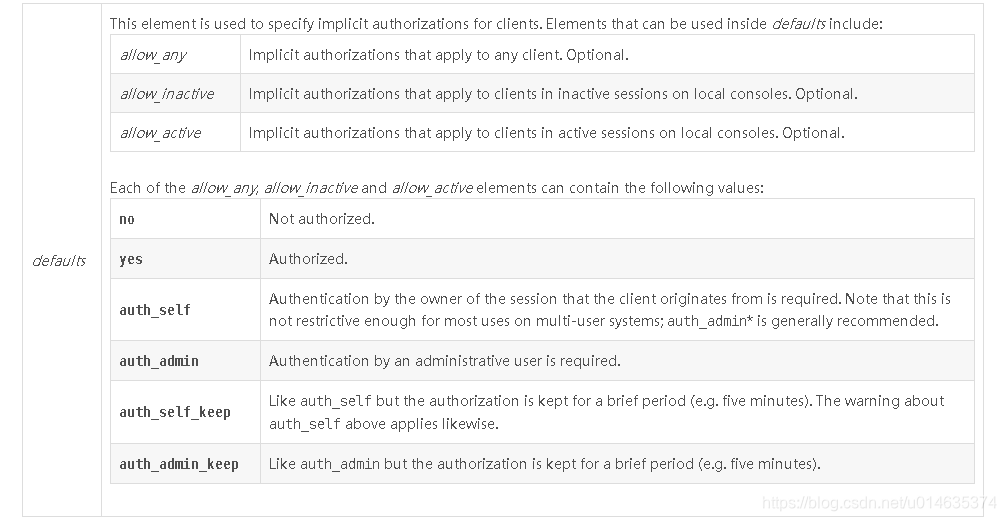
CentOS7 root systemctl root sudo Systemctl Start Gmond
Easylist

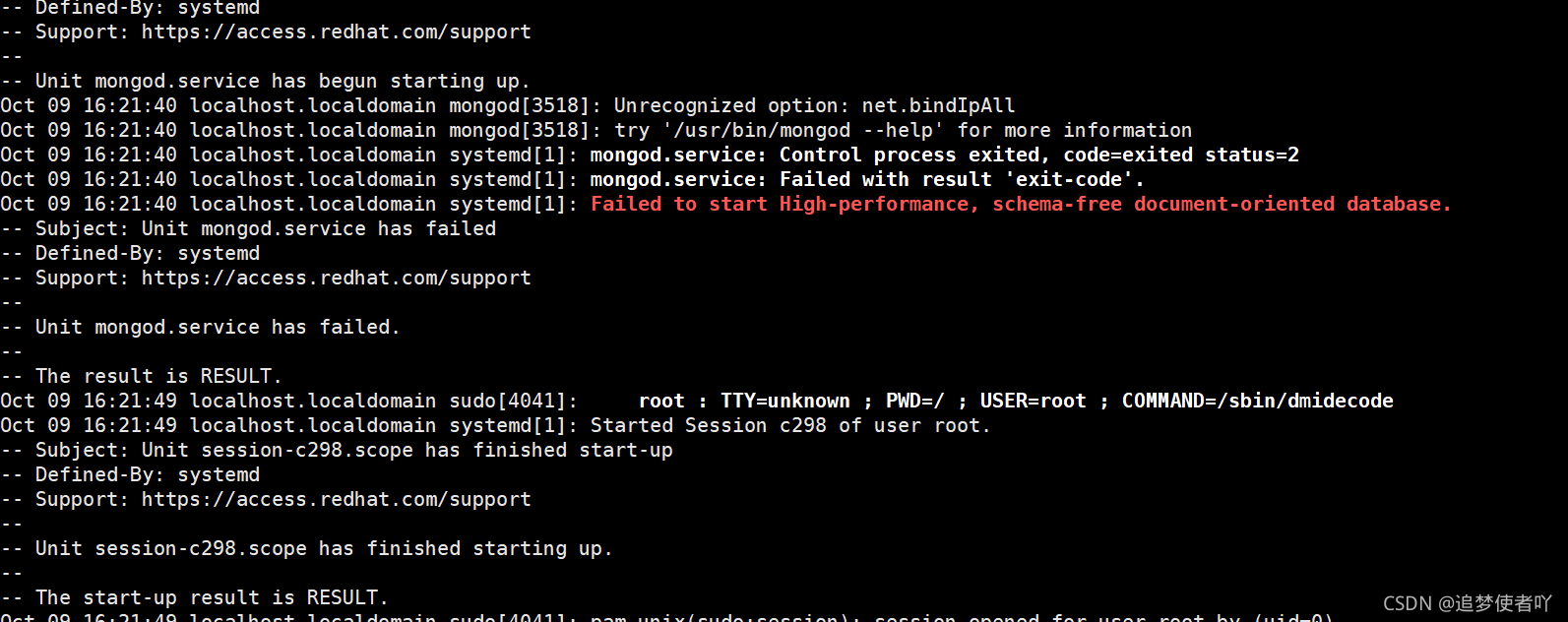
Docker mongo systemctl Start Mongod service Error Mongod service
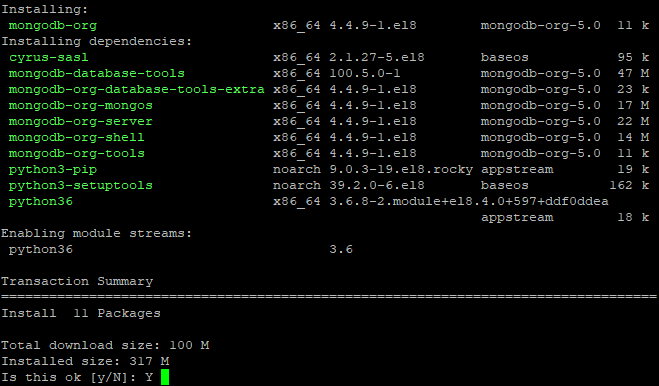
Rocky Linux 8 AlmaLinux 8 RHEL 8 Mongo 4 4
Mongodb error While Loading Shared Libraries Libcrypto so 1 1 Cannot

Sudo Systemctl Start Roast Linuxmasterrace

WEB Mar 27 2012 nbsp 0183 32 Recall that according to official MongoDB documentation the right command to start the service is Ubuntu sudo service mongod start 06 2018 no mongodb or mongo Reference https docs mongodb manual tutorial install mongodb on ubuntu

WEB Mar 27 2022 nbsp 0183 32 Now when I run sudo systemctl start mongod the terminal just executes the command but no output is produced Running sudo systemctl status mongod gives mongod service MongoDB Database Server Loaded loaded lib systemd system mongod service disabled vendor preset enabled

WEB Feb 18 2017 nbsp 0183 32 Check that you properly created mongodb service and it has the proper file permissions ownership 644 root root on it and issued the sudo systemctl start mongodb command Then do the sudo systemctl status mongodb command again and edit your question to show us the output

WEB Feb 20 2022 nbsp 0183 32 Refusing mongod service Failed to create mongod service start Unit mongod service is not loaded properly Argument invalide Attempted to remove disk file system and we can t allow that If I try to enable the service instead I have the following message systemctl enable mongod service
WEB Jun 3 2017 nbsp 0183 32 The issue is that your system couldn t find mongod service when you run sudo service mongod status Running this fixed it and restored the service sudo systemctl enable mongod
WEB Jun 30 2020 nbsp 0183 32 We have install mongodb in Ubuntu 18 04 LTS The system was working fine mongodb service was auto started during reboot We ran sudo mongod repair After this the mongod service is not autostarting and sudo systemctl enable mongod WEB Apr 4 2019 nbsp 0183 32 Installed mongodb on Ubuntu 18 04 LTS mongod service enabled to start automatically on boot Configured mongodb conf to start on 127 0 0 1 and host IP Could start stop service with systemctl but failed to start on
WEB Sep 11 2011 nbsp 0183 32 If you install MongoDB using the Advanced Packaging Tool apt then it ll configure your startup scripts to automatically run Mongo when the system boots The steps are as follows first configure apt to be able to download the Mongo package sudo apt key adv keyserver keyserver ubuntu recv 7F0CEB10 sudo nano etc apt sources list