Sudo Systemctl Daemon Reload Not Working Hot Reload Not Working Visual Studio 2022 Stack Overflow Unix Linux What Does systemctl Daemon reload Do YouTube Ubuntu Is Systemctl Daemon reload Equal Systemctl Restart Service Excess Arguments While Doing systemd Daemon reload During MongoDB Exiting Due To RUNTIME ENABLE Sudo Systemctl Daemon reload Exit Web Result Mar 31 2016 nbsp 0183 32 Attempt 1 Try the defaults This tells systemd how to start the daemon but not how to reload it Service ExecStart usr bin MYSERVICE Type simple As a result start and restart work but reload gives this error systemctl reload MYSERVICE Failed to reload MYSERVICE service Job type
Web Result Aug 31 2018 nbsp 0183 32 To start a systemd service in the current session issue the start command sudo systemctl start apache2 service Conversely to stop a systemd service issue the stop command sudo systemctl stop apache2 service In the above example we started and then stopped the Apache service Web Result Feb 3 2019 nbsp 0183 32 I need to reload the daemon using systemctl command in ubuntu terminal on window 10 I attached the error I received The error bashdos yana systemctl System has not been booted with systemd as
Exiting Due To RUNTIME ENABLE Sudo Systemctl Daemon reload Exit Bluetooth Not Working After Update systemctl Start Hciuart Fails Ardizor On Twitter 8 Sudo Systemctl Daemon reload 9 Sudo Docker daemon json etc docker daemon json CSDN Unix Linux Linux Command systemctl Status Is Not Working Inside A Configure Sudo Without Password On Ubuntu 20 04 Focal Fossa Linux Failed To Update Cluster Starting Kubelet Running Command Sudo SaltStack Execute systemctl system Daemon reload If Service File Unix Linux Warning Mongodb service Changed On Disk Run Systemctl
Sudo Systemctl Daemon Reload Not Working
 Sudo Systemctl Daemon Reload Not Working
https://i.stack.imgur.com/bE0OL.png
Web Result Oct 6 2020 nbsp 0183 32 1 On Amazon Linux 2 on ec2 instance I editted the elastic agent service and I get an error quot Invalid number of arguments quot ec2 user ip 172 31 21 92 sudo systemctl daemon reload elastic agent Invalid number of arguments I have edited my service file to look like this Unit
Templates are pre-designed files or files that can be utilized for various purposes. They can save effort and time by providing a ready-made format and design for developing different type of material. Templates can be utilized for personal or professional jobs, such as resumes, invites, leaflets, newsletters, reports, presentations, and more.
Sudo Systemctl Daemon Reload Not Working
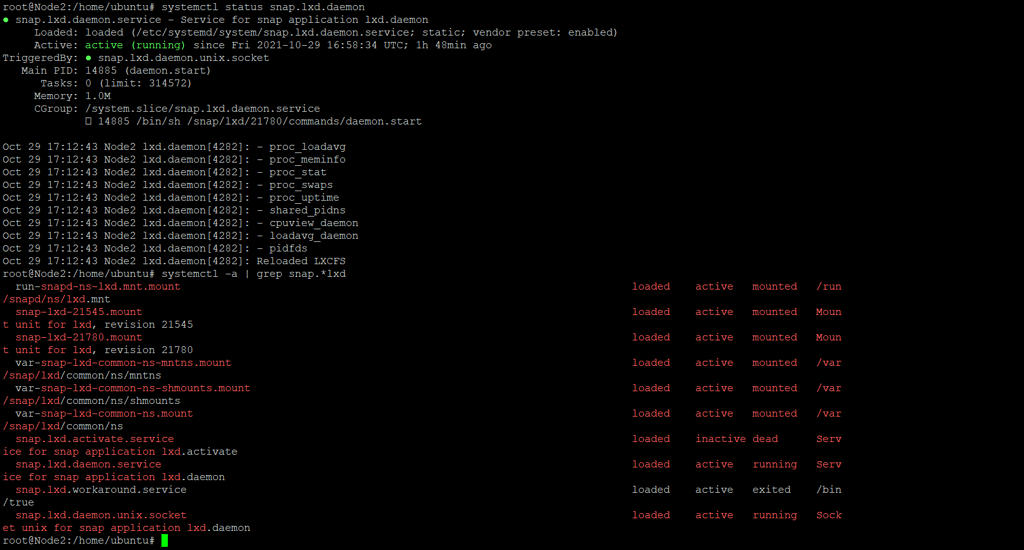
LXD Failed To Start The Daemon LXD Linux Containers Forum
Bluetooth Not Working After Update systemctl Start Hciuart Fails

Ardizor On Twitter 8 Sudo Systemctl Daemon reload 9 Sudo

Docker daemon json etc docker daemon json CSDN

Configure Sudo Without Password On Ubuntu 20 04 Focal Fossa Linux
Failed To Update Cluster Starting Kubelet Running Command Sudo

Web Result Sep 28 2016 nbsp 0183 32 No daemon reload will reload all unit files not the configuration for systemd itself However systemctl daemon reexec will re execute systemd and cause it to digest its new configuration in the process From the systemctl man page daemon reexec Reexecute the systemd manager

Web Result Sep 30 2021 nbsp 0183 32 Whether systemctl daemon reload is needed or not depends on how your service behaves From man page for systemctl 1 daemon reload Reload the systemd manager configuration This will rerun all generators see systemd generator 7 reload all unit files and recreate the entire dependency tree
Web Result Nov 16 2020 nbsp 0183 32 Run systemctl daemon reload to reload units When I run the above reload command everything seems to complete pretty quick with no output Unfortunately the kubelet service is still registering as modified I also tried the command systemctl system daemon reload with no luck

Web Result Apr 4 2018 nbsp 0183 32 No From man systemctl perhaps the longest man page in the world Manager Lifecycle Commands daemon reload Reload the systemd manager configuration This will rerun all generators see systemd generator 7 reload all unit files and recreate the entire dependency tree
Web Result Dec 4 2019 nbsp 0183 32 4 Answers Sorted by 7 You can check loaded unit by command systemctl show lt unit gt service As far I know there is no tool to check changes in unit files
Web Result May 6 2021 nbsp 0183 32 1 Answer Sorted by 8 daemon reload will reload systemd files If you change a service file in etc systemd system daemon reload will reload these files For instance you realize that you need a 5 seconds timeout between restarts in a service You add that timeout in a service file and make a daemon reload Web Result Jun 9 2019 nbsp 0183 32 If you want to run systemctl user daemon reload on all currently active users sessions you might want to do something like this bin sh for reloaduser in loginctl no legend list users awk print 2 do sudo u reloaduser systemctl user daemon reload done
Web Result Jan 24 2022 nbsp 0183 32 To restart a running service you can use the restart command sudo systemctl restart application service If the application in question is able to reload its configuration files without restarting you can issue the reload command to initiate that process sudo systemctl reload application service