Sticky Notes Not Staying Open 1988 Ford Mustang GT T Tops 64 000 Miles For Sale Photos Technical Specifications Description 1988 Ford Mustang GT T Tops 64 000 Miles For Sale Photos Technical Specifications Description 8 Best Fixes For Sticky Notes Not Opening On Windows 11 TechWiser 1988 Ford Mustang GT T Tops 64 000 Miles For Sale Sticky Notes Windows 11 Not Working How To Fix Web May 30 2022 nbsp 0183 32 To do so follow these steps Search for Sticky Notes in the Windows search bar and open it Click on the Settings gear icon in the top right corner Under General settings turn off the toggle for Enable insights
Web 1 How can I make a sticky note stay open DonMac99 Community Beginner Aug 02 2012 I m using Acrobat X Pro on a large screen under 64 bit Windows 7 to read PDF scientific journal articles I regularly add highlighting with comments and sticky notes I would like the sticky notes to stay open because my screen has lots of room to display Web Apr 11 2017 nbsp 0183 32 There are several ways to make Sticky Notes open automatically at the startup Method 1 Leave Sticky Notes open when you shut down your computer This way all Sticky Notes opened previously will load automatically Method 2 Add Sticky Notes to the Startup program See the link below for the steps Adding Startup programs Let us
Sticky Notes Windows 11 Not Working How To Fix 8 Best Fixes For Sticky Notes Not Opening On Windows 11 TechWiser 8 Best Fixes For Sticky Notes Not Opening On Windows 11 TechWiser 8 Best Fixes For Sticky Notes Not Opening On Windows 11 TechWiser The Recorder Times Past When The Roller Rink Was The Place To Be Ameer Gaafar s Blog Print Your Sprint Sticky Notes Or Not Sticky Notes Not Opening On Windows 11 Fix It Now 8 Best Fixes For Sticky Notes Not Opening On Windows 11 TechWiser Keurig K55 Lid Spring Replacement IFixit Repair Guide
Sticky Notes Not Staying Open
 Sticky Notes Not Staying Open
https://topclassiccarsforsale.com/uploads/photoalbum/1988-ford-mustang-gt-t-tops-64000-miles-1.jpg
Web Aug 30 2019 nbsp 0183 32 1 Update Windows OS It s fast turning into a ritual on my laptop Every time there is an issue the first thing I do is check for updates Quite often I find a lone update waiting to be
Pre-crafted templates offer a time-saving option for producing a diverse range of files and files. These pre-designed formats and designs can be utilized for numerous personal and expert tasks, including resumes, invites, flyers, newsletters, reports, discussions, and more, streamlining the content development process.
Sticky Notes Not Staying Open
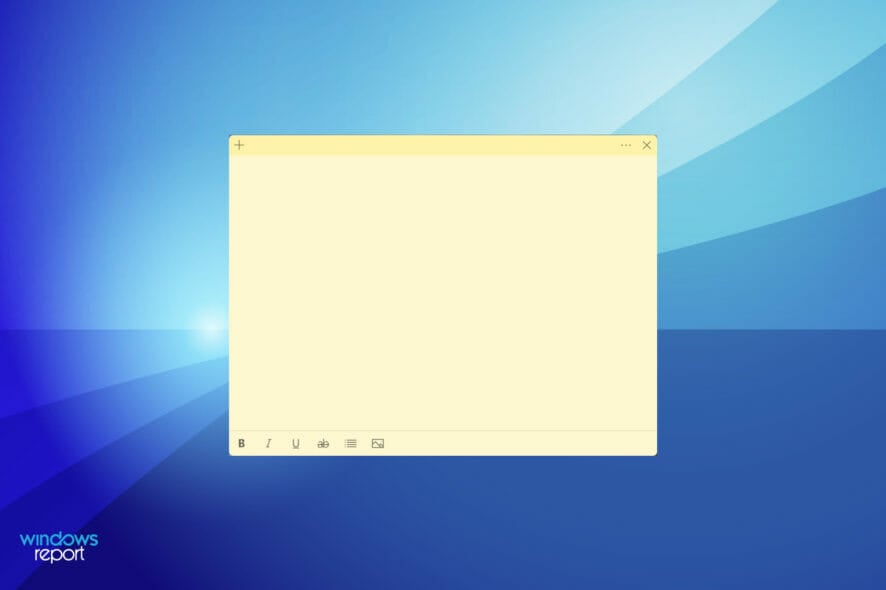
Windows 11 Sticky Notes Not Working 7 Ways To Fix It

8 Best Fixes For Sticky Notes Not Opening On Windows 11 TechWiser

8 Best Fixes For Sticky Notes Not Opening On Windows 11 TechWiser

8 Best Fixes For Sticky Notes Not Opening On Windows 11 TechWiser

Ameer Gaafar s Blog Print Your Sprint Sticky Notes Or Not

Sticky Notes Not Opening On Windows 11 Fix It Now

Web Apr 27 2023 nbsp 0183 32 IMPORTANT Before setting Sticky Notes to open automatically on the Windows startup it is a good idea to open the app configure it and update it if necessary to the latest version Here are all the ways to start Sticky Notes and here s how to update apps and games from the Microsoft Store

Web Oct 26 2022 nbsp 0183 32 1 You can try these same fixes for Sticky Notes not starting with Windows in Windows 10 which work the same in Windows 11 https www digitalcitizen life make sticky not 2 If that doesn t work then try these fixes for Windows 11 Sticky Notes https www windowsdigitals sticky notes wi

Web Please try the following Check for Windows updates In Windows 10 click or tap the Start button select Settings and then in the Search box Reboot Reboot your PC or mobile device and then try to sign in again Sticky Notes disabled Check with your system administrator Signing in to

Web Jul 18 2012 nbsp 0183 32 1 First exit the application 2 Then go to the Windows Programs and Features section of theControl Panel 3 SelectPost it 174 Digital Notes and click the Uninstall button 4 Restart the computer 5 Follow the same step and instead of clicking on uninstall click on install Check if the issue persists
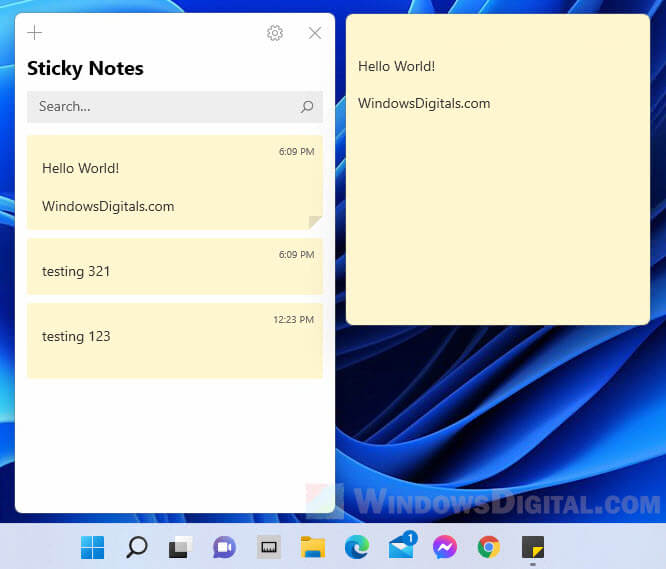
Web Nov 18 2022 nbsp 0183 32 Sticky Notes help Microsoft Support My sticky note is still there and if I split my screen I can see it and enlarge it A couple of ways to view your sticky notes You can look at the app and right click on it See first image below You can pin the app to your taskbar and right click on it See second image below H E W
Web Aug 21 2022 nbsp 0183 32 1 Update App and OS 2 Reset Store Cache 3 Re Register Sticky Notes on Windows 4 Run Microsoft Store Troubleshooter 5 Disable Insights Feature 6 Run Antivirus and Malware 7 Run SFC 8 Repair or Reset Sticky Notes Stick It Anywhere Before We Begin Here is a little hack for those who are in a hurry and need to access Web Sticky Notes didn t open on start Click or tap the Start button and then type quot Sticky Notes quot Click or tap the Sticky Notes app to open it If only a single note is displayed when you open the app click or tap the
Web Dec 7 2019 nbsp 0183 32 Reset Sticky Notes at Settings gt Apps gt Apps amp Features gt Sticky Notes gt Advanced Options gt Reset Restart PC If not fixed re register the app from Option Two here http www tenforums tutorials 3175 apps re If nothing else works then do a Repair Install by installing Media Creation Tool open tool and choose to Upgrade Now