Start Button Not Working Windows 10 Fix How To Fix Windows 11 Photos App Nextprevious Not Working Vrogue Fix Windows 10 Start Button Not Working In 2 Minute Working 2019 Fix Start Button Not Working In Windows 10 2016 To 2017 Youtube 10 3 Solutions To Fix Start Button Not Working In Windows 10 8 1 8 Windows Start Button Not Working Windows 10 Fix Archives BENISNOUS Web Feb 26 2019 nbsp 0183 32 Restarting the process can get the Start button to act normally once again Open Task Manager by holding CTRL SHIFT and ESC at the same time Go to the Processes tab Note Click More Details if you don t see tabs Scroll down and find Windows Explorer from the list of active applications Right click Windows Explorer and click Restart
Web Apr 16 2023 nbsp 0183 32 1 Restart You d be surprised how many issues a simple quick restart can fix on your Windows PC In fact rebooting is often suggested as a first recourse to even many hardware problems such as unresponsive keyboard buttons Web Aug 21 2019 nbsp 0183 32 The simplest way to open Settings is to hold down the Windows key on your keyboard the one to the right of Ctrl and press i If for any reason this doesn t work and you can t use the Start menu you can hold the Windows key and pressing R which will launch the Run command
Windows Start Button Not Working Windows 10 Fix Archives BENISNOUS How To Fix The Windows 10 Start Menu Not Working How To Fix Windows Button Not Working Issues Solved Windows Start Button Not Working Windows 10 Fix YouTube Top 7 Ways To Fix The Left Click Mouse Button Not Working On Windows 10 How To Solve Windows 10 Start Button Not Working Problem 2019 YouTube SOLVED Windows 10 Start Button Not Working WindowsCla SOLVED Windows 10 Start Menu Not Working 13 Methods Control Button Not Working Windows 10 Crystalfreeloads
Start Button Not Working Windows 10 Fix
 Start Button Not Working Windows 10 Fix
http://www.pcerror-fix.com/wp-content/uploads/2015/11/windows-10-start-menu-not-working.jpg
Web Mar 20 2023 nbsp 0183 32 Symptom Tiles are missing from the Start Menu when using Windows 10 version 1703 or older Windows Server 2016 and Roaming User Profiles with a Start layout Description There are two different Start Menu issues in Windows 10 Administrator configured tiles in the start layout fail to roam User initiated changes to the start layout
Templates are pre-designed documents or files that can be used for different purposes. They can save effort and time by supplying a ready-made format and design for developing various type of content. Templates can be used for individual or expert tasks, such as resumes, invites, leaflets, newsletters, reports, discussions, and more.
Start Button Not Working Windows 10 Fix
3 Solutions To Fix Start Button Not Working In Windows 10 8 1 8

How To Fix The Windows 10 Start Menu Not Working
How To Fix Windows Button Not Working Issues Solved

Windows Start Button Not Working Windows 10 Fix YouTube

How To Solve Windows 10 Start Button Not Working Problem 2019 YouTube
SOLVED Windows 10 Start Button Not Working WindowsCla

Web While it s likely you have the most recent drivers if you re still having trouble with the Start menu you can try fixing it by manually updating your graphics or audio drivers For more info see Update drivers manually in Windows

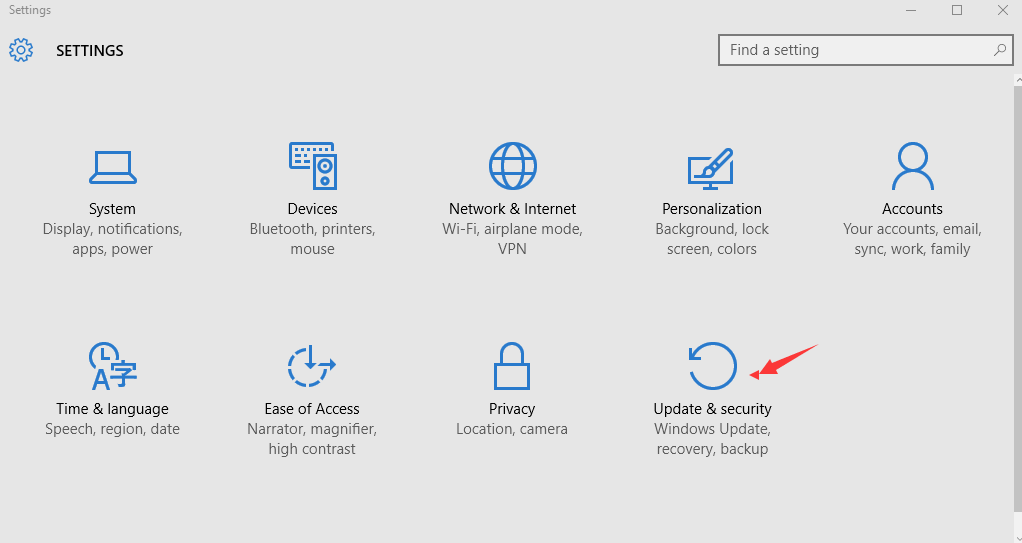
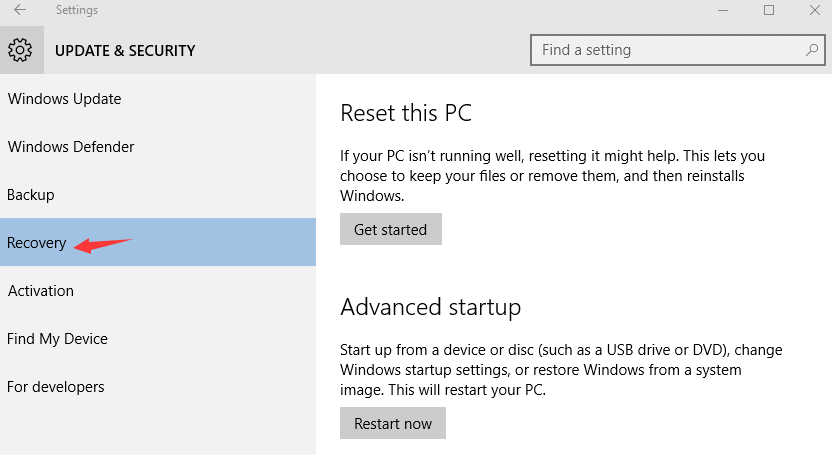
Web Oct 4 2023 nbsp 0183 32 What can I do when the Start button is not working in Windows 10 1 Check for Windows updates Press Windows Key I to open the Settings app Now go to the Update amp Security section 2 Use the PowerShell to fix this issue Press Windows key X and choose Windows PowerShell Admin Press Enter

Web Nov 6 2020 nbsp 0183 32 If you have an issue with the Start Menu the first thing you can try to do is restart the Windows Explorer process in the Task Manager To open the Task Manager press Ctrl Alt Delete then click the Task Manager button Click More details to see a full list of open programs and background processes you re running
Web Feb 21 2020 nbsp 0183 32 Press Ctrl Alt Delete From the menu select Sign out From the sign in screen type your password and select the right arrow to enter Check to see if the Start menu is now working If not continue trying the suggestions below Create a

Web First check for updates Press Windows logo key R type ms settings and then select OK This opens Settings In Settings choose Update amp security gt WindowsUpdate and then select Check for updates Install any available updates and restart your PC if required
[desc-11] [desc-12]
[desc-13]